WebSocket คืออะไร? สอนสร้างระบบ Real-time ด้วย WebSocket, SSE และ Socket.IO 2026
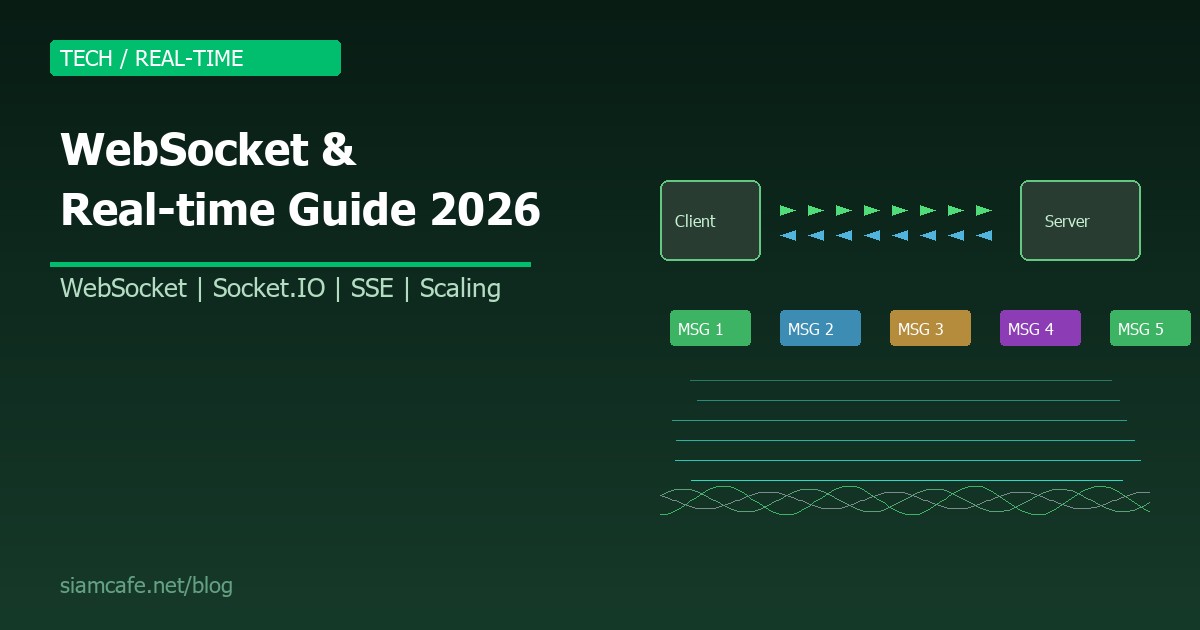

ในยุคที่ผู้ใช้คาดหวังข้อมูลแบบ Real-time ทุกวินาที ไม่ว่าจะเป็นแชทออนไลน์ ราคาหุ้นที่อัพเดทสด Notification ที่แจ้งเตือนทันที หรือเอกสารที่แก้ไขร่วมกันได้พร้อมกันหลายคน HTTP แบบดั้งเดิมที่ทำงานแบบ Request-Response ไม่สามารถตอบโจทย์ได้อีกต่อไป WebSocket จึงถือกำเนิดขึ้นเพื่อเป็นสะพานเชื่อมระหว่าง Client กับ Server แบบ Full-Duplex ให้สามารถส่งข้อมูลหากันได้ทั้งสองทิศทางตลอดเวลา
บทความนี้จะสอนทุกเรื่องเกี่ยวกับ Real-time Communication ตั้งแต่ WebSocket Protocol ระดับลึก, การ Implement ด้วย Node.js และ Python, การใช้ Socket.IO และ SSE, การ Scale, Security จนถึงเทคโนโลยีทางเลือกอย่าง WebTransport และ gRPC Streaming
อ่านเพิ่ม: gRPC และ Protocol Buffers คืออะไร? สอนสร้าง High-Performance · อ่านเพิ่ม: Microservices Communication Patterns คืออะไร? Sync vs Async, · อ่านเพิ่ม: Rate Limiting คืออะไร? สอนป้องกัน API ด้วย Rate Limit, Throt
WebSocket คืออะไร?

WebSocket คือ Protocol สำหรับ Full-Duplex Communication ระหว่าง Client (เช่น Browser) กับ Server ผ่าน TCP Connection เดียว ถูกกำหนดใน RFC 6455 และเป็นส่วนหนึ่งของมาตรฐาน Web ที่ Browser ทุกตัวรองรับ
ต่างจาก HTTP ที่ Client ต้องส่ง Request ก่อนแล้ว Server ถึงจะตอบ Response ได้ WebSocket เปิดช่องทางให้ Server ส่งข้อมูลมาหา Client ได้เองตลอดเวลา โดยไม่ต้องรอ Request ซึ่งเหมาะกับ Application ที่ต้องการข้อมูล Real-time
คุณสมบัติหลักของ WebSocket
- Full-Duplex — ส่งข้อมูลได้ทั้งสองทิศทางพร้อมกัน (ต่างจาก HTTP ที่เป็น Half-Duplex)
- Persistent Connection — เปิด Connection ครั้งเดียว ใช้ได้ตลอด ไม่ต้องเปิดใหม่ทุกครั้ง
- Low Latency — ไม่มี HTTP Header Overhead ในทุกข้อความ ส่งได้เร็วมาก
- Low Overhead — Frame Header แค่ 2-14 bytes เทียบกับ HTTP Header ที่หลายร้อย bytes
- Event-Driven — ทำงานแบบ Event-based เหมาะกับ Asynchronous Programming
HTTP vs WebSocket — เปรียบเทียบแบบละเอียด
| Feature | HTTP | WebSocket |
|---|---|---|
| Communication | Request-Response (Half-Duplex) | Full-Duplex |
| Connection | เปิด-ปิดทุก Request (หรือ Keep-Alive) | Persistent (เปิดค้างไว้) |
| Initiator | Client เท่านั้น | ทั้ง Client และ Server |
| Protocol | http:// / https:// | ws:// / wss:// |
| Header Overhead | สูง (หลายร้อย bytes) | ต่ำมาก (2-14 bytes) |
| Latency | สูง (ต้อง Handshake ทุกครั้ง) | ต่ำ (Handshake ครั้งเดียว) |
| Use Case | REST API, เว็บทั่วไป | Chat, Live Data, Gaming |
| Caching | รองรับ (Cache-Control) | ไม่รองรับ |
| Stateless | ใช่ | ไม่ (Stateful) |
WebSocket Protocol — ทำงานอย่างไร?
Handshake Process
WebSocket เริ่มต้นด้วย HTTP Upgrade Request เพื่อยกระดับจาก HTTP เป็น WebSocket Protocol
# Client ส่ง HTTP Upgrade Request
GET /chat HTTP/1.1
Host: server.example.com
Upgrade: websocket
Connection: Upgrade
Sec-WebSocket-Key: dGhlIHNhbXBsZSBub25jZQ==
Sec-WebSocket-Version: 13
Origin: http://example.com

# Server ตอบ 101 Switching Protocols
HTTP/1.1 101 Switching Protocols
Upgrade: websocket
Connection: Upgrade
Sec-WebSocket-Accept: s3pPLMBiTxaQ9kYGzzhZRbK+xOo=

# หลังจากนี้ทั้งสองฝ่ายส่ง Data ผ่าน WebSocket Frames
WebSocket Frames
หลังจาก Handshake สำเร็จ ข้อมูลจะถูกส่งเป็น Frame ซึ่งมีโครงสร้างดังนี้:
Frame Structure:
┌─────────┬──────────┬───────────────┬──────────────┐
│ FIN (1) │ Opcode(4)│ Payload Len │ Payload Data │
└─────────┴──────────┴───────────────┴──────────────┘
Opcodes:
0x0 = Continuation Frame
0x1 = Text Frame (UTF-8)
0x2 = Binary Frame
0x8 = Connection Close
0x9 = Ping
0xA = Pong
Frame ขนาดเล็กใช้แค่ 2 bytes header
+ 2 bytes สำหรับ payload 126-65535 bytes
+ 8 bytes สำหรับ payload > 65535 bytes
Client -> Server: ต้อง mask data (+ 4 bytes mask key)
สร้าง WebSocket Server ด้วย Node.js
ใช้ ws Library (ยอดนิยมที่สุด)
// npm install ws

const WebSocket = require('ws');
const server = new WebSocket.Server({ port: 8080 });

// เก็บ clients ทั้งหมด
const clients = new Set();

server.on('connection', (ws, req) => {
    console.log('New client connected from:', req.socket.remoteAddress);
    clients.add(ws);

    // รับข้อความ
    ws.on('message', (data) => {
        const message = data.toString();
        console.log('Received:', message);

        // Broadcast ไปทุก client
        clients.forEach(client => {
            if (client !== ws && client.readyState === WebSocket.OPEN) {
                client.send(JSON.stringify({
                    type: 'message',
                    data: message,
                    timestamp: Date.now()
                }));
            }
        });
    });

    // Ping/Pong (heartbeat)
    ws.isAlive = true;
    ws.on('pong', () => { ws.isAlive = true; });

    // ปิด Connection
    ws.on('close', (code, reason) => {
        console.log(`Client disconnected: ${code} ${reason}`);
        clients.delete(ws);
    });

    // Error
    ws.on('error', (err) => {
        console.error('WebSocket error:', err);
        clients.delete(ws);
    });

    // ส่งข้อความต้อนรับ
    ws.send(JSON.stringify({
        type: 'welcome',
        data: 'Connected to WebSocket server!'
    }));
});

// Heartbeat interval (ตรวจสอบ client ที่หลุด)
const heartbeat = setInterval(() => {
    server.clients.forEach(ws => {
        if (!ws.isAlive) {
            ws.terminate();
            return;
        }
        ws.isAlive = false;
        ws.ping();
    });
}, 30000);

server.on('close', () => clearInterval(heartbeat));
console.log('WebSocket server running on ws://localhost:8080');
สร้าง WebSocket Server ด้วย Python
Socket.IO — WebSocket Framework ที่ใช้ง่ายที่สุด
Socket.IO ไม่ใช่ WebSocket โดยตรง แต่เป็น Library ที่สร้างอยู่บน WebSocket พร้อม Feature เพิ่มเติมมากมาย ทำให้การสร้างระบบ Real-time ง่ายขึ้นหลายเท่า
Feature ที่ Socket.IO เพิ่มจาก WebSocket
- Auto Reconnection — เชื่อมต่อใหม่อัตโนมัติเมื่อหลุด
- Rooms & Namespaces — จัดกลุ่ม Client ได้
- Acknowledgements — ยืนยันว่าข้อความถึงหรือยัง
- Fallback — ถ้า WebSocket ใช้ไม่ได้จะ Fallback เป็น HTTP Long Polling
- Binary Support — ส่งไฟล์ รูปภาพ ได้
- Multiplexing — หลาย Channel บน Connection เดียว
Socket.IO Client
<!-- CDN -->
<script src="https://cdn.socket.io/4.7.5/socket.io.min.js"></script>
<script>
// เชื่อมต่อ Namespace
const socket = io('http://localhost:3000/chat', {
    auth: { token: 'valid-token' },
    reconnection: true,
    reconnectionAttempts: 5,
    reconnectionDelay: 1000
});

socket.on('connect', () => {
    console.log('Connected:', socket.id);
    socket.emit('join-room', 'general');
});

// รับข้อความ
socket.on('message', (data) => {
    console.log('Message:', data);
    appendMessage(data);
});

// ส่งข้อความ
function sendMessage(content) {
    socket.emit('message', {
        room: 'general',
        content: content
    });
}

// ส่งข้อความสำคัญ พร้อม ACK
function sendImportant(data) {
    socket.emit('important-message', data, (ack) => {
        console.log('Server acknowledged:', ack);
    });
}

// Typing indicator
let typingTimeout;
function onTyping() {
    socket.emit('typing', 'general');
    clearTimeout(typingTimeout);
    typingTimeout = setTimeout(() => {
        socket.emit('stop-typing', 'general');
    }, 1000);
}

// Reconnection events
socket.on('reconnect', (attempt) => {
    console.log(`Reconnected after ${attempt} attempts`);
});

socket.on('reconnect_error', (err) => {
    console.error('Reconnection failed:', err);
});
</script>
Server-Sent Events (SSE) — ทางเลือกที่ง่ายกว่า
SSE คือเทคโนโลยีที่ Server สามารถ Push ข้อมูลไปหา Client ได้แบบ One-way (Server -> Client เท่านั้น) ผ่าน HTTP Connection ปกติ เหมาะกับกรณีที่ Client ไม่ต้องส่งข้อมูลกลับบ่อย
SSE Server (Node.js/Express)
const express = require('express');
const app = express();

app.get('/events', (req, res) => {
    // ตั้ง Header สำหรับ SSE
    res.writeHead(200, {
        'Content-Type': 'text/event-stream',
        'Cache-Control': 'no-cache',
        'Connection': 'keep-alive',
        'Access-Control-Allow-Origin': '*'
    });

    // ส่ง Event
    const sendEvent = (eventName, data) => {
        res.write(`event: ${eventName}\n`);
        res.write(`data: ${JSON.stringify(data)}\n\n`);
    };

    // ส่ง Heartbeat ทุก 15 วินาที
    const heartbeat = setInterval(() => {
        res.write(': heartbeat\n\n');
    }, 15000);

    // ส่งข้อมูลเริ่มต้น
    sendEvent('connected', { message: 'SSE connected!' });

    // จำลองส่งข้อมูลทุก 3 วินาที
    let count = 0;
    const dataInterval = setInterval(() => {
        count++;
        sendEvent('update', {
            id: count,
            price: (Math.random() * 100).toFixed(2),
            timestamp: new Date().toISOString()
        });
    }, 3000);

    // Cleanup เมื่อ Client ปิด Connection
    req.on('close', () => {
        clearInterval(heartbeat);
        clearInterval(dataInterval);
        console.log('SSE client disconnected');
    });
});

app.listen(3000, () => console.log('SSE server on http://localhost:3000'));
เปรียบเทียบ WebSocket vs SSE vs Long Polling
| Feature | WebSocket | SSE | Long Polling |
|---|---|---|---|
| Direction | Full-Duplex (สองทาง) | Server -> Client เท่านั้น | Server -> Client |
| Protocol | ws:// / wss:// | HTTP/HTTPS | HTTP/HTTPS |
| Connection | Persistent | Persistent | Short-lived (ต่อใหม่ทุกรอบ) |
| Auto Reconnect | ไม่มี (ทำเอง) | มี (Built-in) | ไม่มี (ทำเอง) |
| Binary Data | รองรับ | ไม่รองรับ (Text เท่านั้น) | รองรับ |
| Proxy/Firewall | อาจมีปัญหา | ผ่านได้ง่าย (HTTP ปกติ) | ผ่านได้ง่าย |
| Browser Support | ทุกตัว | ทุกตัว (ยกเว้น IE) | ทุกตัว |
| Overhead | ต่ำมาก | ต่ำ | สูง |
| Complexity | ปานกลาง | ต่ำ | ต่ำ |
| Use Case | Chat, Game, Collaboration | News Feed, Notifications | Simple updates |
Authentication กับ WebSocket
WebSocket ไม่รองรับ Custom HTTP Header หลัง Handshake ดังนั้นต้องจัดการ Authentication ด้วยวิธีพิเศษ
// วิธีที่ 1: Token ใน Query String (ง่ายที่สุด แต่ Token อาจ Log ได้)
const ws = new WebSocket('wss://server.com/ws?token=eyJhbGciOiJI...');

// Server-side validation
const url = require('url');
wss.on('connection', (ws, req) => {
    const params = url.parse(req.url, true).query;
    const token = params.token;

    if (!verifyToken(token)) {
        ws.close(4001, 'Unauthorized');
        return;
    }
    // ... proceed
});

// วิธีที่ 2: Auth ใน First Message
const ws = new WebSocket('wss://server.com/ws');
ws.onopen = () => {
    ws.send(JSON.stringify({
        type: 'auth',
        token: 'eyJhbGciOiJI...'
    }));
};

// Server-side
ws.on('message', (data) => {
    const msg = JSON.parse(data);
    if (!ws.authenticated) {
        if (msg.type === 'auth' && verifyToken(msg.token)) {
            ws.authenticated = true;
            ws.send(JSON.stringify({ type: 'auth_ok' }));
        } else {
            ws.close(4001, 'Unauthorized');
        }
        return;
    }
    // Handle authenticated messages...
});

// วิธีที่ 3: Cookie-based (เหมาะกับ Same-origin)
// Browser จะส่ง Cookie อัตโนมัติใน Handshake
const ws = new WebSocket('wss://same-origin-server.com/ws');
// Server ตรวจ Cookie จาก req.headers.cookie
Scaling WebSocket — รองรับหลายแสน Connection
WebSocket เป็น Stateful Connection ทำให้ Scale ยากกว่า HTTP Stateless ต้องใช้เทคนิคพิเศษ
Redis Adapter (Socket.IO)
// npm install @socket.io/redis-adapter redis

const { createClient } = require('redis');
const { createAdapter } = require('@socket.io/redis-adapter');

const pubClient = createClient({ url: 'redis://localhost:6379' });
const subClient = pubClient.duplicate();

Promise.all([pubClient.connect(), subClient.connect()]).then(() => {
    io.adapter(createAdapter(pubClient, subClient));
    console.log('Redis adapter connected');
});

// ตอนนี้ หลาย Server instances สามารถ
// broadcast ข้ามกันได้ผ่าน Redis Pub/Sub

// Architecture:
// Client A -> Server 1 ─┐
//                        ├─ Redis Pub/Sub ─> ทุก Server
// Client B -> Server 2 ─┘
// Client C -> Server 2
// Client D -> Server 3
Sticky Sessions (Load Balancer)
# Nginx config สำหรับ WebSocket Load Balancing
upstream websocket_servers {
    ip_hash;  # Sticky sessions (Client เดิมไปที่ Server เดิม)
    server 10.0.0.1:3000;
    server 10.0.0.2:3000;
    server 10.0.0.3:3000;
}

server {
    listen 80;
    server_name ws.example.com;

    location /socket.io/ {
        proxy_pass http://websocket_servers;
        proxy_http_version 1.1;
        proxy_set_header Upgrade $http_upgrade;
        proxy_set_header Connection "upgrade";
        proxy_set_header Host $host;
        proxy_set_header X-Real-IP $remote_addr;
        proxy_set_header X-Forwarded-For $proxy_add_x_forwarded_for;

        # Timeout settings
        proxy_read_timeout 86400s;
        proxy_send_timeout 86400s;
    }
}- ใช้ Redis Pub/Sub เพื่อ Broadcast ข้าม Server instances
- ตั้ง Sticky Sessions เพื่อให้ Client เชื่อมต่อกลับ Server เดิม
- ตั้ง Connection Limit ต่อ Server (เช่น 10,000 connections/instance)
- ใช้ Horizontal Scaling เพิ่ม Server instances เมื่อ Connection เยอะ
- ตั้ง Heartbeat/Ping-Pong เพื่อตรวจจับ Dead Connections
Real-time Use Cases — ตัวอย่างการใช้งานจริง
1. Real-time Chat Application
// Chat Room Architecture
const rooms = new Map(); // roomId -> Set of socket ids

io.on('connection', (socket) => {
    socket.on('join', ({ roomId, username }) => {
        socket.join(roomId);
        socket.username = username;

        if (!rooms.has(roomId)) rooms.set(roomId, new Set());
        rooms.get(roomId).add(socket.id);

        io.to(roomId).emit('system', {
            message: `${username} joined the room`,
            members: rooms.get(roomId).size
        });
    });

    socket.on('chat', ({ roomId, message }) => {
        io.to(roomId).emit('chat', {
            from: socket.username,
            message,
            timestamp: Date.now()
        });
    });
});
2. Live Data Dashboard (ราคาหุ้น/Crypto)
// Server: ส่ง Price Updates ทุก 1 วินาที
const priceFeeds = ['BTC', 'ETH', 'XAU', 'EUR/USD'];

setInterval(() => {
    const prices = priceFeeds.map(symbol => ({
        symbol,
        price: (Math.random() * 50000).toFixed(2),
        change: (Math.random() * 10 - 5).toFixed(2),
        timestamp: Date.now()
    }));

    io.to('price-feed').emit('prices', prices);
}, 1000);

// Client: Subscribe เฉพาะ Symbol ที่สนใจ
socket.emit('subscribe', ['BTC', 'XAU']);
socket.on('prices', (prices) => {
    prices.forEach(p => updateChart(p.symbol, p.price));
});
4. Collaborative Editing (เหมือน Google Docs)
// Operational Transform (OT) หรือ CRDT
socket.on('edit', ({ documentId, operation }) => {
    // operation: { type: 'insert', position: 10, text: 'hello' }
    // หรือ: { type: 'delete', position: 5, length: 3 }

    // Apply operation
    applyOperation(documentId, operation);

    // Broadcast ไปคนอื่นที่เปิดเอกสารเดียวกัน
    socket.to(`doc:${documentId}`).emit('remote-edit', {
        operation,
        userId: socket.userId,
        version: getDocumentVersion(documentId)
    });
});

// Cursor position
socket.on('cursor-move', ({ documentId, position }) => {
    socket.to(`doc:${documentId}`).emit('remote-cursor', {
        userId: socket.userId,
        position,
        color: getUserColor(socket.userId)
    });
});
WebSocket Security
ช่องโหว่ที่ต้องระวัง
- Cross-Site WebSocket Hijacking (CSWSH) — ตรวจ Origin header เสมอ
- Denial of Service — จำกัด Connection ต่อ IP และขนาดข้อความ
- Data Injection — Validate และ Sanitize ทุกข้อความที่รับ
- Man-in-the-Middle — ใช้ WSS (WebSocket Secure) เสมอใน Production
Monitoring WebSocket Connections
// Metrics ที่ต้อง Monitor
const metrics = {
    totalConnections: 0,
    activeConnections: 0,
    messagesPerSecond: 0,
    averageLatency: 0,
    errors: 0,
    roomCounts: new Map()
};

// ติดตาม Connection
wss.on('connection', (ws) => {
    metrics.totalConnections++;
    metrics.activeConnections++;

    ws.on('close', () => {
        metrics.activeConnections--;
    });

    ws.on('error', () => {
        metrics.errors++;
    });
});

// Expose metrics endpoint (HTTP)
app.get('/metrics', (req, res) => {
    res.json({
        active_websocket_connections: metrics.activeConnections,
        total_connections: metrics.totalConnections,
        messages_per_second: metrics.messagesPerSecond,
        errors: metrics.errors,
        uptime: process.uptime(),
        memory: process.memoryUsage()
    });
});

// Prometheus-style metrics
// ws_connections_active (gauge)
// ws_connections_total (counter)
// ws_messages_total (counter)
// ws_message_size_bytes (histogram)
// ws_connection_duration_seconds (histogram)
// ws_errors_total (counter)
ทางเลือกอื่นนอกจาก WebSocket
WebTransport (Future)
WebTransport เป็นเทคโนโลยีใหม่ที่สร้างบน HTTP/3 (QUIC) ให้ทั้ง Reliable Streams และ Unreliable Datagrams เหมาะกับ Gaming และ Video Streaming มากกว่า WebSocket
// WebTransport (Browser API - ยังอยู่ใน Development)
const transport = new WebTransport('https://server.com/webtransport');
await transport.ready;

// Bidirectional Stream
const stream = await transport.createBidirectionalStream();
const writer = stream.writable.getWriter();
await writer.write(new TextEncoder().encode('Hello'));

// Unreliable Datagram (ไม่รับประกันว่าถึง แต่เร็วมาก)
const dgWriter = transport.datagrams.writable.getWriter();
await dgWriter.write(new Uint8Array([1, 2, 3]));
gRPC Streaming
gRPC รองรับ 4 แบบ: Unary, Server Streaming, Client Streaming และ Bidirectional Streaming เหมาะกับ Backend-to-Backend Communication
Proto definition
service ChatService {
rpc Chat (stream ChatMessage) returns (stream ChatMessage);
rpc Subscribe (SubscribeRequest) returns (stream Event);
}
gRPC Streaming เหมาะกับ:
- Service-to-Service communication
- Strong typing (Protocol Buffers)
- High performance binary protocol
- ไม่เหมาะกับ Browser (ต้องใช้ gRPC-Web proxy)
MQTT (IoT)
MQTT เป็น Lightweight Pub/Sub Protocol เหมาะกับ IoT Device ที่มี Resource จำกัด ใช้ Bandwidth น้อยกว่า WebSocket
สรุป — เลือกเทคโนโลยี Real-time ให้เหมาะกับงาน
| เทคโนโลยี | เหมาะกับ | ข้อจำกัด |
|---|---|---|
| WebSocket | Chat, Game, Collaboration | Stateful, Scale ยาก |
| Socket.IO | Chat, Notification (ต้องการ Feature เยอะ) | ต้องใช้ Socket.IO ทั้ง Client/Server |
| SSE | Live Feed, Dashboard, Notifications | One-way (Server -> Client) |
| Long Polling | Simple updates, Legacy support | High overhead, High latency |
| WebTransport | Gaming, Video, Low-latency apps | ยังใหม่ Browser support จำกัด |
| gRPC Stream | Backend-to-Backend | ไม่รองรับ Browser โดยตรง |
| MQTT | IoT, Sensor data | ไม่รองรับ Browser โดยตรง |
WebSocket ยังคงเป็นมาตรฐานหลักสำหรับ Real-time Communication บน Web ในปี 2026 ด้วยความสามารถ Full-Duplex, Low Latency และ Browser Support ที่ครบทุกตัว แม้ว่า WebTransport จะเป็นอนาคตที่น่าจับตา แต่ WebSocket ยังคงเป็นตัวเลือกที่เสถียรและมี Ecosystem ที่สมบูรณ์ที่สุด
เริ่มต้นจากการเข้าใจความแตกต่างระหว่าง WebSocket, SSE และ Long Polling เลือกใช้ให้เหมาะกับ Use Case ของคุณ หากต้องการ Two-way Communication ให้ใช้ WebSocket หรือ Socket.IO หากต้องการ Server Push อย่างเดียว SSE เป็นตัวเลือกที่ง่ายและเสถียรกว่า และอย่าลืมเรื่อง Security โดยเฉพาะการใช้ WSS, การ Validate Input และการ Rate Limiting