TypeScript คืออะไร? สอน TypeScript + Node.js ตั้งแต่ Type System จนถึง Express API 2026
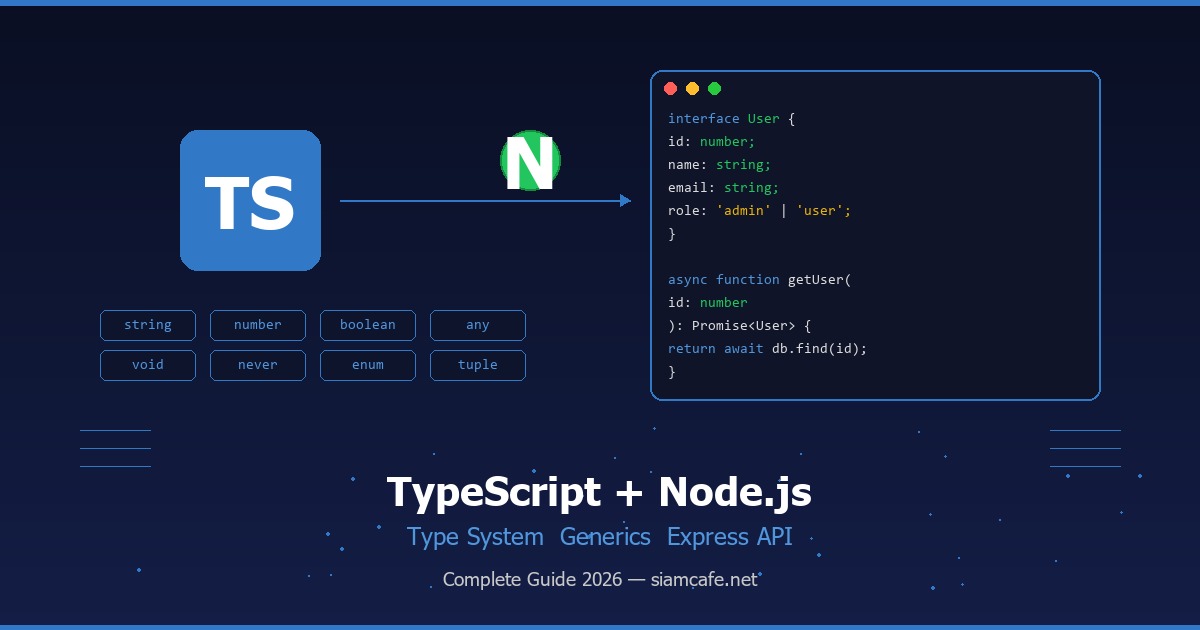
TypeScript คืออะไร? (Superset of JavaScript)
TypeScript คือภาษาโปรแกรมที่พัฒนาโดย Microsoft เปิดตัวครั้งแรกในปี 2012 โดย Anders Hejlsberg ผู้สร้าง C# และ Turbo Pascal TypeScript เป็น Superset ของ JavaScript หมายความว่าโค้ด JavaScript ทุกบรรทัดเป็น TypeScript ที่ถูกต้อง แต่ TypeScript เพิ่มความสามารถด้าน Static Type System เข้ามา ทำให้เราสามารถกำหนดชนิดข้อมูลของตัวแปร พารามิเตอร์ของฟังก์ชัน และค่าที่ส่งกลับจากฟังก์ชันได้อย่างชัดเจน
TypeScript ถูกคอมไพล์ (Transpile) เป็น JavaScript ก่อนรัน ดังนั้น TypeScript สามารถทำงานได้ทุกที่ที่ JavaScript ทำงานได้ ไม่ว่าจะเป็น Browser, Node.js, Deno, Bun หรือ React Native ในปัจจุบัน TypeScript กลายเป็นมาตรฐานของอุตสาหกรรมซอฟต์แวร์ โปรเจกต์ขนาดใหญ่แทบทั้งหมดใช้ TypeScript ไม่ว่าจะเป็น VS Code, Angular, Vue 3, Next.js, NestJS, Prisma, tRPC และอีกมากมาย จากผลสำรวจ Stack Overflow Developer Survey TypeScript ติดอันดับภาษาที่นักพัฒนาชื่นชอบมากที่สุดอย่างต่อเนื่อง
อ่านเพิ่ม: Java และ Spring Boot คืออะไร? สอนสร้าง Backend API ด้วย Spri · อ่านเพิ่ม: Supabase คืออะไร? ทางเลือก Firebase แบบ Open Source สำหรับ F · อ่านเพิ่ม: TypeScript Best Practices 2026 เขียน TypeScript ให้ดีขึ้นด้ว
ทำไมต้อง TypeScript? — ข้อดีที่ JavaScript ไม่มี
1. Type Safety — จับ Bug ตั้งแต่เขียนโค้ด
ปัญหาใหญ่ที่สุดของ JavaScript คือเป็น Dynamically Typed Language ตัวแปรสามารถเปลี่ยนชนิดข้อมูลได้ตลอดเวลาโดยไม่มี Error ตอนเขียน แต่พอรันจริงถึงจะพัง TypeScript แก้ปัญหานี้ด้วย Static Typing ที่ตรวจสอบชนิดข้อมูลตั้งแต่ตอนเขียนโค้ด ช่วยจับ Bug ก่อนที่โค้ดจะถูกรัน ลดเวลา Debug ลงอย่างมาก ข้อมูลจาก Airbnb ระบุว่าการย้ายมาใช้ TypeScript ช่วยป้องกัน Bug ได้ถึง 38% ของ Bug ทั้งหมดที่เคยเกิดขึ้น
// JavaScript — ไม่มี Error ตอนเขียน แต่พังตอนรัน
function add(a, b) {
  return a + b;
}

add(5, "3");    // "53" — String concatenation ไม่ใช่ผลบวก!
add(5);         // NaN — ลืมใส่ argument ไม่มี Error

// TypeScript — จับ Bug ทันทีตอนเขียน
function add(a: number, b: number): number {
  return a + b;
}

add(5, "3");    // Error: Argument of type 'string' is not assignable to 'number'
add(5);         // Error: Expected 2 arguments, but got 1
2. IDE Support — Autocomplete ที่ฉลาดขึ้นมาก
เมื่อมี Type Information ตัว IDE อย่าง VS Code สามารถให้ Intelligent Autocomplete ได้อย่างแม่นยำ แสดง Property และ Method ที่มีอยู่จริงในตัวแปรนั้น ทำให้เขียนโค้ดเร็วขึ้น ลดการพิมพ์ผิด และไม่ต้องเปิดเอกสารบ่อย นอกจากนี้ยังมี Inline Documentation ที่แสดง Type Signature ของฟังก์ชันเมื่อ Hover เหนือตัวแปร และ Go to Definition ที่นำทางไปยังต้นฉบับของ Type ได้ทันที
3. Refactoring — เปลี่ยนชื่อทั้งโปรเจกต์ได้อย่างมั่นใจ
การ Refactor โค้ด JavaScript เป็นเรื่องน่ากลัว เพราะไม่มั่นใจว่าเปลี่ยนชื่อตัวแปรหรือฟังก์ชันแล้วจะกระทบที่ไหนบ้าง TypeScript ทำให้ Rename Symbol ปลอดภัยเพราะ Compiler รู้ว่าตัวแปรนั้นถูกใช้ที่ไหนบ้าง เปลี่ยนชื่อ Interface แล้วทุกที่ที่ใช้จะอัปเดตตาม ถ้ามีที่ไหนไม่ตรงกันจะได้ Error ทันที
4. Team Collaboration — ทำงานเป็นทีมได้ดีขึ้น
เมื่อทำงานเป็นทีม TypeScript ทำหน้าที่เป็น Living Documentation Type Definition บอกว่าฟังก์ชันรับอะไร ส่งคืนอะไร โดยไม่ต้องอ่าน Implementation ทำให้เพื่อนร่วมทีมเข้าใจโค้ดได้เร็วขึ้น ลดการสื่อสารผิดพลาด และ Code Review ง่ายขึ้นเพราะ Type ช่วยตรวจสอบให้แล้ว
ติดตั้ง TypeScript + Node.js
การเริ่มต้นใช้ TypeScript กับ Node.js ต้องติดตั้งเครื่องมือหลายตัว แต่ขั้นตอนไม่ซับซ้อน
# 1. ติดตั้ง Node.js (แนะนำ LTS version)
# ดาวน์โหลดจาก https://nodejs.org

# 2. สร้างโปรเจกต์ใหม่
mkdir my-ts-project && cd my-ts-project
npm init -y

# 3. ติดตั้ง TypeScript และ ts-node
npm install -D typescript ts-node @types/node

# 4. สร้าง tsconfig.json
npx tsc --init

# 5. ทดสอบ — สร้างไฟล์ index.ts
echo 'console.log("Hello TypeScript!")' > index.ts

# 6. คอมไพล์และรัน
npx tsc index.ts        # คอมไพล์เป็น index.js
node index.js            # รัน JavaScript

# หรือรันตรง
npx ts-node index.ts     # รัน TypeScript โดยไม่ต้องคอมไพล์แยก
tsconfig.json — ไฟล์กำหนดค่า TypeScript
tsconfig.json คือไฟล์ที่กำหนดว่า TypeScript Compiler จะทำงานอย่างไร มีตัวเลือกหลายร้อยรายการ แต่ตัวที่สำคัญที่สุดมีดังนี้
// tsconfig.json — แนะนำสำหรับ Node.js Backend
{
  "compilerOptions": {
    // เป้าหมาย JavaScript version
    "target": "ES2022",
    "module": "commonjs",
    "lib": ["ES2022"],

    // โฟลเดอร์
    "rootDir": "./src",
    "outDir": "./dist",

    // Strict Mode (แนะนำเปิดทั้งหมด)
    "strict": true,
    "noImplicitAny": true,
    "strictNullChecks": true,
    "strictFunctionTypes": true,

    // Module Resolution
    "moduleResolution": "node",
    "esModuleInterop": true,
    "resolveJsonModule": true,

    // คุณภาพโค้ด
    "noUnusedLocals": true,
    "noUnusedParameters": true,
    "noImplicitReturns": true,
    "noFallthroughCasesInSwitch": true,

    // Source Maps สำหรับ Debug
    "sourceMap": true,
    "declaration": true,

    // Path Aliases
    "baseUrl": ".",
    "paths": {
      "@/*": ["src/*"],
      "@/models/*": ["src/models/*"],
      "@/services/*": ["src/services/*"]
    }
  },
  "include": ["src/**/*"],
  "exclude": ["node_modules", "dist", "**/*.test.ts"]
}
Basic Types — ชนิดข้อมูลพื้นฐาน
TypeScript มีชนิดข้อมูลพื้นฐานหลายประเภท มาดูแต่ละตัวพร้อมตัวอย่างการใช้งาน
// Primitive Types
let name: string = "สมชาย";
let age: number = 30;
let isActive: boolean = true;
let value: null = null;
let notDefined: undefined = undefined;

// Array — สองวิธีในการประกาศ
let numbers: number[] = [1, 2, 3, 4, 5];
let names: Array<string> = ["สมชาย", "สมหญิง"];

// Tuple — Array ที่กำหนดชนิดแต่ละตำแหน่ง
let user: [string, number] = ["สมชาย", 30];
let rgb: [number, number, number] = [255, 128, 0];

// Enum — กลุ่มค่าคงที่ที่มีความหมาย
enum Direction {
  Up = "UP",
  Down = "DOWN",
  Left = "LEFT",
  Right = "RIGHT"
}

enum HttpStatus {
  OK = 200,
  NotFound = 404,
  ServerError = 500
}

let dir: Direction = Direction.Up;
let status: HttpStatus = HttpStatus.OK;

// any — ยอมรับทุกชนิด (หลีกเลี่ยงถ้าเป็นไปได้!)
let anything: any = "hello";
anything = 42;         // ไม่มี Error
anything = true;       // ไม่มี Error
anything.foo.bar;      // ไม่มี Error ตอนเขียน แต่พังตอนรัน!

// unknown — ปลอดภัยกว่า any (ต้อง Type Check ก่อนใช้)
let data: unknown = fetchData();
// data.name;           // Error! ต้อง Type Check ก่อน
if (typeof data === "string") {
  console.log(data.toUpperCase());  // OK หลัง Type Check
}

// void — ฟังก์ชันที่ไม่ return ค่า
function log(message: string): void {
  console.log(message);
}

// never — ฟังก์ชันที่ไม่มีทาง return (throw error หรือ infinite loop)
function throwError(msg: string): never {
  throw new Error(msg);
}

function infiniteLoop(): never {
  while (true) {
    // ลูปไม่มีที่สิ้นสุด
  }
}| Type | คำอธิบาย | ตัวอย่าง |
|---|---|---|
| string | ข้อความ | "hello", 'world', `template` |
| number | ตัวเลข (int + float) | 42, 3.14, 0xFF |
| boolean | ค่าจริง/เท็จ | true, false |
| array | อาเรย์ | number[], Array<string> |
| tuple | อาเรย์ที่กำหนดชนิดแต่ละตำแหน่ง | [string, number] |
| enum | กลุ่มค่าคงที่ | enum Color { Red, Green } |
| any | ยอมรับทุกชนิด (หลีกเลี่ยง!) | let x: any = ... |
| unknown | ปลอดภัยกว่า any | ต้อง Type Check ก่อนใช้ |
| void | ไม่ return ค่า | function log(): void |
| never | ไม่มีทาง return | throw, infinite loop |
Interface & Type Alias
Interface และ Type Alias เป็นสองวิธีในการกำหนดรูปร่าง (Shape) ของข้อมูลใน TypeScript ทั้งสองมีความสามารถคล้ายกันมาก แต่มีความแตกต่างบางประการที่ควรรู้
// Interface — กำหนดรูปร่างของ Object
interface User {
  id: number;
  name: string;
  email: string;
  age?: number;            // Optional property (ไม่จำเป็นต้องมี)
  readonly createdAt: Date; // อ่านอย่างเดียว ห้ามแก้ไข
}

// ใช้งาน Interface
const user: User = {
  id: 1,
  name: "สมชาย",
  email: "somchai@example.com",
  createdAt: new Date()
};

// user.createdAt = new Date(); // Error! readonly property

// Interface Extending — สืบทอด Interface
interface Admin extends User {
  role: "admin" | "superadmin";
  permissions: string[];
}

const admin: Admin = {
  id: 2,
  name: "Admin",
  email: "admin@example.com",
  createdAt: new Date(),
  role: "admin",
  permissions: ["read", "write", "delete"]
};

// Type Alias — อีกวิธีในการกำหนดชนิด
type Point = {
  x: number;
  y: number;
};

// Type Alias สามารถใช้กับ Primitive, Union, Tuple ได้
type ID = string | number;
type Pair = [string, number];
type Callback = (data: string) => void;

// Interface Declaration Merging (Type Alias ทำไม่ได้)
interface Config {
  host: string;
}
interface Config {
  port: number;
}
// Config ตอนนี้ = { host: string; port: number; }

// Method Signature ใน Interface
interface UserService {
  getUser(id: number): Promise<User>;
  createUser(data: Omit<User, "id" | "createdAt">): Promise<User>;
  updateUser(id: number, data: Partial<User>): Promise<User>;
  deleteUser(id: number): Promise<boolean>;
}ใช้ Interface สำหรับ Object shapes ที่อาจถูก extend หรือ implement โดย Class ใช้ Type Alias สำหรับ Union Types, Tuple Types, Utility Types และเมื่อต้องการตั้งชื่อให้ Primitive Types ในทางปฏิบัติหลายทีมเลือกใช้ Interface เป็นหลักเพราะอ่านง่ายกว่าและรองรับ Declaration Merging
Generics — ทำไมสำคัญ?
Generics คือหนึ่งในฟีเจอร์ที่ทรงพลังที่สุดของ TypeScript ช่วยให้เราเขียนโค้ดที่ Reusable และ Type-safe ไปพร้อมกัน ลองนึกภาพว่าคุณต้องเขียนฟังก์ชันที่ทำงานกับข้อมูลหลายชนิด ถ้าไม่มี Generics คุณต้องเขียนฟังก์ชันซ้ำสำหรับแต่ละชนิด หรือใช้ any ซึ่งเสีย Type Safety
// ปัญหา — ถ้าไม่มี Generics
function getFirstString(arr: string[]): string {
  return arr[0];
}
function getFirstNumber(arr: number[]): number {
  return arr[0];
}
// ต้องเขียนซ้ำสำหรับทุกชนิด!

// วิธีแก้ด้วย any — เสีย Type Safety
function getFirst(arr: any[]): any {
  return arr[0];  // ไม่รู้ว่า return อะไร!
}

// วิธีแก้ด้วย Generics — Reusable + Type-safe
function getFirst<T>(arr: T[]): T {
  return arr[0];
}

const str = getFirst(["a", "b", "c"]);   // type: string
const num = getFirst([1, 2, 3]);          // type: number
const user = getFirst([{ id: 1 }]);       // type: { id: number }

// Generics กับ Interface
interface ApiResponse<T> {
  data: T;
  status: number;
  message: string;
  timestamp: Date;
}

// ใช้งาน — T กลายเป็นชนิดที่ระบุ
type UserResponse = ApiResponse<User>;
type ProductListResponse = ApiResponse<Product[]>;

// Generics กับ Constraints — จำกัดชนิดที่รับได้
interface HasId {
  id: number;
}

function findById<T extends HasId>(items: T[], id: number): T | undefined {
  return items.find(item => item.id === id);
}

// Generic กับหลาย Type Parameters
function merge<T, U>(obj1: T, obj2: U): T & U {
  return { ...obj1, ...obj2 };
}

const result = merge({ name: "สมชาย" }, { age: 30 });
// type: { name: string } & { age: number }

// Generic Class
class DataStore<T> {
  private items: T[] = [];

  add(item: T): void {
    this.items.push(item);
  }

  getAll(): T[] {
    return [...this.items];
  }

  find(predicate: (item: T) => boolean): T | undefined {
    return this.items.find(predicate);
  }
}

const userStore = new DataStore<User>();
const productStore = new DataStore<Product>();
Union & Intersection Types
Union Type ใช้เครื่องหมาย | หมายความว่าค่าสามารถเป็นได้หลายชนิด และ Intersection Type ใช้เครื่องหมาย & หมายความว่าค่าต้องเป็นทุกชนิดรวมกัน สองฟีเจอร์นี้ทำให้ TypeScript มีความยืดหยุ่นสูงมาก
// Union Type — ค่าเป็นได้หลายชนิด
type ID = string | number;

function printId(id: ID) {
  if (typeof id === "string") {
    console.log(id.toUpperCase());  // Type narrowing
  } else {
    console.log(id.toFixed(2));
  }
}

// Discriminated Union — Pattern ที่สำคัญมาก
type Shape =
  | { kind: "circle"; radius: number }
  | { kind: "rectangle"; width: number; height: number }
  | { kind: "triangle"; base: number; height: number };

function area(shape: Shape): number {
  switch (shape.kind) {
    case "circle":
      return Math.PI * shape.radius ** 2;
    case "rectangle":
      return shape.width * shape.height;
    case "triangle":
      return (shape.base * shape.height) / 2;
  }
}

// Intersection Type — รวมหลายชนิดเป็นหนึ่ง
type Timestamped = {
  createdAt: Date;
  updatedAt: Date;
};

type SoftDeletable = {
  deletedAt: Date | null;
  isDeleted: boolean;
};

type UserRecord = User & Timestamped & SoftDeletable;
// UserRecord มีทุก property จากทั้ง 3 types

// Literal Types — ค่าที่กำหนดตายตัว
type Theme = "light" | "dark" | "system";
type HttpMethod = "GET" | "POST" | "PUT" | "PATCH" | "DELETE";
type LogLevel = "debug" | "info" | "warn" | "error";

function setTheme(theme: Theme): void {
  // theme ต้องเป็นค่าใดค่าหนึ่งเท่านั้น
}

setTheme("light");    // OK
// setTheme("blue");  // Error! Type '"blue"' is not assignable to type 'Theme'
Classes & OOP in TypeScript
TypeScript ช่วยให้การเขียน OOP (Object-Oriented Programming) ใน JavaScript ดีขึ้นมากด้วย Access Modifiers, Abstract Classes, และ Interface Implementation
// Class พื้นฐานใน TypeScript
class Animal {
  // Access Modifiers
  public name: string;           // เข้าถึงได้จากทุกที่
  protected species: string;     // เข้าถึงได้จาก class นี้และ subclass
  private _age: number;          // เข้าถึงได้จาก class นี้เท่านั้น
  readonly id: number;           // อ่านอย่างเดียว

  constructor(name: string, species: string, age: number) {
    this.id = Math.random();
    this.name = name;
    this.species = species;
    this._age = age;
  }

  // Getter/Setter
  get age(): number {
    return this._age;
  }

  set age(value: number) {
    if (value < 0) throw new Error("Age cannot be negative");
    this._age = value;
  }

  makeSound(): string {
    return "...";
  }
}

// Inheritance
class Dog extends Animal {
  breed: string;

  constructor(name: string, age: number, breed: string) {
    super(name, "Canis lupus familiaris", age);
    this.breed = breed;
  }

  makeSound(): string {
    return "Woof!";
  }

  fetch(item: string): string {
    return `${this.name} fetches ${item}`;
  }
}

// Abstract Class — ใช้เป็น Blueprint ไม่สามารถสร้าง Instance ได้
abstract class Shape {
  abstract area(): number;
  abstract perimeter(): number;

  describe(): string {
    return `Area: ${this.area()}, Perimeter: ${this.perimeter()}`;
  }
}

class Circle extends Shape {
  constructor(private radius: number) {
    super();
  }

  area(): number {
    return Math.PI * this.radius ** 2;
  }

  perimeter(): number {
    return 2 * Math.PI * this.radius;
  }
}

// Implementing Interface
interface Serializable {
  serialize(): string;
  deserialize(data: string): void;
}

class UserModel implements Serializable {
  constructor(public name: string, public email: string) {}

  serialize(): string {
    return JSON.stringify({ name: this.name, email: this.email });
  }

  deserialize(data: string): void {
    const obj = JSON.parse(data);
    this.name = obj.name;
    this.email = obj.email;
  }
}
Modules & Imports
TypeScript รองรับ ES Modules ซึ่งเป็นมาตรฐาน Module System ของ JavaScript ช่วยแบ่งโค้ดเป็นไฟล์ย่อยที่จัดการง่าย
// models/user.ts — Export Types/Interfaces
export interface User {
  id: number;
  name: string;
  email: string;
}

export type CreateUserDTO = Omit<User, "id">;
export type UpdateUserDTO = Partial<CreateUserDTO>;

// services/userService.ts — Import และใช้งาน
import { User, CreateUserDTO, UpdateUserDTO } from "../models/user";

export class UserService {
  private users: User[] = [];

  async create(data: CreateUserDTO): Promise<User> {
    const user: User = {
      id: Date.now(),
      ...data
    };
    this.users.push(user);
    return user;
  }

  async findById(id: number): Promise<User | undefined> {
    return this.users.find(u => u.id === id);
  }

  async update(id: number, data: UpdateUserDTO): Promise<User | null> {
    const index = this.users.findIndex(u => u.id === id);
    if (index === -1) return null;
    this.users[index] = { ...this.users[index], ...data };
    return this.users[index];
  }
}

// index.ts — Entry point
export { User, CreateUserDTO } from "./models/user";
export { UserService } from "./services/userService";

// Re-export ทั้ง module
export * from "./models/user";
export * as UserTypes from "./models/user";
Express.js + TypeScript — สร้าง Backend API
Express.js เป็น Web Framework ที่นิยมที่สุดสำหรับ Node.js การใช้ร่วมกับ TypeScript ทำให้ได้ Type Safety ตลอดทั้ง API Pipeline
Setup โปรเจกต์ Express + TypeScript
# ติดตั้ง Dependencies
npm install express cors helmet dotenv
npm install -D typescript ts-node @types/node @types/express @types/cors nodemon

# โครงสร้างโฟลเดอร์แนะนำ
src/
├── index.ts              # Entry point
├── app.ts                # Express app configuration
├── routes/
│   ├── index.ts          # Route aggregator
│   ├── userRoutes.ts     # User routes
│   └── productRoutes.ts  # Product routes
├── controllers/
│   ├── userController.ts
│   └── productController.ts
├── middleware/
│   ├── auth.ts           # Authentication
│   ├── errorHandler.ts   # Error handling
│   └── validate.ts       # Request validation
├── models/
│   ├── User.ts
│   └── Product.ts
├── services/
│   ├── userService.ts
│   └── productService.ts
└── types/
    └── express.d.ts      # Express type extensions
Express App พร้อม TypeScript
// src/app.ts
import express, { Application, Request, Response, NextFunction } from "express";
import cors from "cors";
import helmet from "helmet";
import { userRoutes } from "./routes/userRoutes";
import { errorHandler } from "./middleware/errorHandler";

const app: Application = express();

// Middleware
app.use(helmet());
app.use(cors());
app.use(express.json());
app.use(express.urlencoded({ extended: true }));

// Routes
app.use("/api/v1/users", userRoutes);

// Health check
app.get("/health", (req: Request, res: Response) => {
  res.json({ status: "ok", timestamp: new Date().toISOString() });
});

// 404 handler
app.use((req: Request, res: Response) => {
  res.status(404).json({ error: "Not Found", path: req.path });
});

// Error handler
app.use(errorHandler);

export default app;
Routes, Controllers & Middleware
// src/routes/userRoutes.ts
import { Router } from "express";
import { UserController } from "../controllers/userController";
import { authMiddleware } from "../middleware/auth";
import { validate } from "../middleware/validate";

const router = Router();
const controller = new UserController();

router.get("/", controller.getAll);
router.get("/:id", controller.getById);
router.post("/", validate("createUser"), controller.create);
router.put("/:id", authMiddleware, validate("updateUser"), controller.update);
router.delete("/:id", authMiddleware, controller.delete);

export { router as userRoutes };

// src/controllers/userController.ts
import { Request, Response, NextFunction } from "express";
import { UserService } from "../services/userService";

export class UserController {
  private service = new UserService();

  getAll = async (req: Request, res: Response, next: NextFunction) => {
    try {
      const page = parseInt(req.query.page as string) || 1;
      const limit = parseInt(req.query.limit as string) || 20;
      const users = await this.service.findAll(page, limit);
      res.json({ data: users, page, limit });
    } catch (error) {
      next(error);
    }
  };

  getById = async (req: Request, res: Response, next: NextFunction) => {
    try {
      const user = await this.service.findById(Number(req.params.id));
      if (!user) {
        return res.status(404).json({ error: "User not found" });
      }
      res.json({ data: user });
    } catch (error) {
      next(error);
    }
  };

  create = async (req: Request, res: Response, next: NextFunction) => {
    try {
      const user = await this.service.create(req.body);
      res.status(201).json({ data: user });
    } catch (error) {
      next(error);
    }
  };

  update = async (req: Request, res: Response, next: NextFunction) => {
    try {
      const user = await this.service.update(Number(req.params.id), req.body);
      if (!user) return res.status(404).json({ error: "User not found" });
      res.json({ data: user });
    } catch (error) {
      next(error);
    }
  };

  delete = async (req: Request, res: Response, next: NextFunction) => {
    try {
      await this.service.delete(Number(req.params.id));
      res.status(204).send();
    } catch (error) {
      next(error);
    }
  };
}

// src/middleware/errorHandler.ts
import { Request, Response, NextFunction } from "express";

interface AppError extends Error {
  statusCode?: number;
  isOperational?: boolean;
}

export function errorHandler(
  err: AppError,
  req: Request,
  res: Response,
  next: NextFunction
) {
  const statusCode = err.statusCode || 500;
  const message = err.isOperational ? err.message : "Internal Server Error";

  console.error(`[${new Date().toISOString()}] ${err.stack}`);

  res.status(statusCode).json({
    error: message,
    ...(process.env.NODE_ENV === "development" && { stack: err.stack })
  });
}

// src/middleware/auth.ts
import { Request, Response, NextFunction } from "express";
import jwt from "jsonwebtoken";

interface AuthRequest extends Request {
  user?: {
    id: number;
    email: string;
    role: string;
  };
}

export function authMiddleware(
  req: AuthRequest,
  res: Response,
  next: NextFunction
) {
  const token = req.headers.authorization?.split(" ")[1];

  if (!token) {
    return res.status(401).json({ error: "No token provided" });
  }

  try {
    const decoded = jwt.verify(token, process.env.JWT_SECRET!) as AuthRequest["user"];
    req.user = decoded;
    next();
  } catch {
    res.status(401).json({ error: "Invalid token" });
  }
}
Prisma ORM + TypeScript — Database Access
Prisma เป็น ORM (Object-Relational Mapping) รุ่นใหม่ที่ออกแบบมาสำหรับ TypeScript โดยเฉพาะ โดดเด่นเรื่อง Type Safety ที่ดีเยี่ยม สร้าง TypeScript Types จาก Database Schema โดยอัตโนมัติ ทำให้ Query ทุกตัว Type-safe ตั้งแต่ต้นจนจบ
# ติดตั้ง Prisma
npm install prisma @prisma/client
npx prisma init
// prisma/schema.prisma — กำหนด Database Schema
datasource db {
provider = "postgresql"
url = env("DATABASE_URL")
}
generator client {
provider = "prisma-client-js"
}
model User {
id Int @id @default(autoincrement())
email String @unique
name String
role Role @default(USER)
posts Post[]
profile Profile?
createdAt DateTime @default(now())
updatedAt DateTime @updatedAt
}
model Post {
id Int @id @default(autoincrement())
title String
content String?
published Boolean @default(false)
author User @relation(fields: [authorId], references: [id])
authorId Int
tags Tag[]
createdAt DateTime @default(now())
}
model Profile {
id Int @id @default(autoincrement())
bio String?
avatar String?
user User @relation(fields: [userId], references: [id])
userId Int @unique
}
model Tag {
id Int @id @default(autoincrement())
name String @unique
posts Post[]
}
enum Role {
USER
ADMIN
MODERATOR
}// src/services/userService.ts — ใช้ Prisma กับ TypeScript
import { PrismaClient, User, Prisma } from "@prisma/client";
const prisma = new PrismaClient();
export class UserService {
// สร้างผู้ใช้ใหม่ — Type-safe input
async create(data: Prisma.UserCreateInput): Promise<User> {
return prisma.user.create({
data,
include: { profile: true }
});
}
// ค้นหาผู้ใช้พร้อม Relations
async findById(id: number) {
return prisma.user.findUnique({
where: { id },
include: {
posts: {
where: { published: true },
orderBy: { createdAt: "desc" },
take: 10
},
profile: true
}
});
}
// Pagination + Filtering
async findAll(page: number, limit: number, role?: string) {
const where: Prisma.UserWhereInput = role
? { role: role as any }
: {};
const [users, total] = await Promise.all([
prisma.user.findMany({
where,
skip: (page - 1) * limit,
take: limit,
orderBy: { createdAt: "desc" },
include: { _count: { select: { posts: true } } }
}),
prisma.user.count({ where })
]);
return {
data: users,
pagination: {
page, limit,
total,
totalPages: Math.ceil(total / limit)
}
};
}
// Transaction — หลาย Operations ในครั้งเดียว
async createWithProfile(
userData: Prisma.UserCreateInput,
bio: string
) {
return prisma.$transaction(async (tx) => {
const user = await tx.user.create({ data: userData });
const profile = await tx.profile.create({
data: { bio, userId: user.id }
});
return { ...user, profile };
});
}
}Testing — Jest + TypeScript
การทดสอบโค้ดเป็นสิ่งสำคัญ Jest เป็น Testing Framework ที่ใช้งานง่ายและรองรับ TypeScript ได้ดีผ่าน ts-jest
# ติดตั้ง Jest + TypeScript
npm install -D jest ts-jest @types/jest
npx ts-jest config:init
// jest.config.ts
import type { Config } from "jest";
const config: Config = {
preset: "ts-jest",
testEnvironment: "node",
roots: ["<rootDir>/src"],
testMatch: ["**/*.test.ts", "**/*.spec.ts"],
collectCoverageFrom: [
"src/**/*.ts",
"!src/**/*.d.ts",
"!src/index.ts"
],
coverageThreshold: {
global: {
branches: 80,
functions: 80,
lines: 80,
statements: 80
}
}
};
export default config;// src/services/__tests__/userService.test.ts
import { UserService } from "../userService";
describe("UserService", () => {
let service: UserService;
beforeEach(() => {
service = new UserService();
});
describe("create", () => {
it("should create a new user with correct data", async () => {
const userData = {
name: "สมชาย",
email: "somchai@test.com"
};
const user = await service.create(userData);
expect(user).toBeDefined();
expect(user.name).toBe("สมชาย");
expect(user.email).toBe("somchai@test.com");
expect(user.id).toBeDefined();
});
it("should throw error for duplicate email", async () => {
const userData = { name: "A", email: "dup@test.com" };
await service.create(userData);
await expect(service.create(userData))
.rejects
.toThrow("Email already exists");
});
});
describe("findById", () => {
it("should return user if exists", async () => {
const created = await service.create({
name: "Test",
email: "test@test.com"
});
const found = await service.findById(created.id);
expect(found).toEqual(created);
});
it("should return undefined if not exists", async () => {
const found = await service.findById(99999);
expect(found).toBeUndefined();
});
});
});
// ทดสอบ API Endpoint ด้วย Supertest
import request from "supertest";
import app from "../../app";
describe("GET /api/v1/users", () => {
it("should return list of users", async () => {
const res = await request(app)
.get("/api/v1/users")
.expect(200);
expect(res.body).toHaveProperty("data");
expect(Array.isArray(res.body.data)).toBe(true);
});
it("should support pagination", async () => {
const res = await request(app)
.get("/api/v1/users?page=1&limit=5")
.expect(200);
expect(res.body.data.length).toBeLessThanOrEqual(5);
});
});TypeScript Best Practices — แนวปฏิบัติที่ดี
1. เปิด Strict Mode เสมอ
ตั้ง "strict": true ใน tsconfig.json ตั้งแต่เริ่มโปรเจกต์ ไม่ควรเปิดทีหลังเพราะจะมี Error จำนวนมากที่ต้องแก้ Strict Mode เปิดการตรวจสอบหลายตัวพร้อมกัน ได้แก่ noImplicitAny, strictNullChecks, strictFunctionTypes, strictBindCallApply, strictPropertyInitialization และอื่นๆ
2. หลีกเลี่ยง any ใช้ unknown แทน
any ปิดการตรวจสอบ Type ทั้งหมด ใช้เมื่อจำเป็นจริงๆ เท่านั้น เช่น Integration กับ Legacy JavaScript Library ที่ไม่มี Type Definitions ถ้าไม่รู้ชนิดข้อมูลล่วงหน้า ใช้ unknown แทน เพราะบังคับให้ Type Check ก่อนใช้งาน
3. ใช้ Utility Types ของ TypeScript
// Utility Types ที่ใช้บ่อย
type UserPreview = Pick<User, "id" | "name">;         // เลือกบาง field
type UserWithoutEmail = Omit<User, "email">;          // ตัดบาง field ออก
type PartialUser = Partial<User>;                     // ทุก field เป็น optional
type RequiredUser = Required<User>;                   // ทุก field เป็น required
type ReadonlyUser = Readonly<User>;                   // ทุก field เป็น readonly
type UserMap = Record<string, User>;                  // Object map
type NonNullUser = NonNullable<User | null>;           // ตัด null/undefined

// ReturnType & Parameters
type CreateUserReturn = ReturnType<typeof createUser>;
type CreateUserParams = Parameters<typeof createUser>;
4. ใช้ Type Guards สำหรับ Runtime Type Checking
// Custom Type Guard
function isUser(obj: unknown): obj is User {
  return (
    typeof obj === "object" &&
    obj !== null &&
    "id" in obj &&
    "name" in obj &&
    "email" in obj
  );
}

// ใช้งาน
function processData(data: unknown) {
  if (isUser(data)) {
    // TypeScript รู้ว่า data เป็น User ใน block นี้
    console.log(data.name);
    console.log(data.email);
  }
}
5. ใช้ Enum อย่างระมัดระวัง
Enum ใน TypeScript สร้าง JavaScript code เพิ่มเติม แนะนำใช้ as const กับ Object แทน Enum ในหลายกรณีเพราะผลลัพธ์ JavaScript เล็กกว่า
// แทน Enum ด้วย as const
const ROLES = {
  ADMIN: "admin",
  USER: "user",
  MODERATOR: "moderator"
} as const;

type Role = typeof ROLES[keyof typeof ROLES];
// type Role = "admin" | "user" | "moderator"
tsconfig.json Configuration — คู่มือ Config สำคัญ
ตัวเลือกสำคัญใน tsconfig.json ที่ควรรู้ แบ่งตามหมวดหมู่
| Option | ค่าแนะนำ | คำอธิบาย |
|---|---|---|
| target | "ES2022" | JavaScript version ที่ compile ออกมา |
| module | "commonjs" / "ESNext" | Module system (CJS สำหรับ Node, ESM สำหรับ Frontend) |
| strict | true | เปิด strict checks ทั้งหมด |
| outDir | "./dist" | โฟลเดอร์สำหรับ compiled JS |
| rootDir | "./src" | โฟลเดอร์ source code |
| esModuleInterop | true | ให้ import CJS modules ด้วย default import ได้ |
| resolveJsonModule | true | import JSON files ได้ |
| sourceMap | true | สร้าง source maps สำหรับ debugging |
| declaration | true | สร้าง .d.ts files |
| skipLibCheck | true | ข้าม type checking ของ node_modules (เร็วขึ้น) |
ข้อผิดพลาดที่พบบ่อยใน TypeScript
1. ลืม Null Check
// ผิด — อาจเป็น undefined
const user = users.find(u => u.id === id);
console.log(user.name);  // Error ถ้า user เป็น undefined!

// ถูก — ตรวจสอบก่อน
const user = users.find(u => u.id === id);
if (user) {
  console.log(user.name);  // Type-safe
}

// หรือใช้ Optional Chaining
console.log(user?.name ?? "Unknown");
2. ใช้ any เพื่อแก้ปัญหาง่ายๆ
// ผิด — ใช้ any เพราะขี้เกียจ
function processData(data: any) {
  return data.items.map((item: any) => item.value);
}

// ถูก — กำหนด Type ที่ถูกต้อง
interface DataResponse {
  items: Array<{ value: string }>;
}

function processData(data: DataResponse) {
  return data.items.map(item => item.value);
}
3. Type Assertion ที่ไม่ปลอดภัย
// ผิด — Assertion โดยไม่ตรวจสอบ
const data = JSON.parse(response) as User;  // อาจไม่ใช่ User จริง!

// ถูก — ใช้ Type Guard ตรวจสอบก่อน
const parsed = JSON.parse(response);
if (isUser(parsed)) {
  const data: User = parsed;  // ปลอดภัย
}
4. ไม่ใช้ readonly ป้องกัน Mutation
// ผิด — อนุญาตให้แก้ไข
interface Config {
  apiUrl: string;
  timeout: number;
}

// ถูก — ป้องกันการแก้ไข
interface Config {
  readonly apiUrl: string;
  readonly timeout: number;
}

// หรือใช้ Readonly utility type
const config: Readonly<Config> = {
  apiUrl: "https://api.example.com",
  timeout: 5000
};

// config.apiUrl = "x";  // Error! Cannot assign to 'apiUrl'
FAQ — คำถามที่พบบ่อยเกี่ยวกับ TypeScript
Q: TypeScript ทำให้เขียนโค้ดช้าลงไหม?
A: ตอนเริ่มต้นอาจรู้สึกช้าลงเพราะต้องกำหนด Types แต่ในระยะยาวจะเร็วขึ้นมากเพราะ IDE ช่วย Autocomplete ได้ดี Debug น้อยลง Refactor ได้มั่นใจ จากประสบการณ์ทีมใหญ่ TypeScript ช่วยลดเวลาพัฒนาลง 20-30% เมื่อเทียบกับ JavaScript ในโปรเจกต์ระยะยาว
Q: ต้องเขียน Type ให้ทุกตัวแปรเลยไหม?
A: ไม่จำเป็น TypeScript มี Type Inference ที่ฉลาดมาก เช่น const x = 42 TypeScript รู้ว่า x เป็น number โดยไม่ต้องระบุ ควรกำหนด Type เฉพาะ Function Parameters, Return Types, และ Complex Objects เพื่อความชัดเจน
Q: TypeScript ใช้กับ Frontend ได้ไหม?
A: ได้เลย TypeScript เป็นมาตรฐานของ Frontend ยุคใหม่ React, Vue 3, Angular, Next.js, Nuxt 3 ล้วนรองรับ TypeScript อย่างเต็มที่ Component Props, Event Handlers, Hooks ทุกอย่าง Type-safe หมด
Q: ควรย้ายจาก JavaScript มา TypeScript ไหม?
A: ถ้าโปรเจกต์มีขนาดเกิน 1,000 บรรทัดหรือทำงานเป็นทีม ควรย้ายอย่างยิ่ง ไม่ต้องย้ายทีเดียว TypeScript รองรับการย้ายทีละไฟล์ ตั้งค่า allowJs: true ใน tsconfig แล้วค่อยๆ เปลี่ยน .js เป็น .ts ทีละไฟล์
Q: TypeScript กับ Deno/Bun ต่างจาก Node.js อย่างไร?
A: Deno และ Bun รองรับ TypeScript แบบ Native ไม่ต้องคอมไพล์แยก ไม่ต้อง tsconfig ไม่ต้อง ts-node ทำให้เริ่มต้นง่ายกว่า แต่ Ecosystem ของ Node.js ยังใหญ่กว่ามากและมี Library ให้เลือกมากกว่า ในปี 2026 Node.js ก็เริ่มรองรับ TypeScript stripping แบบ Native แล้วเช่นกัน