MongoDB และ NoSQL คืออะไร? สอน MongoDB ตั้งแต่เริ่มต้น สำหรับ Backend Developer 2026

ในโลกของการพัฒนาซอฟต์แวร์สมัยใหม่ ฐานข้อมูลไม่ได้จำกัดอยู่แค่ตารางแบบ Relational อีกต่อไป NoSQL Database อย่าง MongoDB ได้กลายเป็นตัวเลือกยอดนิยมสำหรับ Application ที่ต้องการความยืดหยุ่นในการจัดเก็บข้อมูล ประสิทธิภาพสูง และความสามารถในการ Scale ได้อย่างง่ายดาย บทความนี้จะพาคุณเรียนรู้ MongoDB ตั้งแต่พื้นฐานจนถึงระดับใช้งานจริงในโปรเจกต์ Backend
หากคุณเป็น Backend Developer ที่เคยใช้แต่ MySQL หรือ PostgreSQL บทความนี้จะช่วยให้คุณเข้าใจว่า NoSQL แตกต่างจาก SQL อย่างไร เมื่อไหร่ควรเลือกใช้ MongoDB และวิธีการออกแบบ Schema ที่เหมาะสมสำหรับแต่ละกรณี
อ่านเพิ่ม: MySQL และ MariaDB คืออะไร? สอน Database Administration สำหรั · อ่านเพิ่ม: Apache Kafka เจาะลึก สอน Kafka Streams, Connect, Schema Regi · อ่านเพิ่ม: Supabase คืออะไร? ทางเลือก Firebase แบบ Open Source สำหรับ F
NoSQL คืออะไร? ทำไมถึงเกิดขึ้น?
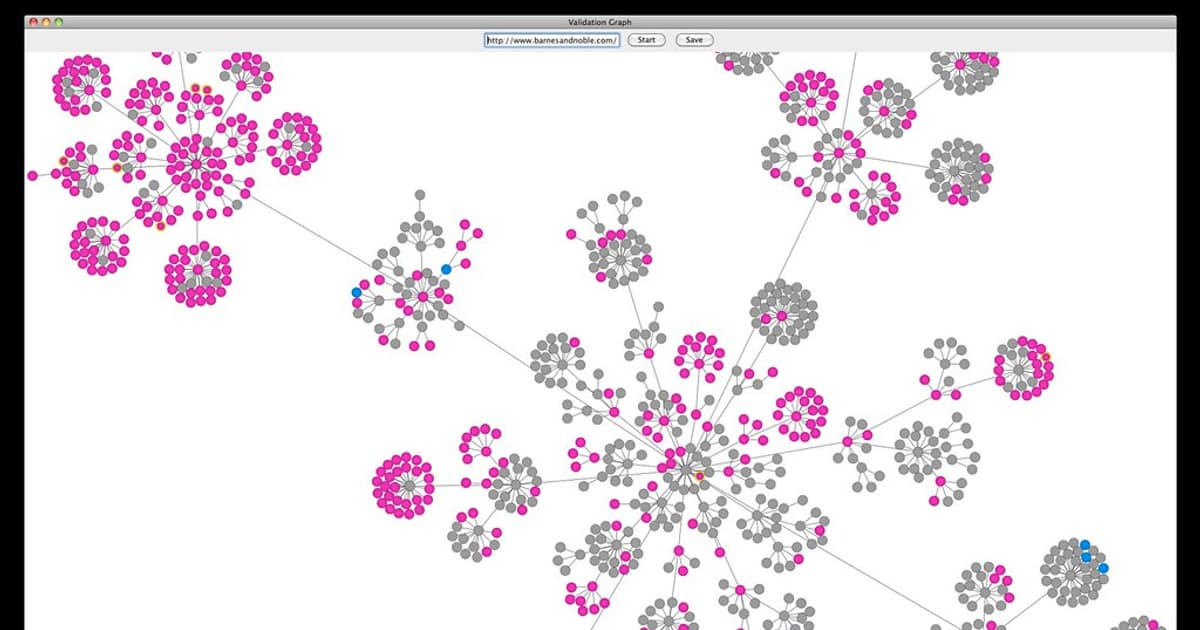
NoSQL ย่อมาจาก "Not Only SQL" หมายความว่าไม่ได้ปฏิเสธ SQL แต่เป็นทางเลือกเพิ่มเติมที่แก้ปัญหาที่ Relational Database ทำได้ไม่ดี ในยุคที่ข้อมูลมีปริมาณมหาศาล โครงสร้างไม่แน่นอน และต้องการ Horizontal Scaling ฐานข้อมูลแบบตารางแถวคอลัมน์แบบเดิมเริ่มมีข้อจำกัด
ปัญหาหลักของ Relational Database ที่ทำให้ NoSQL ถือกำเนิดขึ้นมีหลายประการ ได้แก่ Schema ที่ตายตัวทำให้ยากต่อการเปลี่ยนแปลงโครงสร้างข้อมูล การ Join หลายตารางทำให้ Query ช้าเมื่อข้อมูลมีขนาดใหญ่ การ Scale แนวนอนทำได้ยากเพราะข้อมูลเชื่อมโยงกันด้วย Foreign Key และ Schema Migration เป็นกระบวนการที่ซับซ้อนและเสี่ยง
ประเภทของ NoSQL Database
| ประเภท | ลักษณะ | ตัวอย่าง | เหมาะกับ |
|---|---|---|---|
| Document Store | เก็บข้อมูลเป็น JSON/BSON Document | MongoDB, CouchDB | Content Management, E-commerce, User Profiles |
| Key-Value Store | เก็บเป็นคู่ Key-Value ง่ายๆ | Redis, DynamoDB | Caching, Session Store, Real-time Data |
| Column-Family | เก็บข้อมูลเป็นคอลัมน์แทนแถว | Cassandra, HBase | Time-series, Analytics, IoT Data |
| Graph Database | เก็บเป็น Nodes และ Relationships | Neo4j, ArangoDB | Social Networks, Recommendation, Knowledge Graph |
MongoDB คืออะไร?
MongoDB เป็น Document-Oriented NoSQL Database ที่ได้รับความนิยมสูงสุดในโลก เก็บข้อมูลในรูปแบบ BSON (Binary JSON) ซึ่งมีความยืดหยุ่นสูง ไม่ต้องกำหนด Schema ล่วงหน้า แต่ละ Document ใน Collection เดียวกันสามารถมีโครงสร้างที่แตกต่างกันได้
MongoDB พัฒนาโดย MongoDB Inc. เปิดตัวครั้งแรกในปี 2009 ปัจจุบันใช้โดยบริษัทชั้นนำทั่วโลกรวมถึง Google, Facebook, eBay, Toyota และ Forbes ในปี 2026 MongoDB เวอร์ชัน 8.x มาพร้อมกับ Queryable Encryption, Cluster-to-Cluster Sync และ Atlas Search ที่ทรงพลังมากขึ้น
สถาปัตยกรรม MongoDB
MongoDB มีโครงสร้างลำดับชั้นที่เข้าใจง่าย ในระดับบนสุดคือ Database ซึ่งเป็นชุดของ Collections ที่เกี่ยวข้องกัน ถัดมาคือ Collection ซึ่งเทียบเท่ากับ Table ใน SQL เป็นกลุ่มของ Documents ที่มีลักษณะคล้ายกัน และระดับล่างสุดคือ Document ซึ่งเป็นหน่วยข้อมูลพื้นฐาน เก็บในรูปแบบ BSON (JSON-like) แต่ละ Document มี _id field ที่เป็น Unique identifier โดยอัตโนมัติ
// ตัวอย่าง Document ใน MongoDB
{
  "_id": ObjectId("507f1f77bcf86cd799439011"),
  "name": "สมชาย ใจดี",
  "email": "somchai@example.com",
  "age": 28,
  "skills": ["JavaScript", "Python", "MongoDB"],
  "address": {
    "street": "ถนนสุขุมวิท",
    "city": "กรุงเทพ",
    "zipcode": "10110"
  },
  "createdAt": ISODate("2026-01-15T08:30:00Z")
}
ติดตั้ง MongoDB
วิธีที่ 1: ติดตั้งบนเครื่อง (Local Installation)
# Ubuntu/Debian
wget -qO - https://www.mongodb.org/static/pgp/server-8.0.asc | sudo apt-key add -
echo "deb [ arch=amd64 ] https://repo.mongodb.org/apt/ubuntu jammy/mongodb-org/8.0 multiverse" | sudo tee /etc/apt/sources.list.d/mongodb-org-8.0.list
sudo apt update
sudo apt install -y mongodb-org
sudo systemctl start mongod
sudo systemctl enable mongod

# macOS
brew tap mongodb/brew
brew install mongodb-community@8.0
brew services start mongodb-community@8.0

# ตรวจสอบ
mongosh --eval "db.version()"
วิธีที่ 2: Docker (แนะนำสำหรับ Development)
# รัน MongoDB ด้วย Docker
docker run -d \
  --name mongodb \
  -p 27017:27017 \
  -e MONGO_INITDB_ROOT_USERNAME=admin \
  -e MONGO_INITDB_ROOT_PASSWORD=secret123 \
  -v mongodb_data:/data/db \
  mongo:8.0

# เชื่อมต่อ
docker exec -it mongodb mongosh -u admin -p secret123

# Docker Compose
# docker-compose.yml
version: "3.9"
services:
  mongodb:
    image: mongo:8.0
    ports:
      - "27017:27017"
    environment:
      MONGO_INITDB_ROOT_USERNAME: admin
      MONGO_INITDB_ROOT_PASSWORD: secret123
    volumes:
      - mongodb_data:/data/db
volumes:
  mongodb_data:
วิธีที่ 3: MongoDB Atlas (Cloud - ฟรี)
MongoDB Atlas เป็นบริการ Cloud ของ MongoDB ที่มี Free Tier ให้ใช้ เหมาะสำหรับเริ่มต้นเรียนรู้และโปรเจกต์ขนาดเล็ก ขั้นตอนการใช้งานเริ่มจากสมัครที่ cloud.mongodb.com จากนั้นสร้าง Free Cluster (M0) เลือก Region ที่ใกล้ที่สุด สร้าง Database User ตั้ง Network Access (IP Whitelist) แล้วเชื่อมต่อด้วย Connection String ที่ได้รับ
# เชื่อมต่อ Atlas
mongosh "mongodb+srv://cluster0.xxxxx.mongodb.net/" --apiVersion 1 --username myuser
CRUD Operations — การจัดการข้อมูลพื้นฐาน
Create — เพิ่มข้อมูล
// เลือก Database
use myapp

// insertOne — เพิ่ม Document เดียว
db.users.insertOne({
  name: "สมศักดิ์",
  email: "somsak@example.com",
  age: 30,
  role: "developer",
  skills: ["Node.js", "MongoDB"]
})

// insertMany — เพิ่มหลาย Documents
db.users.insertMany([
  { name: "สมหญิง", email: "somying@example.com", age: 25, role: "designer" },
  { name: "สมปอง", email: "sompong@example.com", age: 35, role: "manager" },
  { name: "สมใจ", email: "somjai@example.com", age: 28, role: "developer" }
])
Read — อ่านข้อมูล
// find — ค้นหาทั้งหมด
db.users.find()

// findOne — ค้นหาอันแรก
db.users.findOne({ name: "สมศักดิ์" })

// ค้นหาด้วยเงื่อนไข
db.users.find({ role: "developer" })

// เลือกเฉพาะ Field ที่ต้องการ (Projection)
db.users.find({ role: "developer" }, { name: 1, email: 1, _id: 0 })

// จำกัดจำนวน + เรียงลำดับ
db.users.find().sort({ age: -1 }).limit(5).skip(10)

// นับจำนวน
db.users.countDocuments({ role: "developer" })
Update — อัปเดตข้อมูล
// updateOne — อัปเดต Document เดียว
db.users.updateOne(
  { name: "สมศักดิ์" },
  { $set: { age: 31, updatedAt: new Date() } }
)

// updateMany — อัปเดตหลาย Documents
db.users.updateMany(
  { role: "developer" },
  { $set: { department: "engineering" } }
)

// replaceOne — แทนที่ Document ทั้งหมด
db.users.replaceOne(
  { name: "สมศักดิ์" },
  { name: "สมศักดิ์", email: "new@email.com", age: 31 }
)

// Upsert — ถ้าไม่มีให้สร้างใหม่
db.users.updateOne(
  { email: "new@example.com" },
  { $set: { name: "ใหม่", role: "intern" } },
  { upsert: true }
)
Delete — ลบข้อมูล
// deleteOne — ลบ Document เดียว
db.users.deleteOne({ name: "สมปอง" })

// deleteMany — ลบหลาย Documents
db.users.deleteMany({ role: "intern" })

// ลบทั้ง Collection
db.users.drop()
Query Operators — ตัวดำเนินการค้นหาขั้นสูง
Comparison Operators
// $eq — เท่ากับ
db.users.find({ age: { $eq: 30 } })

// $gt, $gte — มากกว่า, มากกว่าหรือเท่ากับ
db.users.find({ age: { $gt: 25 } })
db.users.find({ age: { $gte: 25, $lte: 35 } })

// $in — อยู่ในกลุ่ม
db.users.find({ role: { $in: ["developer", "designer"] } })

// $ne — ไม่เท่ากับ
db.users.find({ role: { $ne: "manager" } })

// $nin — ไม่อยู่ในกลุ่ม
db.users.find({ role: { $nin: ["intern", "manager"] } })
Logical Operators
// $and — ทุกเงื่อนไขต้องเป็นจริง
db.users.find({ $and: [{ age: { $gte: 25 } }, { role: "developer" }] })

// $or — เงื่อนไขใดเงื่อนไขหนึ่งเป็นจริง
db.users.find({ $or: [{ role: "developer" }, { role: "designer" }] })

// $not — ปฏิเสธเงื่อนไข
db.users.find({ age: { $not: { $gt: 30 } } })

// $nor — ไม่ตรงกับเงื่อนไขใดเลย
db.users.find({ $nor: [{ role: "manager" }, { age: { $lt: 20 } }] })
Element & Array Operators
// $exists — ตรวจว่า Field มีอยู่หรือไม่
db.users.find({ phone: { $exists: true } })

// $type — ตรวจประเภทข้อมูล
db.users.find({ age: { $type: "int" } })

// $regex — Pattern Matching
db.users.find({ name: { $regex: /^สม/, $options: "i" } })

// $elemMatch — ค้นหาใน Array ด้วยหลายเงื่อนไข
db.products.find({
  reviews: {
    $elemMatch: { rating: { $gte: 4 }, verified: true }
  }
})

// $all — Array ต้องมีทุกค่าที่กำหนด
db.users.find({ skills: { $all: ["JavaScript", "MongoDB"] } })

// $size — Array มีจำนวนสมาชิกตามที่กำหนด
db.users.find({ skills: { $size: 3 } })
Aggregation Pipeline — การประมวลผลข้อมูลขั้นสูง
Aggregation Pipeline เป็นฟีเจอร์ที่ทรงพลังที่สุดของ MongoDB ทำงานเหมือนท่อส่งน้ำที่ข้อมูลไหลผ่าน Stage ต่างๆ แต่ละ Stage จะแปลงข้อมูลแล้วส่งต่อให้ Stage ถัดไป เหมาะสำหรับการวิเคราะห์ข้อมูล สร้างรายงาน และ Data Transformation ที่ซับซ้อน
Stage ที่ใช้บ่อย
// $match — กรองข้อมูล (เหมือน WHERE ใน SQL)
db.orders.aggregate([
  { $match: { status: "completed", total: { $gte: 1000 } } }
])

// $group — จัดกลุ่มและคำนวณ (เหมือน GROUP BY)
db.orders.aggregate([
  { $match: { status: "completed" } },
  { $group: {
    _id: "$category",
    totalSales: { $sum: "$total" },
    avgOrder: { $avg: "$total" },
    count: { $sum: 1 },
    maxOrder: { $max: "$total" }
  } }
])

// $sort — เรียงลำดับ
db.orders.aggregate([
  { $group: { _id: "$category", total: { $sum: "$total" } } },
  { $sort: { total: -1 } }
])

// $project — เลือก/สร้าง Field (เหมือน SELECT)
db.users.aggregate([
  { $project: {
    fullName: { $concat: ["$firstName", " ", "$lastName"] },
    yearOfBirth: { $subtract: [2026, "$age"] },
    email: 1,
    _id: 0
  } }
])

// $lookup — Join กับ Collection อื่น (เหมือน LEFT JOIN)
db.orders.aggregate([
  { $lookup: {
    from: "users",
    localField: "userId",
    foreignField: "_id",
    as: "userInfo"
  } },
  { $unwind: "$userInfo" },
  { $project: {
    orderTotal: "$total",
    customerName: "$userInfo.name",
    customerEmail: "$userInfo.email"
  } }
])
ตัวอย่าง Pipeline ที่ซับซ้อน
// รายงานยอดขายรายเดือน Top 5 สินค้า
db.orders.aggregate([
  { $match: {
    orderDate: {
      $gte: ISODate("2026-01-01"),
      $lt: ISODate("2026-04-01")
    },
    status: "completed"
  } },
  { $unwind: "$items" },
  { $group: {
    _id: {
      month: { $month: "$orderDate" },
      product: "$items.name"
    },
    totalQty: { $sum: "$items.quantity" },
    totalRevenue: { $sum: { $multiply: ["$items.price", "$items.quantity"] } }
  } },
  { $sort: { "_id.month": 1, totalRevenue: -1 } },
  { $group: {
    _id: "$_id.month",
    topProducts: { $push: {
      name: "$_id.product",
      qty: "$totalQty",
      revenue: "$totalRevenue"
    } }
  } },
  { $project: {
    month: "$_id",
    topProducts: { $slice: ["$topProducts", 5] }
  } }
])
Indexing — เพิ่มประสิทธิภาพการค้นหา
Index ใน MongoDB ทำงานเหมือน Index ในหนังสือ ช่วยให้ค้นหาข้อมูลได้เร็วขึ้นหลายเท่า โดยไม่ต้อง Scan ทุก Document ใน Collection การสร้าง Index ที่ถูกต้องเป็นกุญแจสำคัญของประสิทธิภาพ MongoDB
ประเภท Index
// Single Field Index
db.users.createIndex({ email: 1 })    // 1 = ascending
db.users.createIndex({ age: -1 })     // -1 = descending

// Unique Index — ห้ามซ้ำ
db.users.createIndex({ email: 1 }, { unique: true })

// Compound Index — หลาย Field
db.orders.createIndex({ userId: 1, orderDate: -1 })

// Multikey Index — สำหรับ Array Field
db.users.createIndex({ skills: 1 })

// Text Index — สำหรับ Full-Text Search
db.articles.createIndex({ title: "text", content: "text" })
db.articles.find({ $text: { $search: "MongoDB tutorial" } })

// Geospatial Index — สำหรับข้อมูลพิกัด
db.places.createIndex({ location: "2dsphere" })
db.places.find({
  location: {
    $near: {
      $geometry: { type: "Point", coordinates: [100.5018, 13.7563] },
      $maxDistance: 5000  // 5 km
    }
  }
})

// TTL Index — ลบ Document อัตโนมัติเมื่อหมดอายุ
db.sessions.createIndex({ createdAt: 1 }, { expireAfterSeconds: 3600 })

// Partial Index — Index เฉพาะ Document ที่ตรงเงื่อนไข
db.orders.createIndex(
  { total: 1 },
  { partialFilterExpression: { status: "active" } }
)
วิเคราะห์ประสิทธิภาพ Query
explain — ดูว่า Query ทำงานอย่างไร
db.users.find({ email: "test@example.com" }).explain("executionStats")
ผลลัพธ์ที่ควรดู:
- totalDocsExamined: จำนวน Document ที่ Scan (ยิ่งน้อยยิ่งดี)
- executionTimeMillis: เวลาที่ใช้
- IXSCAN = ใช้ Index (ดี) vs COLLSCAN = Full Scan (ไม่ดี)
ดู Index ทั้งหมด
db.users.getIndexes()
ลบ Index
db.users.dropIndex("email_1")
Schema Design — การออกแบบโครงสร้างข้อมูล
แม้ MongoDB จะเป็น Schema-less แต่การออกแบบโครงสร้างข้อมูลที่ดียังคงสำคัญมาก ทางเลือกหลักในการออกแบบคือ Embedding กับ Referencing แต่ละแบบมีข้อดีข้อเสียที่ต้องพิจารณาตามบริบทของ Application
Embedding — ฝังข้อมูลไว้ใน Document เดียวกัน
// แบบ Embedding — ข้อมูลอยู่รวมกัน
{
  "_id": ObjectId("..."),
  "name": "สมชาย",
  "orders": [
    { "product": "iPhone", "price": 35000, "date": "2026-01-15" },
    { "product": "AirPods", "price": 7000, "date": "2026-02-20" }
  ],
  "address": {
    "street": "ถนนสีลม",
    "city": "กรุงเทพ",
    "zipcode": "10500"
  }
}
ข้อดีของ Embedding คือ อ่านข้อมูลได้ในครั้งเดียว (1 Query) ไม่ต้อง Join ทำให้เร็วมาก ข้อมูลที่เกี่ยวข้องอยู่ด้วยกัน Atomic Update ได้ แต่ข้อเสียคือ Document มีขนาดจำกัดที่ 16MB Array ที่โตไม่มีขีดจำกัดอาจทำให้ Document ใหญ่เกินไป และข้อมูลซ้ำซ้อนถ้ามีหลาย Document อ้างอิงข้อมูลเดียวกัน
Referencing — อ้างอิงด้วย ID
// แบบ Referencing — แยก Collection
// users collection
{
  "_id": ObjectId("user001"),
  "name": "สมชาย",
  "email": "somchai@example.com"
}

// orders collection
{
  "_id": ObjectId("order001"),
  "userId": ObjectId("user001"),  // อ้างอิง
  "product": "iPhone",
  "price": 35000,
  "date": "2026-01-15"
}
ข้อดีของ Referencing คือ ไม่มีข้อมูลซ้ำซ้อน Document ไม่ใหญ่เกินไป เหมาะกับ Many-to-Many Relationship แต่ข้อเสียคือ ต้องทำ Multiple Queries หรือ $lookup เพื่อดึงข้อมูลที่เกี่ยวข้อง ช้ากว่า Embedding
รูปแบบ One-to-Many ที่พบบ่อย
| รูปแบบ | ตัวอย่าง | วิธีการ |
|---|---|---|
| One-to-Few | User มี Addresses 2-3 อัน | Embed ใน Document หลัก |
| One-to-Many | Blog Post มี Comments หลายร้อย | Embed หรือ Reference ขึ้นกับขนาด |
| One-to-Millions | Server มี Log entries ล้านรายการ | Reference เสมอ แยก Collection |
Mongoose ODM — ใช้ MongoDB กับ Node.js
Mongoose เป็น ODM (Object Document Mapping) ที่ช่วยให้ทำงานกับ MongoDB ใน Node.js ได้ง่ายขึ้น มี Schema Validation, Middleware, Virtual Fields และอีกมากมาย
// ใช้งาน CRUD ผ่าน Mongoose

// Create
const user = new User({ name: 'สมชาย', email: 'somchai@example.com', age: 28 });
await user.save();
// หรือ
const user2 = await User.create({ name: 'สมหญิง', email: 'somying@example.com' });

// Read
const allUsers = await User.find();
const developers = await User.find({ role: 'developer' }).select('name email').sort({ createdAt: -1 }).limit(10);
const oneUser = await User.findById('507f1f77bcf86cd799439011');

// Update
await User.findByIdAndUpdate(id, { $set: { age: 29 } }, { new: true, runValidators: true });
await User.updateMany({ isActive: false }, { $set: { role: 'inactive' } });

// Delete
await User.findByIdAndDelete(id);
await User.deleteMany({ isActive: false });
Transactions — Multi-Document ACID
ตั้งแต่ MongoDB 4.0 รองรับ Multi-Document ACID Transactions ทำให้สามารถดำเนินการหลายอย่างใน Collection เดียวหรือหลาย Collections แบบ Atomic ได้ ถ้า Operation ใด Fail ทุกอย่างจะถูก Rollback
// Transaction ใน MongoDB
const session = await mongoose.startSession();
session.startTransaction();

try {
  // โอนเงิน: หัก A เพิ่ม B
  await Account.updateOne(
    { userId: "A", balance: { $gte: 1000 } },
    { $inc: { balance: -1000 } },
    { session }
  );

  await Account.updateOne(
    { userId: "B" },
    { $inc: { balance: 1000 } },
    { session }
  );

  // บันทึก Transaction
  await TransactionLog.create([{
    from: "A", to: "B", amount: 1000, date: new Date()
  }], { session });

  await session.commitTransaction();
  console.log("Transfer successful!");
} catch (error) {
  await session.abortTransaction();
  console.error("Transfer failed:", error);
} finally {
  session.endSession();
}Replication — Replica Set
Replica Set เป็นกลุ่มของ MongoDB Server ที่เก็บข้อมูลเดียวกัน ทำให้ระบบมี High Availability ถ้า Primary Node ล่ม Secondary จะเลือกตัวเป็น Primary ใหม่อัตโนมัติ โดยปกติ Replica Set จะมี Primary 1 ตัว Secondary 2 ตัว และอาจมี Arbiter อีก 1 ตัว
# ตั้งค่า Replica Set (Docker Compose)
# docker-compose-rs.yml
version: "3.9"
services:
  mongo1:
    image: mongo:8.0
    command: mongod --replSet rs0 --bind_ip_all
    ports: ["27017:27017"]
  mongo2:
    image: mongo:8.0
    command: mongod --replSet rs0 --bind_ip_all
    ports: ["27018:27017"]
  mongo3:
    image: mongo:8.0
    command: mongod --replSet rs0 --bind_ip_all
    ports: ["27019:27017"]

# เริ่มต้น Replica Set
# mongosh --port 27017
rs.initiate({
  _id: "rs0",
  members: [
    { _id: 0, host: "mongo1:27017" },
    { _id: 1, host: "mongo2:27017" },
    { _id: 2, host: "mongo3:27017" }
  ]
})

# ตรวจสอบสถานะ
rs.status()
rs.conf()
Read Preference ใน Replica Set สามารถกำหนดได้หลายแบบ เช่น primary อ่านจาก Primary เท่านั้น (default) primaryPreferred อ่านจาก Primary แต่ถ้าไม่ได้ก็ Secondary secondary อ่านจาก Secondary เสมอ ลดภาระ Primary nearest อ่านจาก Node ที่ใกล้ที่สุด (Latency ต่ำสุด)
Sharding — กระจายข้อมูลขนามใหญ่
Sharding คือการแบ่งข้อมูลออกเป็นส่วนๆ กระจายไปยังหลาย Server เพื่อรองรับข้อมูลที่มีขนาดใหญ่มากเกินกว่า Server เดียวจะรับไหว MongoDB รองรับ Horizontal Scaling ผ่าน Sharding โดยมีส่วนประกอบหลัก 3 ส่วน คือ Shard ที่เก็บข้อมูลจริง Config Server ที่เก็บ Metadata และ Mongos Router ที่ทำหน้าที่ Route Query ไปยัง Shard ที่ถูกต้อง
// เปิดใช้ Sharding
sh.enableSharding("myapp")

// เลือก Shard Key
sh.shardCollection("myapp.orders", { userId: "hashed" })
// หรือ Range-based
sh.shardCollection("myapp.logs", { timestamp: 1 })

// ตรวจสอบสถานะ
sh.status()
การเลือก Shard Key ที่ดีมีความสำคัญมาก Shard Key ที่ดีควรมี Cardinality สูง กระจายข้อมูลสม่ำเสมอ และตรงกับ Query Pattern ที่ใช้บ่อย ถ้าเลือก Shard Key ไม่ดีจะเกิดปัญหา Hotspot ที่ข้อมูลกระจุกอยู่ Shard เดียว
MongoDB Atlas Features
MongoDB Atlas เป็น Database-as-a-Service ที่มีฟีเจอร์มากมายนอกเหนือจากการเก็บข้อมูล ฟีเจอร์เด่นได้แก่ Atlas Search ที่เป็น Full-Text Search Engine ในตัว ไม่ต้องใช้ Elasticsearch แยก มี Atlas Charts สำหรับสร้าง Dashboard และ Visualization จากข้อมูลโดยตรง มี Atlas Data Lake สำหรับ Query ข้อมูลจาก S3 หรือ Cloud Storage มี Triggers ที่รัน Function อัตโนมัติเมื่อข้อมูลเปลี่ยน และ Online Archive สำหรับย้ายข้อมูลเก่าไปเก็บใน Cold Storage อัตโนมัติ
// ตัวอย่าง Atlas Search Index
{
  "mappings": {
    "dynamic": false,
    "fields": {
      "title": { "type": "string", "analyzer": "lucene.thai" },
      "content": { "type": "string", "analyzer": "lucene.thai" },
      "tags": { "type": "token" },
      "publishDate": { "type": "date" }
    }
  }
}

// ใช้ Atlas Search ใน Aggregation
db.articles.aggregate([
  { $search: {
    index: "default",
    text: {
      query: "MongoDB สอน",
      path: ["title", "content"],
      fuzzy: { maxEdits: 1 }
    }
  } },
  { $limit: 10 },
  { $project: { title: 1, score: { $meta: "searchScore" } } }
])
MongoDB vs PostgreSQL — เปรียบเทียบ
| หัวข้อ | MongoDB | PostgreSQL |
|---|---|---|
| รูปแบบข้อมูล | Document (BSON/JSON) | Relational (Tables/Rows) |
| Schema | Flexible (Schema-less) | Fixed (Schema-first) |
| Query Language | MongoDB Query Language (MQL) | SQL |
| Joins | $lookup (ช้ากว่า) | JOIN (เร็ว ทรงพลัง) |
| Transactions | Multi-document ACID (4.0+) | Full ACID Support |
| Scaling | Horizontal (Sharding) ง่าย | Vertical เป็นหลัก |
| Full-Text Search | Atlas Search (ดี) | tsvector (พอใช้) |
| Geospatial | ดีมาก (Native) | PostGIS (ดีมาก) |
| เหมาะกับ | Content, Real-time, IoT, Mobile | Financial, ERP, Complex Relations |
เมื่อไหร่ควรใช้ NoSQL vs SQL?
ใช้ MongoDB เมื่อ
- ข้อมูลมีโครงสร้างไม่แน่นอน เปลี่ยนบ่อย เช่น Product Catalog ที่แต่ละ Category มี Attributes ต่างกัน
- ต้องการ Horizontal Scaling รองรับข้อมูลมหาศาล เช่น IoT Sensor Data, Log Data
- Application เป็น Real-time เช่น Chat, Gaming, Social Feed ที่ต้องการ Read/Write เร็ว
- ทำ Rapid Prototyping ต้องการพัฒนาเร็ว ไม่อยากเสียเวลา Design Schema
- ข้อมูลเป็น Semi-structured หรือ Nested เช่น JSON จาก API ภายนอก
ใช้ SQL เมื่อ
- ข้อมูลมี Relationship ซับซ้อน เช่น ระบบ ERP, Accounting ที่ต้อง Join หลายตาราง
- ต้องการ ACID Transactions ที่เชื่อถือได้ 100% เช่น Banking, Payment
- ข้อมูลมีโครงสร้างชัดเจนไม่เปลี่ยน เช่น ข้อมูลพนักงาน ข้อมูลบัญชี
- ต้องการ Complex Query, Subquery, Window Function ที่ SQL ทำได้ดีกว่า
Performance Optimization
เทคนิคเพิ่มประสิทธิภาพ MongoDB
// 1. สร้าง Index ที่เหมาะสม
db.orders.createIndex({ userId: 1, orderDate: -1 })

// 2. ใช้ Projection — ดึงเฉพาะ Field ที่ต้องการ
db.users.find({ role: "admin" }, { name: 1, email: 1 })

// 3. ใช้ Aggregation $match ก่อน $group เสมอ
db.orders.aggregate([
  { $match: { status: "active" } },  // กรองก่อน
  { $group: { _id: "$category", total: { $sum: "$amount" } } }
])

// 4. Covered Query — Query ที่ตอบได้จาก Index เท่านั้น
db.users.createIndex({ email: 1, name: 1 })
db.users.find({ email: "test@test.com" }, { name: 1, _id: 0 })

// 5. Connection Pooling
mongoose.connect('mongodb://localhost/myapp', {
  maxPoolSize: 50,
  minPoolSize: 5,
  maxIdleTimeMS: 30000
})

// 6. Bulk Operations — สำหรับ Write จำนวนมาก
const bulk = db.users.initializeUnorderedBulkOp();
for (let i = 0; i < 10000; i++) {
  bulk.insert({ name: `User_${i}`, email: `user${i}@test.com` });
}
bulk.execute();
Backup Strategies — กลยุทธ์สำรองข้อมูล
# mongodump — Backup ทั้ง Database
mongodump --uri="mongodb://admin:secret@localhost:27017" --out=/backup/$(date +%Y%m%d)

# mongodump — Backup เฉพาะ Collection
mongodump --db=myapp --collection=users --out=/backup/users

# mongorestore — Restore จาก Backup
mongorestore --uri="mongodb://admin:secret@localhost:27017" /backup/20260408

# mongoexport — Export เป็น JSON/CSV
mongoexport --db=myapp --collection=users --out=users.json --jsonArray
mongoexport --db=myapp --collection=users --type=csv --fields=name,email --out=users.csv

# mongoimport — Import จาก JSON/CSV
mongoimport --db=myapp --collection=users --file=users.json --jsonArray

# Continuous Backup ด้วย Oplog
mongodump --oplog --out=/backup/full
mongorestore --oplogReplay /backup/full

# Atlas: Automated Backup ตั้งค่าผ่าน UI
# - Continuous Backup (Point-in-Time Recovery)
# - Scheduled SnapshotsSecurity — การรักษาความปลอดภัย
เปิด Authentication
use admin
db.createUser({
user: "appUser",
pwd: "strongPassword123!",
roles: [
{ role: "readWrite", db: "myapp" },
{ role: "read", db: "analytics" }
]
})
Role-Based Access Control (RBAC)
Built-in Roles:
- read: อ่านอย่างเดียว
- readWrite: อ่าน + เขียน
- dbAdmin: จัดการ Index, Stats
- userAdmin: จัดการ Users
- clusterAdmin: จัดการ Cluster
- root: ทำได้ทุกอย่าง
เปิด Encryption (TLS/SSL)
mongod.conf
net:
ssl:
mode: requireSSL
PEMKeyFile: /etc/ssl/mongodb.pem
Field-Level Encryption (Client-Side)
ข้อมูลถูกเข้ารหัสก่อนส่งไป Server
Server ไม่สามารถอ่านข้อมูลที่เข้ารหัสได้
สรุป
MongoDB และ NoSQL เป็นเครื่องมือที่ทรงพลังสำหรับ Application สมัยใหม่ ความยืดหยุ่นของ Document Model ทำให้พัฒนาได้เร็ว Horizontal Scaling ช่วยรองรับข้อมูลขนาดใหญ่ และฟีเจอร์อย่าง Aggregation Pipeline ทำให้วิเคราะห์ข้อมูลได้ลึกซึ้ง
สิ่งสำคัญที่ต้องจำคือ ไม่มี Database ที่ดีที่สุดสำหรับทุกงาน MongoDB เหมาะกับข้อมูลที่มีโครงสร้างยืดหยุ่น ต้องการ Scale และ Read/Write เร็ว ในขณะที่ SQL ยังคงเป็นตัวเลือกที่ดีสำหรับข้อมูลที่มี Relationship ซับซ้อน Backend Developer ที่ดีควรรู้จักทั้งสองอย่างและเลือกใช้ให้เหมาะสมกับงาน
เริ่มต้นวันนี้ ลองสร้าง MongoDB Atlas Cluster ฟรี ทดลอง CRUD Operations และ Aggregation Pipeline แล้วคุณจะเข้าใจว่าทำไม MongoDB ถึงเป็น Database ที่ได้รับความนิยมสูงสุดตัวหนึ่งในโลก