Vector Database และ Pinecone สำหรับทีม Development
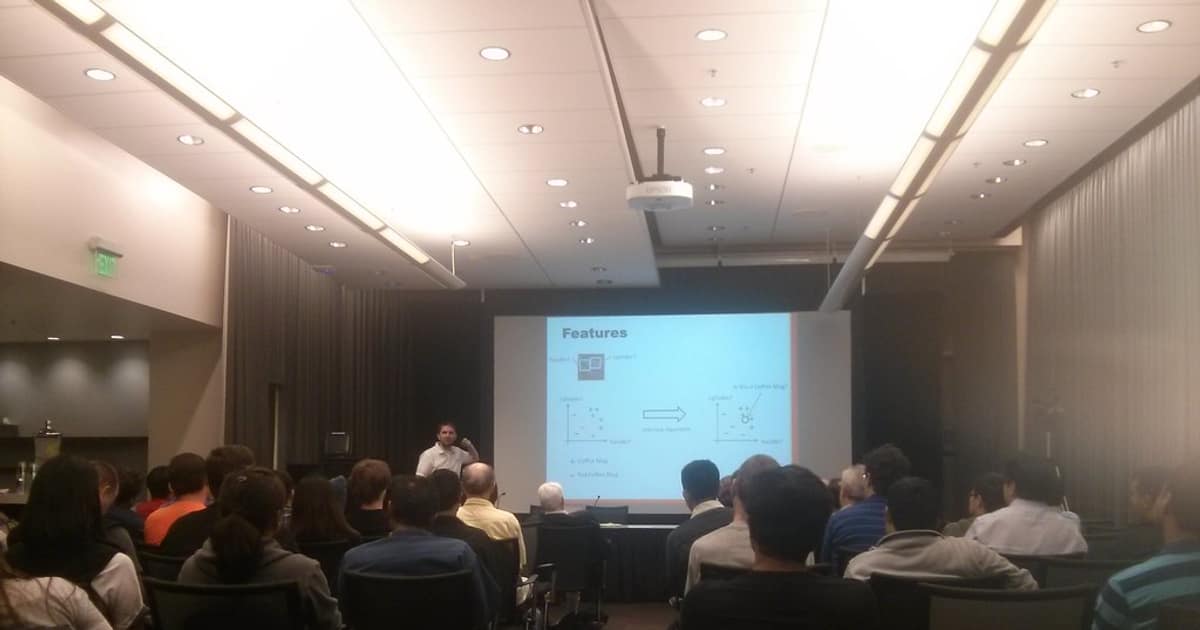
Vector database เป็นฐานข้อมูลที่ออกแบบมาเพื่อเก็บและค้นหา vector embeddings ได้อย่างรวดเร็ว ใช้ในระบบ AI/ML สำหรับ semantic search, recommendation systems และ RAG (Retrieval-Augmented Generation) Pinecone เป็น managed vector database ที่ทีมไม่ต้อง maintain infrastructure เอง ช่วยให้ทีม focus กับ feature development แทนที่จะเสียเวลา tune database
ติดตั้งและตั้งค่า Pinecone
# ติดตั้ง Pinecone Python client
pip install pinecone-client openai sentence-transformers
# หรือใช้กับ LangChain
pip install langchain langchain-pinecone langchain-openai
# สร้าง index บน Pinecone
from pinecone import Pinecone, ServerlessSpec
pc = Pinecone(api_key="YOUR_PINECONE_API_KEY")
# สร้าง index สำหรับ OpenAI embeddings (1536 dimensions)
pc.create_index(
name="team-knowledge-base",
dimension=1536,
metric="cosine",
spec=ServerlessSpec(
cloud="aws",
region="us-east-1"
)
)
# ตรวจสอบ index
print(pc.list_indexes())
index = pc.Index("team-knowledge-base")
print(index.describe_index_stats())
# {'dimension': 1536,
# 'index_fullness': 0.0,
# 'namespaces': {},
# 'total_vector_count': 0}
สร้าง Knowledge Base สำหรับทีมด้วย Embeddings
เก็บเอกสารภายในทีม เช่น runbooks, architecture decisions, meeting notes ลงใน Pinecone เพื่อให้ทีมค้นหาได้ด้วย natural language
# knowledge_indexer.py
from pinecone import Pinecone
from openai import OpenAI
import hashlib
import os
import glob
pc = Pinecone(api_key=os.getenv("PINECONE_API_KEY"))
openai_client = OpenAI(api_key=os.getenv("OPENAI_API_KEY"))
index = pc.Index("team-knowledge-base")
def get_embedding(text: str) -> list[float]:
"""สร้าง embedding จาก OpenAI"""
response = openai_client.embeddings.create(
model="text-embedding-3-small",
input=text
)
return response.data[0].embedding
def chunk_text(text: str, chunk_size: int = 500, overlap: int = 50) -> list[str]:
"""แบ่งข้อความเป็น chunks"""
words = text.split()
chunks = []
for i in range(0, len(words), chunk_size - overlap):
chunk = " ".join(words[i:i + chunk_size])
if len(chunk.strip()) > 50:
chunks.append(chunk)
return chunks
def index_document(filepath: str, namespace: str = "docs"):
"""Index เอกสาร 1 ไฟล์เข้า Pinecone"""
with open(filepath, "r", encoding="utf-8") as f:
content = f.read()
filename = os.path.basename(filepath)
chunks = chunk_text(content)
vectors = []
for i, chunk in enumerate(chunks):
doc_id = hashlib.md5(f"{filename}_{i}".encode()).hexdigest()
embedding = get_embedding(chunk)
vectors.append({
"id": doc_id,
"values": embedding,
"metadata": {
"filename": filename,
"chunk_index": i,
"text": chunk[:1000],
"source": filepath,
}
})
# Upsert เป็น batch ทีละ 100
for i in range(0, len(vectors), 100):
batch = vectors[i:i+100]
index.upsert(vectors=batch, namespace=namespace)
print(f"Indexed {filename}: {len(chunks)} chunks")
# Index ทุกไฟล์ markdown ใน docs/
for md_file in glob.glob("docs/**/*.md", recursive=True):
index_document(md_file, namespace="team-docs")
print(index.describe_index_stats())
Semantic Search API สำหรับทีม
# search_api.py - FastAPI service สำหรับค้นหา knowledge base
from fastapi import FastAPI, Query
from pinecone import Pinecone
from openai import OpenAI
import os
app = FastAPI(title="Team Knowledge Search")
pc = Pinecone(api_key=os.getenv("PINECONE_API_KEY"))
openai_client = OpenAI(api_key=os.getenv("OPENAI_API_KEY"))
index = pc.Index("team-knowledge-base")
def get_embedding(text: str) -> list[float]:
response = openai_client.embeddings.create(
model="text-embedding-3-small",
input=text
)
return response.data[0].embedding
@app.get("/search")
async def search(
q: str = Query(..., description="Search query"),
top_k: int = Query(5, ge=1, le=20),
namespace: str = Query("team-docs"),
):
"""ค้นหาเอกสารด้วย semantic search"""
query_embedding = get_embedding(q)
results = index.query(
vector=query_embedding,
top_k=top_k,
namespace=namespace,
include_metadata=True,
)
return {
"query": q,
"results": [
{
"score": match.score,
"filename": match.metadata.get("filename"),
"text": match.metadata.get("text", "")[:500],
"source": match.metadata.get("source"),
}
for match in results.matches
]
}
@app.get("/ask")
async def ask(q: str = Query(..., description="Question to answer")):
"""ถามคำถามแล้วให้ AI ตอบจาก knowledge base (RAG)"""
query_embedding = get_embedding(q)
results = index.query(
vector=query_embedding,
top_k=5,
namespace="team-docs",
include_metadata=True,
)
context = "\n\n".join([
f"[{m.metadata.get('filename')}]\n{m.metadata.get('text', '')}"
for m in results.matches
])
response = openai_client.chat.completions.create(
model="gpt-4o-mini",
messages=[
{"role": "system", "content": "ตอบคำถามจาก context ที่ให้ ถ้าไม่มีข้อมูลให้บอกตรงๆ"},
{"role": "user", "content": f"Context:\n{context}\n\nQuestion: {q}"}
],
temperature=0.3,
max_tokens=1000,
)
return {
"question": q,
"answer": response.choices[0].message.content,
"sources": [m.metadata.get("filename") for m in results.matches],
}
# รัน API server
uvicorn search_api:app --host 0.0.0.0 --port 8080
# ทดสอบ search
curl "http://localhost:8080/search?q=วิธี+deploy+production&top_k=3"
# ทดสอบ RAG
curl "http://localhost:8080/ask?q=ขั้นตอนการ+rollback+deployment+คืออะไร"
Docker Compose สำหรับ Knowledge Base Service

# docker-compose.yml
version: '3.8'
services:
knowledge-api:
build: .
ports:
- "8080:8080"
environment:
- PINECONE_API_KEY=
- OPENAI_API_KEY=
healthcheck:
test: ["CMD", "curl", "-f", "http://localhost:8080/docs"]
interval: 30s
timeout: 10s
indexer:
build: .
command: python knowledge_indexer.py
environment:
- PINECONE_API_KEY=
- OPENAI_API_KEY=
volumes:
- ./docs:/app/docs:ro
profiles:
- indexing
# .env
PINECONE_API_KEY=pcsk_xxxxxxxx
OPENAI_API_KEY=sk-xxxxxxxx
# รัน service
docker compose up -d knowledge-api
# รัน indexer เมื่อต้องการ update knowledge base
docker compose run --rm indexer
Pinecone กับ LangChain สำหรับ Advanced RAG
# advanced_rag.py - ใช้ LangChain + Pinecone
from langchain_pinecone import PineconeVectorStore
from langchain_openai import OpenAIEmbeddings, ChatOpenAI
from langchain.chains import RetrievalQA
from langchain.text_splitter import RecursiveCharacterTextSplitter
from langchain_community.document_loaders import DirectoryLoader, TextLoader
# ตั้งค่า embeddings
embeddings = OpenAIEmbeddings(model="text-embedding-3-small")
# สร้าง vector store จาก Pinecone index
vectorstore = PineconeVectorStore(
index_name="team-knowledge-base",
embedding=embeddings,
namespace="team-docs",
)
# สร้าง RAG chain
llm = ChatOpenAI(model="gpt-4o-mini", temperature=0.2)
qa_chain = RetrievalQA.from_chain_type(
llm=llm,
chain_type="stuff",
retriever=vectorstore.as_retriever(
search_type="mmr",
search_kwargs={"k": 5, "fetch_k": 10}
),
return_source_documents=True,
)
# ใช้งาน
result = qa_chain.invoke({"query": "วิธีตั้งค่า Nginx reverse proxy"})
print("Answer:", result["result"])
print("Sources:")
for doc in result["source_documents"]:
print(f" - {doc.metadata.get('filename')}")
Monitoring และ Cost Optimization
# monitor_pinecone.py - ตรวจสอบ usage
from pinecone import Pinecone
import os
pc = Pinecone(api_key=os.getenv("PINECONE_API_KEY"))
index = pc.Index("team-knowledge-base")
stats = index.describe_index_stats()
print(f"Total vectors: {stats['total_vector_count']}")
print(f"Index fullness: {stats['index_fullness']:.1%}")
print(f"Dimension: {stats['dimension']}")
print(f"Namespaces:")
for ns, ns_stats in stats.get("namespaces", {}).items():
print(f" {ns}: {ns_stats['vector_count']} vectors")
# ลบ vectors ที่ไม่ใช้แล้ว
# index.delete(
# filter={"filename": {"$eq": "old-document.md"}},
# namespace="team-docs"
# )
# ลบทั้ง namespace
# index.delete(delete_all=True, namespace="archived")
การบริหารจัดการฐานข้อมูลอย่างมืออาชีพ
Database Management ที่ดีเริ่มจากการออกแบบ Schema ที่เหมาะสม ใช้ Normalization ลด Data Redundancy สร้าง Index บน Column ที่ Query บ่อย วิเคราะห์ Query Plan เพื่อ Optimize Performance และทำ Regular Maintenance เช่น VACUUM สำหรับ PostgreSQL หรือ OPTIMIZE TABLE สำหรับ MySQL
เรื่อง High Availability ควรติดตั้ง Replication อย่างน้อย 1 Replica สำหรับ Read Scaling และ Disaster Recovery ใช้ Connection Pooling เช่น PgBouncer หรือ ProxySQL ลดภาระ Connection ที่เปิดพร้อมกัน และตั้ง Automated Failover ให้ระบบสลับไป Replica อัตโนมัติเมื่อ Primary ล่ม
Backup ต้องทำทั้ง Full Backup รายวัน และ Incremental Backup ทุก 1-4 ชั่วโมง เก็บ Binary Log หรือ WAL สำหรับ Point-in-Time Recovery ทดสอบ Restore เป็นประจำ และเก็บ Backup ไว้ Off-site ด้วยเสมอ
FAQ - คำถามที่พบบ่อย
Q: Pinecone กับ Weaviate หรือ Milvus ต่างกันอย่างไร?
A: Pinecone เป็น fully managed ไม่ต้อง deploy เอง เหมาะกับทีมที่ต้องการเริ่มเร็ว Weaviate และ Milvus เป็น open source self-hosted ได้ ข้อดีคือ cost ต่ำกว่าเมื่อ scale ใหญ่ และไม่ต้องส่ง data ออกนอก network ข้อเสียคือต้อง maintain เอง ถ้า vectors น้อยกว่า 1 ล้านตัว Pinecone free tier เพียงพอ
Q: Embedding model ตัวไหนเหมาะสำหรับภาษาไทย?
A: OpenAI text-embedding-3-small รองรับภาษาไทยได้ดีและ cost ต่ำ ถ้าต้องการ open source ใช้ multilingual-e5-large จาก Hugging Face ซึ่ง support ภาษาไทยโดยเฉพาะ สำหรับ domain-specific ควร fine-tune embedding model กับ data ของทีมเอง
Q: ควร chunk text ขนาดเท่าไหร่?
A: เริ่มที่ 300-500 คำต่อ chunk พร้อม overlap 50-100 คำ ถ้า chunk เล็กเกินจะขาด context ถ้าใหญ่เกินจะมี noise เยอะ ทดลองปรับขนาดแล้ววัดผลจาก retrieval quality ด้วย test set ที่เตรียมไว้
Q: Pinecone free tier มีข้อจำกัดอะไร?
A: Free tier ได้ 1 index, 100K vectors, 1 serverless region ไม่มี uptime SLA ไม่มี backup เหมาะสำหรับ prototyping และทีมเล็ก ถ้าใช้ production จริงควรใช้ Standard plan ขึ้นไปที่มี SLA 99.95%