Python Type Hints คืออะไร? สอนใช้ Type Annotation และ mypy สำหรับ Python Developer 2026
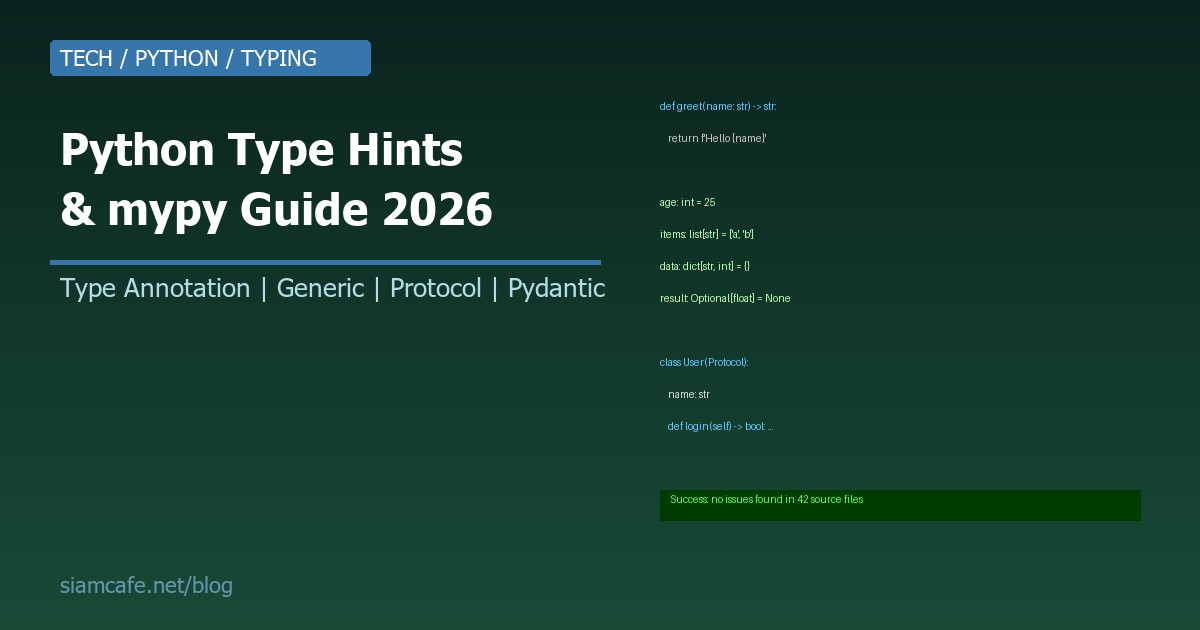

Python เป็นภาษา Dynamic Typing ไม่ต้องประกาศ Type ก็ใช้ได้ แต่เมื่อโปรเจกต์ใหญ่ขึ้น Code หลายพันบรรทัด ทำงานหลายคน ปัญหาที่เกิดคือ ไม่รู้ว่า Variable นี้เป็น Type อะไร Function นี้รับ Parameter อะไร Return อะไร ทำให้เกิด Bug ที่ยากหา
Type Hints (PEP 484) แก้ปัญหานี้ โดยให้คุณ ระบุ Type ลงใน Code เพื่อให้ IDE ช่วยจับ Bug, ทำ Autocomplete ได้ดีขึ้น, และให้ Type checker อย่าง mypy ตรวจสอบ Type ก่อน Run จริง
อ่านเพิ่ม: pnpm คืออะไร? Package Manager ที่เร็วและประหยัด Disk กว่า np · อ่านเพิ่ม: Helm Chart สร้างเอง คืออะไร? สอนสร้าง Custom Helm Chart สำหร · อ่านเพิ่ม: Rust Programming คืออะไร? สอน Rust จาก 0 สำหรับ Developer ที
ทำไมต้อง Type Hints?
- จับ Bug ก่อน Runtime: mypy ตรวจพบว่าคุณส่ง int ไปให้ Function ที่รับ str ก่อนที่จะรันจริง
- Documentation ในตัว: อ่าน Code แล้วรู้ทันทีว่า Function รับ/Return อะไร ไม่ต้องดู Docstring
- IDE Support: VS Code, PyCharm ทำ Autocomplete ได้ดีขึ้นมาก เพราะรู้ Type
- Refactoring ง่ายขึ้น: เปลี่ยน Type → mypy บอกทุกที่ที่ต้องแก้
- ทีมทำงานร่วมกันง่ายขึ้น: คนอื่นอ่าน Code ของคุณแล้วเข้าใจทันที
Basic Type Annotations
# ตัวแปรพื้นฐาน
name: str = "SiamCafe"
age: int = 30
height: float = 175.5
is_active: bool = True
nothing: None = None

# Function — parameter types + return type
def greet(name: str) -> str:
    return f"Hello, {name}!"

def add(a: int, b: int) -> int:
    return a + b

def is_adult(age: int) -> bool:
    return age >= 18

# Function ที่ไม่ Return อะไร
def log_message(msg: str) -> None:
print(f"[LOG] {msg}")Collection Types
# Python 3.9+ — ใช้ built-in types ได้เลย
names: list[str] = ["Alice", "Bob"]
scores: dict[str, int] = {"Alice": 95, "Bob": 87}
coordinates: tuple[float, float] = (13.7563, 100.5018)
unique_ids: set[int] = {1, 2, 3}

# Nested collections
matrix: list[list[int]] = [[1, 2], [3, 4]]
user_scores: dict[str, list[int]] = {
    "Alice": [95, 87, 92],
    "Bob": [78, 85, 90],
}

# Python 3.8 หรือต่ำกว่า — ต้อง import จาก typing
from typing import List, Dict, Tuple, Set
names: List[str] = ["Alice", "Bob"]
scores: Dict[str, int] = {"Alice": 95}
Optional และ Union
# Optional — ค่าอาจเป็น None
from typing import Optional

def find_user(user_id: int) -> Optional[str]:
    users = {1: "Alice", 2: "Bob"}
    return users.get(user_id)  # อาจ Return str หรือ None

# Union — ค่าเป็นได้หลาย Type
from typing import Union

def process(value: Union[int, str]) -> str:
    if isinstance(value, int):
        return str(value)
    return value.upper()

# Python 3.10+ — ใช้ | แทน Union ได้
def process(value: int | str) -> str:
    if isinstance(value, int):
        return str(value)
    return value.upper()

# Optional[X] = Union[X, None] = X | None (Python 3.10+)
def find_user(user_id: int) -> str | None:
    users = {1: "Alice", 2: "Bob"}
    return users.get(user_id)
TypeAlias
# สร้าง Type alias เพื่อให้อ่านง่าย
from typing import TypeAlias

# Complex type → ใช้ Alias
UserId: TypeAlias = int
UserName: TypeAlias = str
UserMap: TypeAlias = dict[UserId, UserName]

def get_users() -> UserMap:
    return {1: "Alice", 2: "Bob"}

# JSON-like structure
JSON: TypeAlias = dict[str, "JSON"] | list["JSON"] | str | int | float | bool | None

def parse_config(data: JSON) -> dict[str, str]:
    ...

# Vector / Coordinate
Vector2D: TypeAlias = tuple[float, float]
Vector3D: TypeAlias = tuple[float, float, float]

def distance(a: Vector2D, b: Vector2D) -> float:
    return ((a[0]-b[0])**2 + (a[1]-b[1])**2) ** 0.5
Callable
from typing import Callable

# Function ที่รับ Function เป็น Parameter
def apply(func: Callable[[int, int], int], a: int, b: int) -> int:
    return func(a, b)

result = apply(lambda x, y: x + y, 3, 5)  # 8

# Callback pattern
def on_complete(callback: Callable[[str], None]) -> None:
    callback("Task done!")

# Function ที่ Return function
def multiplier(factor: int) -> Callable[[int], int]:
    def multiply(x: int) -> int:
        return x * factor
    return multiply

double = multiplier(2)
print(double(5))  # 10
Generics (TypeVar, Generic)
from typing import TypeVar, Generic

# TypeVar — สร้าง Generic type
T = TypeVar("T")

def first(items: list[T]) -> T:
    return items[0]

# ใช้ได้กับทุก Type
first([1, 2, 3])       # T = int
first(["a", "b", "c"]) # T = str

# Bounded TypeVar — จำกัด Type ที่ใช้ได้
from typing import Comparable
N = TypeVar("N", int, float)

def max_value(a: N, b: N) -> N:
    return a if a > b else b

# Generic Class
class Stack(Generic[T]):
    def __init__(self) -> None:
        self._items: list[T] = []

    def push(self, item: T) -> None:
        self._items.append(item)

    def pop(self) -> T:
        return self._items.pop()

    def peek(self) -> T:
        return self._items[-1]

    def is_empty(self) -> bool:
        return len(self._items) == 0

# ใช้ Generic class
int_stack: Stack[int] = Stack()
int_stack.push(1)
int_stack.push(2)
value: int = int_stack.pop()  # mypy รู้ว่าเป็น int

str_stack: Stack[str] = Stack()
str_stack.push("hello")
word: str = str_stack.pop()  # mypy รู้ว่าเป็น str
Protocol (Structural Subtyping)
from typing import Protocol, runtime_checkable

# Protocol = Interface ของ Python
# ไม่ต้อง inherit — แค่มี method/attribute ตรง ก็ใช้ได้ (Duck Typing + Type Safety)

class Drawable(Protocol):
    def draw(self) -> None: ...

class Circle:
    def draw(self) -> None:
        print("Drawing circle")

class Square:
    def draw(self) -> None:
        print("Drawing square")

def render(shape: Drawable) -> None:
    shape.draw()

# Circle, Square ไม่ได้ inherit Drawable แต่ mypy ยอมรับ
# เพราะมี draw() method ตามที่ Protocol กำหนด
render(Circle())  # OK
render(Square())  # OK

# Runtime checkable Protocol
@runtime_checkable
class HasName(Protocol):
    name: str

class User:
    def __init__(self, name: str) -> None:
        self.name = name

u = User("Alice")
print(isinstance(u, HasName))  # True — ตรวจสอบ Runtime ได้
Dataclasses + Type Hints
from dataclasses import dataclass, field
from datetime import datetime

@dataclass
class User:
    name: str
    email: str
    age: int
    is_active: bool = True
    created_at: datetime = field(default_factory=datetime.now)
    tags: list[str] = field(default_factory=list)

    def greet(self) -> str:
        return f"Hello, {self.name}!"

# Type hints + dataclass = สวยงาม ชัดเจน
user = User(name="Alice", email="alice@example.com", age=30)
print(user.greet())  # "Hello, Alice!"

# Frozen dataclass (Immutable)
@dataclass(frozen=True)
class Point:
    x: float
    y: float

    def distance_to(self, other: "Point") -> float:
        return ((self.x - other.x)**2 + (self.y - other.y)**2) ** 0.5

p1 = Point(0, 0)
p2 = Point(3, 4)
print(p1.distance_to(p2))  # 5.0
# p1.x = 10  # Error! FrozenInstanceError (Immutable)
Pydantic Models
from pydantic import BaseModel, Field, EmailStr, validator
from datetime import datetime

class UserCreate(BaseModel):
    name: str = Field(..., min_length=2, max_length=50)
    email: EmailStr
    age: int = Field(..., ge=0, le=150)
    password: str = Field(..., min_length=8)
    tags: list[str] = []

    @validator("name")
    def name_must_not_be_empty(cls, v: str) -> str:
        if not v.strip():
            raise ValueError("Name cannot be empty")
        return v.strip()

class UserResponse(BaseModel):
    id: int
    name: str
    email: str
    age: int
    is_active: bool = True
    created_at: datetime

    class Config:
        from_attributes = True  # Pydantic v2

# Pydantic validate ที่ Runtime + mypy ตรวจสอบ Type ที่ Dev time
user = UserCreate(
    name="Alice",
    email="alice@example.com",
    age=30,
    password="secure123"
)
# ถ้า age="abc" → Pydantic raise ValidationError
# ถ้า age="abc" → mypy ก็แจ้งเตือน (int expected)
mypy — Static Type Checker

ติดตั้งและใช้งาน
# ติดตั้ง
pip install mypy

# ตรวจสอบไฟล์เดียว
mypy app.py

# ตรวจสอบทั้ง Project
mypy src/

# ตรวจสอบแบบ Strict (เข้มงวดสุด)
mypy --strict src/

# ตรวจสอบ + show error codes
mypy --show-error-codes src/

# ตรวจสอบเฉพาะ errors (ไม่แสดง warnings)
mypy --no-error-summary src/
mypy.ini Configuration
# mypy.ini หรือ setup.cfg หรือ pyproject.toml

# === mypy.ini ===
[mypy]
python_version = 3.12
warn_return_any = True
warn_unused_configs = True
disallow_untyped_defs = True
disallow_incomplete_defs = True
check_untyped_defs = True
no_implicit_optional = True
warn_redundant_casts = True
warn_unused_ignores = True
show_error_codes = True

# Per-module config
[mypy-tests.*]
disallow_untyped_defs = False

[mypy-third_party_lib.*]
ignore_missing_imports = True

# === pyproject.toml ===
[tool.mypy]
python_version = "3.12"
strict = true
warn_return_any = true

[[tool.mypy.overrides]]
module = "tests.*"
disallow_untyped_defs = false
Strict Mode
# mypy --strict เปิด flags เหล่านี้ทั้งหมด:
# --disallow-untyped-defs        ทุก Function ต้องมี Type annotation
# --disallow-incomplete-defs     ถ้ามี Type บาง Parameter ต้องมีทุกตัว
# --disallow-untyped-calls       ห้ามเรียก Function ที่ไม่มี Type
# --disallow-any-generics        ห้ามใช้ list แบบไม่ระบุ Type (ต้อง list[int])
# --no-implicit-optional         ห้าม None เป็น default โดยไม่ระบุ Optional
# --warn-return-any              เตือนถ้า Return Any
# --warn-unreachable             เตือน Code ที่เข้าไม่ถึง
mypy ใน CI/CD
# GitHub Actions
name: Type Check
on: [push, pull_request]

jobs:
  mypy:
    runs-on: ubuntu-latest
    steps:
      - uses: actions/checkout@v4
      - uses: actions/setup-python@v5
        with:
          python-version: '3.12'
      - run: pip install mypy
      - run: mypy --strict src/

# Pre-commit hook
# .pre-commit-config.yaml
repos:
  - repo: https://github.com/pre-commit/mirrors-mypy
    rev: v1.9.0
    hooks:
      - id: mypy
        additional_dependencies: [types-requests]
pyright — ทางเลือกจาก mypy
# pyright เป็น Type checker จาก Microsoft (ใช้ใน VS Code / Pylance)
pip install pyright

# ตรวจสอบ
pyright src/

# pyright config ใน pyrightconfig.json
{
  "include": ["src"],
  "exclude": ["tests"],
  "pythonVersion": "3.12",
  "typeCheckingMode": "strict",
  "reportMissingImports": true,
  "reportMissingTypeStubs": false
}| Feature | mypy | pyright |
|---|---|---|
| ภาษาที่เขียน | Python | TypeScript (Node.js) |
| ความเร็ว | ปานกลาง | เร็วมาก (10-100x) |
| IDE Integration | ดี (Plugin) | ดีมาก (VS Code Pylance built-in) |
| Strict mode | มี | มี (strict, basic, off) |
| Community | ใหญ่ (Standard) | โตเร็ว (Microsoft backed) |
| CI support | ดี | ดี |
Type Hints ใน FastAPI
from fastapi import FastAPI, HTTPException
from pydantic import BaseModel

app = FastAPI()

class Item(BaseModel):
    name: str
    price: float
    quantity: int = 0

class ItemResponse(BaseModel):
    id: int
    name: str
    price: float
    quantity: int
    total: float

@app.post("/items/", response_model=ItemResponse)
async def create_item(item: Item) -> ItemResponse:
    # FastAPI ใช้ Type hints สำหรับ:
    # 1. Request validation (Pydantic)
    # 2. Response serialization
    # 3. OpenAPI docs generation
    return ItemResponse(
        id=1,
        name=item.name,
        price=item.price,
        quantity=item.quantity,
        total=item.price * item.quantity
    )

@app.get("/items/{item_id}")
async def get_item(item_id: int) -> ItemResponse:
    # item_id: int → FastAPI auto-convert path param to int
    if item_id <= 0:
        raise HTTPException(status_code=404, detail="Item not found")
    return ItemResponse(id=item_id, name="Sample", price=9.99, quantity=1, total=9.99)
Common Type Hint Patterns
# 1. Literal — ค่าที่เป็นได้เฉพาะที่กำหนด
from typing import Literal

def set_color(color: Literal["red", "green", "blue"]) -> None:
    print(f"Color: {color}")

set_color("red")    # OK
# set_color("pink")  # mypy Error!

# 2. Final — ค่าที่ห้ามเปลี่ยน (Constant)
from typing import Final

MAX_RETRY: Final[int] = 3
API_URL: Final = "https://api.example.com"
# MAX_RETRY = 5  # mypy Error! Cannot assign to final name

# 3. TypedDict — Dictionary ที่มีโครงสร้างชัดเจน
from typing import TypedDict

class UserDict(TypedDict):
    name: str
    age: int
    email: str

user: UserDict = {"name": "Alice", "age": 30, "email": "alice@example.com"}
# user["name"] → mypy รู้ว่าเป็น str
# user["score"] → mypy Error! key ไม่มีใน UserDict

# 4. Annotated — เพิ่มข้อมูลเพิ่มเติม (Metadata)
from typing import Annotated

UserId = Annotated[int, "User ID must be positive"]
Percentage = Annotated[float, "Value between 0.0 and 1.0"]

def get_user(user_id: UserId) -> str:
    return f"User {user_id}"

# 5. Type Guard (Python 3.10+)
from typing import TypeGuard

def is_str_list(val: list[object]) -> TypeGuard[list[str]]:
    return all(isinstance(x, str) for x in val)

def process(data: list[object]) -> None:
    if is_str_list(data):
        # mypy รู้ว่า data เป็น list[str] ใน block นี้
        for item in data:
            print(item.upper())  # OK — item เป็น str
Gradual Typing — เพิ่ม Types ให้ Legacy Code
ไม่จำเป็นต้องเพิ่ม Type hints ทุกที่ในคราวเดียว ค่อยๆ เพิ่มได้:
- เริ่มจาก Function signatures: เพิ่ม Type ให้ Parameter และ Return type ก่อน
- Public API ก่อน: Function/Class ที่คนอื่นใช้ → เพิ่ม Type ก่อน
- ไฟล์ใหม่: ไฟล์ใหม่ทุกไฟล์ต้องมี Type hints ตั้งแต่แรก
- ค่อยๆ เพิ่ม Strict level: เริ่มจาก
mypy src/→mypy --disallow-untyped-defs src/→mypy --strict src/ - ใช้
# type: ignoreชั่วคราว: สำหรับ Code ที่ยังไม่มีเวลาแก้
# ขั้นตอนที่ 1: เพิ่ม py.typed marker
# สร้างไฟล์ว่าง src/py.typed

# ขั้นตอนที่ 2: เริ่มจาก basic mypy config
# mypy.ini
[mypy]
python_version = 3.12
warn_return_any = True
# ยังไม่เปิด strict

# ขั้นตอนที่ 3: เพิ่ม Type ทีละไฟล์
# ใช้ monkeytype หรือ pytype generate type stubs จาก runtime
pip install monkeytype
monkeytype run my_script.py
monkeytype stub my_module  # ดู Type ที่ detect ได้
monkeytype apply my_module  # Apply type hints ลง Code
Runtime Type Checking
# beartype — Runtime type checking decorator
pip install beartype

from beartype import beartype

@beartype
def add(a: int, b: int) -> int:
    return a + b

add(1, 2)     # OK
# add("1", 2)  # Runtime Error! BeartypeCallHintParamViolation

# typeguard — Runtime type checking
pip install typeguard

from typeguard import typechecked

@typechecked
def greet(name: str) -> str:
    return f"Hello, {name}"

greet("Alice")  # OK
# greet(123)    # Runtime Error! TypeCheckError
Best Practices
- ใช้ Python 3.10+ syntax:
int | strแทนUnion[int, str],list[int]แทนList[int] - ทุก Function ต้องมี Return type: แม้แต่
-> None - ใช้
from __future__ import annotations: (Python 3.7-3.9) เพื่อใช้ syntax ใหม่ - อย่าใช้
Anyถ้าไม่จำเป็น:Any= ปิด Type checking - ใช้ Protocol แทน Abstract Base Class: Pythonic กว่า รองรับ Duck Typing
- ใช้ TypedDict สำหรับ Dict ที่มี Structure: ดีกว่า
dict[str, Any] - เปิด mypy ใน CI: ป้องกัน Type error เข้า Production
- ใช้ Pydantic สำหรับ Data validation: Type hints + Runtime validation ในตัว
Python Type Hints เปลี่ยนวิธีเขียน Python ให้ปลอดภัยและมั่นใจมากขึ้น ไม่ต้องรอ Runtime ถึงจะเจอ Bug ใช้ mypy + VS Code + Type Hints แล้วคุณจะรู้สึกเหมือนเขียน TypeScript/Go — จับ Bug ได้ตั้งแต่ตอนเขียน ไม่ใช่ตอน Deploy ขึ้น Production