Message Queue คืออะไร? สอน RabbitMQ และ Apache Kafka สำหรับระบบ Distributed 2026
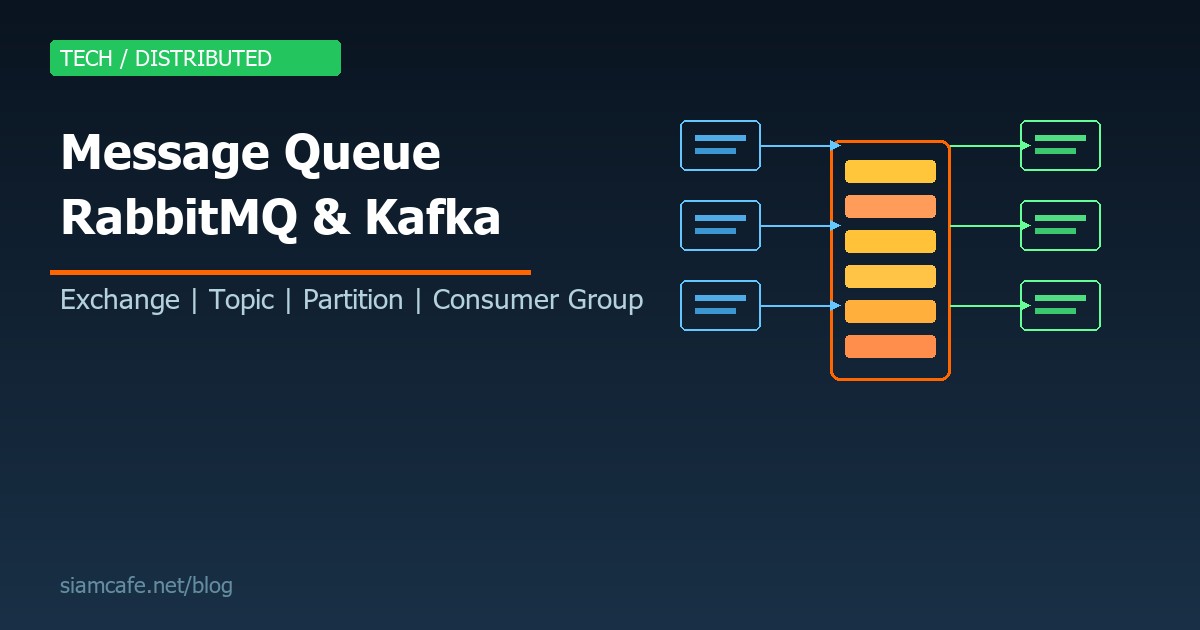

ในระบบซอฟต์แวร์สมัยใหม่ปี 2026 การสร้างระบบ Distributed ที่รองรับ Load สูงและมีความเสถียร เป็นสิ่งที่ขาดไม่ได้ Message Queue คือหนึ่งในเทคโนโลยีหลักที่ช่วยให้ระบบต่างๆ สื่อสารกันได้อย่างมีประสิทธิภาพ ลดการผูกมัดระหว่าง Service (Decoupling) และรองรับการประมวลผลแบบ Asynchronous
บทความนี้จะสอนเรื่อง Message Queue ตั้งแต่พื้นฐาน ครอบคลุม RabbitMQ และ Apache Kafka ซึ่งเป็น 2 เทคโนโลยีที่ได้รับความนิยมสูงสุด พร้อมตัวอย่างโค้ด Python ที่ใช้งานได้จริง และเปรียบเทียบว่าควรเลือกใช้อันไหนในสถานการณ์ไหน
อ่านเพิ่ม: Event-Driven Architecture คืออะไร? สอนออกแบบระบบ Event Sourc · อ่านเพิ่ม: Microservices Communication Patterns คืออะไร? Sync vs Async, · อ่านเพิ่ม: Temporal.io คืออะไร? สอน Workflow Orchestration สำหรับ Distr
Message Queue คืออะไร?

Message Queue คือระบบตัวกลางที่ทำหน้าที่รับ เก็บ และส่งต่อ Message (ข้อความหรือข้อมูล) ระหว่าง Application หรือ Service ต่างๆ โดยทำงานแบบ Asynchronous หมายความว่าผู้ส่ง (Producer) ไม่ต้องรอผู้รับ (Consumer) ประมวลผลเสร็จก่อนจึงจะทำงานต่อได้
ลองนึกภาพง่ายๆ Message Queue เปรียบเหมือนตู้ไปรษณีย์ คนส่งจดหมาย (Producer) หย่อนจดหมายลงตู้แล้วก็ไปทำอย่างอื่นต่อได้ ไม่ต้องรอบุรุษไปรษณีย์มารับ และคนรับ (Consumer) มารับจดหมายตอนไหนก็ได้ตามสะดวก ไม่ต้องรอคนส่ง
คุณสมบัติสำคัญของ Message Queue
- Asynchronous Processing — ผู้ส่งไม่ต้องรอผู้รับ ส่ง Message ไปแล้วทำงานต่อได้เลย ลดเวลาตอบสนอง
- Decoupling — Producer และ Consumer ไม่จำเป็นต้องรู้จักกัน ทำให้เปลี่ยนแปลงแต่ละส่วนได้อิสระ
- Load Leveling — รองรับ Traffic Spike โดยเก็บ Message ไว้ใน Queue แล้วค่อยๆ ประมวลผลตามกำลัง
- Reliability — Message จะถูกเก็บไว้จนกว่า Consumer จะ Acknowledge ว่าประมวลผลเสร็จ ไม่สูญหาย
- Scalability — เพิ่ม Consumer ได้ง่ายเมื่อ Load เพิ่ม ทำ Horizontal Scaling ได้
ทำไมต้องใช้ Message Queue?
3. Load Leveling — รับ Traffic Spike
ตัวอย่าง: Flash Sale
ปกติ: 100 orders/sec → Server รับได้
Flash Sale: 10,000 orders/sec → Server ล่ม!
ใช้ Queue:
10,000 orders/sec → Queue (เก็บไว้ก่อน) → Consumer ประมวลผล 500/sec
ใช้เวลา 20 วินาทีในการ process ทั้งหมด แต่ไม่มีอะไรหาย
Messaging Patterns
1. Point-to-Point (Queue)
Message ถูกส่งไปยัง Consumer เดียว ถ้ามีหลาย Consumer จะแบ่ง Message กัน (Load Balancing)
Producer ส่ง task ไป Queue
Consumer หลายตัวแบ่งกัน process
แต่ละ Message ถูก process แค่ครั้งเดียว
Producer → [Queue: task1, task2, task3] → Consumer A (task1, task3)
- Consumer B (task2)
2. Publish/Subscribe (Pub/Sub)
Message ถูกส่งไปยังทุก Subscriber ที่ Subscribe Topic นั้น
Producer publish event "order.created"
ทุก Subscriber ได้รับ Message เดียวกัน
Producer → [Topic: order.created] → Subscriber: Payment Service
- Subscriber: Inventory Service
- Subscriber: Email Service
- Subscriber: Analytics Service
3. Request/Reply
ใช้ Queue สำหรับ Synchronous Communication (แต่ไม่ค่อยแนะนำ)
# Client ส่ง Request ไป Queue พร้อม Reply Queue
# Server process แล้วส่ง Response กลับไป Reply Queue

Client → [Request Queue] → Server
Client ← [Reply Queue]   ← Server
RabbitMQ — Message Broker ที่ยืดหยุ่นที่สุด
RabbitMQ เป็น Open Source Message Broker ที่ใช้ AMQP (Advanced Message Queuing Protocol) พัฒนาด้วยภาษา Erlang ซึ่งมีชื่อเสียงด้านระบบ Concurrent และ Fault-tolerant เป็น Message Broker ที่ได้รับความนิยมสูงสุด เหมาะสำหรับงานที่ต้องการ Routing ที่ยืดหยุ่นและการจัดการ Message ที่ซับซ้อน
ติดตั้ง RabbitMQ
# Docker (แนะนำ — ง่ายและเร็ว)
docker run -d --name rabbitmq \
  -p 5672:5672 \
  -p 15672:15672 \
  rabbitmq:3-management

# เปิด Management UI: http://localhost:15672
# Username: guest / Password: guest

# Ubuntu
sudo apt install rabbitmq-server
sudo systemctl enable rabbitmq-server
sudo rabbitmq-plugins enable rabbitmq_management

# macOS
brew install rabbitmq
brew services start rabbitmq
RabbitMQ Concepts
RabbitMQ มีองค์ประกอบหลัก 4 อย่างที่ต้องเข้าใจ:
- Producer — แอปพลิเคชันที่ส่ง Message เข้าสู่ระบบ ส่ง Message ไปยัง Exchange ไม่ใช่ Queue โดยตรง
- Exchange — ตัวกลางที่รับ Message จาก Producer แล้วกระจายไปยัง Queue ตาม Rules ที่กำหนด มีหลายประเภท
- Queue — ที่เก็บ Message รอ Consumer มาดึงไป ทำงานแบบ FIFO (First In, First Out)
- Consumer — แอปพลิเคชันที่ดึง Message จาก Queue ไปประมวลผล
Exchange Types
| Exchange Type | Routing Logic | Use Case |
|---|---|---|
direct | ส่งไป Queue ที่มี Routing Key ตรงกัน | Task routing, Log levels |
fanout | ส่งไปทุก Queue ที่ Bind อยู่ | Broadcast, Notifications |
topic | ส่งตาม Pattern ของ Routing Key (ใช้ * และ #) | Multi-criteria routing |
headers | ส่งตาม Header attributes | Complex routing rules |
ตัวอย่าง Fanout Exchange (Broadcast)
# === Producer: Broadcast event ไปทุก Consumer ===
channel.exchange_declare(exchange='events', exchange_type='fanout')

event = {"type": "user.registered", "user_id": "U-123", "name": "สมหญิง"}
channel.basic_publish(
    exchange='events',
    routing_key='',  # Fanout ไม่ใช้ routing_key
    body=json.dumps(event, ensure_ascii=False)
)
# Message จะถูกส่งไปทุก Queue ที่ bind กับ exchange นี้
# เช่น email_queue, analytics_queue, notification_queue
ตัวอย่าง Topic Exchange (Pattern Matching)
=== Topic Exchange: Routing ด้วย Pattern ===
channel.exchange_declare(exchange='logs', exchange_type='topic')
Queue สำหรับ Error ทั้งหมด
channel.queue_bind(exchange='logs', queue='error_queue', routing_key='*.error')
Queue สำหรับ Payment service ทุก level
channel.queue_bind(exchange='logs', queue='payment_queue', routing_key='payment.*')
Queue สำหรับทุกอย่าง
channel.queue_bind(exchange='logs', queue='all_logs', routing_key='#')
ส่ง Message
channel.basic_publish(exchange='logs', routing_key='payment.error', body='Payment failed')
- ไปทั้ง error_queue, payment_queue, all_logs
channel.basic_publish(exchange='logs', routing_key='payment.info', body='Payment success')
- ไปแค่ payment_queue, all_logs
channel.basic_publish(exchange='logs', routing_key='auth.error', body='Login failed')
- ไปแค่ error_queue, all_logs
Pattern: * = ตรงกับ 1 word, # = ตรงกับ 0 หรือมากกว่า words
auto_ack=False เสมอใน Production เพื่อให้แน่ใจว่า Message จะไม่สูญหายถ้า Consumer ล่มระหว่าง Process ถ้า Consumer ตายก่อน Ack Message จะถูกส่งกลับเข้า Queue อัตโนมัติ
Apache Kafka — Distributed Streaming Platform
Apache Kafka พัฒนาโดย LinkedIn และเป็น Open Source ภายใต้ Apache Software Foundation Kafka ไม่ใช่แค่ Message Queue แต่เป็น Distributed Streaming Platform ที่ออกแบบมาสำหรับ High Throughput, Low Latency และ Fault Tolerance
Kafka แตกต่างจาก RabbitMQ อย่างสิ้นเชิงในหลักการทำงาน RabbitMQ เป็น Message Broker ที่ส่ง Message ไปหา Consumer แล้ว Message จะถูกลบ ในขณะที่ Kafka เป็น Distributed Log ที่เก็บ Message ถาวร (ตามที่กำหนด) และ Consumer เป็นคน Pull ข้อมูลมาอ่านเอง
Kafka Architecture
- Broker — Kafka Server แต่ละตัว Cluster หนึ่งมีหลาย Broker ทำงานร่วมกัน
- Topic — หมวดหมู่ของ Message เหมือน Table ใน Database (เช่น orders, logs, events)
- Partition — แต่ละ Topic แบ่งเป็นหลาย Partition เพื่อ Parallelism ข้อมูลใน Partition เรียงตาม Offset
- Producer — ส่ง Message เข้า Topic Kafka จะกำหนด Partition ตาม Key หรือ Round-robin
- Consumer — อ่าน Message จาก Topic โดยเก็บ Offset ว่าอ่านถึงไหนแล้ว
- Consumer Group — กลุ่มของ Consumer ที่แบ่ง Partition กันอ่าน ทำให้ Scale ได้
- Offset — ตำแหน่งของ Message ใน Partition ใช้ติดตามว่า Consumer อ่านถึงไหน
- Replication — แต่ละ Partition มี Replica บน Broker อื่น ป้องกันข้อมูลหาย
ติดตั้ง Kafka

# Docker Compose (แนะนำ)
# docker-compose.yml
version: '3'
services:
  zookeeper:
    image: confluentinc/cp-zookeeper:7.5.0
    environment:
      ZOOKEEPER_CLIENT_PORT: 2181
    ports:
      - "2181:2181"

  kafka:
    image: confluentinc/cp-kafka:7.5.0
    depends_on:
      - zookeeper
    ports:
      - "9092:9092"
    environment:
      KAFKA_BROKER_ID: 1
      KAFKA_ZOOKEEPER_CONNECT: zookeeper:2181
      KAFKA_ADVERTISED_LISTENERS: PLAINTEXT://localhost:9092
      KAFKA_OFFSETS_TOPIC_REPLICATION_FACTOR: 1

# หรือใช้ KRaft mode (ไม่ต้องใช้ Zookeeper — Kafka 3.3+)
  kafka:
    image: confluentinc/cp-kafka:7.5.0
    ports:
      - "9092:9092"
    environment:
      KAFKA_NODE_ID: 1
      KAFKA_PROCESS_ROLES: broker,controller
      KAFKA_CONTROLLER_QUORUM_VOTERS: 1@kafka:9093
      KAFKA_LISTENERS: PLAINTEXT://0.0.0.0:9092,CONTROLLER://0.0.0.0:9093
      KAFKA_ADVERTISED_LISTENERS: PLAINTEXT://localhost:9092
      KAFKA_CONTROLLER_LISTENER_NAMES: CONTROLLER
      CLUSTER_ID: 'MkU3OEVBNTcwNTJENDM2Qk'
# สร้าง Topic
docker exec -it kafka kafka-topics --create \
--bootstrap-server localhost:9092 \
--topic orders \
--partitions 3 \
--replication-factor 1
# ดู Topic ทั้งหมด
docker exec -it kafka kafka-topics --list \
--bootstrap-server localhost:9092
# ดูรายละเอียด Topic
docker exec -it kafka kafka-topics --describe \
--bootstrap-server localhost:9092 \
--topic ordersConsumer Group — การ Scale Consumer
Topic: orders มี 3 Partitions
Consumer Group: "order-processing" มี 3 Consumers
Partition 0 → Consumer A
Partition 1 → Consumer B
Partition 2 → Consumer C
ถ้าเพิ่ม Consumer D เข้า Group เดียวกัน:
Consumer D จะ idle เพราะมี 3 Partitions แต่ 4 Consumers
(Consumer ไม่ควรมากกว่า Partitions)
ถ้า Consumer C ตาย:
Partition 2 จะถูก Rebalance ไปให้ Consumer A หรือ B
(Automatic Failover)
Consumer Group ต่างกัน = ได้ Message เดียวกันทั้งหมด
Group: "payment-service" → ได้ทุก Message
Group: "analytics" → ได้ทุก Message เดียวกัน
- ทำ Pub/Sub ได้!
RabbitMQ vs Kafka — เปรียบเทียบอย่างละเอียด
| คุณสมบัติ | RabbitMQ | Apache Kafka |
|---|---|---|
| ประเภท | Message Broker (Traditional) | Distributed Streaming Platform |
| Protocol | AMQP, MQTT, STOMP | Custom TCP Protocol |
| Message Retention | ลบหลัง Consumer Ack | เก็บถาวรตาม Retention Policy |
| Delivery Model | Push (Broker ส่งให้ Consumer) | Pull (Consumer ดึงเอง) |
| Message Ordering | ภายใน Queue เดียว | ภายใน Partition เดียว |
| Throughput | 10K-50K msg/sec | 100K-1M+ msg/sec |
| Routing | ยืดหยุ่นมาก (Exchange types) | ง่าย (Topic + Partition) |
| Replay | ไม่ได้ (Message ถูกลบ) | ได้ (ย้อน Offset ได้) |
| Consumer Groups | ไม่มีในตัว (ใช้ competing consumers) | มีในตัว (Built-in) |
| Scaling | Vertical (เพิ่ม resources) | Horizontal (เพิ่ม Brokers) |
| Operations | ง่ายกว่า | ซับซ้อนกว่า (ต้อง Zookeeper/KRaft) |
| ภาษาที่พัฒนา | Erlang | Scala/Java |
| Management UI | มี (Built-in) | ไม่มีในตัว (ใช้ Kafdrop, Redpanda Console) |
เลือกอันไหนดี?
ใช้ RabbitMQ เมื่อ:
- ต้องการ Routing ที่ซับซ้อน (Topic, Headers Exchange)
- ต้องการ Message Priority (Priority Queue)
- ต้องการ Delayed/Scheduled Messages
- ระบบขนาดเล็ก-กลาง ที่ไม่ต้องการ Throughput สูงมาก
- ต้องการ Request/Reply Pattern
- ทีมคุ้นเคย AMQP Protocol
- ต้องการ Multiple Protocols (AMQP, MQTT, STOMP)
ใช้ Kafka เมื่อ:
- ต้องการ Throughput สูงมาก (หลักแสน-ล้าน msg/sec)
- ต้องการเก็บ Message ถาวร (Event Sourcing, Audit Log)
- ต้องการ Replay Messages (ย้อนกลับไปอ่านซ้ำได้)
- ต้องการ Stream Processing (ใช้ร่วมกับ Kafka Streams, Flink)
- ระบบ Big Data Pipeline (Log Aggregation, Data Integration)
- ต้องการ Multi-consumer (หลาย Consumer Group อ่าน Topic เดียวกัน)
- Event-Driven Architecture ขนาดใหญ่
Dead Letter Queue (DLQ)
Dead Letter Queue คือ Queue พิเศษที่เก็บ Message ที่ไม่สามารถประมวลผลได้สำเร็จ เช่น Message ที่ถูก Reject, หมดอายุ (TTL) หรือ Retry จนครบตามที่กำหนด เป็นกลไกสำคัญในระบบ Production เพื่อป้องกัน Message สูญหายและช่วยในการ Debug
Message Ordering
การรักษาลำดับของ Message เป็นเรื่องที่ท้าทายในระบบ Distributed ทั้ง RabbitMQ และ Kafka มีวิธีจัดการที่ต่างกัน
RabbitMQ: Ordering ภายใน Queue เดียว
ถ้ามี Consumer เดียว → รับประกัน Order
ถ้ามีหลาย Consumer → ไม่รับประกัน Order (เพราะ process เร็ว/ช้าต่างกัน)
Kafka: Ordering ภายใน Partition เดียว
ใช้ Message Key เพื่อให้ Message เดียวกันไป Partition เดียวกัน
ตัวอย่าง: Order ของ Customer เดียวกันต้องเรียงตามลำดับ
producer.send(
topic='orders',
key=b'customer-123', # Key เดียวกัน → Partition เดียวกัน
value=order_data
)
Message ของ customer-123 จะอยู่ Partition เดียวกันเสมอ
- Consumer ที่อ่าน Partition นั้นจะได้รับตามลำดับ
Exactly-Once Delivery
การรับประกัน Delivery มี 3 ระดับ:
- At-most-once — Message อาจหาย แต่ไม่ซ้ำ (Fire and forget) เร็วที่สุดแต่ไม่ปลอดภัย
- At-least-once — Message ไม่หาย แต่อาจซ้ำ (ต้อง Acknowledge) ปลอดภัยแต่ต้องจัดการ Duplicate
- Exactly-once — Message ไม่หายและไม่ซ้ำ (ยากที่สุด) ต้องใช้กลไกพิเศษ
# Kafka Exactly-Once Semantics (EOS)
# ใช้ Idempotent Producer + Transactions

producer = KafkaProducer(
    bootstrap_servers=['localhost:9092'],
    enable_idempotence=True,          # Idempotent Producer
    transactional_id='order-producer' # Transaction ID
)

producer.init_transactions()

try:
    producer.begin_transaction()
    producer.send('orders', key=b'key1', value=b'order1')
    producer.send('payments', key=b'key1', value=b'payment1')
    producer.commit_transaction()
except Exception as e:
    producer.abort_transaction()
    raise e

# Consumer: ใช้ read_committed isolation level
consumer = KafkaConsumer(
    'orders',
    isolation_level='read_committed',  # อ่านเฉพาะ committed messages
    group_id='processor'
)

# RabbitMQ: ใช้ Publisher Confirms + Consumer Ack
# Publisher Confirms
channel.confirm_delivery()
try:
    channel.basic_publish(exchange='', routing_key='orders', body=message)
    print("Message confirmed")
except pika.exceptions.UnroutableError:
    print("Message was not confirmed")
Monitoring Message Queue
RabbitMQ Monitoring
Management API
curl -u guest:guest http://localhost:15672/api/queuesสิ่งที่ต้องจับตา:
- Queue depth (จำนวน Message ใน Queue) — ถ้าเพิ่มเรื่อยๆ = Consumer ช้า
- Consumer count — ต้องมีอย่างน้อย 1 ต่อ Queue
- Message rate (publish/deliver per sec)
- Unacknowledged messages — ถ้าเยอะ = Consumer มีปัญหา
- Memory/Disk usage
Prometheus + Grafana
rabbitmq-plugins enable rabbitmq_prometheus
Metrics endpoint: http://localhost:15692/metrics
Kafka Monitoring
Consumer Group Lag (สำคัญที่สุด!)
docker exec -it kafka kafka-consumer-groups \
--bootstrap-server localhost:9092 \
--describe \
--group order-processing-group
Output:
TOPIC PARTITION CURRENT-OFFSET LOG-END-OFFSET LAG
orders 0 1000 1050 50
orders 1 2000 2000 0
orders 2 1500 1800 300
LAG = จำนวน Message ที่ยังไม่ได้ process
LAG เพิ่มเรื่อยๆ = ต้องเพิ่ม Consumer หรือ optimize processing
เครื่องมือ Monitoring:
- Kafdrop: Web UI สำหรับดู Topics, Messages, Consumer Groups
- Redpanda Console: Modern UI สำหรับ Kafka
- Burrow: LinkedIn's Kafka Consumer Lag Monitoring
- Prometheus JMX Exporter + Grafana
ทางเลือกอื่นนอกจาก RabbitMQ และ Kafka
| เครื่องมือ | ประเภท | จุดเด่น | เหมาะกับ |
|---|---|---|---|
| Redis Streams | In-memory Stream | เร็วมาก ติดตั้งง่าย (ถ้าใช้ Redis อยู่แล้ว) | Simple queue, Real-time processing |
| AWS SQS | Managed Queue | Serverless ไม่ต้องดูแล Server | AWS workloads, ทีมเล็ก |
| AWS SNS + SQS | Managed Pub/Sub | Pub/Sub บน AWS | Fan-out pattern บน AWS |
| Google Pub/Sub | Managed Pub/Sub | Serverless, Global | GCP workloads |
| NATS | Cloud-native Messaging | เบามาก เร็วมาก เหมาะ Microservices | IoT, Edge, Microservices |
| Apache Pulsar | Distributed Messaging | รวมข้อดีของ Kafka + RabbitMQ | Multi-tenant, Geo-replication |
| ZeroMQ | Messaging Library | Lightweight ไม่ต้องมี Broker | High-performance, Embedded |
| Amazon Kinesis | Managed Stream | คล้าย Kafka แต่ Managed | AWS real-time data streaming |
Best Practices สำหรับ Message Queue ในระบบ Production
- ใช้ Persistent Messages — ตั้งค่า
delivery_mode=2(RabbitMQ) หรือacks=all(Kafka) เพื่อป้องกัน Message หายเมื่อ Broker Restart - ตั้งค่า Dead Letter Queue เสมอ — Message ที่ process ไม่ได้ต้องมีที่ไป ไม่ใช่หายไปเฉยๆ หรือ Retry วนรอบ
- ออกแบบ Idempotent Consumer — Consumer ต้องรองรับ Message ซ้ำได้ (เช่น ใช้ unique ID ตรวจสอบว่า process ไปแล้วหรือยัง)
- Monitor Queue Depth และ Consumer Lag — ตั้ง Alert เมื่อ Queue depth หรือ Lag เพิ่มขึ้นเรื่อยๆ แสดงว่า Consumer ประมวลผลไม่ทัน
- ใช้ Manual Acknowledgment — อย่าใช้ auto_ack ใน Production เพราะถ้า Consumer ล่มระหว่าง process Message จะหาย
- กำหนด TTL และ Max Length — ป้องกัน Queue ขยายจน Memory เต็ม
- ใช้ Message Schema — กำหนดรูปแบบ Message ชัดเจน (เช่น Avro, Protobuf) ป้องกัน Producer-Consumer ไม่เข้าใจกัน
- เพิ่ม Metadata ใน Message — ใส่ timestamp, correlation_id, source_service เพื่อ Debug ง่าย
- Partition Key ให้เหมาะสม — เลือก Key ที่กระจาย Message สม่ำเสมอ อย่าใช้ Key ที่ทำให้ Hot Partition
- Test ระบบด้วย Chaos Engineering — ทดสอบว่า Consumer ล่มแล้วระบบยังทำงานได้ Message ไม่สูญหาย
สรุป
Message Queue เป็นเทคโนโลยีพื้นฐานที่สำคัญอย่างยิ่งสำหรับระบบ Distributed ในปี 2026 ไม่ว่าจะเป็นการ Decouple Services, ประมวลผลแบบ Async หรือรับมือกับ Traffic Spike ทั้ง RabbitMQ และ Apache Kafka ต่างมีจุดแข็งที่แตกต่างกัน
RabbitMQ เหมาะกับระบบที่ต้องการ Routing ที่ยืดหยุ่น, Message Priority และ Protocol หลากหลาย ในขณะที่ Kafka เหมาะกับระบบที่ต้องการ Throughput สูง, Data Retention และ Stream Processing สิ่งสำคัญคือเข้าใจความต้องการของระบบก่อน แล้วจึงเลือกเครื่องมือที่เหมาะสม ไม่ใช่เลือกเพราะเทรนด์ เริ่มต้นลองติดตั้ง RabbitMQ หรือ Kafka ผ่าน Docker แล้วทดลองส่ง Message ด้วย Python ก็จะเข้าใจแนวคิดทั้งหมดได้ไม่ยาก