Home > Blog > tech

Leptos คืออะไร? สอนสร้าง Web Frontend ด้วย Rust + WebAssembly ที่เร็วกว่า React 2026
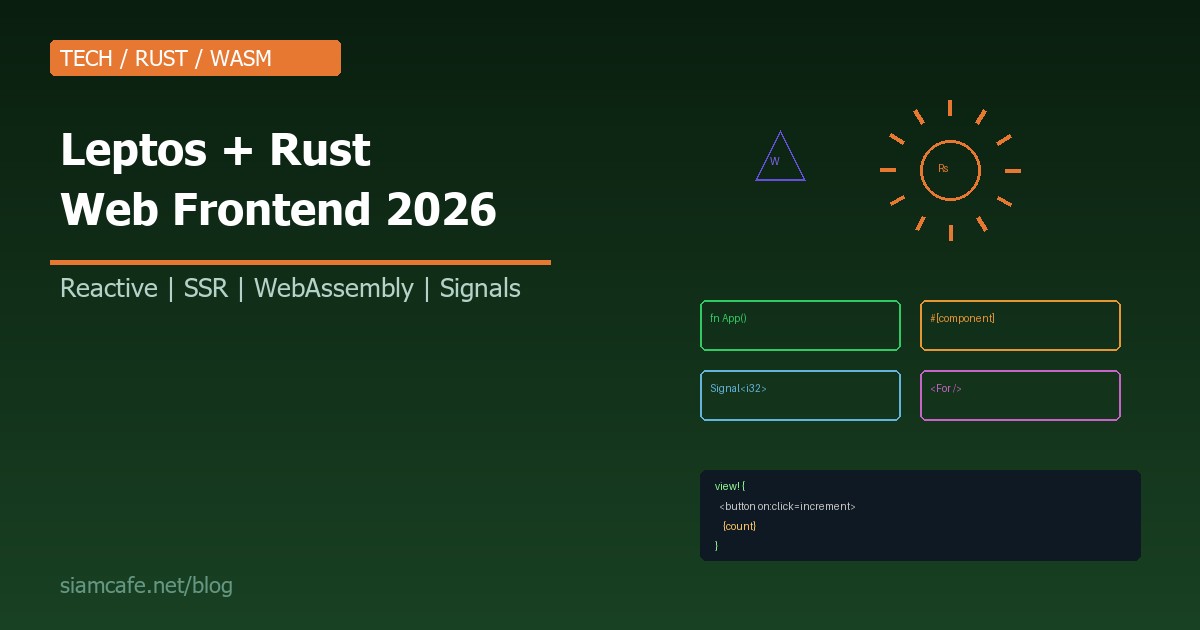

Leptos Rust Web Frontend Guide 2026
2026-04-11 | tech | 4200 words

ในโลกของ Web Frontend ที่ React, Vue, Svelte ครองตลาดมานาน มีผู้ท้าชิงรายใหม่ที่กำลังสร้างความตื่นเต้นในวงการ — Leptos Framework ที่สร้างด้วย Rust และ Compile เป็น WebAssembly (Wasm) ให้ประสิทธิภาพที่เร็วกว่า JavaScript Framework แบบเดิมอย่างเห็นได้ชัด

ในปี 2026 Leptos ก้าวสู่เวอร์ชันที่เสถียรพร้อมใช้งานจริง มี Ecosystem ที่เติบโตอย่างรวดเร็ว บทความนี้จะพาคุณทำความรู้จัก Leptos ตั้งแต่พื้นฐาน ระบบ Reactive (Signals) ไปจนถึง SSR + Hydration และเปรียบเทียบกับ Framework อื่นๆ

Leptos คืออะไร?

Leptos เป็น Full-stack Web Framework ที่เขียนด้วยภาษา Rust ออกแบบมาสำหรับสร้าง Web Application ที่ทำงานบน WebAssembly (ฝั่ง Client) และ Native Rust (ฝั่ง Server) มีคุณสมบัติหลักคือ:

เริ่มต้น — ติดตั้ง Leptos

# ติดตั้ง Rust (ถ้ายังไม่มี)
curl --proto '=https' --tlsv1.2 -sSf https://sh.rustup.rs | sh

# เพิ่ม WebAssembly target
rustup target add wasm32-unknown-unknown

# ติดตั้ง cargo-leptos (Build tool สำหรับ Leptos)
cargo install cargo-leptos

# สร้าง Project ใหม่
cargo leptos new my-leptos-app
cd my-leptos-app

# Run development server
cargo leptos watch
# เปิด http://localhost:3000

Reactive System — Signals, Derived Signals, Effects

Signals — หัวใจของ Leptos

Signal เป็น Reactive primitive ที่เก็บ State เมื่อ Signal เปลี่ยนค่า ทุกส่วนที่ "อ่าน" Signal นั้นจะ Update อัตโนมัติ โดยไม่ต้อง Re-render Component ทั้งหมด:

use leptos::*;

#[component]
fn Counter() -> impl IntoView {
    // สร้าง Signal — count เริ่มต้นที่ 0
    let (count, set_count) = signal(0);

    view! {
        // เมื่อ count เปลี่ยน เฉพาะ {count} ที่ Update
        // ไม่ใช่ทั้ง Component!
        
    }
}

// เปรียบเทียบกับ React:
// React: useState → setState → Re-render ทั้ง Component
// Leptos: signal → set_signal → Update เฉพาะ DOM node ที่ใช้ Signal

Derived Signals — ค่าที่คำนวณจาก Signal อื่น

#[component]
fn DerivedExample() -> impl IntoView {
    let (count, set_count) = signal(0);

    // Derived signal — คำนวณอัตโนมัติเมื่อ count เปลี่ยน
    let doubled = move || count.get() * 2;
    let is_even = move || count.get() % 2 == 0;

    view! {


"Doubled: " {doubled}

"Is even: " {is_even}

} }

Effects — Side Effects

#[component]
fn EffectExample() -> impl IntoView {
    let (count, set_count) = signal(0);

    // Effect — ทำงานทุกครั้งที่ count เปลี่ยน
    Effect::new(move |_| {
        log::info!("Count changed to: {}", count.get());
        // ทำ Side effect อื่นๆ เช่น API call, localStorage
    });

    view! {
        
    }
}

Component Model — Function Components

Leptos ใช้ Function components กับ #[component] macro คล้ายกับ React Function components:

// Component ที่รับ Props
#[component]
fn UserCard(
    name: String,
    #[prop(default = 0)] age: u32,
    #[prop(optional)] email: Option<String>,
) -> impl IntoView {
    view! {
        

{name.clone()}

"Age: " {age}

{email.map(|e| view! {

"Email: " {e}

})}
} } // ใช้งาน #[component] fn App() -> impl IntoView { view! { } } // List rendering ด้วย #[component] fn TodoList() -> impl IntoView { let (todos, set_todos) = signal(vec![ "Learn Rust".to_string(), "Learn Leptos".to_string(), "Build Web App".to_string(), ]); view! {
    {todo} } />
} }

SSR + Hydration

Leptos รองรับ Server-Side Rendering แบบเดียวกับ Next.js/Nuxt.js แต่ทำได้ในภาษาเดียว:

// Server Render HTML → ส่งไป Client → Client Hydrate (เพิ่ม Interactivity)

// ใน main.rs
#[cfg(feature = "ssr")]
#[actix_web::main]
async fn main() -> std::io::Result<()> {
    use actix_web::*;
    use leptos_actix::{generate_route_list, LeptosRoutes};

    let conf = get_configuration(None).unwrap();
    let routes = generate_route_list(App);

    HttpServer::new(move || {
        App::new()
            .leptos_routes(routes.clone(), App)
            .service(Files::new("/", &conf.leptos_options.site_root))
    })
    .bind("0.0.0.0:3000")?
    .run()
    .await
}

// Leptos Islands (Partial Hydration)
// เฉพาะ Component ที่ต้อง Interactive จะถูก Hydrate
// ส่วนที่เป็น Static content จะไม่โหลด JavaScript เลย!
#[island]
fn InteractiveCounter() -> impl IntoView {
    let (count, set_count) = signal(0);
    view! {
        
    }
}

// ใช้ใน Page ที่ส่วนใหญ่เป็น Static
#[component]
fn ArticlePage() -> impl IntoView {
    view! {
        

"Static Article Title"

"Static content... ไม่ต้อง Hydrate ส่วนนี้"

// เฉพาะ Counter ที่ Hydrate
} }

Server Functions — Backend ในไฟล์เดียว

// Server function — รันบน Server เท่านั้น
// Client เรียกผ่าน HTTP request อัตโนมัติ
#[server(GetUsers)]
pub async fn get_users() -> Result<Vec<User>, ServerFnError> {
    // Code นี้รันบน Server เท่านั้น
    // เข้าถึง Database ได้โดยตรง
    let users = sqlx::query_as::<_, User>("SELECT * FROM users")
        .fetch_all(&pool)
        .await?;
    Ok(users)
}

#[server(AddUser)]
pub async fn add_user(name: String, email: String) -> Result<(), ServerFnError> {
    sqlx::query("INSERT INTO users (name, email) VALUES ($1, $2)")
        .bind(&name)
        .bind(&email)
        .execute(&pool)
        .await?;
    Ok(())
}

// ใช้ใน Component
#[component]
fn UserList() -> impl IntoView {
    // Resource — เรียก Server function แล้ว Cache ผลลัพธ์
    let users = Resource::new(|| (), |_| get_users());

    view! {
        "Loading..."

}> {move || users.get().map(|result| match result { Ok(users) => view! {
    {user.name.clone()} } />
}, Err(e) => view! {

"Error: " {e.to_string()}

}.into_any(), })}
} }

Routing — leptos_router

use leptos_router::*;

#[component]
fn App() -> impl IntoView {
    view! {


} } #[component] fn UserDetail() -> impl IntoView { let params = use_params_map(); let id = move || params.get().get("id").unwrap_or_default(); view! {

"User ID: " {id}

} }

เปรียบเทียบ Leptos vs Rust Frameworks อื่น

FeatureLeptosYewDioxusSycamore
Reactive ModelFine-grained (Signals)Virtual DOMVirtual DOMFine-grained (Signals)
SSRBuilt-inผ่าน yew-ssrBuilt-inBuilt-in
Server FunctionsBuilt-in (#[server])ไม่มีBuilt-inไม่มี
Routingleptos_routeryew-routerdioxus-routersycamore-router
Syntaxview! macro (JSX-like)html! macrorsx! macro (JSX-like)view! macro
Ecosystemเติบโตเร็วใหญ่ที่สุดกำลังเติบโตเล็ก
Multi-platformWeb onlyWeb onlyWeb + Desktop + MobileWeb only
Performanceเร็วมากดีดีเร็วมาก

เปรียบเทียบ Leptos vs JavaScript Frameworks

ด้านLeptos (Rust/Wasm)ReactSvelteKitSolidJS
Runtime Performanceเร็วมาก (Wasm)ปานกลาง (VDOM)เร็ว (No VDOM)เร็วมาก (Fine-grained)
Bundle Sizeเล็ก (Wasm compressed)ใหญ่ (React + VDOM)เล็ก (Compiled)เล็กมาก
Type SafetyRust type system (เข้มงวดมาก)TypeScript (Optional)TypeScript (Optional)TypeScript (Optional)
Learning Curveสูง (ต้องรู้ Rust)ปานกลางต่ำปานกลาง
Ecosystemเล็ก (กำลังเติบโต)ใหญ่ที่สุดปานกลางเล็ก-ปานกลาง
Hiringยาก (Rust devs หายาก)ง่ายที่สุดปานกลางยาก
SSRBuilt-inNext.jsBuilt-inSolidStart

Styling — Tailwind กับ Leptos

// ใช้ Tailwind CSS กับ Leptos ได้เลย
// ใน Cargo.toml เพิ่ม:
// [package.metadata.leptos]
// tailwind-input-file = "style/tailwind.css"
// tailwind-config-file = "tailwind.config.js"

#[component]
fn StyledCard(title: String, description: String) -> impl IntoView {
    view! {
        

{title}

{description}

} }

Deployment

# Build สำหรับ Production
cargo leptos build --release

# ผลลัพธ์:
# target/release/my-leptos-app        ← Server binary
# target/site/                         ← Static assets (Wasm, CSS, JS)

# Docker
FROM rust:1.80 AS builder
RUN rustup target add wasm32-unknown-unknown
RUN cargo install cargo-leptos
WORKDIR /app
COPY . .
RUN cargo leptos build --release

FROM debian:bookworm-slim
COPY --from=builder /app/target/release/my-leptos-app /app/server
COPY --from=builder /app/target/site /app/site
WORKDIR /app
ENV LEPTOS_SITE_ROOT=/app/site
EXPOSE 3000
CMD ["./server"]

เมื่อไหร่ที่ Rust Frontend เหมาะ?

เหมาะ:

ยังไม่เหมาะ:

Learning Path — สำหรับ React Developer

  1. เรียน Rust พื้นฐาน (2-4 สัปดาห์): Ownership, Borrowing, Lifetimes, Traits, Error handling อ่าน "The Rust Programming Language" book (ฟรี)
  2. Leptos Tutorial (1 สัปดาห์): อ่าน Official Leptos Book (leptos.dev) ทำ Tutorial ตั้งแต่ Counter จนถึง Todo App
  3. สร้าง Project จริง (2-4 สัปดาห์): Blog, Dashboard, หรือ Clone app ที่คุ้นเคย
  4. SSR + Server Functions (1-2 สัปดาห์): เรียนรู้ Full-stack Leptos
เคล็ดลับ: ถ้าคุณรู้ SolidJS จะเรียน Leptos ง่ายมาก เพราะ Reactive model เหมือนกัน (Fine-grained signals) แค่ Syntax ต่างกัน (JavaScript vs Rust)

สรุป

Leptos เป็น Framework ที่น่าตื่นเต้นมากในปี 2026 การรวม Rust type safety + Fine-grained reactivity + WebAssembly performance + Full-stack capabilities ทำให้เป็นตัวเลือกที่ทรงพลังสำหรับ Web Application ที่ต้องการประสิทธิภาพสูง

แม้ว่า Ecosystem จะยังเล็กกว่า React มาก และ Learning curve จะสูง (ต้องรู้ Rust) แต่สำหรับทีมที่พร้อม ลงทุนเรียน Rust จะได้ Framework ที่ให้ทั้ง Performance, Type safety, และ Developer experience ที่ดี ถ้าคุณเป็น React developer ที่อยากลองอะไรใหม่ หรือ Rust developer ที่อยากทำ Web — Leptos คือคำตอบที่ดีที่สุดในตอนนี้


Back to Blog | iCafe Forex | SiamLanCard | Siam2R