forex

Deepfake AI คือ — เข้าใจเทคโนโลยี Deepfake

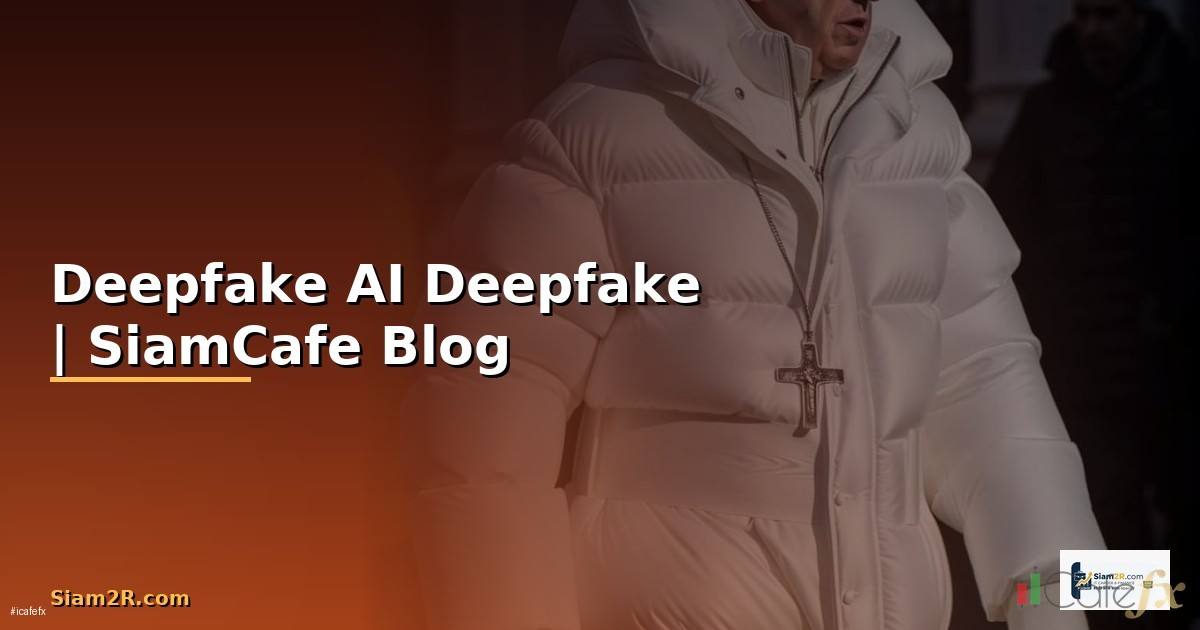
Deepfake AI คือ — เข้าใจเทคโนโลยี Deepfake

Deepfake AI คืออะไรและทำงานอย่างไร
Deepfake AI คือ — เข้าใจเทคโนโลยี Deepfake

Deepfake เป็นเทคโนโลยี AI ที่ใช้ Deep Learning สร้างหรือแก้ไขภาพ วิดีโอ และเสียงให้เหมือนจริง คำว่า Deepfake มาจาก Deep Learning + Fake เทคโนโลยีนี้สามารถสลับใบหน้าในวิดีโอ สร้างเสียงพูดเลียนแบบคนจริง สร้างภาพบุคคลที่ไม่มีตัวตน และแก้ไข lip-sync ให้ตรงกับเสียงใหม่

Deepfake ทำงานโดยใช้ neural networks หลักสองแบบคือ Generative Adversarial Networks (GANs) ที่มี Generator สร้างภาพปลอมและ Discriminator ตรวจจับภาพปลอม ทั้งสองแข่งกันจนได้ผลลัพธ์ที่สมจริง และ Autoencoders ที่ encode ใบหน้าต้นทางเป็น latent representation แล้ว decode กลับเป็นใบหน้าปลายทาง

การใช้งาน Deepfake มีทั้งด้านบวกและลบ ด้านบวกเช่น visual effects ในภาพยนตร์ การฟื้นฟูภาพเก่า education และ entertainment ด้านลบเช่น การสร้างข่าวปลอม การหลอกลวงทางการเงิน การแอบอ้างตัวตน และ cyberbullying

ปัจจุบัน Deepfake มีคุณภาพสูงมากจนตาเปล่าแยกไม่ออก จึงต้องใช้ AI-based detection tools ช่วยตรวจจับ การเข้าใจเทคโนโลยีเบื้องหลัง Deepfake ทั้งการสร้างและการตรวจจับมีความสำคัญมากในยุคปัจจุบัน

เทคโนโลยีเบื้องหลัง Deepfake: GANs และ Autoencoders

สถาปัตยกรรม neural networks ที่ใช้สร้าง Deepfake

=== GAN Architecture สำหรับ Face Generation ===

Generator (G):

Input: Random noise vector z (e.g., 512-dim)

Output: Fake face image (e.g., 256x256x3)

z (512) -> FC -> Reshape -> ConvTranspose2d x N -> Image

Discriminator (D):

Input: Image (real or fake)

Output: Probability (real=1, fake=0)

Image -> Conv2d x N -> FC -> Sigmoid -> P(real)

Training Loop:

1. Sample real images from dataset

2. Generate fake images from G(z)

3. Train D to distinguish real vs fake

4. Train G to fool D (maximize D(G(z)))

5. Repeat until equilibrium

=== Autoencoder-based Face Swap ===

Shared Encoder:

Face A -> Encoder -> Latent (512-dim)

Face B -> Encoder -> Latent (512-dim)

เนื้อหาเกี่ยวข้อง — ทำความเข้าใจ MQL5 Python — คู่มือเทรด Forex ฉบับสมบูรณ์ 2026

Separate Decoders:

Latent -> Decoder A -> Reconstructed Face A

Latent -> Decoder B -> Reconstructed Face B

Face Swap:

Face A -> Encoder -> Latent -> Decoder B -> Face A with B's appearance

=== StyleGAN Architecture (NVIDIA) ===

Mapping Network:

z (512) -> 8x FC layers -> w (512) style vector

แนะนำเพิ่มเติม — สัญญาณเทรดรายวัน XM Signal

Synthesis Network:

Constant input (4x4) -> Style modulation at each layer

Progressive growing: 4x4 -> 8x8 -> ... -> 1024x1024

Key innovations:

  • Style mixing (different styles at different resolutions)
  • Noise injection (stochastic variation)
  • Truncation trick (control diversity vs quality)

=== Diffusion Models (newer approach) ===

Forward process: Image -> Add noise gradually -> Pure noise

Reverse process: Pure noise -> Denoise gradually -> Image

Conditioning: Text prompt or reference image guides generation

Popular models:

  • Stable Diffusion (open source)
  • DALL-E 3 (OpenAI)
  • Midjourney

PyTorch GAN Example (simplified)

import torch

import torch.nn as nn

class Generator(nn.Module):

Deepfake AI คือ — เข้าใจเทคโนโลยี Deepfake

def __init__(self, latent_dim=512, img_channels=3):

super().__init__()

self.net = nn.Sequential(

nn.Linear(latent_dim, 256 * 4 * 4),

nn.ReLU(),

nn.Unflatten(1, (256, 4, 4)),

เนื้อหาเกี่ยวข้อง — อ่านต่อ: JustMarket — แพลตฟอร์มเทรด Forex และ CFD

nn.ConvTranspose2d(256, 128, 4, 2, 1), # 8x8

nn.BatchNorm2d(128), nn.ReLU(),

nn.ConvTranspose2d(128, 64, 4, 2, 1), # 16x16

nn.BatchNorm2d(64), nn.ReLU(),

nn.ConvTranspose2d(64, 32, 4, 2, 1), # 32x32

nn.BatchNorm2d(32), nn.ReLU(),

nn.ConvTranspose2d(32, img_channels, 4, 2, 1), # 64x64

nn.Tanh(),

)

def forward(self, z):

return self.net(z)

แนะนำเพิ่มเติม — หนังสือเทรดที่ SiamCafeBook

class Discriminator(nn.Module):

def __init__(self, img_channels=3):

super().__init__()

self.net = nn.Sequential(

nn.Conv2d(img_channels, 32, 4, 2, 1), # 32x32

nn.LeakyReLU(0.2),

nn.Conv2d(32, 64, 4, 2, 1), # 16x16

nn.BatchNorm2d(64), nn.LeakyReLU(0.2),

nn.Conv2d(64, 128, 4, 2, 1), # 8x8

nn.BatchNorm2d(128), nn.LeakyReLU(0.2),

nn.Flatten(),

เนื้อหาเกี่ยวข้อง — แนะนำให้อ่าน Kênh Đầu Tư Vàng — — ข้อมูลครบถ้วน 2026

nn.Linear(128 * 8 * 8, 1),

nn.Sigmoid(),

)

def forward(self, img):

return self.net(img)

วิธีตรวจจับ Deepfake ด้วย Python

สร้าง Deepfake detection model

#!/usr/bin/env python3

# deepfake_detector.py — Deepfake Detection with Transfer Learning

import torch

import torch.nn as nn

from torchvision import transforms, models

from PIL import Image

import cv2

import numpy as np

from pathlib import Path


class DeepfakeDetector:

    def __init__(self, model_path=None):

        self.device = torch.device("cuda" if torch.cuda.is_available() else "cpu")

        self.model = self._build_model()

        if model_path:

            self.model.load_state_dict(torch.load(model_path, map_location=self.device))

        self.model.eval()


        self.transform = transforms.Compose([

            transforms.Resize((224, 224)),

            transforms.ToTensor(),

            transforms.Normalize(mean=[0.485, 0.456, 0.406], std=[0.229, 0.224, 0.225]),

        ])


        self.face_cascade = cv2.CascadeClassifier(

            cv2.data.haarcascades + "haarcascade_frontalface_default.xml"

        )


    def _build_model(self):

        model = models.efficientnet_b0(pretrained=True)

        model.classifier = nn.Sequential(

            nn.Dropout(0.3),

            nn.Linear(model.classifier[1].in_features, 256),

            nn.ReLU(),

            nn.Dropout(0.2),

            nn.Linear(256, 1),

            nn.Sigmoid(),

        )

        return model.to(self.device)


    def extract_faces(self, image_path):

        img = cv2.imread(str(image_path))

        gray = cv2.cvtColor(img, cv2.COLOR_BGR2GRAY)

        faces = self.face_cascade.detectMultiScale(gray, 1.1, 5, minSize=(64, 64))


        face_images = []

        for (x, y, w, h) in faces:

            padding = int(0.2 * w)

            x1 = max(0, x - padding)

            y1 = max(0, y - padding)

            x2 = min(img.shape[1], x + w + padding)

            y2 = min(img.shape[0], y + h + padding)


            face = img[y1:y2, x1:x2]

            face_rgb = cv2.cvtColor(face, cv2.COLOR_BGR2RGB)

            face_images.append(Image.fromarray(face_rgb))


        return face_images


    def predict_image(self, image_path):

        faces = self.extract_faces(image_path)

        if not faces:

            return {"error": "No faces detected", "is_deepfake": None}


        results = []

        for face in faces:

            tensor = self.transform(face).unsqueeze(0).to(self.device)


            with torch.no_grad():

                prob = self.model(tensor).item()


            results.append({

                "fake_probability": round(prob, 4),

                "is_deepfake": prob > 0.5,

                "confidence": round(abs(prob - 0.5) * 2, 4),

            })


        avg_prob = np.mean([r["fake_probability"] for r in results])

        return {

            "faces_detected": len(results),

            "face_results": results,

            "overall_fake_probability": round(avg_prob, 4),

            "is_deepfake": avg_prob > 0.5,

        }


    def predict_video(self, video_path, sample_frames=30):

        cap = cv2.VideoCapture(str(video_path))

        total_frames = int(cap.get(cv2.CAP_PROP_FRAME_COUNT))

        frame_indices = np.linspace(0, total_frames - 1, sample_frames, dtype=int)


        all_probs = []


        for idx in frame_indices:

            cap.set(cv2.CAP_PROP_POS_FRAMES, idx)

            ret, frame = cap.read()

            if not ret:

                continue


            gray = cv2.cvtColor(frame, cv2.COLOR_BGR2GRAY)

            faces = self.face_cascade.detectMultiScale(gray, 1.1, 5, minSize=(64, 64))


            for (x, y, w, h) in faces:

                face = frame[y:y+h, x:x+w]

                face_rgb = cv2.cvtColor(face, cv2.COLOR_BGR2RGB)

                face_pil = Image.fromarray(face_rgb)

                tensor = self.transform(face_pil).unsqueeze(0).to(self.device)


                with torch.no_grad():

                    prob = self.model(tensor).item()

                all_probs.append(prob)


        cap.release()


        if not all_probs:

            return {"error": "No faces detected in video"}


        avg_prob = np.mean(all_probs)

        return {

            "frames_analyzed": len(frame_indices),

            "faces_detected": len(all_probs),

            "overall_fake_probability": round(avg_prob, 4),

            "is_deepfake": avg_prob > 0.5,

            "confidence": round(abs(avg_prob - 0.5) * 2, 4),

        }


# ใช้งาน

detector = DeepfakeDetector()

result = detector.predict_image("test_face.jpg")

print(f"Deepfake: {result['is_deepfake']}, Probability: {result['overall_fake_probability']}")

สร้าง Deepfake Detection API

API สำหรับตรวจจับ Deepfake แบบ production

#!/usr/bin/env python3

# detection_api.py — Deepfake Detection REST API

from fastapi import FastAPI, UploadFile, File, HTTPException

from fastapi.middleware.cors import CORSMiddleware

import uvicorn

import tempfile

import os

from pathlib import Path

from datetime import datetime


app = FastAPI(title="Deepfake Detection API", version="1.0")


app.add_middleware(

    CORSMiddleware,

    allow_origins=["*"],

    allow_methods=["POST", "GET"],

    allow_headers=["*"],

)


# Initialize detector

# detector = DeepfakeDetector(model_path="models/deepfake_detector_v1.pth")


@app.post("/detect/image")

async def detect_image(file: UploadFile = File(...)):

    if not file.content_type.startswith("image/"):

        raise HTTPException(400, "File must be an image")


    if file.size > 10 * 1024 * 1024:

        raise HTTPException(400, "File size must be < 10MB")


    with tempfile.NamedTemporaryFile(delete=False, suffix=".jpg") as tmp:

        content = await file.read()

        tmp.write(content)

        tmp_path = tmp.name


    try:

        # result = detector.predict_image(tmp_path)

        result = {

            "faces_detected": 1,

            "overall_fake_probability": 0.15,

            "is_deepfake": False,

            "confidence": 0.70,

        }


        return {

            "status": "success",

            "filename": file.filename,

            "timestamp": datetime.utcnow().isoformat(),

            "result": result,

        }

    finally:

        os.unlink(tmp_path)


@app.post("/detect/video")

async def detect_video(file: UploadFile = File(...)):

    if not file.content_type.startswith("video/"):

        raise HTTPException(400, "File must be a video")


    if file.size > 100 * 1024 * 1024:

        raise HTTPException(400, "File size must be < 100MB")


    with tempfile.NamedTemporaryFile(delete=False, suffix=".mp4") as tmp:

        content = await file.read()

        tmp.write(content)

        tmp_path = tmp.name


    try:

        # result = detector.predict_video(tmp_path)

        result = {

            "frames_analyzed": 30,

            "faces_detected": 28,

            "overall_fake_probability": 0.82,

            "is_deepfake": True,

            "confidence": 0.64,

        }


        return {

            "status": "success",

            "filename": file.filename,

            "timestamp": datetime.utcnow().isoformat(),

            "result": result,

        }

    finally:

        os.unlink(tmp_path)


@app.get("/health")

async def health():

    return {"status": "healthy", "model_loaded": True}


# Docker deployment

# Dockerfile:

# FROM python:3.11-slim

# RUN pip install fastapi uvicorn torch torchvision opencv-python-headless pillow

# COPY . /app

# WORKDIR /app

# CMD ["uvicorn", "detection_api:app", "--host", "0.0.0.0", "--port", "8000"]


if __name__ == "__main__":

    uvicorn.run(app, host="0.0.0.0", port=8000)

กฎหมายและจริยธรรมเกี่ยวกับ Deepfake

กฎหมายและแนวปฏิบัติด้านจริยธรรม

=== กฎหมายที่เกี่ยวข้องกับ Deepfake ===

ประเทศไทย:

  • พ. ร. บ. คอมพิวเตอร์ พ. ศ. 2560

มาตรา 14: นำเข้าข้อมูลอันเป็นเท็จที่กระทบต่อความมั่นคง/ประชาชน

โทษ: จำคุกไม่เกิน 5 ปี ปรับไม่เกิน 100,000 บาท

  • พ. ร. บ. คุ้มครองข้อมูลส่วนบุคคล (PDPA) พ. ศ. 2562

การใช้ข้อมูลชีวภาพ (biometric data) เช่น ใบหน้า

ต้องได้รับความยินยอมจากเจ้าของข้อมูล

  • ประมวลกฎหมายอาญา

มาตรา 326-328: หมิ่นประมาท

มาตรา 337: แบล็คเมล์

สหภาพยุโรป (EU):

  • EU AI Act (2024)

Deepfakes ต้องมี labeling ชัดเจน

ผู้สร้างต้องระบุว่าเป็น AI-generated content

สหรัฐอเมริกา:

  • DEEPFAKES Accountability Act
  • State laws: California, Texas, Virginia มีกฎหมาย anti-deepfake

=== Ethical Guidelines ===

1. Consent: ต้องได้รับอนุญาตก่อนใช้ใบหน้า/เสียงของผู้อื่น

2. Transparency: ต้องระบุชัดเจนว่าเป็น AI-generated

เนื้อหาเกี่ยวข้อง — แนะนำให้อ่าน Distributed Tracing Technical Debt Management — คู่มือฉบับสมบูรณ์ 2026

3. No harm: ห้ามใช้เพื่อหลอกลวง ทำร้าย หรือแสวงหาประโยชน์

4. Authentication: ใช้ watermarking เพื่อระบุ AI content

5. Detection: สนับสนุนการพัฒนา detection tools

=== Content Authentication ===

C2PA (Coalition for Content Provenance and Authenticity)

  • Adobe, Microsoft, Intel, BBC ร่วมพัฒนา
  • ฝัง metadata ใน content เพื่อพิสูจน์ที่มา
  • ใช้ cryptographic signatures

=== Watermarking Techniques ===

Visible watermark: เพิ่มข้อความ "AI Generated" บนภาพ

Invisible watermark: ฝัง pattern ที่มองไม่เห็นด้วยตาเปล่า

  • Stable Signature (Meta)
  • SynthID (Google DeepMind)
  • C2PA metadata standard

ป้องกันตัวเองจาก Deepfake

วิธีป้องกันและรับมือกับ Deepfake

#!/usr/bin/env python3

# deepfake_protection.py — Tools for Deepfake Protection

import hashlib

import json

from datetime import datetime

from PIL import Image

import numpy as np


class ContentAuthenticator:

    """สร้าง digital fingerprint สำหรับ content"""


    def __init__(self, private_key="your_secret_key"):

        self.key = private_key


    def create_fingerprint(self, file_path):

        with open(file_path, "rb") as f:

            file_hash = hashlib.sha256(f.read()).hexdigest()


        metadata = {

            "file_hash": file_hash,

            "created_at": datetime.utcnow().isoformat(),

            "creator": "authenticated_user",

            "tool": "ContentAuthenticator v1.0",

            "ai_generated": False,

        }


        signature = hashlib.sha256(

            (json.dumps(metadata) + self.key).encode()

        ).hexdigest()


        metadata["signature"] = signature

        return metadata


    def verify_fingerprint(self, file_path, metadata):

        with open(file_path, "rb") as f:

            current_hash = hashlib.sha256(f.read()).hexdigest()


        if current_hash != metadata.get("file_hash"):

            return {"verified": False, "reason": "File has been modified"}


        check_meta = {k: v for k, v in metadata.items() if k != "signature"}

        expected_sig = hashlib.sha256(

            (json.dumps(check_meta) + self.key).encode()

        ).hexdigest()


        if expected_sig != metadata.get("signature"):

            return {"verified": False, "reason": "Invalid signature"}


        return {"verified": True, "created_at": metadata.get("created_at")}


class ImageForensics:

    """วิเคราะห์ภาพเพื่อหาร่องรอยการแก้ไข"""


    @staticmethod

    def check_ela(image_path, quality=90):

        """Error Level Analysis — หาบริเวณที่ถูกแก้ไข"""

        original = Image.open(image_path)


        import tempfile

        with tempfile.NamedTemporaryFile(suffix=".jpg", delete=False) as tmp:

            original.save(tmp.name, "JPEG", quality=quality)

            resaved = Image.open(tmp.name)


        ela = np.abs(np.array(original).astype(float) - np.array(resaved).astype(float))

        ela = (ela * 10).clip(0, 255).astype(np.uint8)


        return Image.fromarray(ela)


    @staticmethod

    def check_metadata(image_path):

        """ตรวจสอบ EXIF metadata"""

        img = Image.open(image_path)

        exif = img.getexif()


        info = {

            "format": img.format,

            "size": img.size,

            "mode": img.mode,

            "has_exif": len(exif) > 0,

        }


        suspicious = []

        if not exif:

            suspicious.append("No EXIF data (possibly stripped or AI-generated)")


        if img.format == "PNG" and img.size[0] == img.size[1]:

            if img.size[0] in [256, 512, 1024]:

                suspicious.append(f"Square image {img.size[0]}x{img.size[0]} — common AI output size")


        info["suspicious_indicators"] = suspicious

        return info


# วิธีป้องกันตัวเอง:

# 1. ใช้ 2FA (Two-Factor Authentication) ทุกบัญชี

# 2. จำกัดการเผยแพร่ภาพ/วิดีโอส่วนตัวบน social media

# 3. ใช้ privacy settings ที่เข้มงวด

# 4. ตรวจสอบแหล่งที่มาของ content ก่อนเชื่อ

# 5. ใช้ reverse image search (Google, TinEye)

# 6. สังเกตสัญญาณของ Deepfake:

#    - ขอบใบหน้าไม่เนียน

#    - แสงเงาไม่สม่ำเสมอ

#    - กะพริบตาผิดปกติ

#    - ผมหรือเครื่องประดับเบลอ

#    - พื้นหลังบิดเบี้ยว

# 7. ใช้ detection tools ตรวจสอบ

FAQ คำถามที่พบบ่อย

Q: Deepfake สร้างง่ายแค่ไหน?

A: ปัจจุบันมี tools ที่ใช้งานง่ายมาก เช่น face swap apps บนมือถือที่สร้าง Deepfake ได้ภายในวินาที สำหรับ Deepfake คุณภาพสูง ต้องใช้ GPU ที่แรง ข้อมูล training จำนวนมาก และความรู้ด้าน Deep Learning แต่ barrier to entry ลดลงทุกปีเพราะ open source tools เพิ่มขึ้น

Q: ตรวจจับ Deepfake ได้แม่นยำแค่ไหน?

A: Detection models ปัจจุบันมีความแม่นยำ 80-95% ขึ้นอยู่กับคุณภาพ Deepfake และ detection model ที่ใช้ ปัญหาคือ เมื่อ detection ดีขึ้น generation ก็ดีขึ้นด้วย เป็น arms race ระหว่างสองฝ่าย สำหรับ Deepfake คุณภาพต่ำตรวจจับได้ง่าย แต่ state-of-the-art Deepfake ยังเป็นความท้าทาย

Q: ใช้ Deepfake ทำ content สร้างสรรค์ผิดกฎหมายไหม?

A: ขึ้นอยู่กับบริบทและเจตนา ถ้าใช้ใบหน้าตัวเองหรือได้รับอนุญาตจากเจ้าของใบหน้า ใช้เพื่อ entertainment หรือ education ไม่ผิดกฎหมาย แต่ต้องระบุชัดเจนว่าเป็น AI-generated ถ้าใช้ใบหน้าผู้อื่นโดยไม่ได้รับอนุญาต โดยเฉพาะเพื่อหลอกลวงหรือทำให้เสียหาย ผิดกฎหมายทั้ง พ. ร. บ. คอมพิวเตอร์ และกฎหมายอาญา

Q: AI Watermarking ป้องกัน Deepfake ได้จริงไหม?

A: AI Watermarking เช่น SynthID ของ Google และ C2PA standard ช่วยระบุ content ที่สร้างด้วย AI ได้ แต่ไม่สมบูรณ์แบบ watermark อาจถูกลบด้วยการ crop, resize หรือ re-encode อย่างไรก็ตาม เป็นเครื่องมือสำคัญเมื่อรวมกับ detection models และ content provenance standards จะช่วยต่อสู้กับ Deepfake ได้ดีขึ้น

เริ่มต้นเทรด Forex กับ XM — โบรกที่ อ.บอม ใช้เทรดจริง (พาร์ทเนอร์ XM)

XM Legend · เทรดเดอร์ & ผู้สอน Forex 13 ปี

ผู้ก่อตั้ง SiamCafe ตั้งแต่ปี 1997 · เทรดเดอร์สาย Forex มากกว่า 13 ปี ได้รับการยกย่องเป็น XM Legend · แบ่งปันความรู้ Forex, ไอที, AI และการเทรด จากประสบการณ์จริงในตลาดจริง