Database Analyst คืออะไร — เส้นทางอาชีพ DBA

Database Analyst คืออะไรและทำอะไร
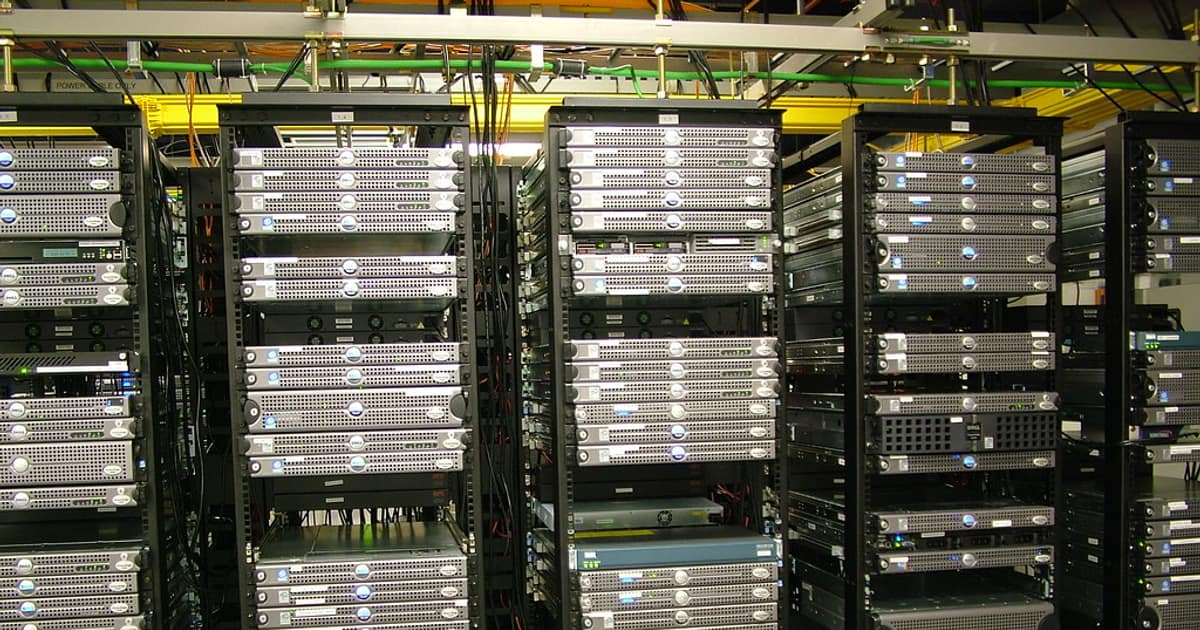
Database Analyst (DBA) เป็นผู้เชี่ยวชาญที่ดูแลจัดการฐานข้อมูลขององค์กร ทั้งการออกแบบ ติดตั้ง บำรุงรักษา optimize performance และรักษาความปลอดภัยของข้อมูล เป็นตำแหน่งที่สำคัญในทุกองค์กรที่ใช้ฐานข้อมูล
หน้าที่หลักของ Database Analyst ได้แก่ Database Design ออกแบบ schema, tables, relationships และ indexes, Performance Tuning วิเคราะห์และ optimize query performance, Backup and Recovery วางแผนและทดสอบ backup/restore procedures, Security Management จัดการ user permissions, encryption และ audit logs, Capacity Planning วางแผนการเติบโตของ storage และ compute resources, Data Migration ย้ายข้อมูลระหว่างระบบ, Monitoring ดูแล database health และ availability
Database Analyst แตกต่างจาก Data Analyst ตรงที่ Database Analyst เน้น infrastructure และ operations ของฐานข้อมูล ส่วน Data Analyst เน้น analyze ข้อมูลเพื่อ business insights แต่ในบางองค์กรอาจรวมทั้งสอง roles เข้าด้วยกัน
ทักษะและเครื่องมือที่ต้องรู้
ทักษะสำคัญสำหรับ Database Analyst
# === Database Analyst Skill Stack ===


# 1. Database Systems

# ===================================

# Relational Databases (ต้องรู้อย่างน้อย 1)

# - PostgreSQL (open source, enterprise-grade)

# - MySQL/MariaDB (web applications)

# - Microsoft SQL Server (enterprise)

# - Oracle Database (enterprise)


# NoSQL Databases (ดีถ้ารู้)

# - MongoDB (document store)

# - Redis (cache/key-value)

# - Cassandra (wide-column)

# - Elasticsearch (search engine)


# Cloud Databases

# - Amazon RDS/Aurora

# - Google Cloud SQL/BigQuery

# - Azure SQL Database


# 2. Essential Tools

# ===================================

# Install PostgreSQL

sudo apt-get update

sudo apt-get install -y postgresql postgresql-contrib


# Start service

sudo systemctl start postgresql

sudo systemctl enable postgresql


# Connect

sudo -u postgres psql


# Install monitoring tools

sudo apt-get install -y pgbadger  # Log analyzer

pip install pgcli                  # Enhanced PostgreSQL CLI


# Install MySQL

sudo apt-get install -y mysql-server

mysql_secure_installation


# 3. Version Control for Database

# ===================================

# Install Flyway (database migrations)

wget -qO- https://download.red-gate.com/maven/release/com/redgate/flyway/flyway-commandline/10.0.0/flyway-commandline-10.0.0-linux-x64.tar.gz | tar xvz

sudo ln -s $(pwd)/flyway-10.0.0/flyway /usr/local/bin/flyway


# Create migration

mkdir -p sql/migrations

cat > sql/migrations/V001__create_users.sql << 'SQL'

CREATE TABLE users (

    id SERIAL PRIMARY KEY,

    username VARCHAR(100) NOT NULL UNIQUE,

    email VARCHAR(255) NOT NULL UNIQUE,

    created_at TIMESTAMP DEFAULT CURRENT_TIMESTAMP,

    updated_at TIMESTAMP DEFAULT CURRENT_TIMESTAMP

);

CREATE INDEX idx_users_email ON users(email);

CREATE INDEX idx_users_created ON users(created_at);

SQL


# Run migrations

flyway -url=jdbc:postgresql://localhost:5432/mydb -user=admin migrate


# 4. Monitoring Stack

# ===================================

# PostgreSQL: pg_stat_statements, pgBadger, Prometheus + postgres_exporter

# MySQL: Performance Schema, slow query log, Prometheus + mysqld_exporter

# General: Grafana dashboards, alerting


# Install postgres_exporter

wget https://github.com/prometheus-community/postgres_exporter/releases/download/v0.15.0/postgres_exporter-0.15.0.linux-amd64.tar.gz

tar xvf postgres_exporter-0.15.0.linux-amd64.tar.gz


export DATA_SOURCE_NAME="postgresql://postgres:password@localhost:5432/postgres?sslmode=disable"

./postgres_exporter &


echo "DBA tools installed"
SQL Queries สำหรับ Database Analysis
SQL queries ที่ Database Analyst ใช้บ่อย
-- === Essential DBA Queries (PostgreSQL) ===


-- 1. Database Size Overview

SELECT

    datname AS database_name,

    pg_size_pretty(pg_database_size(datname)) AS size

FROM pg_database

WHERE datistemplate = false

ORDER BY pg_database_size(datname) DESC;


-- 2. Table Sizes with Indexes

SELECT

    schemaname || '.' || relname AS table_name,

    pg_size_pretty(pg_total_relation_size(relid)) AS total_size,

    pg_size_pretty(pg_relation_size(relid)) AS data_size,

    pg_size_pretty(pg_indexes_size(relid)) AS index_size,

    n_live_tup AS row_count,

    n_dead_tup AS dead_rows,

    ROUND(n_dead_tup::numeric / NULLIF(n_live_tup, 0) * 100, 2) AS dead_pct

FROM pg_stat_user_tables

ORDER BY pg_total_relation_size(relid) DESC

LIMIT 20;


-- 3. Slow Queries (requires pg_stat_statements)

SELECT

    LEFT(query, 100) AS query_preview,

    calls,

    ROUND(total_exec_time::numeric / 1000, 2) AS total_sec,

    ROUND(mean_exec_time::numeric, 2) AS avg_ms,

    ROUND(max_exec_time::numeric, 2) AS max_ms,

    rows

FROM pg_stat_statements

ORDER BY total_exec_time DESC

LIMIT 20;


-- 4. Index Usage Analysis

SELECT

    schemaname || '.' || relname AS table_name,

    indexrelname AS index_name,

    idx_scan AS times_used,

    pg_size_pretty(pg_relation_size(indexrelid)) AS index_size,

    CASE WHEN idx_scan = 0 THEN 'UNUSED — consider dropping'

         WHEN idx_scan < 50 THEN 'rarely used'

         ELSE 'active'

    END AS status

FROM pg_stat_user_indexes

ORDER BY idx_scan ASC, pg_relation_size(indexrelid) DESC;


-- 5. Missing Indexes (sequential scans on large tables)

SELECT

    schemaname || '.' || relname AS table_name,

    seq_scan,

    seq_tup_read,

    idx_scan,

    CASE WHEN seq_scan > 0

        THEN ROUND(seq_tup_read::numeric / seq_scan, 0)

        ELSE 0

    END AS avg_rows_per_seq_scan,

    n_live_tup AS row_count

FROM pg_stat_user_tables

WHERE seq_scan > 100

  AND n_live_tup > 10000

  AND (idx_scan IS NULL OR idx_scan < seq_scan * 0.1)

ORDER BY seq_tup_read DESC

LIMIT 10;


-- 6. Active Connections

SELECT

    pid,

    usename,

    application_name,

    client_addr,

    state,

    query_start,

    NOW() - query_start AS duration,

    LEFT(query, 80) AS query_preview

FROM pg_stat_activity

WHERE state != 'idle'

  AND pid != pg_backend_pid()

ORDER BY query_start;


-- 7. Lock Monitoring

SELECT

    blocked_locks.pid AS blocked_pid,

    blocked_activity.usename AS blocked_user,

    blocking_locks.pid AS blocking_pid,

    blocking_activity.usename AS blocking_user,

    LEFT(blocked_activity.query, 60) AS blocked_query,

    LEFT(blocking_activity.query, 60) AS blocking_query

FROM pg_catalog.pg_locks blocked_locks

JOIN pg_catalog.pg_stat_activity blocked_activity

    ON blocked_activity.pid = blocked_locks.pid

JOIN pg_catalog.pg_locks blocking_locks

    ON blocking_locks.locktype = blocked_locks.locktype

    AND blocking_locks.relation = blocked_locks.relation

    AND blocking_locks.pid != blocked_locks.pid

JOIN pg_catalog.pg_stat_activity blocking_activity

    ON blocking_activity.pid = blocking_locks.pid

WHERE NOT blocked_locks.granted;


-- 8. Cache Hit Ratio (should be > 99%)

SELECT

    sum(heap_blks_read) AS heap_read,

    sum(heap_blks_hit) AS heap_hit,

    ROUND(sum(heap_blks_hit)::numeric /

        NULLIF(sum(heap_blks_hit) + sum(heap_blks_read), 0) * 100, 2)

        AS cache_hit_ratio_pct

FROM pg_statio_user_tables;
Performance Monitoring และ Optimization

Monitor และ optimize database performance
Automation Scripts สำหรับ DBA
Scripts อัตโนมัติสำหรับงาน DBA
Career Path และ Certifications
เส้นทางอาชีพและ certifications สำหรับ Database Analyst
# === Database Analyst Career Path ===


# 1. Entry Level: Junior DBA / Database Administrator

# ===================================

# Skills: SQL basics, backup/restore, user management

# Experience: 0-2 years

# Salary (Thailand): 25,000-45,000 THB/month

# Salary (US): $55,000-$75,000/year


# 2. Mid Level: Database Analyst / Senior DBA

# ===================================

# Skills: Performance tuning, replication, HA setup

# Experience: 2-5 years

# Salary (Thailand): 45,000-80,000 THB/month

# Salary (US): $75,000-$110,000/year


# 3. Senior Level: Lead DBA / Database Architect

# ===================================

# Skills: Architecture design, capacity planning, migration

# Experience: 5-10 years

# Salary (Thailand): 80,000-150,000 THB/month

# Salary (US): $110,000-$160,000/year


# 4. Expert Level: Principal DBA / Data Platform Engineer

# ===================================

# Skills: Multi-cloud, automation, team leadership

# Experience: 10+ years

# Salary (Thailand): 150,000+ THB/month

# Salary (US): $160,000+/year


# === Certifications ===

# PostgreSQL:

# - EDB PostgreSQL Associate Certification

# - EDB PostgreSQL Professional Certification


# MySQL:

# - Oracle MySQL Database Administrator Certified Professional


# AWS:

# - AWS Certified Database - Specialty (DBS-C01)


# Azure:

# - Microsoft Certified: Azure Database Administrator Associate (DP-300)


# Google Cloud:

# - Google Cloud Professional Data Engineer


# Oracle:

# - Oracle Database Administration Certified Professional


# === Learning Path ===

# Month 1-3: SQL mastery + PostgreSQL/MySQL basics

# Month 4-6: Performance tuning + monitoring

# Month 7-9: Replication + HA + backup strategies

# Month 10-12: Cloud databases + automation + first certification


# === Skills to Learn in 2025 ===

# - Database-as-Code (Terraform, Pulumi for DB)

# - Kubernetes operators (CloudNativePG, Percona)

# - Observability (OpenTelemetry for databases)

# - AI/ML integration (vector databases, pgvector)

# - Multi-cloud database management


echo "Career path documented"
FAQ คำถามที่พบบ่อย
Q: Database Analyst ต้องเขียน code ไหม?
A: ต้องเขียน SQL เป็นหลัก (ทั้ง queries, stored procedures, triggers) และ scripting สำหรับ automation เช่น Bash, Python, PowerShell ไม่จำเป็นต้องเขียน application code แต่ต้องเข้าใจ ORMs และ query patterns ที่ applications ใช้ ยิ่งเขียน code ได้มากยิ่งดี เพราะ modern DBA ต้อง automate ทุกอย่าง Infrastructure-as-Code, CI/CD สำหรับ database migrations, monitoring scripts
Q: PostgreSQL กับ MySQL ควรเลือกเรียนตัวไหน?
A: PostgreSQL แนะนำมากกว่าสำหรับ career เพราะ feature-rich กว่า (JSON support, full-text search, CTEs, window functions, extensions), compliance ดีกว่า, ใช้ใน enterprise มากขึ้นเรื่อยๆ MySQL ยังคง popular สำหรับ web applications (WordPress, PHP frameworks) และ cloud services (Amazon Aurora MySQL) เรียน PostgreSQL เป็นหลัก แล้วเสริม MySQL จะ cover ได้กว้างที่สุด
Q: Cloud DBA กับ On-Premise DBA ต่างกันอย่างไร?
A: Cloud DBA เน้น managed services (RDS, Cloud SQL) ไม่ต้องดูแล OS, patching, hardware แต่ต้องเข้าใจ cloud pricing, networking, IAM, multi-region setups On-Premise DBA ต้องดูแลทั้ง hardware, OS, database software ตรงจนถึง application layer ปัจจุบัน trend เป็น hybrid ต้องรู้ทั้งสอง แต่ cloud skills มี demand สูงกว่า
Q: เงินเดือน Database Analyst ในไทยเป็นอย่างไร?
A: เริ่มต้น 25,000-35,000 บาทสำหรับ junior (0-2 ปี), 45,000-80,000 บาทสำหรับ mid-level (3-5 ปี), 80,000-150,000+ บาทสำหรับ senior (5+ ปี) ปัจจัยที่ทำให้เงินเดือนสูงขึ้น ได้แก่ cloud certifications (AWS/Azure), Oracle DBA experience, ความสามารถด้าน performance tuning, ประสบการณ์กับ high-traffic systems และ leadership skills บริษัทต่างชาติใน Bangkok จ่ายสูงกว่า 20-50%