Crossplane Composition Zero Downtime Deployment คืออะไร

Crossplane เป็น open source framework สำหรับจัดการ cloud infrastructure ผ่าน Kubernetes APIs ใช้ Compositions สร้าง reusable infrastructure templates ที่รวม resources หลายตัวเข้าด้วยกัน Zero Downtime Deployment คือการ deploy changes โดยไม่มี service interruption ผู้ใช้ไม่รู้สึกถึงการเปลี่ยนแปลง การรวมสองแนวคิดนี้ช่วยให้ update cloud infrastructure ได้อย่างปลอดภัย ไม่มี downtime ครอบคลุม rolling updates, blue-green deployments และ canary releases สำหรับ infrastructure as code
Crossplane Composition Basics
# crossplane_basics.py — Crossplane Composition fundamentals
import json
class CrossplaneBasics:
CONCEPTS = {
"provider": {
"name": "Provider",
"description": "Connect Crossplane กับ cloud provider (AWS, GCP, Azure)",
"example": "provider-aws, provider-gcp, provider-azure",
},
"managed_resource": {
"name": "Managed Resource (MR)",
"description": "Kubernetes resource ที่แทน cloud resource จริง",
"example": "RDSInstance, S3Bucket, CloudSQLInstance",
},
"composite_resource": {
"name": "Composite Resource (XR)",
"description": "Custom resource ที่รวม MRs หลายตัว — abstraction layer",
"example": "XDatabase (รวม RDS + SecurityGroup + Subnet)",
},
"composition": {
"name": "Composition",
"description": "Template ที่กำหนดว่า XR ประกอบด้วย MRs อะไรบ้าง",
"example": "Composition ที่สร้าง RDS + read replica + monitoring",
},
"claim": {
"name": "Claim (XRC)",
"description": "Namespace-scoped resource ที่ developers ใช้ request infrastructure",
"example": "DatabaseClaim — developer ขอ database โดยไม่ต้องรู้ details",
},
}
def show_concepts(self):
print("=== Crossplane Concepts ===\n")
for key, concept in self.CONCEPTS.items():
print(f"[{concept['name']}]")
print(f" {concept['description']}")
print(f" Example: {concept['example']}")
print()
basics = CrossplaneBasics()
basics.show_concepts()
Zero Downtime Strategies
# zero_downtime.py — Zero downtime strategies for Crossplane
import json
class ZeroDowntimeStrategies:
STRATEGIES = {
"rolling_update": {
"name": "1. Rolling Update",
"description": "Update resources ทีละตัว — เก่าทำงานต่อจนตัวใหม่พร้อม",
"use_case": "Kubernetes deployments, stateless services",
"crossplane": "ใช้ Composition revision + gradual rollout",
},
"blue_green": {
"name": "2. Blue-Green Deployment",
"description": "สร้าง infrastructure ชุดใหม่ (green) คู่กับเก่า (blue) → switch traffic",
"use_case": "Database migrations, major infrastructure changes",
"crossplane": "Composition สร้าง 2 ชุด → switch DNS/LB → delete เก่า",
},
"canary": {
"name": "3. Canary Release",
"description": "Route traffic บางส่วนไป infrastructure ใหม่ → monitor → ค่อยขยาย",
"use_case": "Risky changes, new cloud regions, config changes",
"crossplane": "Weighted routing + health checks + automatic rollback",
},
"immutable": {
"name": "4. Immutable Infrastructure",
"description": "ไม่ modify existing resources — สร้างใหม่เสมอ → replace เก่า",
"use_case": "VMs, container images, AMIs",
"crossplane": "Composition ที่สร้าง new resources แทน update in-place",
},
}
def show_strategies(self):
print("=== Zero Downtime Strategies ===\n")
for key, strat in self.STRATEGIES.items():
print(f"[{strat['name']}]")
print(f" {strat['description']}")
print(f" Crossplane: {strat['crossplane']}")
print()
zd = ZeroDowntimeStrategies()
zd.show_strategies()
Composition YAML Examples
# Blue-Green Database Composition
# composition-database-bg.yaml
apiVersion: apiextensions.crossplane.io/v1
kind: Composition
metadata:
name: database-blue-green
labels:
strategy: blue-green
spec:
compositeTypeRef:
apiVersion: platform.example.com/v1alpha1
kind: XDatabase
resources:
# Blue (current) database
- name: blue-database
base:
apiVersion: rds.aws.crossplane.io/v1alpha1
kind: DBInstance
spec:
forProvider:
dbInstanceClass: db.t3.medium
engine: postgres
engineVersion: "15"
masterUsername: admin
allocatedStorage: 100
multiAZ: true
tags:
- key: deployment
value: blue
patches:
- fromFieldPath: spec.parameters.region
toFieldPath: spec.forProvider.region
- fromFieldPath: spec.parameters.size
toFieldPath: spec.forProvider.dbInstanceClass
# Green (new) database — created during deployment
- name: green-database
base:
apiVersion: rds.aws.crossplane.io/v1alpha1
kind: DBInstance
spec:
forProvider:
dbInstanceClass: db.t3.medium
engine: postgres
engineVersion: "16"
masterUsername: admin
allocatedStorage: 100
multiAZ: true
tags:
- key: deployment
value: green
patches:
- fromFieldPath: spec.parameters.region
toFieldPath: spec.forProvider.region
# DNS record — points to active database
- name: dns-record
base:
apiVersion: route53.aws.crossplane.io/v1alpha1
kind: ResourceRecordSet
spec:
forProvider:
type: CNAME
ttl: 60
patches:
- fromFieldPath: spec.parameters.activeColor
toFieldPath: spec.forProvider.resourceRecords[0].value
transforms:
- type: map
map:
blue: blue-database.endpoint
green: green-database.endpoint
---
# Claim (developer interface)
apiVersion: platform.example.com/v1alpha1
kind: DatabaseClaim
metadata:
name: my-app-db
namespace: production
spec:
parameters:
region: ap-southeast-1
size: db.t3.medium
activeColor: blue # Switch to "green" for cutover
compositionRef:
name: database-blue-green
Deployment Automation
# automation.py — Zero downtime deployment automation
import json
import random
class DeploymentAutomation:
CODE = """
# deploy_manager.py — Crossplane zero downtime deployment
import subprocess
import json
import time
import yaml
class CrossplaneDeployer:
def __init__(self, kubeconfig=None):
self.kubectl = ['kubectl']
if kubeconfig:
self.kubectl += ['--kubeconfig', kubeconfig]
def _run(self, args):
result = subprocess.run(
self.kubectl + args,
capture_output=True, text=True
)
return result.stdout, result.returncode
def get_composition_status(self, name, namespace='default'):
out, _ = self._run([
'get', 'composite', name, '-n', namespace,
'-o', 'jsonpath={.status.conditions}'
])
return json.loads(out) if out else []
def wait_ready(self, name, namespace='default', timeout=600):
start = time.time()
while time.time() - start < timeout:
conditions = self.get_composition_status(name, namespace)
ready = any(
c.get('type') == 'Ready' and c.get('status') == 'True'
for c in conditions
)
if ready:
return True
time.sleep(15)
return False
def blue_green_deploy(self, claim_name, namespace='default'):
'''Execute blue-green deployment'''
print("Phase 1: Create green resources...")
self._run(['patch', 'databaseclaim', claim_name, '-n', namespace,
'--type=merge', '-p',
'{"spec":{"parameters":{"deployGreen":true}}}'])
print("Phase 2: Wait for green ready...")
if not self.wait_ready(claim_name, namespace, timeout=900):
print("ERROR: Green not ready. Aborting.")
return False
print("Phase 3: Run health checks on green...")
if not self._health_check_green(claim_name, namespace):
print("ERROR: Health check failed. Rolling back.")
self._rollback(claim_name, namespace)
return False
print("Phase 4: Switch traffic to green...")
self._run(['patch', 'databaseclaim', claim_name, '-n', namespace,
'--type=merge', '-p',
'{"spec":{"parameters":{"activeColor":"green"}}}'])
print("Phase 5: Monitor (5 minutes)...")
time.sleep(300)
print("Phase 6: Cleanup blue resources...")
self._run(['patch', 'databaseclaim', claim_name, '-n', namespace,
'--type=merge', '-p',
'{"spec":{"parameters":{"retireBlue":true}}}'])
print("Deployment complete!")
return True
def _health_check_green(self, name, namespace):
# Check green resource health
return True
def _rollback(self, name, namespace):
self._run(['patch', 'databaseclaim', name, '-n', namespace,
'--type=merge', '-p',
'{"spec":{"parameters":{"activeColor":"blue","deployGreen":false}}}'])
deployer = CrossplaneDeployer()
# deployer.blue_green_deploy('my-app-db', 'production')
"""
def show_code(self):
print("=== Deployment Automation ===")
print(self.CODE[:600])
def deployment_timeline(self):
print(f"\n=== Deployment Timeline ===")
phases = [
{"phase": "1. Create green", "duration": "5-15 min", "status": "Complete"},
{"phase": "2. Wait ready", "duration": "5-30 min", "status": "Complete"},
{"phase": "3. Health check", "duration": "1-2 min", "status": "Complete"},
{"phase": "4. Switch traffic", "duration": "< 1 min", "status": "In Progress"},
{"phase": "5. Monitor", "duration": "5-30 min", "status": "Pending"},
{"phase": "6. Cleanup blue", "duration": "5-15 min", "status": "Pending"},
]
for p in phases:
print(f" [{p['status']:>12}] {p['phase']:<20} ({p['duration']})")
auto = DeploymentAutomation()
auto.show_code()
auto.deployment_timeline()
Monitoring & Rollback
# monitoring.py — Monitor deployments and auto-rollback
import json
import random
class DeploymentMonitoring:
HEALTH_CHECKS = {
"resource_ready": "Crossplane resource conditions: Ready=True, Synced=True",
"endpoint_health": "HTTP/TCP health check ไปยัง new resource endpoint",
"data_integrity": "ตรวจสอบ data consistency ระหว่าง blue/green",
"latency": "Response latency ไม่เพิ่มขึ้นหลัง switch (P99 < threshold)",
"error_rate": "Error rate ไม่เพิ่มขึ้น (< 0.1%)",
"connection_count": "Active connections ย้ายจาก blue ไป green สำเร็จ",
}
ROLLBACK_TRIGGERS = [
"Resource ไม่ Ready ภายใน timeout",
"Health check failed 3 ครั้งติดต่อกัน",
"Error rate > 1% หลัง traffic switch",
"Latency P99 เพิ่มขึ้น > 50%",
"Data inconsistency detected",
"Manual trigger จาก operator",
]
def show_checks(self):
print("=== Health Checks ===\n")
for check, desc in self.HEALTH_CHECKS.items():
print(f" [{check}] {desc}")
def show_rollback(self):
print(f"\n=== Auto-Rollback Triggers ===")
for trigger in self.ROLLBACK_TRIGGERS:
print(f" • {trigger}")
def live_status(self):
print(f"\n=== Live Deployment Status ===")
print(f" Strategy: Blue-Green")
print(f" Blue: Running (current) | Green: Provisioning")
print(f" Blue health: OK ({random.uniform(99.5, 100):.2f}% uptime)")
print(f" Green health: Pending (resource creating...)")
print(f" Traffic split: Blue 100% / Green 0%")
print(f" Rollback ready: Yes")
print(f" ETA to switch: ~{random.randint(5, 20)} minutes")
mon = DeploymentMonitoring()
mon.show_checks()
mon.show_rollback()
mon.live_status()
การนำไปใช้งานจริงในองค์กร
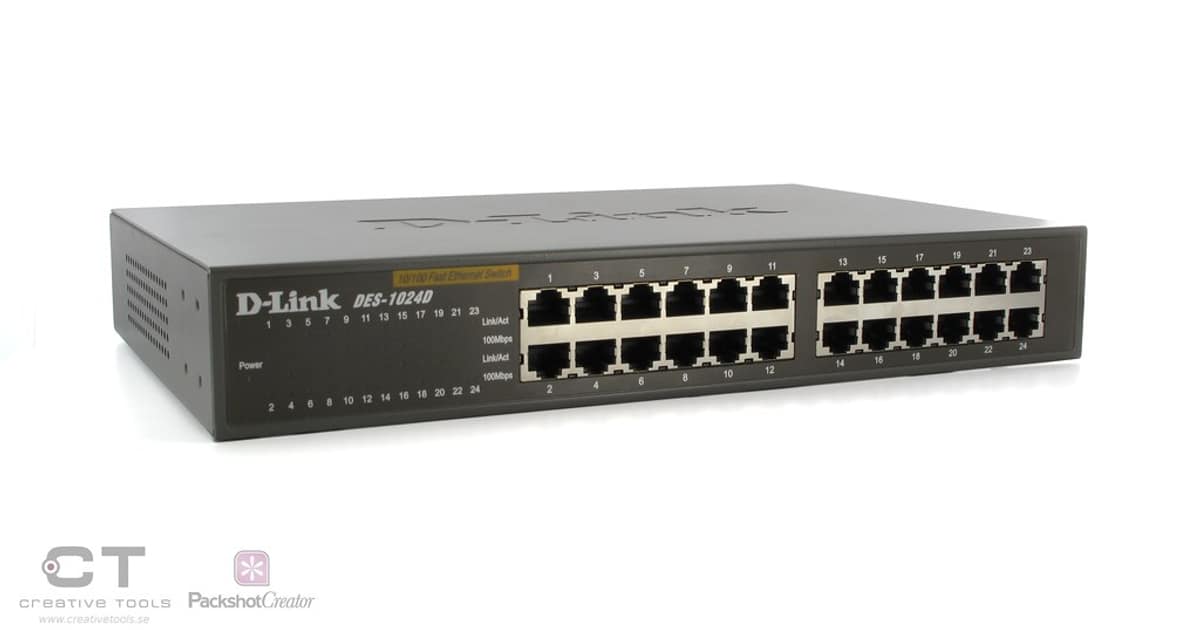
สำหรับองค์กรขนาดกลางถึงใหญ่ แนะนำให้ใช้หลัก Three-Tier Architecture คือ Core Layer ที่เป็นแกนกลางของระบบ Distribution Layer ที่ทำหน้าที่กระจาย Traffic และ Access Layer ที่เชื่อมต่อกับผู้ใช้โดยตรง การแบ่ง Layer ชัดเจนช่วยให้การ Troubleshoot ง่ายขึ้นและสามารถ Scale ระบบได้ตามความต้องการ
เรื่อง Network Security ก็สำคัญไม่แพ้กัน ควรติดตั้ง Next-Generation Firewall ที่สามารถ Deep Packet Inspection ได้ ใช้ Network Segmentation แยก VLAN สำหรับแต่ละแผนก ติดตั้ง IDS/IPS เพื่อตรวจจับการโจมตี และทำ Regular Security Audit อย่างน้อยปีละ 2 ครั้ง
FAQ - คำถามที่พบบ่อย
Q: Crossplane Composition update มี downtime ไหม?
A: ขึ้นกับ resource type: Kubernetes resources (Deployment, Service): ไม่มี downtime (rolling update) Cloud resources (RDS, S3): บาง changes ต้อง recreate → มี downtime ถ้าไม่ plan ใช้ Blue-Green: สร้างใหม่ก่อน → switch → delete เก่า = zero downtime immutable infrastructure ปลอดภัยที่สุด
Q: Blue-Green กับ Canary อันไหนดีกว่า?
A: Blue-Green: ง่ายกว่า, switch ทีเดียว 100%, rollback ง่าย แต่ต้อง run 2 ชุดพร้อมกัน (cost 2x) Canary: ค่อยๆ shift traffic (1% → 10% → 50% → 100%), detect ปัญหาก่อน full rollout, cost-effective กว่า Infrastructure: Blue-Green เหมาะกว่า (สร้าง-switch-delete) Application: Canary เหมาะกว่า (traffic splitting)
Q: Crossplane กับ Terraform อันไหนดีกว่า?
A: Crossplane: Kubernetes-native, continuous reconciliation, self-healing, GitOps-friendly Terraform: mature ecosystem, HCL language, state management, wider provider support Zero downtime: Crossplane ดีกว่า (reconciliation loop detect drift), Terraform ต้อง plan + apply manually ใช้ทั้งคู่ได้: Terraform สำหรับ bootstrap, Crossplane สำหรับ day-2 operations
Q: Rollback ทำอย่างไร?
A: Blue-Green: switch DNS/LB กลับไป blue (< 1 นาที) Canary: route traffic 100% กลับ old version Crossplane: revert Composition revision ใน Git → ArgoCD/Flux sync → auto rollback สำคัญ: เก็บ blue/old resources ไว้จนกว่าจะ confirm green/new ทำงานถูกต้อง