ai
CircleCI Orbs กับ Agile Scrum Kanban — วิธีใช้

CircleCI Orbs คืออะไร

CircleCI Orbs เป็น Reusable Configuration Packages สำหรับ CircleCI ช่วยให้ไม่ต้องเขียน Pipeline Configuration ซ้ำซ้อน Orb ประกอบด้วย Commands (ชุดคำสั่ง), Jobs (งานที่ทำ) และ Executors (Environment ที่รัน) สามารถใช้ Orbs จาก Registry หรือสร้าง Custom Orbs เอง
สำหรับทีม Agile (Scrum/Kanban) Orbs ช่วยเพิ่ม Velocity โดยลดเวลาที่ใช้กับ CI/CD Configuration ทีมสามารถ Focus กับการพัฒนา Features และส่งมอบ Value ได้เร็วขึ้น
CircleCI Config สำหรับ Agile Project
# .circleci/config.yml — CI/CD Pipeline สำหรับ Agile Team


version: 2.1


# === Orbs ===


orbs:


  node: circleci/node@5.2.0


  docker: circleci/docker@2.6.0


  slack: circleci/slack@4.13.3


  jira: circleci/jira@2.1.0


  kubernetes: circleci/kubernetes@1.3.1


  codecov: circleci/codecov@4.1.0


# === Parameters ===


parameters:


  run-nightly:


    type: boolean


    default: false


# === Executors ===


executors:


  node-executor:


    docker:


      - image: cimg/node:20.11


    resource_class: medium


    working_directory: ~/project


# === Commands (Reusable) ===


commands:


  install-deps:


    description: "Install Dependencies with Cache"


    steps:


      - checkout


      - node/install-packages:


          pkg-manager: npm


          cache-version: v2


  run-tests:


    description: "Run Tests with Coverage"


    steps:


      - run:


          name: Lint


          command: npm run lint


      - run:


          name: Type Check


          command: npm run type-check


      - run:


          name: Unit Tests


          command: npm run test -- --coverage --ci


      - store_test_results:


          path: test-results


      - store_artifacts:


          path: coverage


      - codecov/upload:


          file: coverage/lcov.info


  notify-slack:


    description: "Notify Slack Channel"


    parameters:


      channel:


        type: string


        default: "dev-notifications"


      event:


        type: string


        default: "always"


    steps:


      - slack/notify:


          channel: << parameters.channel >>


          event: << parameters.event >>


          template: basic_success_1


# === Jobs ===


jobs:


  # PR Check — ทุก Pull Request


  pr-check:


    executor: node-executor


    steps:


      - install-deps


      - run-tests


      - run:


          name: Build Check


          command: npm run build


      - notify-slack:


          channel: "pr-reviews"


          event: "fail"


  # Integration Tests


  integration-test:


    executor: node-executor


    steps:


      - install-deps


      - run:


          name: Integration Tests


          command: npm run test:integration


          no_output_timeout: 10m


      - store_test_results:


          path: test-results/integration


  # Build and Push Docker Image


  build-image:


    executor: docker/docker


    steps:


      - setup_remote_docker:


          version: "20.10.24"


      - checkout


      - docker/build:


          image: myapp/api


          tag: ", latest"


      - docker/push:


          image: myapp/api


          tag: ", latest"


  # Deploy to Staging


  deploy-staging:


    executor: node-executor


    steps:


      - checkout


      - kubernetes/install-kubectl


      - run:


          name: Deploy to Staging


          command: |


            kubectl set image deployment/myapp \


              myapp=myapp/api: \


              -n staging


            kubectl rollout status deployment/myapp -n staging


      - run:


          name: Smoke Tests


          command: npm run test:smoke -- --env=staging


      - notify-slack:


          channel: "deployments"


      - jira/notify:


          environment_type: staging


          job_type: deployment


  # Deploy to Production (with approval)


  deploy-production:


    executor: node-executor


    steps:


      - checkout


      - kubernetes/install-kubectl


      - run:


          name: Deploy to Production


          command: |


            kubectl set image deployment/myapp \


              myapp=myapp/api: \


              -n production


            kubectl rollout status deployment/myapp -n production


      - run:


          name: Production Smoke Tests


          command: npm run test:smoke -- --env=production


      - notify-slack:


          channel: "deployments"


      - jira/notify:


          environment_type: production


          job_type: deployment


  # Nightly Tests


  nightly-tests:


    executor: node-executor


    steps:


      - install-deps


      - run:


          name: Full Test Suite


          command: npm run test:all


          no_output_timeout: 30m


      - run:


          name: Security Audit


          command: npm audit --audit-level=high


      - run:


          name: Dependency Check


          command: npx depcheck


      - notify-slack:


          channel: "dev-notifications"


# === Workflows ===


workflows:


  # PR Workflow


  pr-pipeline:


    when:


      not: << pipeline.parameters.run-nightly >>


    jobs:


      - pr-check:


          filters:


            branches:


              ignore: [main, develop]


  # Staging Deployment


  staging-pipeline:


    when:


      not: << pipeline.parameters.run-nightly >>


    jobs:


      - pr-check:


          filters:


            branches:


              only: develop


      - integration-test:


          requires: [pr-check]


      - build-image:


          requires: [integration-test]


          context: docker-registry


      - deploy-staging:


          requires: [build-image]


          context: [k8s-staging, slack-tokens]


  # Production Deployment


  production-pipeline:


    when:


      not: << pipeline.parameters.run-nightly >>


    jobs:


      - pr-check:


          filters:


            branches:


              only: main


      - integration-test:


          requires: [pr-check]


      - build-image:


          requires: [integration-test]


          context: docker-registry


      - hold-for-approval:


          type: approval


          requires: [build-image]


      - deploy-production:


          requires: [hold-for-approval]


          context: [k8s-production, slack-tokens]


  # Nightly Pipeline


  nightly:


    when: << pipeline.parameters.run-nightly >>


    jobs:


      - nightly-tests:


          context: slack-tokens
Custom Orb สำหรับทีม

# === สร้าง Custom Orb ===


# 1. ติดตั้ง CircleCI CLI


# curl -fLSs https://raw.githubusercontent.com/CircleCI-CLI/install/main/install.sh | bash


# 2. สร้าง Namespace


circleci namespace create myorg github myorg-github


# 3. สร้าง Orb


circleci orb create myorg/deploy-helper


# 4. Orb Source — src/orb.yml


# === Custom Deploy Helper Orb ===


# description: Deploy Helper สำหรับทีม Agile


# commands:


#   health-check:


#     description: "ตรวจสอบ Health ของ Application"


#     parameters:


#       url:


#         type: string


#       retries:


#         type: integer


#         default: 10


#       interval:


#         type: integer


#         default: 10


#     steps:


#       - run:


#           name: Health Check


#           command: |


#             for i in $(seq 1 << parameters.retries >>); do


#               STATUS=$(curl -s -o /dev/null -w "%{http_code}" << parameters.url >>)


#               if [ "$STATUS" = "200" ]; then


#                 echo "Health check passed!"


#                 exit 0


#               fi


#               echo "Attempt $i: HTTP $STATUS, retrying..."


#               sleep << parameters.interval >>


#             done


#             echo "Health check failed!"


#             exit 1


#


#   rollback:


#     description: "Rollback Deployment"


#     parameters:


#       deployment:


#         type: string


#       namespace:


#         type: string


#         default: "default"


#     steps:


#       - run:


#           name: Rollback


#           command: |


#             kubectl rollout undo deployment/<< parameters.deployment >> \


#               -n << parameters.namespace >>


#             kubectl rollout status deployment/<< parameters.deployment >> \


#               -n << parameters.namespace >>


#


#   update-jira-sprint:


#     description: "อัพเดท Jira Sprint Status"


#     parameters:


#       status:


#         type: string


#         default: "deployed"


#     steps:


#       - run:


#           name: Update Jira


#           command: |


#             # Extract Jira ticket from branch name


#             TICKET=$(echo $CIRCLE_BRANCH | grep -oP '[A-Z]+-\d+' || echo "")


#             if [ -n "$TICKET" ]; then


#               curl -X POST "$JIRA_URL/rest/api/3/issue/$TICKET/transitions" \


#                 -H "Authorization: Basic $JIRA_TOKEN" \


#                 -H "Content-Type: application/json" \


#                 -d '{"transition": {"id": "31"}}'


#               echo "Updated $TICKET to << parameters.status >>"


#             fi


# 5. Validate


circleci orb validate src/orb.yml


# 6. Publish


circleci orb publish src/orb.yml myorg/deploy-helper@1.0.0


# 7. ใช้ใน config.yml


# orbs:


#   deploy: myorg/deploy-helper@1.0.0


#


# jobs:


#   deploy-app:


#     steps:


#       - deploy/health-check:


#           url: "https://staging.example.com/health"


#       - deploy/update-jira-sprint:


#           status: "deployed"
Best Practices
- ใช้ Official Orbs: เลือก Orbs จาก CircleCI Registry ที่ Certified ปลอดภัยและ Maintained
- Pin Orb Versions: ระบุ Version ชัดเจน เช่น node@5.2.0 ไม่ใช้ @volatile
- Approval Gates: ใช้ Manual Approval สำหรับ Production Deployment ป้องกัน Deploy ผิดพลาด
- Slack Notifications: แจ้งเตือน Build Status ใน Team Channel ให้ทุกคนรู้สถานะ
- Caching: ใช้ Cache สำหรับ Dependencies ลด Build Time เพิ่ม Velocity
- Parallelism: รัน Tests แบบ Parallel ลดเวลา CI
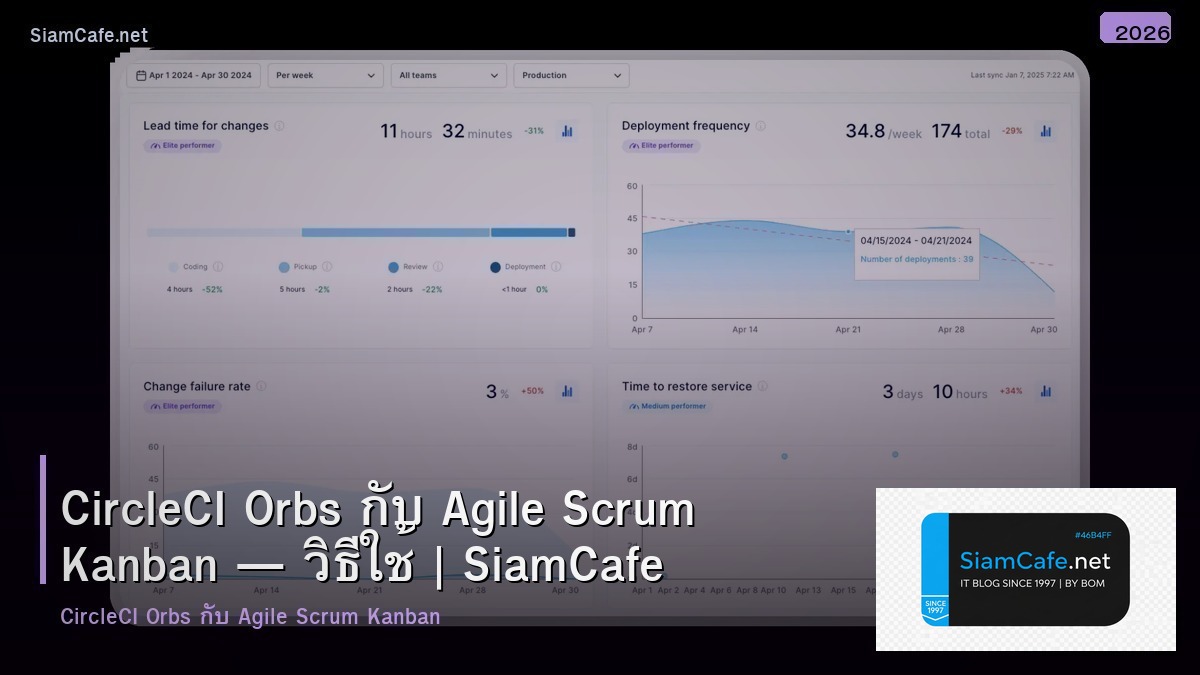
- Sprint Metrics: ติดตาม Build Success Rate, Deploy Frequency, Lead Time ใช้ใน Retrospective
CircleCI Orbs คืออะไร
Reusable Packages สำหรับ CircleCI Configuration มี Commands Jobs Executors สร้างไว้ล่วงหน้า ลดการเขียน Config ซ้ำ เช่น Orb สำหรับ AWS Docker Slack Kubernetes ติดตั้งง่ายบรรทัดเดียว