ai

Automation Manufacturing คือ —
Automation Manufacturing คือ —

Automation ในอุตสาหกรรมการผลิตคืออะไร
Automation Manufacturing คือ —

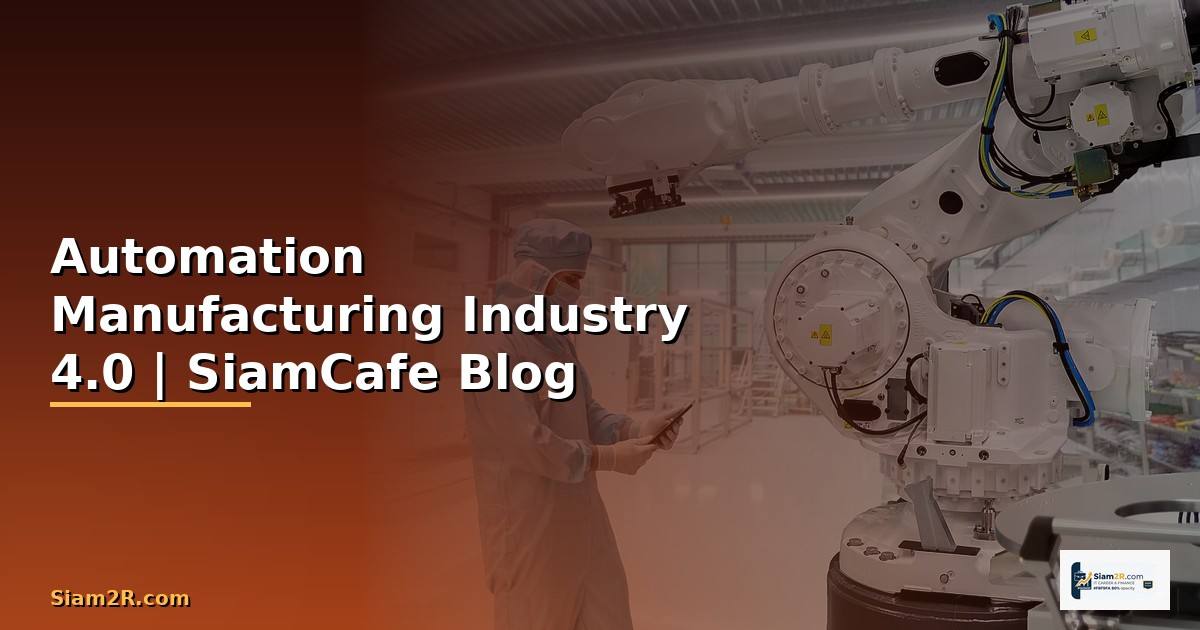
Manufacturing Automation คือการใช้เทคโนโลยีเพื่อควบคุมและดำเนินกระบวนการผลิตโดยอัตโนมัติ ลดการพึ่งพาแรงงานคน เพิ่มความแม่นยำ ลดต้นทุน และเพิ่มผลผลิต ครอบคลุมตั้งแต่ระบบสายพานอัตโนมัติไปจนถึง AI-driven quality inspection

ระดับของ Manufacturing Automation แบ่งเป็น Fixed Automation สำหรับการผลิตซ้ำๆ เช่น สายการผลิตรถยนต์, Programmable Automation ที่เปลี่ยน program ได้เมื่อเปลี่ยนรุ่นผลิตภัณฑ์, Flexible Automation ที่เปลี่ยน product ได้โดยไม่ต้องหยุดสาย และ Intelligent Automation ที่ใช้ AI/ML ตัดสินใจเอง

เทคโนโลยีหลักใน Manufacturing Automation ได้แก่ PLC (Programmable Logic Controller) สำหรับควบคุมเครื่องจักร, SCADA (Supervisory Control and Data Acquisition) สำหรับ monitor ระบบ, HMI (Human Machine Interface) สำหรับ operator, Industrial IoT สำหรับ sensor data collection, MES (Manufacturing Execution System) สำหรับจัดการการผลิต และ Digital Twin สำหรับจำลองกระบวนการผลิต

Industry 4.0 คือการปฏิวัติอุตสาหกรรมครั้งที่ 4 ที่รวม cyber-physical systems, IoT, cloud computing และ AI เข้ากับการผลิต ทำให้โรงงานเป็น Smart Factory ที่สื่อสารและตัดสินใจได้เอง

สถาปัตยกรรม Industrial Automation Systems

โครงสร้างระบบ automation ในโรงงาน

=== Industrial Automation Architecture (ISA-95/Purdue Model) ===

Level 4-5: Enterprise/Cloud

┌─────────────────────────────────────────┐

│ ERP (SAP/Oracle) | Cloud Analytics │

│ Supply Chain | Business Intelligence │

└──────────────────┬──────────────────────┘

│ (IT Network / DMZ)

Level 3: Manufacturing Operations

┌──────────────────┼──────────────────────┐

│ MES | Historian | Quality Management │

│ Scheduling | Recipe Management │

└──────────────────┬──────────────────────┘

│ (OT Network)

Level 2: Control Systems

┌──────────────────┼──────────────────────┐

│ SCADA | HMI | DCS │

│ Batch Control | Supervisory Control │

└──────────────────┬──────────────────────┘

│ (Industrial Network)

Level 1: Basic Control

┌──────────────────┼──────────────────────┐

│ PLC | PID Controllers | Safety Systems│

│ Motion Control | Robot Controllers │

└──────────────────┬──────────────────────┘

เนื้อหาเกี่ยวข้อง — แนะนำให้อ่าน ray dalio คือใคร — ข้อมูลครบถ้วน 2026

│ (Field Bus)

Level 0: Physical Process

┌──────────────────┼──────────────────────┐

│ Sensors | Actuators | Motors │

│ Valves | Conveyors | Robots │

└─────────────────────────────────────────┘

=== Communication Protocols ===

Level 0-1: Modbus RTU, PROFIBUS, HART

แนะนำเพิ่มเติม — คอร์สเทรด Forex ที่ iCafeForex

Level 1-2: Modbus TCP, EtherNet/IP, PROFINET, OPC UA

Level 2-3: OPC UA, MQTT, REST API

Level 3-5: MQTT, REST API, gRPC, Kafka

=== OPC UA (Open Platform Communications Unified Architecture) ===

  • Standard protocol สำหรับ Industrial IoT
  • Platform independent
  • Secure communication (encryption, authentication)
  • Information modeling (data structures)
  • Pub/Sub support

=== MQTT สำหรับ IIoT ===

  • Lightweight messaging protocol
  • Publish/Subscribe model
  • QoS levels (0, 1, 2)
  • Retained messages
  • Last Will and Testament
  • เหมาะสำหรับ bandwidth-limited environments

=== Security Zones ===

IT Network (Corporate) <-> DMZ <-> OT Network (Plant)

  • Firewall between IT and OT
  • Data diode for one-way communication
  • Segmented VLANs per production line
  • No direct internet access for OT devices
  • ICS-specific security (IEC 62443)

PLC Programming และ SCADA Setup

ตัวอย่าง PLC program และ SCADA configuration

=== PLC Structured Text (IEC 61131-3) ===

ตัวอย่าง conveyor belt control

PROGRAM ConveyorControl

VAR

StartButton : BOOL := FALSE;

StopButton : BOOL := FALSE;

EmergencyStop : BOOL := FALSE;

SensorEntry : BOOL := FALSE;

SensorExit : BOOL := FALSE;

MotorRun : BOOL := FALSE;

ConveyorSpeed : REAL := 0.0;

ItemCount : INT := 0;

AlarmActive : BOOL := FALSE;

เนื้อหาเกี่ยวข้อง — Voice Cloning Shift Left Security — ป้องกัน AI

MotorOverload : BOOL := FALSE;

RunTimer : TON;

TotalRunTime : TIME := T#0s;

END_VAR

(* Emergency Stop - highest priority *)

IF EmergencyStop THEN

MotorRun := FALSE;

ConveyorSpeed := 0.0;

AlarmActive := TRUE;

RETURN;

END_IF;

(* Motor overload protection *)

IF MotorOverload THEN

MotorRun := FALSE;

ConveyorSpeed := 0.0;

แนะนำเพิ่มเติม — อ่านเพิ่มเติมที่ SiamCafeBook

AlarmActive := TRUE;

RETURN;

END_IF;

(* Start/Stop logic *)

IF StartButton AND NOT StopButton THEN

MotorRun := TRUE;

ConveyorSpeed := 1.5; (* meters per second *)

AlarmActive := FALSE;

ELSIF StopButton THEN

MotorRun := FALSE;

ConveyorSpeed := 0.0;

END_IF;

(* Item counting *)

เนื้อหาเกี่ยวข้อง — Midjourney Prompt Real-time Processing

IF SensorEntry AND MotorRun THEN

ItemCount := ItemCount + 1;

END_IF;

(* Run time tracking *)

RunTimer(IN := MotorRun, PT := T#24h);

IF MotorRun THEN

TotalRunTime := TotalRunTime + T#1s;

END_IF;

=== Python OPC UA Client ===

pip install opcua asyncua

from opcua import Client

import time

import json

import logging

logging.basicConfig(level=logging.INFO)

logger = logging.getLogger("opc_client")

class PLCMonitor:

def __init__(self, opc_url="opc.tcp://plc-server:4840"):

self.client = Client(opc_url)

self.connected = False

def connect(self):

try:

self.client.connect()

self.connected = True

logger.info("Connected to OPC UA server")

except Exception as e:

logger.error(f"Connection failed: {e}")

def read_tags(self, node_ids):

results = {}

for tag_name, node_id in node_ids.items():

try:
Automation Manufacturing คือ —

node = self.client.get_node(node_id)

value = node.get_value()

results[tag_name] = value

except Exception as e:

results[tag_name] = f"ERROR: {e}"

return results

def write_tag(self, node_id, value):

node = self.client.get_node(node_id)

เนื้อหาเกี่ยวข้อง — resistance and support stocks

node.set_value(value)

logger.info(f"Written {value} to {node_id}")

def monitor_production(self, interval=5):

tags = {

"motor_running": "ns=2;s=Conveyor.MotorRun",

"speed": "ns=2;s=Conveyor.Speed",

"item_count": "ns=2;s=Conveyor.ItemCount",

"temperature": "ns=2;s=Motor.Temperature",

"vibration": "ns=2;s=Motor.Vibration",

"alarm": "ns=2;s=System.AlarmActive",

}

while True:

data = self.read_tags(tags)

logger.info(f"Production data: {json.dumps(data)}")

time.sleep(interval)

def disconnect(self):

if self.connected:

self.client.disconnect()

monitor = PLCMonitor()

monitor.connect()

monitor.monitor_production()

IoT Sensors และ Data Collection ด้วย Python

ระบบเก็บข้อมูล sensor จากสายการผลิต

#!/usr/bin/env python3

# iot_collector.py — Industrial IoT Data Collection

import paho.mqtt.client as mqtt

import json

import time

import logging

from datetime import datetime

from influxdb_client import InfluxDBClient, Point

from influxdb_client.client.write_api import SYNCHRONOUS


logging.basicConfig(level=logging.INFO)

logger = logging.getLogger("iot_collector")


class IndustrialIoTCollector:

    def __init__(self, mqtt_broker="mqtt-broker:1883",

                 influx_url="http://influxdb:8086",

                 influx_token="", influx_org="factory",

                 influx_bucket="production"):

        # MQTT setup

        self.mqtt_client = mqtt.Client(client_id="iot-collector")

        self.mqtt_client.on_connect = self._on_connect

        self.mqtt_client.on_message = self._on_message

        self.mqtt_broker = mqtt_broker


        # InfluxDB setup

        self.influx = InfluxDBClient(url=influx_url, token=influx_token, org=influx_org)

        self.write_api = self.influx.write_api(write_options=SYNCHRONOUS)

        self.bucket = influx_bucket

        self.org = influx_org


        # Metrics buffer

        self.buffer = []

        self.buffer_size = 100


    def _on_connect(self, client, userdata, flags, rc):

        logger.info(f"MQTT connected (rc={rc})")

        # Subscribe to factory topics

        topics = [

            ("factory/line1/+/temperature", 1),

            ("factory/line1/+/vibration", 1),

            ("factory/line1/+/pressure", 1),

            ("factory/line1/+/speed", 1),

            ("factory/line1/+/status", 1),

            ("factory/line1/+/production_count", 1),

            ("factory/line1/+/alarm", 2),

        ]

        client.subscribe(topics)


    def _on_message(self, client, userdata, msg):

        try:

            topic_parts = msg.topic.split("/")

            line = topic_parts[1]

            machine = topic_parts[2]

            metric = topic_parts[3]


            payload = json.loads(msg.payload.decode())

            value = payload.get("value", payload)

            timestamp = payload.get("timestamp", datetime.utcnow().isoformat())


            # Write to InfluxDB

            point = Point("machine_metrics") \

                .tag("line", line) \

                .tag("machine", machine) \

                .tag("metric", metric) \

                .field("value", float(value) if isinstance(value, (int, float)) else 0) \

                .time(timestamp)


            self.buffer.append(point)


            if len(self.buffer) >= self.buffer_size:

                self._flush_buffer()


            # Check for alarms

            if metric == "alarm" and value:

                self._handle_alarm(line, machine, payload)


            # Check thresholds

            self._check_thresholds(line, machine, metric, value)


        except Exception as e:

            logger.error(f"Message processing error: {e}")


    def _flush_buffer(self):

        if self.buffer:

            self.write_api.write(bucket=self.bucket, org=self.org, record=self.buffer)

            logger.debug(f"Flushed {len(self.buffer)} points to InfluxDB")

            self.buffer = []


    def _check_thresholds(self, line, machine, metric, value):

        thresholds = {

            "temperature": {"warning": 80, "critical": 95},

            "vibration": {"warning": 5.0, "critical": 8.0},

            "pressure": {"warning": 150, "critical": 180},

        }


        if metric in thresholds and isinstance(value, (int, float)):

            t = thresholds[metric]

            if value >= t["critical"]:

                logger.critical(f"CRITICAL: {line}/{machine} {metric}={value}")

                self._send_alert("critical", line, machine, metric, value)

            elif value >= t["warning"]:

                logger.warning(f"WARNING: {line}/{machine} {metric}={value}")


    def _handle_alarm(self, line, machine, payload):

        logger.warning(f"ALARM: {line}/{machine} - {payload}")

        self._send_alert("alarm", line, machine, "alarm", payload)


    def _send_alert(self, severity, line, machine, metric, value):

        alert = {

            "severity": severity,

            "line": line,

            "machine": machine,

            "metric": metric,

            "value": value,

            "timestamp": datetime.utcnow().isoformat(),

        }

        self.mqtt_client.publish(

            f"factory/alerts/{severity}",

            json.dumps(alert),

            qos=2,

        )


    def start(self):

        self.mqtt_client.connect(self.mqtt_broker.split(":")[0],

                                  int(self.mqtt_broker.split(":")[1]))

        logger.info("IoT Collector started")

        self.mqtt_client.loop_forever()


# collector = IndustrialIoTCollector()

# collector.start()

สร้าง Manufacturing Dashboard

Dashboard สำหรับ monitor สายการผลิต

#!/usr/bin/env python3

# dashboard_api.py — Manufacturing Dashboard API

from fastapi import FastAPI, WebSocket

from influxdb_client import InfluxDBClient

import json

import asyncio

import logging

from datetime import datetime, timedelta


app = FastAPI(title="Manufacturing Dashboard API")


INFLUX_URL = "http://influxdb:8086"

INFLUX_TOKEN = ""

INFLUX_ORG = "factory"

INFLUX_BUCKET = "production"


influx = InfluxDBClient(url=INFLUX_URL, token=INFLUX_TOKEN, org=INFLUX_ORG)

query_api = influx.query_api()


@app.get("/api/production/summary")

async def production_summary(line: str = "line1", hours: int = 24):

    query = f'''

    from(bucket: "{INFLUX_BUCKET}")

        |> range(start: -{hours}h)

        |> filter(fn: (r) => r["line"] == "{line}")

        |> filter(fn: (r) => r["metric"] == "production_count")

        |> last()

    '''


    tables = query_api.query(query, org=INFLUX_ORG)


    machines = {}

    for table in tables:

        for record in table.records:

            machine = record.values.get("machine", "unknown")

            machines[machine] = {

                "count": record.get_value(),

                "time": record.get_time().isoformat(),

            }


    return {"line": line, "period_hours": hours, "machines": machines}


@app.get("/api/machine/metrics")

async def machine_metrics(machine: str, metric: str = "temperature", hours: int = 1):

    query = f'''

    from(bucket: "{INFLUX_BUCKET}")

        |> range(start: -{hours}h)

        |> filter(fn: (r) => r["machine"] == "{machine}")

        |> filter(fn: (r) => r["metric"] == "{metric}")

        |> aggregateWindow(every: 1m, fn: mean, createEmpty: false)

    '''


    tables = query_api.query(query, org=INFLUX_ORG)


    data_points = []

    for table in tables:

        for record in table.records:

            data_points.append({

                "time": record.get_time().isoformat(),

                "value": round(record.get_value(), 2),

            })


    return {"machine": machine, "metric": metric, "data": data_points}


@app.get("/api/oee")

async def overall_equipment_effectiveness(line: str = "line1"):

    # OEE = Availability x Performance x Quality

    availability = 0.92   # ตัวอย่าง: 92% uptime

    performance = 0.88    # ตัวอย่าง: 88% of ideal speed

    quality = 0.97        # ตัวอย่าง: 97% good parts


    oee = availability * performance * quality


    return {

        "line": line,

        "oee": round(oee * 100, 1),

        "availability": round(availability * 100, 1),

        "performance": round(performance * 100, 1),

        "quality": round(quality * 100, 1),

        "world_class_target": 85.0,

        "status": "good" if oee >= 0.85 else "needs_improvement",

    }


@app.get("/api/alerts/recent")

async def recent_alerts(hours: int = 24, severity: str = None):

    query = f'''

    from(bucket: "{INFLUX_BUCKET}")

        |> range(start: -{hours}h)

        |> filter(fn: (r) => r["_measurement"] == "alerts")

    '''


    return {"alerts": [], "total": 0, "period_hours": hours}


@app.websocket("/ws/realtime")

async def websocket_realtime(websocket: WebSocket):

    await websocket.accept()


    try:

        while True:

            data = {

                "timestamp": datetime.utcnow().isoformat(),

                "metrics": {

                    "line1_count": 1234,

                    "line1_speed": 95.5,

                    "line1_temp": 72.3,

                },

            }

            await websocket.send_json(data)

            await asyncio.sleep(1)

    except Exception:

        pass


# uvicorn dashboard_api:app --host 0.0.0.0 --port 8000

Predictive Maintenance ด้วย Machine Learning

ใช้ ML ทำนายการบำรุงรักษาเครื่องจักร

#!/usr/bin/env python3

# predictive_maintenance.py — ML-based Predictive Maintenance

import pandas as pd

import numpy as np

from sklearn.ensemble import RandomForestClassifier, IsolationForest

from sklearn.preprocessing import StandardScaler

from sklearn.model_selection import train_test_split

from sklearn.metrics import classification_report

import joblib

import logging


logging.basicConfig(level=logging.INFO)

logger = logging.getLogger("pred_maintenance")


class PredictiveMaintenanceModel:

    def __init__(self):

        self.classifier = RandomForestClassifier(n_estimators=100, random_state=42)

        self.anomaly_detector = IsolationForest(contamination=0.05, random_state=42)

        self.scaler = StandardScaler()

        self.is_trained = False


    def prepare_features(self, df):

        features = pd.DataFrame()


        # Rolling statistics

        for col in ["temperature", "vibration", "pressure", "current"]:

            if col in df.columns:

                features[f"{col}_mean"] = df[col].rolling(60).mean()

                features[f"{col}_std"] = df[col].rolling(60).std()

                features[f"{col}_max"] = df[col].rolling(60).max()

                features[f"{col}_min"] = df[col].rolling(60).min()

                features[f"{col}_trend"] = df[col].diff(30)


        # Time-based features

        if "timestamp" in df.columns:

            df["timestamp"] = pd.to_datetime(df["timestamp"])

            features["hour"] = df["timestamp"].dt.hour

            features["day_of_week"] = df["timestamp"].dt.dayofweek

            features["hours_since_maintenance"] = (

                df["timestamp"] - df.get("last_maintenance", df["timestamp"].min())

            ).dt.total_seconds() / 3600


        features = features.dropna()

        return features


    def train(self, df, target_col="failure"):

        logger.info("Training predictive maintenance model...")


        features = self.prepare_features(df)

        target = df.loc[features.index, target_col]


        X_train, X_test, y_train, y_test = train_test_split(

            features, target, test_size=0.2, random_state=42

        )


        X_train_scaled = self.scaler.fit_transform(X_train)

        X_test_scaled = self.scaler.transform(X_test)


        # Train classifier

        self.classifier.fit(X_train_scaled, y_train)


        # Train anomaly detector

        self.anomaly_detector.fit(X_train_scaled)


        # Evaluate

        y_pred = self.classifier.predict(X_test_scaled)

        report = classification_report(y_test, y_pred, output_dict=True)


        self.is_trained = True

        logger.info(f"Model trained. Accuracy: {report['accuracy']:.3f}")

        logger.info(f"Failure recall: {report.get('1', {}).get('recall', 0):.3f}")


        # Feature importance

        importance = pd.Series(

            self.classifier.feature_importances_,

            index=features.columns

        ).sort_values(ascending=False)

        logger.info(f"Top features: {importance.head(5).to_dict()}")


        return report


    def predict(self, current_data):

        if not self.is_trained:

            raise RuntimeError("Model not trained")


        features = self.prepare_features(current_data)

        if len(features) == 0:

            return {"prediction": "insufficient_data"}


        X_scaled = self.scaler.transform(features.iloc[[-1]])


        failure_prob = self.classifier.predict_proba(X_scaled)[0]

        is_anomaly = self.anomaly_detector.predict(X_scaled)[0] == -1


        result = {

            "failure_probability": round(float(failure_prob[1]) if len(failure_prob) > 1 else 0, 4),

            "is_anomaly": bool(is_anomaly),

            "recommendation": "normal",

            "confidence": round(float(max(failure_prob)), 4),

        }


        if result["failure_probability"] > 0.8:

            result["recommendation"] = "immediate_maintenance"

        elif result["failure_probability"] > 0.5:

            result["recommendation"] = "schedule_maintenance"

        elif is_anomaly:

            result["recommendation"] = "investigate"


        return result


    def save_model(self, path="models/pred_maintenance"):

        import os

        os.makedirs(path, exist_ok=True)

        joblib.dump(self.classifier, f"{path}/classifier.pkl")

        joblib.dump(self.anomaly_detector, f"{path}/anomaly_detector.pkl")

        joblib.dump(self.scaler, f"{path}/scaler.pkl")

        logger.info(f"Model saved to {path}")


    def load_model(self, path="models/pred_maintenance"):

        self.classifier = joblib.load(f"{path}/classifier.pkl")

        self.anomaly_detector = joblib.load(f"{path}/anomaly_detector.pkl")

        self.scaler = joblib.load(f"{path}/scaler.pkl")

        self.is_trained = True

        logger.info("Model loaded")


# model = PredictiveMaintenanceModel()

# model.train(training_data)

# result = model.predict(current_sensor_data)

# print(f"Failure probability: {result['failure_probability']:.1%}")

# print(f"Recommendation: {result['recommendation']}")

FAQ คำถามที่พบบ่อย

Q: เริ่มต้น Manufacturing Automation ต้องใช้งบเท่าไหร?

A: ขึ้นอยู่กับ scope เริ่มจาก IoT sensors สำหรับ data collection อาจใช้ 100,000-500,000 บาท (sensors, gateway, server) PLC-based automation สำหรับสายการผลิตเดียวอาจ 1-5 ล้านบาท Full smart factory transformation อาจ 10-100 ล้านบาทขึ้นไป แนะนำเริ่มจาก pilot project เล็กๆ เช่น IoT monitoring สำหรับเครื่องจักรวิกฤต แล้วค่อยขยาย

Q: PLC กับ Raspberry Pi ใช้แทนกันได้ไหม?

A: ไม่ควรใช้แทนกันใน production PLC ออกแบบมาสำหรับ industrial environment ทนอุณหภูมิ -20 ถึง 60 องศา ทนการสั่นสะเทือน มี deterministic response time (milliseconds) และ safety certifications (SIL, PLd) Raspberry Pi เหมาะสำหรับ prototyping, data collection, edge computing แต่ไม่มี safety certification ไม่ทน industrial environment และ OS ไม่ deterministic สำหรับ production ใช้ PLC เสมอ

Q: OPC UA กับ MQTT เลือกอะไร?

A: ใช้ทั้งสองในส่วนต่างกัน OPC UA เหมาะสำหรับ PLC-to-SCADA communication ในระดับ plant floor มี information model ที่ rich กว่า security ดีกว่า MQTT เหมาะสำหรับ sensor-to-cloud communication ใน IIoT scenarios lightweight กว่า scale ได้ดีกว่า ใน smart factory ทั่วไปใช้ OPC UA ใน plant floor และ MQTT สำหรับส่งข้อมูลขึ้น cloud

Q: Predictive Maintenance ต้องมีข้อมูลนานแค่ไหนถึงจะเริ่มใช้ได้?

A: ขั้นต่ำต้องมีข้อมูลครอบคลุม failure events อย่างน้อย 10-20 ครั้ง ซึ่งอาจใช้เวลา 6-12 เดือนของการเก็บข้อมูลสำหรับเครื่องจักรที่ fail ไม่บ่อย เริ่มจาก condition monitoring (alert เมื่อ threshold ถูก cross) ก่อน แล้วค่อยพัฒนาเป็น predictive model เมื่อมีข้อมูลเพียงพอ สำหรับเครื่องจักรทั่วไป 3-6 เดือนของ sensor data เพียงพอสำหรับ anomaly detection


XM Legend · เทรดเดอร์ & ผู้สอน Forex 13 ปี

ผู้ก่อตั้ง SiamCafe ตั้งแต่ปี 1997 · เทรดเดอร์สาย Forex มากกว่า 13 ปี ได้รับการยกย่องเป็น XM Legend · แบ่งปันความรู้ Forex, ไอที, AI และการเทรด จากประสบการณ์จริงในตลาดจริง