
ai

เทคนิคการออกแบบเว็บไซต์แบบ Responsive Web Design
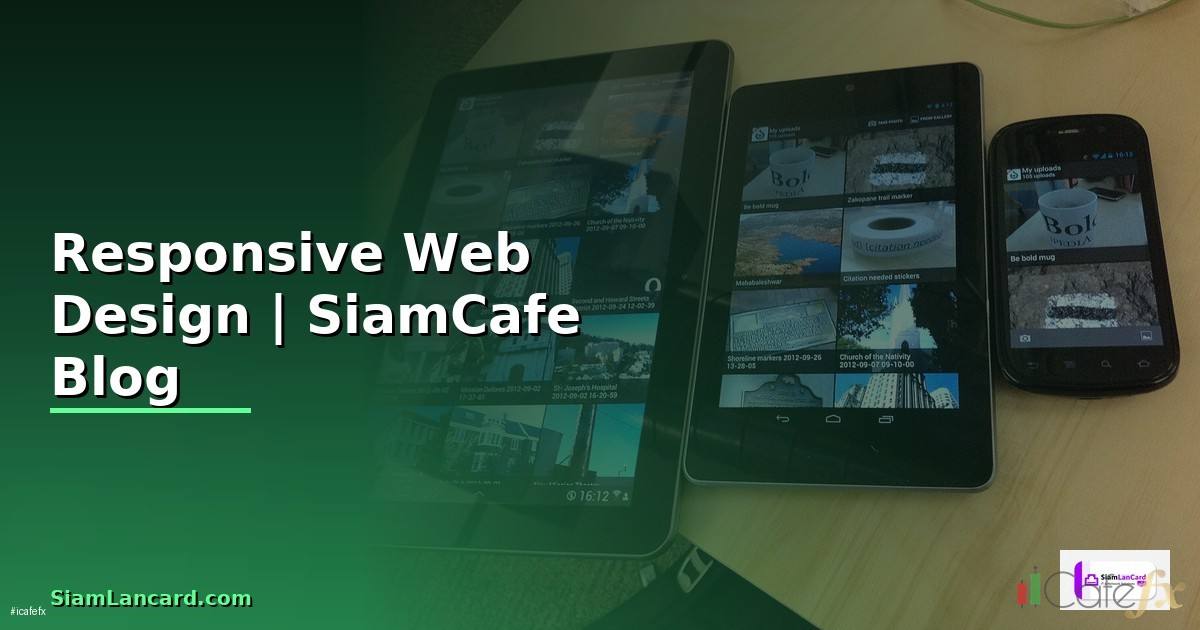
เทคนิคการออกแบบเว็บไซต์แบบ Responsive Web Design

Responsive Web Design
เทคนิคการออกแบบเว็บไซต์แบบ Responsive Web Design

Responsive Web Design RWD Media Queries Flexbox CSS Grid Mobile First Viewport Breakpoint Container Queries Testing Production SEO Performance

เนื้อหาเกี่ยวข้อง — บทความที่เกี่ยวข้อง: Stable Diffusion ComfyUI Hexagonal Architecture

TechniqueUse CaseBrowser SupportComplexityเหมาะกับ
Media QueriesLayout breakpointsทุก Browserง่ายPage-level responsive
Flexbox1D layout (row/col)ทุก Browserง่ายNav, cards, centering
CSS Grid2D layoutทุก BrowserปานกลางComplex page layouts
Container QueriesComponent-levelModern browsersปานกลางReusable components
Clamp()Fluid typographyModern browsersง่ายResponsive font sizes
Viewport UnitsFull-screen sectionsทุก Browserง่ายHero sections, spacing

CSS Implementation

/* === Responsive CSS — Mobile First === */


/* Base styles — Mobile (320px+) */

/* :root {

  --max-width: 1200px;

  --gap: 1rem;

  --font-base: clamp(0.875rem, 0.8rem + 0.5vw, 1.125rem);

}


body {

  font-size: var(--font-base);

  line-height: 1.6;

  padding: 0 var(--gap);

}


.container {

  max-width: var(--max-width);

  margin: 0 auto;

  padding: 0 var(--gap);

}


/* Card Grid — Mobile: 1 col, Tablet: 2 col, Desktop: 3 col */

/* .card-grid {

  display: grid;

  gap: var(--gap);

  grid-template-columns: 1fr;

}


/* Tablet (768px+) */

/* @media (min-width: 48em) {

  .card-grid {

    grid-template-columns: repeat(2, 1fr);

  }

  .sidebar-layout {

    display: grid;

    grid-template-columns: 250px 1fr;

    gap: 2rem;

  }

}


/* Desktop (1024px+) */

/* @media (min-width: 64em) {

  .card-grid {

    grid-template-columns: repeat(3, 1fr);

  }

}


/* Fluid Typography */

/* h1 { font-size: clamp(1.5rem, 1.2rem + 2vw, 3rem); }

   h2 { font-size: clamp(1.25rem, 1rem + 1.5vw, 2.25rem); }

   p  { font-size: clamp(0.875rem, 0.8rem + 0.5vw, 1.125rem); }


/* Responsive Images */

/* img {

  max-width: 100%;

  height: auto;

  display: block;

}


/* Container Queries */

/* .card-container {

  container-type: inline-size;

}

@container (min-width: 400px) {

  .card {

    display: grid;

    grid-template-columns: 150px 1fr;

  }

} */


from dataclasses import dataclass


@dataclass

class Breakpoint:

    name: str

    min_width: str

    em_value: str

    columns: int

    target: str


breakpoints = [

    Breakpoint("Mobile S", "320px", "20em", 1, "iPhone SE, small phones"),

    Breakpoint("Mobile L", "480px", "30em", 1, "Standard phones"),

    Breakpoint("Tablet", "768px", "48em", 2, "iPad, tablets"),

    Breakpoint("Laptop", "1024px", "64em", 3, "Small laptops"),

    Breakpoint("Desktop", "1200px", "75em", 4, "Standard desktop"),

    Breakpoint("Wide", "1440px", "90em", 4, "Wide monitors"),

]


print("=== Breakpoints ===")

for b in breakpoints:

    print(f"  [{b.name}] min-width: {b.min_width} ({b.em_value})")

    print(f"    Columns: {b.columns} | Target: {b.target}")

Flexbox and Grid Patterns

เทคนิคการออกแบบเว็บไซต์แบบ Responsive Web Design
# === Common Responsive Patterns ===


# /* Navigation — Hamburger on Mobile, Horizontal on Desktop */

# .nav {

#   display: flex;

#   flex-direction: column;

# }

# .nav-toggle { display: block; } /* Hamburger button */

# .nav-links { display: none; }

# .nav-links.active { display: flex; flex-direction: column; }

#

# @media (min-width: 48em) {

#   .nav { flex-direction: row; align-items: center; }

#   .nav-toggle { display: none; }

#   .nav-links { display: flex; flex-direction: row; gap: 1rem; }

# }

#

# /* Holy Grail Layout */

# .page {

#   display: grid;

#   min-height: 100vh;

#   grid-template-rows: auto 1fr auto;

#   grid-template-columns: 1fr;

# }

# @media (min-width: 48em) {

#   .page {

#     grid-template-columns: 200px 1fr 200px;

#     grid-template-rows: auto 1fr auto;

#   }

#   header, footer { grid-column: 1 / -1; }

# }

#

# /* Responsive Table */

# @media (max-width: 48em) {

#   table, thead, tbody, th, td, tr {

#     display: block;

#   }

#   td::before {

#     content: attr(data-label);

#     font-weight: bold;

#   }

# }


@dataclass

class ResponsivePattern:

    pattern: str

    technique: str

    mobile: str

    desktop: str

    css: str


patterns = [

    ResponsivePattern("Navigation", "Flexbox", "Hamburger menu, vertical", "Horizontal links",

        "flex-direction: column → row"),

    ResponsivePattern("Card Grid", "CSS Grid", "1 column stack", "3-4 column grid",

        "grid-template-columns: 1fr → repeat(3, 1fr)"),

    ResponsivePattern("Sidebar", "CSS Grid", "Stacked (content first)", "Side + main layout",

        "1fr → 250px 1fr"),

    ResponsivePattern("Hero Section", "Flexbox + vh", "Full width, smaller text", "Full viewport hero",

        "min-height: 50vh → 100vh"),

    ResponsivePattern("Table", "Display block", "Card-like rows", "Standard table",

        "display: table → block"),

    ResponsivePattern("Typography", "Clamp()", "Smaller fluid text", "Larger fluid text",

        "clamp(1rem, 0.8rem + 1vw, 2rem)"),

]


print("\n=== Responsive Patterns ===")

for p in patterns:

    print(f"  [{p.pattern}] Tech: {p.technique}")

    print(f"    Mobile: {p.mobile}")

    print(f"    Desktop: {p.desktop}")

    print(f"    CSS: {p.css}")

Testing and Performance

# === Responsive Testing Checklist ===


@dataclass

class TestItem:

    category: str

    check: str

    tool: str

    pass_criteria: str


checks = [

    TestItem("Viewport", "Meta viewport tag present", "View source",

        ''),

    TestItem("Images", "No horizontal scroll from images", "DevTools resize",

        "img { max-width: 100%; height: auto; }"),

    TestItem("Touch", "Buttons min 44x44px", "DevTools measure",

        "All interactive elements >= 44px tap target"),

    TestItem("Font", "Readable without zoom (>=16px)", "DevTools inspect",

        "Body font-size >= 16px on mobile"),

    TestItem("Layout", "No content overflow/hidden", "Resize all breakpoints",

        "No horizontal scroll, no cut content"),

    TestItem("Speed", "Mobile Lighthouse >= 90", "Lighthouse audit",

        "Performance score >= 90 on mobile"),

    TestItem("SEO", "Mobile-friendly test pass", "Google Search Console",

        "No mobile usability errors"),

    TestItem("Orientation", "Works in landscape + portrait", "DevTools rotate",

        "Layout adapts to both orientations"),

]


print("Responsive Testing Checklist:")

for c in checks:

    print(f"  [{c.category}] {c.check}")

    print(f"    Tool: {c.tool}")

    print(f"    Pass: {c.pass_criteria}")


perf_tips = {

    "Responsive Images": "Use srcset + sizes for different resolutions",

    "Lazy Loading": 'loading="lazy" on below-fold images',

    "CSS containment": "contain: layout style for isolated components",

    "Print styles": "@media print { } for printable pages",

    "Prefers": "@media (prefers-color-scheme: dark) for dark mode",

    "Reduced motion": "@media (prefers-reduced-motion: reduce) for accessibility",

}


print(f"\n\nPerformance Tips:")

for k, v in perf_tips.items():

    print(f"  [{k}]: {v}")

เคล็ดลับ

  • Mobile First: เขียน CSS สำหรับมือถือก่อน ใช้ min-width เพิ่ม
  • em: ใช้ em แทน px สำหรับ Media Query Scale ตาม Font Size
  • Clamp: ใช้ clamp() สำหรับ Fluid Typography ไม่ต้อง Media Query
  • Container: ใช้ Container Queries สำหรับ Component-level Responsive
  • Test: ทดสอบบนมือถือจริง ไม่พึ่ง DevTools อย่างเดียว

Responsive Web Design คืออะไร

แสดงผลดีทุกขนาดจอ มือถือ แท็บเล็ต Desktop Media Queries Flexible Grid Image Viewport Flexbox Grid Container Queries

แนะนำเพิ่มเติม — อีบุ๊กการลงทุน SiamCafeBook

เนื้อหาเกี่ยวข้อง — ดูเพิ่มเติมเรื่อง Computer Vision YOLO High Availability HA Setup — คู่มือฉบับสมบูรณ์ 2026

เนื้อหาเกี่ยวข้อง — อ่านต่อ: ลงทุนอะไรดีได้เงินเร็ว

XM Legend · เทรดเดอร์ & ผู้สอน Forex 13 ปี

ผู้ก่อตั้ง SiamCafe ตั้งแต่ปี 1997 · เทรดเดอร์สาย Forex มากกว่า 13 ปี ได้รับการยกย่องเป็น XM Legend · แบ่งปันความรู้ Forex, ไอที, AI และการเทรด จากประสบการณ์จริงในตลาดจริง