What Data Analyst Do — หน้าที่ของ Data Analyst

Data Analyst คืออะไร
Data Analyst คือผู้เชี่ยวชาญด้านการวิเคราะห์ข้อมูลที่ทำหน้าที่แปลงข้อมูลดิบ (Raw Data) ให้กลายเป็น Insight ที่มีความหมายเพื่อช่วยองค์กรตัดสินใจทางธุรกิจได้ดีขึ้น เป็นตำแหน่งที่เชื่อมระหว่างทีม Technical กับทีมธุรกิจ ต้องเข้าใจทั้งข้อมูลและบริบททางธุรกิจเพื่อนำเสนอผลวิเคราะห์ที่ Actionable ได้จริง
ในองค์กรสมัยใหม่ Data Analyst มีบทบาทสำคัญมากขึ้นเรื่อยๆ เพราะทุกแผนกต้องการข้อมูลสนับสนุนการตัดสินใจ ตั้งแต่ Marketing ที่ต้องการรู้ว่าแคมเปญไหนได้ผล, Sales ที่ต้องการ Pipeline Forecast, Finance ที่ต้องการ Revenue Analysis ไปจนถึง Product ที่ต้องการ User Behavior Analysis
หน้าที่ของ Data Analyst ในแต่ละวัน
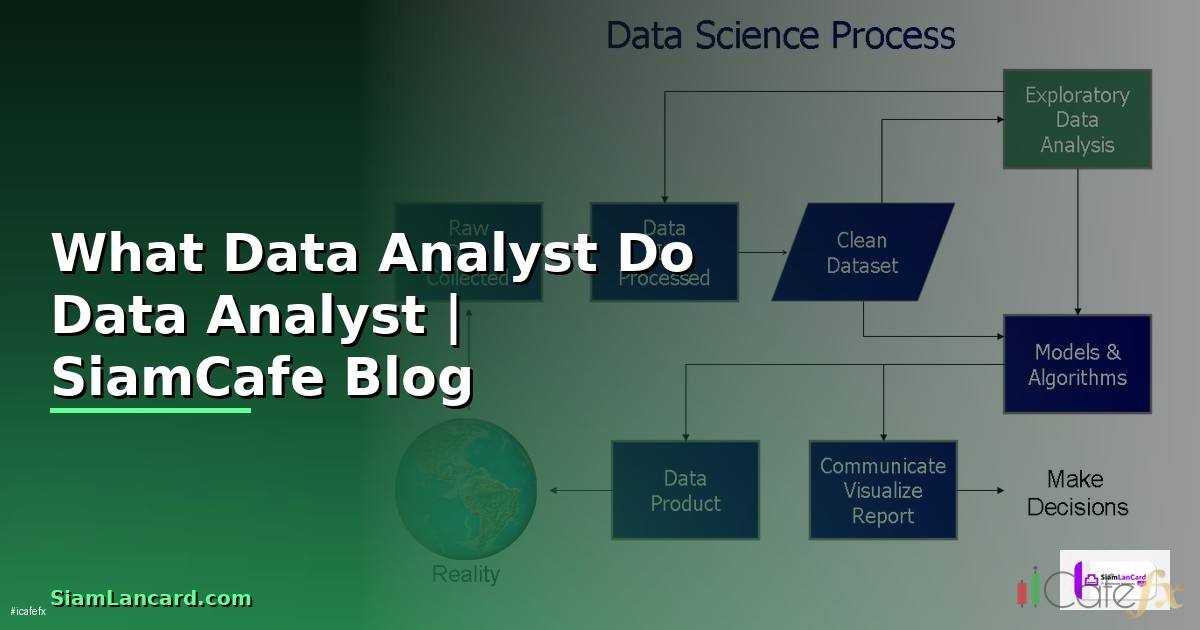
- Data Extraction: เขียน SQL Query ดึงข้อมูลจาก Database ต่างๆเช่น PostgreSQL, MySQL, BigQuery หรือ Redshift
- Data Cleaning: ทำความสะอาดข้อมูลที่มีปัญหา เช่น Missing Values, Duplicates, Outliers, Format ไม่ตรงกัน
- Data Analysis: วิเคราะห์ข้อมูลเพื่อหา Pattern, Trend, Anomaly และตอบคำถามทางธุรกิจ
- Data Visualization: สร้าง Dashboard และ Report ด้วย Tableau, Power BI หรือ Looker
- Presentation: นำเสนอผลวิเคราะห์ให้ Stakeholder เข้าใจง่ายพร้อม Recommendation
- Ad-hoc Analysis: ตอบคำถามเร่งด่วนจากแผนกต่างๆ เช่น ยอดขายเดือนนี้ลดลงเพราะอะไร
- Automation: สร้าง Automated Report ที่อัปเดตข้อมูลทุกวันแทนการทำ Manual
SQL — ทักษะหลักของ Data Analyst
SQL เป็นทักษะที่สำคัญที่สุดสำหรับ Data Analyst เพราะใช้ทุกวันในการดึงข้อมูลจาก Database
-- ตัวอย่าง SQL ที่ Data Analyst ใช้ทุกวัน

-- 1. Revenue Analysis แยกตามเดือนและ Product Category
SELECT
    DATE_TRUNC('month', order_date) AS month,
    p.category,
    COUNT(DISTINCT o.order_id) AS total_orders,
    COUNT(DISTINCT o.customer_id) AS unique_customers,
    SUM(oi.quantity * oi.unit_price) AS revenue,
    AVG(oi.quantity * oi.unit_price) AS avg_order_value
FROM orders o
JOIN order_items oi ON o.order_id = oi.order_id
JOIN products p ON oi.product_id = p.product_id
WHERE o.order_date >= DATE_TRUNC('year', CURRENT_DATE)
    AND o.status = 'completed'
GROUP BY 1, 2
ORDER BY 1 DESC, 5 DESC;

-- 2. Customer Cohort Analysis — Retention Rate
WITH first_purchase AS (
    SELECT
        customer_id,
        DATE_TRUNC('month', MIN(order_date)) AS cohort_month
    FROM orders
    WHERE status = 'completed'
    GROUP BY customer_id
),
monthly_activity AS (
    SELECT
        o.customer_id,
        DATE_TRUNC('month', o.order_date) AS activity_month
    FROM orders o
    WHERE o.status = 'completed'
    GROUP BY 1, 2
)
SELECT
    fp.cohort_month,
    COUNT(DISTINCT fp.customer_id) AS cohort_size,
    COUNT(DISTINCT CASE
        WHEN ma.activity_month = fp.cohort_month + INTERVAL '1 month'
        THEN ma.customer_id END) AS month_1_retained,
    ROUND(
        COUNT(DISTINCT CASE
            WHEN ma.activity_month = fp.cohort_month + INTERVAL '1 month'
            THEN ma.customer_id END)::NUMERIC
        / COUNT(DISTINCT fp.customer_id) * 100, 1
    ) AS month_1_retention_pct
FROM first_purchase fp
LEFT JOIN monthly_activity ma ON fp.customer_id = ma.customer_id
GROUP BY fp.cohort_month
ORDER BY fp.cohort_month DESC;

-- 3. Funnel Analysis — Conversion Rate ของ E-commerce
WITH funnel AS (
    SELECT
        COUNT(DISTINCT CASE WHEN event = 'page_view' THEN session_id END) AS views,
        COUNT(DISTINCT CASE WHEN event = 'add_to_cart' THEN session_id END) AS add_to_cart,
        COUNT(DISTINCT CASE WHEN event = 'checkout_start' THEN session_id END) AS checkout,
        COUNT(DISTINCT CASE WHEN event = 'purchase' THEN session_id END) AS purchase
    FROM user_events
    WHERE event_date >= CURRENT_DATE - INTERVAL '30 days'
)
SELECT
    views,
    add_to_cart,
    ROUND(add_to_cart::NUMERIC / views * 100, 1) AS view_to_cart_pct,
    checkout,
    ROUND(checkout::NUMERIC / add_to_cart * 100, 1) AS cart_to_checkout_pct,
    purchase,
    ROUND(purchase::NUMERIC / checkout * 100, 1) AS checkout_to_purchase_pct,
    ROUND(purchase::NUMERIC / views * 100, 2) AS overall_conversion_pct
FROM funnel;
Python สำหรับ Data Analysis

Python เป็นเครื่องมือสำคัญอันดับสองรองจาก SQL โดยเฉพาะเมื่อต้องทำ Analysis ที่ซับซ้อนกว่าที่ SQL ทำได้
Dashboard และ Data Visualization
การสร้าง Dashboard ที่ดีต้องคำนึงถึงผู้ใช้เป็นหลัก Dashboard สำหรับ CEO ต้องแสดงภาพรวมธุรกิจ Dashboard สำหรับ Marketing Manager ต้องแสดง Campaign Performance Dashboard ต้องตอบคำถามได้ภายในไม่กี่วินาที
เครื่องมือที่ Data Analyst ใช้
| เครื่องมือ | ประเภท | ระดับ | ใช้สำหรับ |
|---|---|---|---|
| SQL (PostgreSQL/BigQuery) | Database Query | จำเป็น | ดึงและวิเคราะห์ข้อมูล |
| Python (Pandas, NumPy) | Programming | จำเป็น | วิเคราะห์ข้อมูลขั้นสูง |
| Excel / Google Sheets | Spreadsheet | จำเป็น | วิเคราะห์เบื้องต้น แชร์ผลลัพธ์ |
| Tableau / Power BI | BI Tool | จำเป็น | สร้าง Dashboard |
| Looker / Metabase | BI Tool | ดีถ้ามี | Self-service Analytics |
| dbt | Data Transformation | ดีถ้ามี | จัดการ Data Model |
| Git | Version Control | ดีถ้ามี | จัดการ Code และ Query |
| Jupyter Notebook | IDE | ดีถ้ามี | Exploratory Analysis |
เส้นทางอาชีพ Data Analyst
Data Analyst มีเส้นทางการเติบโตที่หลากหลาย ไม่ได้จำกัดอยู่แค่ตำแหน่ง Analyst เท่านั้น
- Junior Data Analyst (0-2 ปี): เขียน SQL ดึงข้อมูล สร้าง Report ตาม Request ทำ Data Cleaning เรียนรู้ Business Domain
- Mid-level Data Analyst (2-5 ปี): วิเคราะห์ข้อมูลซับซ้อนขึ้น สร้าง Dashboard อัตโนมัติ เริ่มใช้ Python นำเสนอ Insight ให้ Management
- Senior Data Analyst (5+ ปี): กำหนด Metrics Framework ให้องค์กร Mentor ทีม ทำ Strategic Analysis ทำงานร่วมกับ C-level
- Analytics Manager: บริหารทีม Data Analyst กำหนดทิศทาง Analytics Strategy ดูแล Data Infrastructure
- Data Scientist: เปลี่ยนสายไปทำ Machine Learning และ Predictive Modeling
- Analytics Engineer: เน้นสร้าง Data Pipeline และ Data Model ด้วย dbt และ SQL
Data Analyst ทำอะไรบ้างในแต่ละวัน
งานหลักคือเขียน SQL Query ดึงข้อมูลจาก Database ทำความสะอาดข้อมูล วิเคราะห์หา Pattern และ Trend สร้าง Dashboard ด้วย Tableau หรือ Power BI นำเสนอผลวิเคราะห์ให้ Stakeholder และตอบคำถาม Ad-hoc จากแผนกต่างๆ วันหนึ่งอาจเขียน SQL 10-20 Query