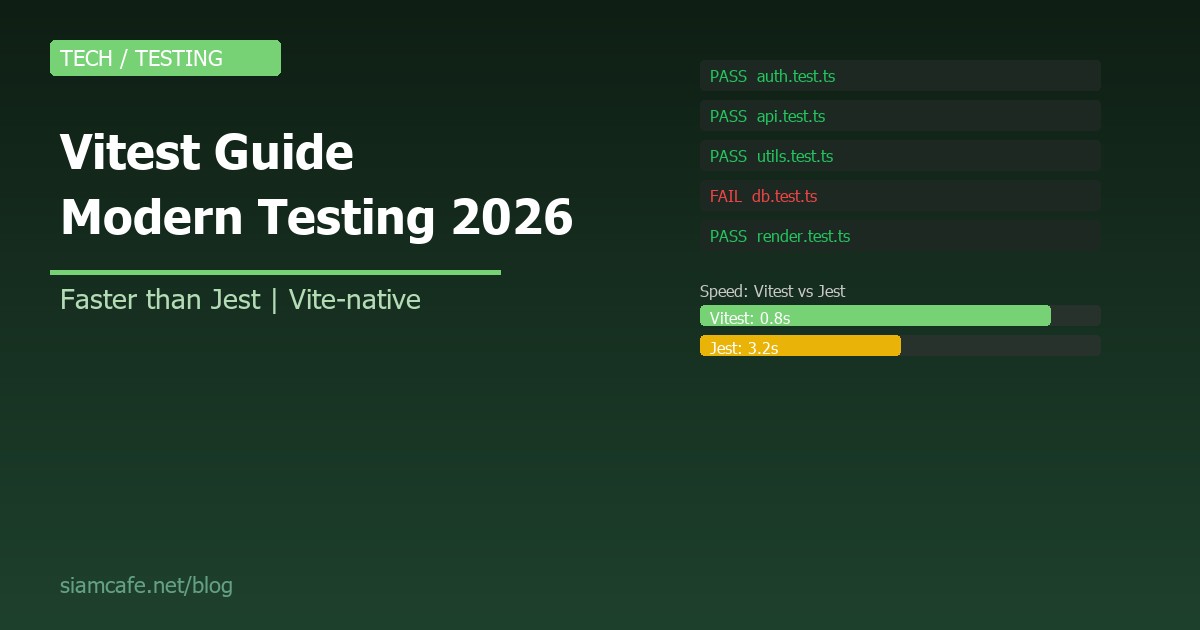
Vitest คือ Testing Framework สำหรับ JavaScript/TypeScript ที่สร้างมาโดยเฉพาะสำหรับ Vite Ecosystem มี API ที่เข้ากันได้กับ Jest แต่เร็วกว่ามาก รองรับ ESM นัทีฟ มี HMR สำหรับ Test Files และ Config ร่วมกับ Vite ได้เลย ในปี 2026 Vitest กลายเป็น Default Testing Framework สำหรับ Vite Projects
Vitest vs Jest — เปรียบเทียบ
| เปรียบเทียบ | Vitest | Jest |
|---|---|---|
| ความเร็ว | เร็วกว่า 2-10x (ใช้ Vite dev server) | ช้ากว่า (ต้อง Transform ทุกไฟล์) |
| ESM Support | Native ESM (ไม่ต้อง Transform) | ต้อง Config Babel/Transform |
| Config | ใช้ vite.config.ts ร่วมกับ Vite | jest.config.ts แยกต่างหาก |
| HMR | Re-run เฉพาะ Test ที่เปลี่ยน (เร็วมาก) | ไม่มี (ต้อง Re-run ทั้งหมด) |
| TypeScript | Out-of-the-box (ผ่าน Vite) | ต้องตั้งค่า ts-jest/babel |
| API | Jest-compatible (describe, it, expect) | Jest API |
| Watch Mode | Smart Watch (Vite HMR) | Watch Mode (Slower) |
| Browser Testing | Built-in Browser Mode | ต้องใช้ puppeteer/playwright แยก |
| UI | Built-in Vitest UI | ไม่มี (ใช้ Third-party) |
| In-Source Testing | รองรับ (เขียน Test ในไฟล์ Source) | ไม่รองรับ |
สรุป: ถ้าคุณใช้ Vite อยู่แล้ว ไม่มีเหตุผลที่จะไม่ใช้ Vitest มันเร็วกว่า Config น้อยกว่า และ API เหมือน Jest ทุกประการ
Setup — เริ่มต้นใช้ Vitest
# ติดตั้ง
npm install -D vitest

# ถ้ายังไม่มี Vite:
npm install -D vite vitest

# package.json — เพิ่ม Script
{
  "scripts": {
    "test": "vitest",
    "test:run": "vitest run",
    "test:ui": "vitest --ui",
    "test:coverage": "vitest run --coverage"
  }
}

# Config (vite.config.ts)
import { defineConfig } from 'vitest/config'

export default defineConfig({
  test: {
    globals: true,        // ใช้ describe, it, expect ได้เลยไม่ต้อง import
    environment: 'node',  // หรือ 'jsdom', 'happy-dom'
    include: ['src/**/*.test.ts', 'src/**/*.spec.ts'],
  },
})
เขียน Tests — describe, it, expect
// src/utils/math.ts
export function add(a: number, b: number): number {
  return a + b;
}

export function multiply(a: number, b: number): number {
  return a * b;
}

export function divide(a: number, b: number): number {
  if (b === 0) throw new Error('Cannot divide by zero');
  return a / b;
}

// src/utils/math.test.ts
import { describe, it, expect } from 'vitest'
import { add, multiply, divide } from './math'

describe('Math Utils', () => {
  describe('add', () => {
    it('should add two positive numbers', () => {
      expect(add(2, 3)).toBe(5)
    })

    it('should handle negative numbers', () => {
      expect(add(-1, 1)).toBe(0)
    })

    it('should handle zero', () => {
      expect(add(0, 0)).toBe(0)
    })
  })

  describe('divide', () => {
    it('should divide two numbers', () => {
      expect(divide(10, 2)).toBe(5)
    })

    it('should throw on divide by zero', () => {
      expect(() => divide(10, 0)).toThrow('Cannot divide by zero')
    })
  })
})
Mocking — vi.mock, vi.fn, vi.spyOn
// Mocking Functions
import { vi, describe, it, expect } from 'vitest'

// vi.fn() — สร้าง Mock Function
const mockFn = vi.fn()
mockFn('hello')
expect(mockFn).toHaveBeenCalledWith('hello')
expect(mockFn).toHaveBeenCalledTimes(1)

// vi.fn() with implementation
const mockAdd = vi.fn((a: number, b: number) => a + b)
expect(mockAdd(2, 3)).toBe(5)

// vi.spyOn — Spy on existing method
const obj = { greet: (name: string) => `Hello ${name}` }
const spy = vi.spyOn(obj, 'greet')
obj.greet('World')
expect(spy).toHaveBeenCalledWith('World')

// vi.mock — Mock entire module
vi.mock('./api', () => ({
  fetchUsers: vi.fn(() => Promise.resolve([
    { id: 1, name: 'John' },
    { id: 2, name: 'Jane' },
  ])),
}))

// Mocking timers
vi.useFakeTimers()
setTimeout(() => console.log('done'), 1000)
vi.advanceTimersByTime(1000)
vi.useRealTimers()
Snapshot Testing
import { it, expect } from 'vitest'

function generateConfig(env: string) {
  return {
    database: env === 'production' ? 'prod-db' : 'dev-db',
    debug: env !== 'production',
    port: 3000,
  }
}

it('should match snapshot', () => {
  const config = generateConfig('development')
  expect(config).toMatchSnapshot()
  // สร้างไฟล์ .snap อัตโนมัติ ครั้งถัดไปเปรียบเทียบกับ Snapshot
})

it('should match inline snapshot', () => {
  const config = generateConfig('production')
  expect(config).toMatchInlineSnapshot(`
    {
      "database": "prod-db",
      "debug": false,
      "port": 3000,
    }
  `)
})

// Update snapshots: vitest run --update
Coverage — วัดความครอบคลุม
# ติดตั้ง Coverage Provider
npm install -D @vitest/coverage-v8
# หรือ
npm install -D @vitest/coverage-istanbul

# vite.config.ts
export default defineConfig({
  test: {
    coverage: {
      provider: 'v8',           // หรือ 'istanbul'
      reporter: ['text', 'html', 'lcov'],
      include: ['src/**/*.ts'],
      exclude: ['src/**/*.test.ts', 'src/**/*.d.ts'],
      thresholds: {
        branches: 80,
        functions: 80,
        lines: 80,
        statements: 80,
      },
    },
  },
})

# รัน Coverage
npx vitest run --coverage

# ดูรายงาน HTML
# เปิดไฟล์ coverage/index.html
In-Source Testing
Vitest รองรับการเขียน Test ในไฟล์ Source เลย ไม่ต้องแยกไฟล์ Test
// src/utils/math.ts
export function add(a: number, b: number): number {
  return a + b;
}

// Test ในไฟล์เดียวกัน!
if (import.meta.vitest) {
  const { describe, it, expect } = import.meta.vitest

  describe('add', () => {
    it('adds two numbers', () => {
      expect(add(2, 3)).toBe(5)
    })
  })
}

// vite.config.ts — เปิด In-Source Testing
export default defineConfig({
  define: {
    'import.meta.vitest': 'undefined', // ลบ Test Code ตอน Build
  },
  test: {
    includeSource: ['src/**/*.ts'],
  },
})
Workspace Mode — Monorepo
// vitest.workspace.ts
export default [
  'packages/core',
  'packages/api',
  'packages/ui',
  {
    test: {
      name: 'e2e',
      root: './tests/e2e',
      environment: 'jsdom',
    },
  },
]

# รัน Tests ทุก Workspace
npx vitest

# รัน เฉพาะ Workspace
npx vitest --project core
Vitest UI — Dashboard
# ติดตั้ง
npm install -D @vitest/ui

# รัน UI
npx vitest --ui

# เปิด Browser → http://localhost:51204/__vitest__/
# ดูผลลัพธ์ Test แบบ Visual
# - File Tree ทางซ้าย
# - Test Results ตรงกลาง
# - Code Coverage ทางขวา
# - Re-run, Filter, Search ได้
Browser Mode
# ติดตั้ง
npm install -D @vitest/browser playwright

# vite.config.ts
export default defineConfig({
  test: {
    browser: {
      enabled: true,
      name: 'chromium',
      provider: 'playwright',
    },
  },
})

# Tests รันใน Browser จริง ไม่ใช่ jsdom!
# เหมาะสำหรับ Test ที่ต้องการ DOM จริง เช่น Canvas, Web APIs
Testing with MSW (Mock Service Worker)
// ติดตั้ง MSW
// npm install -D msw

import { setupServer } from 'msw/node'
import { http, HttpResponse } from 'msw'
import { beforeAll, afterAll, afterEach, it, expect } from 'vitest'

const server = setupServer(
  http.get('/api/users', () => {
    return HttpResponse.json([
      { id: 1, name: 'John' },
      { id: 2, name: 'Jane' },
    ])
  })
)

beforeAll(() => server.listen())
afterEach(() => server.resetHandlers())
afterAll(() => server.close())

it('fetches users', async () => {
  const response = await fetch('/api/users')
  const users = await response.json()
  expect(users).toHaveLength(2)
  expect(users[0].name).toBe('John')
})
Migration from Jest
# Step 1: ติดตั้ง Vitest
npm install -D vitest
npm uninstall jest ts-jest @types/jest babel-jest

# Step 2: ย้าย Config
# jest.config.ts → vite.config.ts (test section)

# Step 3: เปลี่ยน imports (ถ้าใช้ globals: true ไม่ต้องเปลี่ยน)
# - import { jest } from '@jest/globals' → import { vi } from 'vitest'
# - jest.fn() → vi.fn()
# - jest.mock() → vi.mock()
# - jest.spyOn() → vi.spyOn()
# - jest.useFakeTimers() → vi.useFakeTimers()

# Step 4: เปลี่ยน scripts
# "test": "jest" → "test": "vitest"

# API ที่เหมือนกัน (ไม่ต้องเปลี่ยน):
# describe, it, test, expect, beforeEach, afterEach, beforeAll, afterAll
เมื่อไรเลือก Vitest?
| สถานการณ์ | เลือก | เหตุผล |
|---|---|---|
| โปรเจกต์ใช้ Vite | Vitest | Share config, เร็ว, Native ESM |
| โปรเจกต์ใหม่ (2026) | Vitest | Modern, เร็ว, ฟีเจอร์ครบ |
| โปรเจกต์เก่าที่ใช้ Jest อยู่ | Jest (หรือ Migrate) | ถ้าทำงานดีอยู่ไม่จำเป็นต้องเปลี่ยน |
| Angular Projects | Jest / Karma | Angular CLI ยังไม่ Support Vitest เต็มที่ |
| ต้องการ Browser Testing | Vitest | Built-in Browser Mode |
| Monorepo | Vitest | Workspace Mode ดีมาก |
Vitest คือ Testing Framework ของยุค Vite ที่ให้ Developer Experience ที่ดีที่สุด เร็ว Config น้อย API เหมือน Jest ทุกประการ ถ้าคุณเริ่มโปรเจกต์ใหม่ในปี 2026 Vitest คือ Default Choice สำหรับ Unit Testing