Stable Diffusion Generative AI — เรียนรู้ Stable
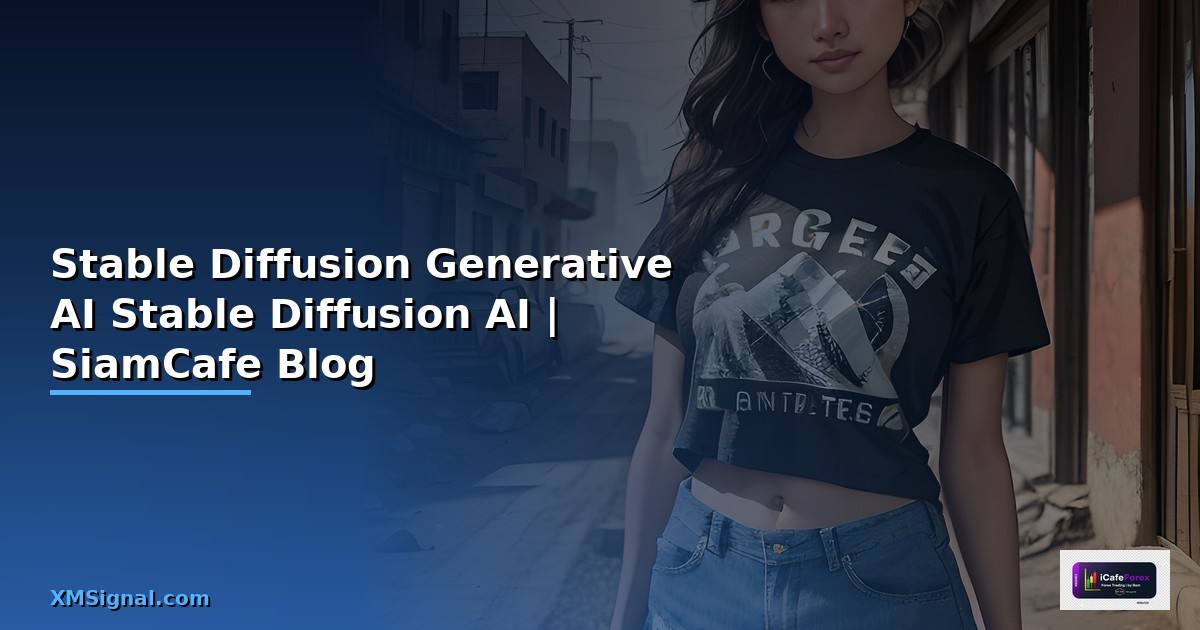
Stable Diffusion
Stable Diffusion เป็น Open-source Text-to-Image AI สร้างภาพจาก Prompt รันบนเครื่องตัวเองฟรี ปรับแต่งได้ทุกอย่าง Community ใหญ่มาก Models Extensions มากมาย
รองรับ txt2img img2img inpainting ControlNet LoRA Training Custom Models สำหรับงาน Production ใช้ ComfyUI หรือ A1111 WebUI
Installation และ Setup
# === Stable Diffusion Installation === # 1. AUTOMATIC1111 WebUI (แนะนำสำหรับเริ่มต้น) # git clone https://github.com/AUTOMATIC1111/stable-diffusion-webui.git # cd stable-diffusion-webui # Windows # webui-user.bat # Linux/Mac # ./webui.sh # Arguments สำหรับ GPU VRAM น้อย # set COMMANDLINE_ARGS=--medvram --xformers # set COMMANDLINE_ARGS=--lowvram # สำหรับ 4GB VRAM # 2. ComfyUI (แนะนำสำหรับ Advanced/Production) # git clone https://github.com/comfyanonymous/ComfyUI.git # cd ComfyUI # pip install -r requirements.txt # python main.py # 3. Diffusers (Python Library) # pip install diffusers transformers accelerate torch from dataclasses import dataclass, field from typing import List, Dict, Optional @dataclass class SDConfig: """Stable Diffusion Configuration""" model: str = "stabilityai/stable-diffusion-xl-base-1.0" scheduler: str = "DPM++ 2M Karras" steps: int = 30 cfg_scale: float = 7.0 width: int = 1024 height: int = 1024 seed: int = -1 # -1 = random sampler: str = "Euler a" clip_skip: int = 2 vae: str = "auto" # Performance use_xformers: bool = True use_fp16: bool = True batch_size: int = 1 @dataclass class SDPrompt: positive: str negative: str = "" lora: List[str] = field(default_factory=list) controlnet: Optional[str] = None def build(self) -> Dict: prompt = self.positive # Add LoRA for lora in self.lora: prompt += f" " return { "prompt": prompt, "negative_prompt": self.negative or "low quality, bad anatomy, blurry, watermark, text, " "deformed, ugly, duplicate, error", } # Recommended Models models = { "SDXL 1.0": "1024x1024, General purpose, High quality", "SD 1.5": "512x512, Fast, Huge ecosystem of LoRAs", "Juggernaut XL": "Photorealistic, Portraits", "DreamShaper XL": "Fantasy, Illustration", "RealVisXL": "Photorealistic, Product photos", "AnimagineXL": "Anime style", } # Samplers samplers = { "DPM++ 2M Karras": "Best overall quality/speed balance", "Euler a": "Creative, good for exploration", "DPM++ SDE Karras": "High quality, slower", "DDIM": "Deterministic, good for img2img", } config = SDConfig() print("Stable Diffusion Config:") print(f" Model: {config.model}") print(f" Steps: {config.steps} | CFG: {config.cfg_scale}") print(f" Size: {config.width}x{config.height}") print(f" Sampler: {config.sampler}") print(f"\nRecommended Models:") for name, desc in models.items(): print(f" {name}: {desc}")LoRA Training และ Deployment
# === LoRA Training สำหรับ Stable Diffusion === # pip install kohya-ss # 1. Dataset Preparation # dataset/ # ├── img/ # │ ├── 20_concept_name/ # 20 = repeat count # │ │ ├── image_001.png # │ │ ├── image_001.txt # Caption # │ │ ├── image_002.png # │ │ └── image_002.txt # ├── reg/ # Regularization images (optional) # │ └── 1_class/ # │ ├── reg_001.png # │ └── reg_002.png # 2. Training Config (kohya_ss) training_config = { # Model "pretrained_model": "stabilityai/stable-diffusion-xl-base-1.0", "output_dir": "./output/my_lora", "output_name": "my_custom_lora", # LoRA "network_dim": 32, # LoRA rank (8-128) "network_alpha": 16, # Alpha (usually rank/2) "network_module": "networks.lora", # Training "learning_rate": 1e-4, "unet_lr": 1e-4, "text_encoder_lr": 5e-5, "lr_scheduler": "cosine_with_restarts", "train_batch_size": 1, "max_train_epochs": 20, "resolution": "1024,1024", # SDXL "mixed_precision": "bf16", # Optimization "optimizer_type": "AdamW8bit", "xformers": True, "gradient_checkpointing": True, "cache_latents": True, "cache_latents_to_disk": True, # Dataset "train_data_dir": "./dataset/img", "reg_data_dir": "./dataset/reg", } # 3. Training Command (kohya_ss) # accelerate launch --num_cpu_threads_per_process=2 \ # sdxl_train_network.py \ # --pretrained_model_name_or_path="stabilityai/stable-diffusion-xl-base-1.0" \ # --train_data_dir="./dataset/img" \ # --output_dir="./output" \ # --output_name="my_lora" \ # --network_module=networks.lora \ # --network_dim=32 \ # --network_alpha=16 \ # --learning_rate=1e-4 \ # --lr_scheduler=cosine_with_restarts \ # --train_batch_size=1 \ # --max_train_epochs=20 \ # --resolution=1024,1024 \ # --mixed_precision=bf16 \ # --optimizer_type=AdamW8bit \ # --xformers \ # --gradient_checkpointing \ # --cache_latents # 4. Using LoRA in A1111 # วาง .safetensors ไว้ใน models/Lora/ # ใช้ใน Prompt: # 5. ComfyUI Workflow # Load Checkpoint -> Load LoRA -> KSampler -> VAE Decode -> Save Image # 6. Production API # from diffusers import StableDiffusionXLPipeline, AutoencoderKL # import torch # # pipe = StableDiffusionXLPipeline.from_pretrained( # "stabilityai/stable-diffusion-xl-base-1.0", # torch_dtype=torch.float16, # variant="fp16", # ).to("cuda") # # pipe.load_lora_weights("./output/my_lora.safetensors") # # image = pipe( # prompt="your prompt here", # negative_prompt="low quality", # num_inference_steps=30, # guidance_scale=7.0, # width=1024, height=1024, # ).images[0] # # image.save("output.png") print("LoRA Training Config:") for key, value in training_config.items(): print(f" {key}: {value}")Best Practices
- Model Selection: SDXL สำหรับคุณภาพสูง SD 1.5 สำหรับความเร็วและ LoRA ecosystem
- Prompt Structure: Subject + Style + Lighting + Details + Quality Tags
- Negative Prompt: ใส่เสมอ ลบสิ่งไม่ต้องการ low quality, blurry, watermark
- ControlNet: ใช้ Canny/OpenPose ควบคุม Structure ของภาพ
- LoRA Training: ใช้ 20-50 ภาพคุณภาพสูง Caption ให้ละเอียด
- Batch Processing: ใช้ ComfyUI Workflow สำหรับ Production Pipeline
Stable Diffusion คืออะไร
Open-source Text-to-Image AI Stability AI สร้างภาพจาก Prompt รันเครื่องตัวเองฟรี img2img inpainting ControlNet LoRA Community ใหญ่ Models Extensions มาก
Stable Diffusion ต่างจาก Midjourney อย่างไร
SD Open-source รันเครื่องฟรี ปรับแต่งทุกอย่าง Train Custom Models Midjourney Cloud Service จ่ายรายเดือน Discord ง่ายกว่า สวยกว่าเริ่มต้น ปรับแต่งน้อยกว่า
ต้องใช้ GPU อะไรรัน Stable Diffusion
NVIDIA GPU VRAM 8GB+ RTX 3060 12GB RTX 3070 RTX 4060 SDXL ควร 12GB+ --medvram --lowvram VRAM น้อย Google Colab ฟรี
ControlNet คืออะไร
Extension ควบคุมการสร้างภาพด้วย Input เพิ่ม Canny Edge เส้นขอบ OpenPose ท่าทาง Depth Map ความลึก Scribble ร่าง ควบคุมผลลัพธ์แม่นยำกว่า Prompt อย่างเดียว
สรุป
Stable Diffusion เป็น Open-source Text-to-Image AI รันเครื่องตัวเองฟรี SDXL คุณภาพสูง SD 1.5 เร็ว LoRA ecosystem ControlNet ควบคุม Structure LoRA Training ด้วย kohya_ss ComfyUI สำหรับ Production Diffusers Library สำหรับ Python API