it

Spark Structured Streaming กับ Pub/Sub
Spark Structured Streaming และ Pub/Sub
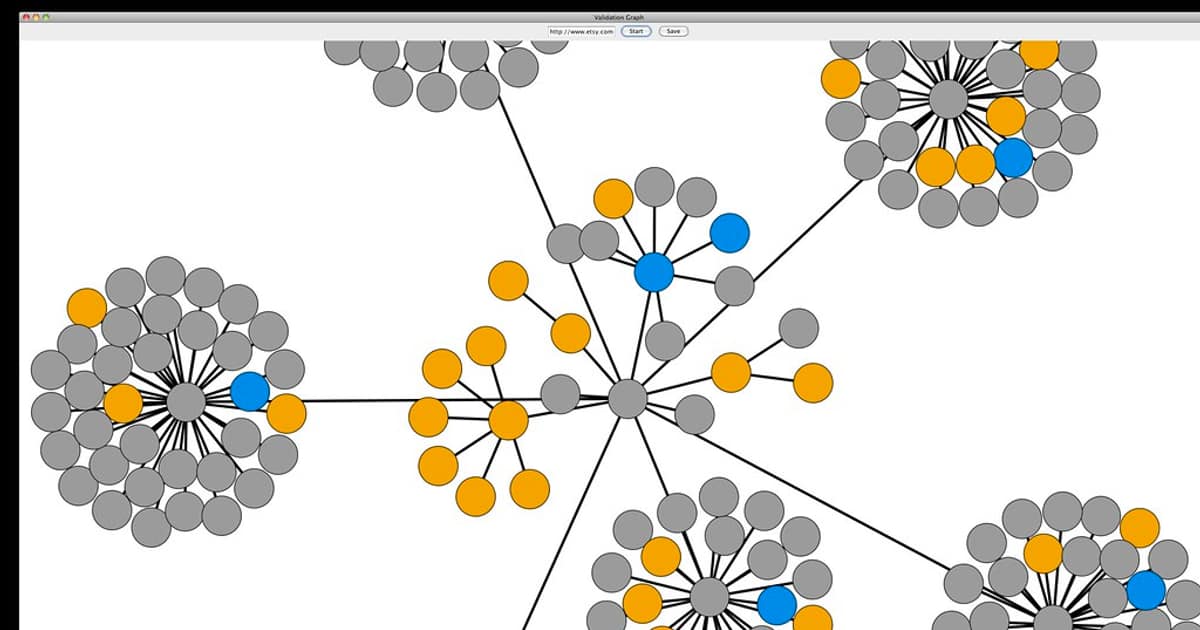
Spark Structured Streaming เป็น Stream Processing Engine ที่ใช้ DataFrame API เหมือน Batch แต่ทำงาน Real-time รองรับ Kafka, Event Hubs และ Pub/Sub Sources ทำ Aggregation, Windowing, Joining บน Streaming Data
Pub/Sub Architecture ใช้ Kafka เป็น Message Broker ทำให้ Producer กับ Consumer Decouple จากกัน Spark อ่าน Messages จาก Kafka Topics ประมวลผลแล้วเขียนผลลัพธ์ไปยัง Sink
PySpark Structured Streaming กับ Kafka
# spark_streaming.py — PySpark Structured Streaming + Kafka
# pip install pyspark

from pyspark.sql import SparkSession
from pyspark.sql.functions import (
    from_json, col, window, count, avg, max as spark_max,
    to_timestamp, expr, current_timestamp, lit,
)
from pyspark.sql.types import (
    StructType, StructField, StringType, DoubleType,
    TimestampType, IntegerType,
)

# === 1. Spark Session ===
spark = SparkSession.builder \
    .appName("RealTimeAnalytics") \
    .config("spark.jars.packages",
            "org.apache.spark:spark-sql-kafka-0-10_2.12:3.5.0") \
    .config("spark.sql.shuffle.partitions", "8") \
    .config("spark.streaming.stopGracefullyOnShutdown", "true") \
    .getOrCreate()

spark.sparkContext.setLogLevel("WARN")

# === 2. Schema สำหรับ Events ===
event_schema = StructType([
    StructField("event_id", StringType(), True),
    StructField("user_id", StringType(), True),
    StructField("event_type", StringType(), True),
    StructField("page", StringType(), True),
    StructField("timestamp", StringType(), True),
    StructField("duration_ms", IntegerType(), True),
    StructField("device", StringType(), True),
    StructField("country", StringType(), True),
])

# === 3. อ่านจาก Kafka ===
kafka_df = spark.readStream \
    .format("kafka") \
    .option("kafka.bootstrap.servers", "kafka:9092") \
    .option("subscribe", "user-events") \
    .option("startingOffsets", "latest") \
    .option("failOnDataLoss", "false") \
    .load()

# Parse JSON
events_df = kafka_df \
    .select(from_json(col("value").cast("string"), event_schema).alias("data")) \
    .select("data.*") \
    .withColumn("event_time", to_timestamp("timestamp"))

# === 4. Real-time Aggregations ===

# 4a. Events per minute per page (Tumbling Window)
page_views = events_df \
    .withWatermark("event_time", "5 minutes") \
    .groupBy(
        window("event_time", "1 minute"),
        "page",
    ) \
    .agg(
        count("*").alias("view_count"),
        avg("duration_ms").alias("avg_duration"),
    )

# 4b. Active users per 5 minutes (Sliding Window)
active_users = events_df \
    .withWatermark("event_time", "10 minutes") \
    .groupBy(
        window("event_time", "5 minutes", "1 minute"),
    ) \
    .agg(
        expr("approx_count_distinct(user_id)").alias("active_users"),
        count("*").alias("total_events"),
    )

# 4c. Events by country
country_stats = events_df \
    .withWatermark("event_time", "5 minutes") \
    .groupBy(
        window("event_time", "1 minute"),
        "country",
    ) \
    .agg(
        count("*").alias("events"),
        expr("approx_count_distinct(user_id)").alias("users"),
    )

# === 5. เขียนผลลัพธ์ ===

# 5a. เขียนกลับ Kafka
page_views_query = page_views \
    .selectExpr("to_json(struct(*)) AS value") \
    .writeStream \
    .format("kafka") \
    .option("kafka.bootstrap.servers", "kafka:9092") \
    .option("topic", "page-views-agg") \
    .option("checkpointLocation", "/tmp/checkpoints/page-views") \
    .outputMode("update") \
    .start()

# 5b. เขียนไป Console (Debug)
# active_users.writeStream \
#     .format("console") \
#     .outputMode("update") \
#     .option("truncate", "false") \
#     .start()

# page_views_query.awaitTermination()
Docker Compose สำหรับ Kafka Cluster
# === Docker Compose — Kafka + Spark ===
# docker-compose.yml

# version: '3.8'
# services:
#   zookeeper:
#     image: confluentinc/cp-zookeeper:7.6.0
#     environment:
#       ZOOKEEPER_CLIENT_PORT: 2181
#
#   kafka:
#     image: confluentinc/cp-kafka:7.6.0
#     depends_on:
#       - zookeeper
#     ports:
#       - "9092:9092"
#     environment:
#       KAFKA_BROKER_ID: 1
#       KAFKA_ZOOKEEPER_CONNECT: zookeeper:2181
#       KAFKA_ADVERTISED_LISTENERS: PLAINTEXT://kafka:9092
#       KAFKA_NUM_PARTITIONS: 6
#       KAFKA_DEFAULT_REPLICATION_FACTOR: 1
#       KAFKA_LOG_RETENTION_HOURS: 168
#
#   kafka-ui:
#     image: provectuslabs/kafka-ui:latest
#     ports:
#       - "8080:8080"
#     environment:
#       KAFKA_CLUSTERS_0_NAME: local
#       KAFKA_CLUSTERS_0_BOOTSTRAPSERVERS: kafka:9092
#
#   spark-master:
#     image: bitnami/spark:3.5
#     ports:
#       - "8081:8080"
#       - "7077:7077"
#     environment:
#       SPARK_MODE: master
#
#   spark-worker:
#     image: bitnami/spark:3.5
#     depends_on:
#       - spark-master
#     environment:
#       SPARK_MODE: worker
#       SPARK_MASTER_URL: spark://spark-master:7077
#       SPARK_WORKER_MEMORY: 4G
#       SPARK_WORKER_CORES: 2

# รัน Spark Job
# spark-submit --master spark://spark-master:7077 \
#   --packages org.apache.spark:spark-sql-kafka-0-10_2.12:3.5.0 \
#   spark_streaming.py

echo "Kafka + Spark Streaming Environment"
echo "  Kafka: localhost:9092"
echo "  Kafka UI: http://localhost:8080"
echo "  Spark Master: http://localhost:8081"
Best Practices
- Watermark: ตั้ง Watermark ให้เหมาะกับ Late Data ไม่มากเกินไป (ใช้ Memory) ไม่น้อยเกินไป (ทิ้ง Data)
- Checkpointing: เปิด Checkpoint สำหรับ Fault Tolerance เก็บบน HDFS หรือ S3
- Partitioning: ตั้ง Kafka Partitions ให้เหมาะ อย่างน้อยเท่ากับ Spark Executors
- Schema Registry: ใช้ Confluent Schema Registry จัดการ Avro/Protobuf Schema
- Monitoring: ติดตาม Processing Time, Batch Duration, Input Rate ผ่าน Spark UI
- Exactly-once: ใช้ Idempotent Producer + Transactional Consumer สำหรับ Exactly-once
Spark Structured Streaming คืออะไร
Stream Processing Engine บน Apache Spark ใช้ DataFrame API เหมือน Batch แต่ Real-time รองรับ Event-time Watermarking Windowing Exactly-once เขียน Scala Python Java