Proxmox VE Cluster Troubleshooting แก้ปัญหา —
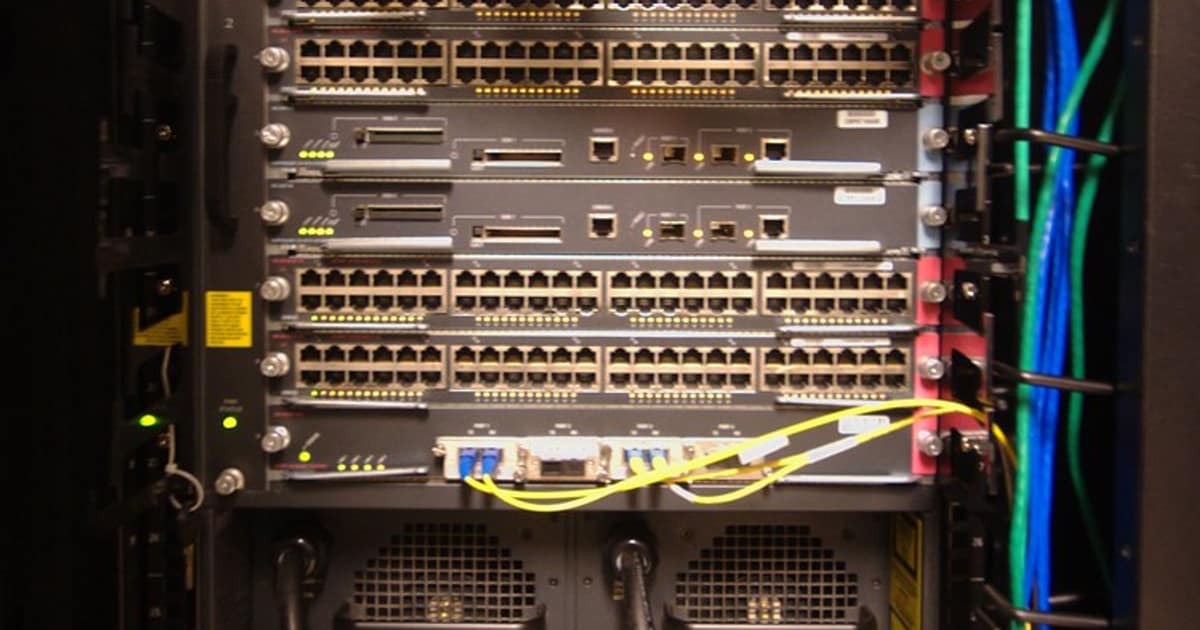

Proxmox VE Cluster คืออะไรและปัญหาที่พบบ่อย

Proxmox VE (Virtual Environment) เป็น open source virtualization platform ที่รองรับทั้ง KVM virtual machines และ LXC containers Proxmox Cluster ช่วยให้หลาย nodes ทำงานร่วมกันเป็นระบบเดียว รองรับ High Availability, Live Migration และ Shared Storage ผ่าน Ceph หรือ NFS
Proxmox Cluster ใช้ Corosync สำหรับ cluster communication และ quorum management ใช้ pmxcfs (Proxmox Cluster File System) สำหรับ synchronize configuration ระหว่าง nodes และใช้ HA Manager สำหรับ automatic failover ของ VMs/Containers
ปัญหาที่พบบ่อยใน Proxmox Cluster ได้แก่ Quorum loss เมื่อ node ล่มจนเหลือน้อยกว่ากึ่งหนึ่ง Split-brain เมื่อ network แบ่ง cluster เป็นสองส่วน Corosync timeout จาก network latency สูง Ceph degraded/unhealthy จาก disk failure Storage replication failures และ VM migration failures
การแก้ปัญหา Proxmox Cluster ต้องเข้าใจหลักการทำงานของ Corosync, Quorum, RAFT consensus และ Ceph architecture รวมถึงการใช้ command line tools เพื่อวินิจฉัยและแก้ไขปัญหาอย่างถูกต้อง
วินิจฉัยปัญหา Cluster ด้วย Command Line
คำสั่งสำหรับตรวจสอบสถานะ cluster
=== ตรวจสอบสถานะ Cluster ===
ดูสถานะ cluster overview
pvecm status
Output ที่ดี:
Cluster information
-------------------
Name: my-cluster
Config Version: 3
Transport: knet
Secure auth: on
Quorum information
------------------
Date: Mon Jan 15 10:30:00 2024
Quorum provider: corosync_votequorum
Nodes: 3
Node ID: 1
Ring ID: 1/3
Quorate: Yes <-- สำคัญ! ต้องเป็น Yes
ดูรายชื่อ nodes
pvecm nodes
ตรวจสอบ quorum
pvecm expected 1 # กรณีฉุกเฉิน: บังคับ quorum ด้วย 1 vote
ดูสถานะ Corosync
systemctl status corosyncjournalctl -u corosync --since "1 hour ago" --no-pager
ดูสถานะ pve-cluster
systemctl status pve-clusterjournalctl -u pve-cluster --since "1 hour ago" --no-pager
ตรวจสอบ HA status
ha-manager status
pvesh get /cluster/ha/status/current
ดู VM/Container status ทุก nodes
pvesh get /cluster/resources --type vm
ตรวจสอบ storage
pvesm status
ตรวจสอบ Ceph status (ถ้าใช้ Ceph)
ceph status
ceph health detail
ceph osd tree
ceph osd df
ceph pg stat
ตรวจสอบ network connectivity ระหว่าง nodes
ping -c 5 node2
ping -c 5 node3
ตรวจสอบ Corosync rings
corosync-cfgtool -s
ดู cluster configuration
cat /etc/pve/corosync.conf
ดู firewall rules
pve-firewall status
iptables -L -n | grep -E "(8006|5405|5404)"
ตรวจสอบ time sync (สำคัญมากสำหรับ cluster)
timedatectl status
chronyc sources
nodes ต้อง sync time ภายใน 1 วินาที
แก้ปัญหา Quorum และ Split-brain
วิธีแก้ปัญหา quorum loss และ split-brain
=== Quorum Loss ===
เกิดเมื่อ nodes ที่ online น้อยกว่ากึ่งหนึ่ง
Cluster 3 nodes: ต้องมีอย่างน้อย 2 nodes online
Cluster 5 nodes: ต้องมีอย่างน้อย 3 nodes online
ตรวจสอบ quorum
pvecm status | grep -i quor
Quorate: No <-- ปัญหา!
วิธีแก้ 1: บังคับ quorum (กรณีฉุกเฉิน)
ใช้เมื่อ node อื่นไม่สามารถกลับมาได้ชั่วคราว
pvecm expected 1
วิธีแก้ 2: เพิ่ม node กลับเข้า cluster
บน node ที่ล่ม: restart services
systemctl restart corosync
systemctl restart pve-cluster
วิธีแก้ 3: ถ้า node ถูกถอดออกจาก cluster
pvecm add NODE_IP
=== Split-brain Recovery ===
เกิดเมื่อ network แบ่ง cluster เป็น 2 ส่วน
ทั้ง 2 ส่วนคิดว่าตัวเองเป็น active cluster
Step 1: หยุด VMs ที่ run ซ้ำกัน (ถ้ามี)
ตรวจสอบว่า VM run อยู่บน node ไหน
qm list # บน node 1
qm list # บน node 2
Step 2: เลือก side ที่จะเป็น primary
Side ที่มี data ล่าสุดควรเป็น primary
Step 3: Stop cluster services บน secondary side
systemctl stop pve-cluster
systemctl stop corosync
Step 4: ลบ cluster config บน secondary nodes
*** อันตราย! ทำเฉพาะ secondary side ***
systemctl stop pve-cluster corosyncpmxcfs -l # mount local mode
rm /etc/corosync/corosync.conf
rm /etc/pve/corosync.conf
rm -rf /etc/corosync/uidgid.d/*
rm /var/lib/corosync/*
Step 5: Rejoin cluster
pvecm add PRIMARY_NODE_IP
Step 6: Verify
pvecm status
pvecm nodes
=== ป้องกัน Split-brain ===
1. ใช้ redundant network สำหรับ Corosync
corosync.conf:
totem {
interface {
linknumber: 0
knet_transport: udp
}
interface {
linknumber: 1
knet_transport: udp
}
}
2. ใช้ fencing/STONITH
HA Manager settings:
ha: shutdown_policy=conditional
3. ใช้ QDevice (external quorum device)
เพิ่ม vote จาก external server
apt install corosync-qdevicepvecm qdevice setup QDEVICE_IP
แก้ปัญหา Storage และ Ceph
วิธีแก้ปัญหา storage ที่พบบ่อยใน Proxmox
# === Ceph Troubleshooting ===

# ตรวจสอบ Ceph health
ceph health detail

# HEALTH_WARN: 1 osds down
# แก้: restart OSD ที่ down
systemctl restart ceph-osd@OSD_ID

# ถ้า OSD ไม่ start:
journalctl -u ceph-osd@OSD_ID --since "30 min ago"

# ตรวจสอบ disk health
smartctl -a /dev/sdX
# ถ้า disk เสีย: replace OSD
ceph osd out OSD_ID
ceph osd purge OSD_ID --yes-i-really-mean-it

# เพิ่ม OSD ใหม่
pveceph osd create /dev/sdY

# HEALTH_WARN: Degraded data redundancy
ceph pg stat
# ดู PGs ที่ degraded
ceph pg dump_stuck degraded

# รอ recovery (อาจใช้เวลาหลายชั่วโมง)
ceph -w  # watch recovery progress

# ปรับ recovery speed
ceph tell osd.* injectargs '--osd-recovery-max-active 3'
ceph tell osd.* injectargs '--osd-max-backfills 1'

# HEALTH_WARN: clock skew detected
# แก้ time sync
apt install chrony
systemctl enable chrony
systemctl restart chrony
chronyc makestep

# HEALTH_WARN: pool has too few PGs
ceph osd pool set POOL_NAME pg_num 128
ceph osd pool set POOL_NAME pgp_num 128

# === NFS/CIFS Storage Issues ===

# ตรวจสอบ NFS mount
showmount -e NFS_SERVER
mount | grep nfs

# ถ้า NFS hang:
umount -f /mnt/pve/nfs_storage
mount -t nfs NFS_SERVER:/export /mnt/pve/nfs_storage

# ตรวจสอบ NFS performance
nfsstat -c
dd if=/dev/zero of=/mnt/pve/nfs_storage/test bs=1M count=1024
rm /mnt/pve/nfs_storage/test

# === ZFS Issues ===
zpool status
zpool list
# ถ้ามี DEGRADED:
zpool replace POOL /dev/old_disk /dev/new_disk

# Scrub เพื่อตรวจสอบ data integrity
zpool scrub POOL_NAME

# === VM Disk Issues ===
# ตรวจสอบ disk ของ VM
qm config VMID | grep -i disk
qm rescan
lvs  # ถ้าใช้ LVM
แก้ปัญหา Network และ Corosync
วิธีแก้ปัญหา network ที่กระทบ cluster
=== Corosync Network Issues ===
ตรวจสอบ Corosync communication
corosync-cfgtool -s
Output:
Printing link status.
Local node ID 1
LINK ID 0
addr = 10.0.0.1
status:
nodeid 2: connected <-- ต้องเป็น connected
nodeid 3: connected
ถ้า disconnected:
1. ตรวจสอบ firewall
iptables -L -n | grep 5405
Corosync ports: UDP 5405-5412
เปิด firewall สำหรับ Corosync
iptables -A INPUT -p udp --dport 5405:5412 -j ACCEPT
iptables -A INPUT -p tcp --dport 8006 -j ACCEPT
2. ตรวจสอบ network interface
ip addr show
ip route show
ตรวจสอบว่า Corosync bind กับ interface ที่ถูกต้อง
3. ตรวจสอบ MTU
ip link show | grep mtu
ทุก nodes ต้องใช้ MTU เดียวกัน
4. ทดสอบ multicast (ถ้าใช้)
omping -m 239.192.1.1 -p 5405 NODE1_IP NODE2_IP NODE3_IP
=== Network Performance ===
ทดสอบ bandwidth ระหว่าง nodes
Node 1 (server):
iperf3 -s
Node 2 (client):
iperf3 -c NODE1_IP
ทดสอบ latency
ping -c 100 NODE2_IP | tail -1
ค่าที่ดี: < 1ms สำหรับ local network, < 5ms สำหรับ dedicated link
=== VM Migration Issues ===
Live migration failed
ตรวจสอบ:
1. Network bandwidth เพียงพอ
2. Storage accessible จากทั้ง source และ target
3. CPU compatibility
qm migrate VMID TARGET_NODE --online
ถ้า fail เพราะ CPU:
qm set VMID -cpu host # หรือเปลี่ยนเป็น compatible CPU type
Migration timeout
เพิ่ม timeout สำหรับ VM ที่มี memory มาก
qm migrate VMID TARGET_NODE --online --with-local-disks
=== Bridge Network Issues ===
ตรวจสอบ bridge configuration
brctl show
ip link show vmbr0
สร้าง bridge ใหม่ (ถ้าจำเป็น)
cat /etc/network/interfaces
auto vmbr0
iface vmbr0 inet static
address 10.0.0.1/24
gateway 10.0.0.254
bridge-ports eno1
bridge-stp off
bridge-fd 0
Apply network changes
ifreload -a
=== Bonding Issues ===
cat /proc/net/bonding/bond0
ตรวจสอบว่า slaves ทั้งหมด active
Mode ที่แนะนำ: 802.3ad (LACP) หรือ balance-alb
สร้าง Monitoring Script สำหรับ Cluster Health
Script อัตโนมัติสำหรับตรวจสอบ cluster health
#!/bin/bash
# pve_health_check.sh — Proxmox VE Cluster Health Monitor
set -euo pipefail

LOG_FILE="/var/log/pve_health.log"
ALERT_WEBHOOK=""
HOSTNAME=$(hostname)
TIMESTAMP=$(date '+%Y-%m-%d %H:%M:%S')

log() { echo "[$TIMESTAMP] $1" | tee -a "$LOG_FILE"; }
alert() {
    log "ALERT: $1"
    if [ -n "$ALERT_WEBHOOK" ]; then
        curl -s -X POST "$ALERT_WEBHOOK" \
            -H "Content-Type: application/json" \
            -d "{\"text\":\"[$HOSTNAME] $1\"}" > /dev/null 2>&1
    fi
}

ISSUES=0

# 1. Check Quorum
log "Checking quorum..."
QUORATE=$(pvecm status 2>/dev/null | grep "Quorate:" | awk '{print $2}')
if [ "$QUORATE" != "Yes" ]; then
    alert "Quorum LOST! Cluster is not quorate"
    ISSUES=$((ISSUES + 1))
fi

# 2. Check Node Status
log "Checking nodes..."
TOTAL_NODES=$(pvecm nodes 2>/dev/null | grep -c "^[[:space:]]*[0-9]" || echo 0)
ONLINE_NODES=$(pvecm status 2>/dev/null | grep "Nodes:" | awk '{print $2}')
if [ "$TOTAL_NODES" != "$ONLINE_NODES" ]; then
    alert "Node(s) offline: $ONLINE_NODES/$TOTAL_NODES online"
    ISSUES=$((ISSUES + 1))
fi

# 3. Check Corosync
log "Checking corosync..."
if ! systemctl is-active --quiet corosync; then
    alert "Corosync service is NOT running"
    ISSUES=$((ISSUES + 1))
fi

# 4. Check Ceph (if installed)
if command -v ceph &> /dev/null; then
    log "Checking Ceph..."
    CEPH_HEALTH=$(ceph health 2>/dev/null | head -1)
    if [[ "$CEPH_HEALTH" == *"HEALTH_ERR"* ]]; then
        alert "Ceph HEALTH_ERR: $CEPH_HEALTH"
        ISSUES=$((ISSUES + 1))
    elif [[ "$CEPH_HEALTH" == *"HEALTH_WARN"* ]]; then
        log "WARNING: Ceph $CEPH_HEALTH"
    fi

    # Check OSD status
    OSD_DOWN=$(ceph osd tree 2>/dev/null | grep -c "down" || echo 0)
    if [ "$OSD_DOWN" -gt 0 ]; then
        alert "Ceph: $OSD_DOWN OSD(s) down"
        ISSUES=$((ISSUES + 1))
    fi
fi

# 5. Check Storage
log "Checking storage..."
pvesm status 2>/dev/null | tail -n +2 | while read -r line; do
    STORE=$(echo "$line" | awk '{print $1}')
    STATUS=$(echo "$line" | awk '{print $2}')
    USAGE=$(echo "$line" | awk '{print $7}' | tr -d '%')

    if [ "$STATUS" != "active" ]; then
        alert "Storage '$STORE' is $STATUS"
        ISSUES=$((ISSUES + 1))
    fi

    if [ -n "$USAGE" ] && [ "$USAGE" -gt 90 ]; then
        alert "Storage '$STORE' usage at %"
    fi
done

# 6. Check HA Services
log "Checking HA..."
HA_ERRORS=$(ha-manager status 2>/dev/null | grep -c "error" || echo 0)
if [ "$HA_ERRORS" -gt 0 ]; then
    alert "HA Manager: $HA_ERRORS error(s) detected"
    ISSUES=$((ISSUES + 1))
fi

# 7. Check Disk Health
log "Checking disks..."
for disk in /dev/sd[a-z] /dev/nvme[0-9]n1; do
    [ -b "$disk" ] || continue
    SMART=$(smartctl -H "$disk" 2>/dev/null | grep "SMART overall" | awk '{print $NF}')
    if [ "$SMART" = "FAILED!" ]; then
        alert "Disk $disk SMART check FAILED!"
        ISSUES=$((ISSUES + 1))
    fi
done

# 8. Check Time Sync
log "Checking time sync..."
if command -v chronyc &> /dev/null; then
    OFFSET=$(chronyc tracking 2>/dev/null | grep "System time" | awk '{print $4}')
    # ตรวจสอบว่า offset ไม่เกิน 1 วินาที
fi

# Summary
if [ "$ISSUES" -eq 0 ]; then
    log "Health check PASSED: All checks OK"
else
    log "Health check: $ISSUES issue(s) found"
fi

# Cron: ทุก 5 นาที
# */5 * * * * /opt/scripts/pve_health_check.sh
FAQ คำถามที่พบบ่อย
Q: Proxmox Cluster ต้องใช้กี่ nodes?
A: แนะนำอย่างน้อย 3 nodes สำหรับ HA cluster เพื่อรักษา quorum เมื่อ 1 node ล่ม 2 nodes ก็ยังมี quorum ถ้ามี 2 nodes ต้องใช้ QDevice เป็น tie-breaker สำหรับ Ceph storage แนะนำอย่างน้อย 3 nodes เพราะ Ceph ต้องการ minimum replication factor 3
Q: Corosync timeout เท่าไหร่ดี?
A: Default token timeout คือ 1000ms (1 วินาที) สำหรับ local network ที่มี latency ต่ำค่านี้เหมาะสม สำหรับ remote sites หรือ network ที่ไม่เสถียรอาจเพิ่มเป็น 5000-10000ms แต่ค่ายิ่งสูง failover ยิ่งช้า ถ้า token timeout สูงเกินไป HA จะตรวจจับ failure ช้า ควร balance ระหว่าง sensitivity กับ false positives
Q: ควรใช้ Ceph หรือ NFS สำหรับ shared storage?
A: Ceph เหมาะสำหรับ cluster ที่ต้องการ performance สูงและ self-healing storage ไม่ต้องมี external storage server แต่ต้องการ SSD/NVMe และ RAM มากขึ้น NFS เหมาะสำหรับ setup ที่ง่ายกว่า ใช้ NAS ที่มีอยู่ หรือมี dedicated storage server แต่เป็น single point of failure ถ้า NAS ล่ม ถ้ามี 3 nodes ขึ้นไปแนะนำ Ceph
Q: VM migration failed ทำอย่างไร?
A: สาเหตุที่พบบ่อยคือ storage ไม่ accessible จาก target node (ตรวจด้วย pvesm status), CPU incompatible ระหว่าง nodes (ใช้ cpu type เป็น kvm64 หรือ x86-64-v2 แทน host), network bandwidth ไม่พอสำหรับ VM ที่มี memory มาก (ใช้ dedicated migration network), VM มี local disk ที่ไม่ได้อยู่บน shared storage (ใช้ --with-local-disks option)