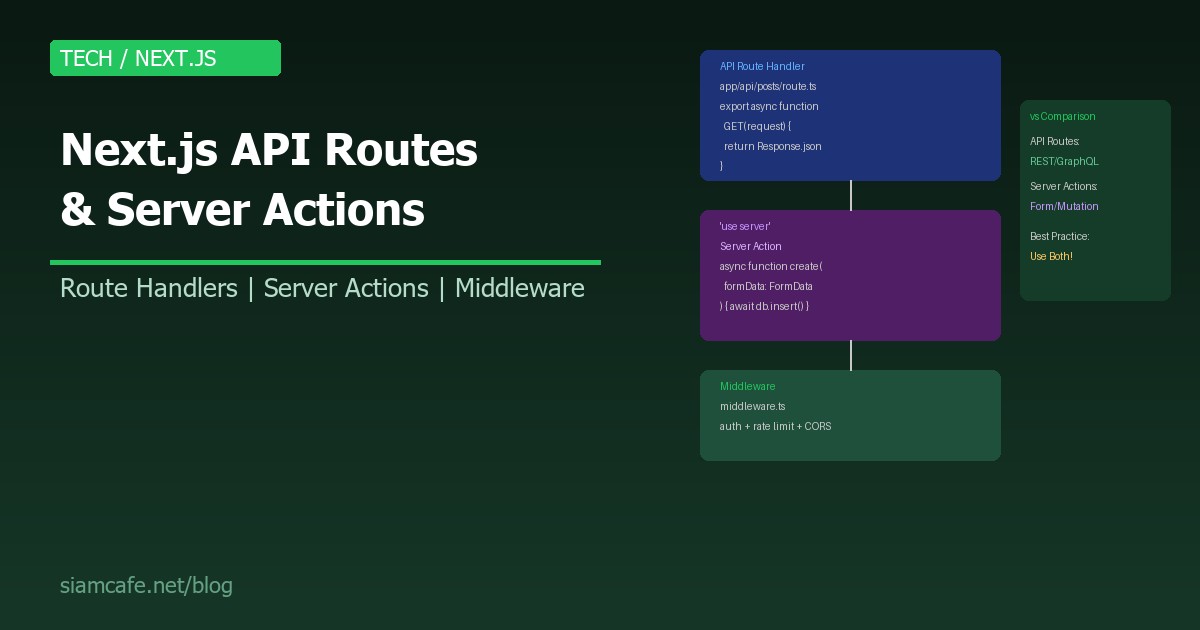
Next.js ไม่ใช่แค่ Frontend Framework อีกต่อไป ด้วย API Routes (Route Handlers) และ Server Actions ทำให้ Next.js กลายเป็น Full-stack Framework ที่สามารถจัดการ Backend Logic ได้โดยไม่ต้องสร้าง Server แยก
ในปี 2026 Next.js App Router เป็น Default และ Server Actions กลายเป็น Stable Feature ทำให้การเลือกระหว่าง API Routes กับ Server Actions เป็นสิ่งที่ Developer ต้องเข้าใจ
API Routes — Route Handlers ใน App Router
Pages Router (แบบเก่า) vs App Router (แบบใหม่)
// Pages Router (แบบเก่า) — pages/api/posts.ts
// export default function handler(req, res) {
//   if (req.method === 'GET') res.json({ posts: [] })
//   else res.status(405).end()
// }

// App Router (แบบใหม่) — app/api/posts/route.ts
// แยก function ตาม HTTP Method!
export async function GET(request: Request) {
  const posts = await db.post.findMany()
  return Response.json(posts)
}

export async function POST(request: Request) {
  const body = await request.json()
  const post = await db.post.create({ data: body })
  return Response.json(post, { status: 201 })
}

export async function PUT(request: Request) {
  const body = await request.json()
  const post = await db.post.update({
    where: { id: body.id },
    data: body
  })
  return Response.json(post)
}

export async function DELETE(request: Request) {
  const { searchParams } = new URL(request.url)
  const id = searchParams.get('id')
  await db.post.delete({ where: { id } })
  return new Response(null, { status: 204 })
}
Dynamic Route Parameters
// app/api/posts/[id]/route.ts
import { NextRequest } from 'next/server'

export async function GET(
  request: NextRequest,
  { params }: { params: { id: string } }
) {
  const post = await db.post.findUnique({
    where: { id: params.id }
  })

  if (!post) {
    return Response.json(
      { error: 'Post not found' },
      { status: 404 }
    )
  }

  return Response.json(post)
}

// Catch-all Route: app/api/[...slug]/route.ts
export async function GET(
  request: NextRequest,
  { params }: { params: { slug: string[] } }
) {
  // /api/a/b/c → params.slug = ['a', 'b', 'c']
  return Response.json({ path: params.slug })
}
Server Actions — 'use server'
พื้นฐาน Server Actions
// app/actions.ts
'use server'

import { revalidatePath } from 'next/cache'
import { redirect } from 'next/navigation'

// Server Action สำหรับสร้าง Post
export async function createPost(formData: FormData) {
  const title = formData.get('title') as string
  const content = formData.get('content') as string

  // Validation
  if (!title || title.length < 3) {
    return { error: 'Title must be at least 3 characters' }
  }

  // Database Insert
  const post = await db.post.create({
    data: { title, content, authorId: 'user-1' }
  })

  // Revalidate Cache
  revalidatePath('/posts')

  // Redirect
  redirect(`/posts/${post.id}`)
}

// Server Action สำหรับลบ Post
export async function deletePost(id: string) {
  await db.post.delete({ where: { id } })
  revalidatePath('/posts')
}

// Server Action สำหรับ Toggle Like
export async function toggleLike(postId: string) {
  const userId = await getCurrentUser()
  const existing = await db.like.findFirst({
    where: { postId, userId }
  })

  if (existing) {
    await db.like.delete({ where: { id: existing.id } })
  } else {
    await db.like.create({ data: { postId, userId } })
  }

  revalidatePath(`/posts/${postId}`)
}
ใช้ Server Actions ใน Form
// app/posts/new/page.tsx — Server Component
import { createPost } from '../actions'

export default function NewPostPage() {
  return (
    <form action={createPost}>
      <input name="title" placeholder="Title" required />
      <textarea name="content" placeholder="Content" />
      <button type="submit">Create Post</button>
    </form>
  )
}

// Progressive Enhancement:
// ✅ Form ทำงานได้แม้ JavaScript ปิด!
// ✅ ไม่ต้องเขียน API Route
// ✅ ไม่ต้อง fetch/axios
// ✅ ไม่ต้อง useState สำหรับ Loading
Server Actions + Client Component (useFormStatus, useActionState)
// components/CreatePostForm.tsx
'use client'

import { useFormStatus } from 'react-dom'
import { useActionState } from 'react'
import { createPost } from '../actions'

function SubmitButton() {
  const { pending } = useFormStatus()
  return (
    <button type="submit" disabled={pending}>
      {pending ? 'Creating...' : 'Create Post'}
    </button>
  )
}

export default function CreatePostForm() {
  const [state, formAction] = useActionState(createPost, null)

  return (
    <form action={formAction}>
      {state?.error && (
        <div className="error">{state.error}</div>
      )}
      <input name="title" placeholder="Title" required />
      <textarea name="content" placeholder="Content" />
      <SubmitButton />
    </form>
  )
}
API Routes vs Server Actions — เมื่อไรใช้อะไร?
| Use Case | API Routes | Server Actions | แนะนำ |
|---|---|---|---|
| Form Submission | ได้ แต่ต้องเขียน fetch | เหมาะมาก (Progressive Enhancement) | Server Actions |
| REST API สำหรับ Mobile App | เหมาะมาก (Standard REST) | ไม่เหมาะ (เฉพาะ Next.js Client) | API Routes |
| Webhook Receiver | เหมาะมาก (รับ POST จากภายนอก) | ไม่เหมาะ | API Routes |
| CRUD ใน Next.js App | ได้ แต่ Boilerplate เยอะ | เหมาะมาก สั้นกว่า | Server Actions |
| File Upload | เหมาะ (จัดการ multipart/form-data) | ได้ แต่จำกัดขนาด | API Routes |
| Authentication Callback | เหมาะ (OAuth callback URL) | ไม่เหมาะ | API Routes |
| Real-time (SSE/WebSocket) | เหมาะ (Streaming Response) | ไม่ Support | API Routes |
| Third-party Integration | เหมาะ (Stripe, Payment, etc.) | ได้ แต่ไม่เหมาะ | API Routes |
Middleware — Auth, Rate Limiting, CORS
// middleware.ts (Root ของ Project)
import { NextResponse } from 'next/server'
import type { NextRequest } from 'next/server'

export function middleware(request: NextRequest) {
  // 1. Authentication Check
  const token = request.cookies.get('auth-token')?.value
  if (request.nextUrl.pathname.startsWith('/api/admin') && !token) {
    return NextResponse.json(
      { error: 'Unauthorized' },
      { status: 401 }
    )
  }

  // 2. CORS Headers
  const response = NextResponse.next()
  response.headers.set('Access-Control-Allow-Origin', '*')
  response.headers.set('Access-Control-Allow-Methods', 'GET,POST,PUT,DELETE')
  response.headers.set('Access-Control-Allow-Headers', 'Content-Type,Authorization')

  // 3. Rate Limiting (Simple)
  const ip = request.ip ?? request.headers.get('x-forwarded-for') ?? 'unknown'
  // ในของจริงใช้ Redis/Upstash สำหรับ Rate Limit
  response.headers.set('X-RateLimit-Limit', '100')

  return response
}

// กำหนดว่า Middleware จะทำงานกับ Path ไหน
export const config = {
  matcher: ['/api/:path*', '/dashboard/:path*']
}
Database Access — Prisma กับ Route Handlers
// lib/db.ts — Prisma Client (Singleton)
import { PrismaClient } from '@prisma/client'

const globalForPrisma = globalThis as unknown as {
  prisma: PrismaClient | undefined
}

export const db = globalForPrisma.prisma ?? new PrismaClient()

if (process.env.NODE_ENV !== 'production') {
  globalForPrisma.prisma = db
}

// app/api/users/route.ts
import { db } from '@/lib/db'

export async function GET(request: Request) {
  const { searchParams } = new URL(request.url)
  const page = parseInt(searchParams.get('page') ?? '1')
  const limit = parseInt(searchParams.get('limit') ?? '10')

  const [users, total] = await Promise.all([
    db.user.findMany({
      skip: (page - 1) * limit,
      take: limit,
      orderBy: { createdAt: 'desc' },
      select: {
        id: true, name: true, email: true,
        _count: { select: { posts: true } }
      }
    }),
    db.user.count()
  ])

  return Response.json({
    data: users,
    pagination: {
      page, limit,
      total, totalPages: Math.ceil(total / limit)
    }
  })
}
File Upload
// app/api/upload/route.ts
import { writeFile } from 'fs/promises'
import { join } from 'path'

export async function POST(request: Request) {
  const formData = await request.formData()
  const file = formData.get('file') as File

  if (!file) {
    return Response.json({ error: 'No file' }, { status: 400 })
  }

  // Validate
  const maxSize = 5 * 1024 * 1024 // 5MB
  if (file.size > maxSize) {
    return Response.json({ error: 'File too large' }, { status: 400 })
  }

  const allowedTypes = ['image/jpeg', 'image/png', 'image/webp']
  if (!allowedTypes.includes(file.type)) {
    return Response.json({ error: 'Invalid file type' }, { status: 400 })
  }

  // Save
  const bytes = await file.arrayBuffer()
  const buffer = Buffer.from(bytes)
  const filename = `${Date.now()}-${file.name}`
  const path = join(process.cwd(), 'public', 'uploads', filename)
  await writeFile(path, buffer)

  return Response.json({
    url: `/uploads/${filename}`,
    size: file.size
  })
}
Streaming Responses
// app/api/stream/route.ts
// Server-Sent Events (SSE) สำหรับ Real-time Data

export async function GET() {
  const encoder = new TextEncoder()
  const stream = new ReadableStream({
    async start(controller) {
      // ส่งข้อมูลทุก 2 วินาที
      for (let i = 0; i < 10; i++) {
        const data = JSON.stringify({
          time: new Date().toISOString(),
          message: `Event ${i + 1}`
        })
        controller.enqueue(
          encoder.encode(`data: ${data}\n\n`)
        )
        await new Promise(r => setTimeout(r, 2000))
      }
      controller.close()
    }
  })

  return new Response(stream, {
    headers: {
      'Content-Type': 'text/event-stream',
      'Cache-Control': 'no-cache',
      'Connection': 'keep-alive'
    }
  })
}

// Client-side: EventSource
// const es = new EventSource('/api/stream')
// es.onmessage = (e) => console.log(JSON.parse(e.data))
Caching Strategies
// Route Segment Config สำหรับ Caching
// app/api/posts/route.ts

// Static (Cache ตลอดไป จนกว่าจะ Revalidate)
export const revalidate = 3600 // Cache 1 ชั่วโมง

// Dynamic (ไม่ Cache — ทุก Request ใหม่)
export const dynamic = 'force-dynamic'

// หรือใช้ Cache Headers
export async function GET() {
  const posts = await db.post.findMany()
  return Response.json(posts, {
    headers: {
      'Cache-Control': 'public, s-maxage=60, stale-while-revalidate=30'
    }
  })
}

// On-Demand Revalidation
// app/api/revalidate/route.ts
import { revalidatePath, revalidateTag } from 'next/cache'

export async function POST(request: Request) {
  const { secret, path, tag } = await request.json()

  if (secret !== process.env.REVALIDATE_SECRET) {
    return Response.json({ error: 'Invalid secret' }, { status: 401 })
  }

  if (path) revalidatePath(path)
  if (tag) revalidateTag(tag)

  return Response.json({ revalidated: true, now: Date.now() })
}
Error Handling
// lib/errors.ts — Custom Error Classes
export class AppError extends Error {
  constructor(
    message: string,
    public statusCode: number = 500,
    public code: string = 'INTERNAL_ERROR'
  ) {
    super(message)
  }
}

export class NotFoundError extends AppError {
  constructor(resource: string) {
    super(`${resource} not found`, 404, 'NOT_FOUND')
  }
}

export class ValidationError extends AppError {
  constructor(message: string) {
    super(message, 400, 'VALIDATION_ERROR')
  }
}

// lib/api-handler.ts — Wrapper สำหรับ Error Handling
type Handler = (request: Request, context?: any) => Promise<Response>

export function withErrorHandling(handler: Handler): Handler {
  return async (request, context) => {
    try {
      return await handler(request, context)
    } catch (error) {
      console.error('API Error:', error)

      if (error instanceof AppError) {
        return Response.json(
          { error: error.message, code: error.code },
          { status: error.statusCode }
        )
      }

      return Response.json(
        { error: 'Internal Server Error', code: 'INTERNAL_ERROR' },
        { status: 500 }
      )
    }
  }
}

// ใช้งาน:
// export const GET = withErrorHandling(async (request) => {
//   const post = await db.post.findUnique(...)
//   if (!post) throw new NotFoundError('Post')
//   return Response.json(post)
// })
Deployment Considerations
| Platform | API Routes | Server Actions | Edge Runtime | ข้อจำกัด |
|---|---|---|---|---|
| Vercel | Serverless Functions | Full Support | Support | Timeout 10s (Free), 60s (Pro) |
| AWS Amplify | Lambda Functions | Support | CloudFront | Lambda Timeout 30s |
| Docker/VPS | Node.js Server | Full Support | ต้อง Config เอง | จัดการ Server เอง |
| Cloudflare Pages | Workers (Edge) | Support | Native Edge | ไม่มี Node.js APIs บางตัว |
สรุป
Next.js ทำให้ Frontend Developer สามารถทำ Backend ได้โดยไม่ต้องสร้าง Server แยก API Routes (Route Handlers) เหมาะสำหรับ REST API ที่ต้องให้ Mobile App หรือ Third-party เรียกใช้ ส่วน Server Actions เหมาะสำหรับ Form Submission และ Data Mutation ภายใน Next.js App โดยเฉพาะ
Best Practice: ใช้ Server Actions เป็นหลัก สำหรับ CRUD ภายใน App (สั้น เร็ว Progressive Enhancement) แล้วใช้ API Routes เมื่อต้องการ Public API, Webhook, Streaming, หรือ Third-party Integration อย่าลืม Middleware สำหรับ Auth + Rate Limiting และ Error Handling ที่ดีทำให้ App ของคุณ Production-ready!