LLM Inference vLLM Micro-segmentation — AI Serving กับ Network Security
vLLM Micro-segmentation

vLLM LLM Inference PagedAttention Continuous Batching Micro-segmentation Zero Trust Network Policy Calico Cilium Kubernetes GPU Model Serving OpenAI API
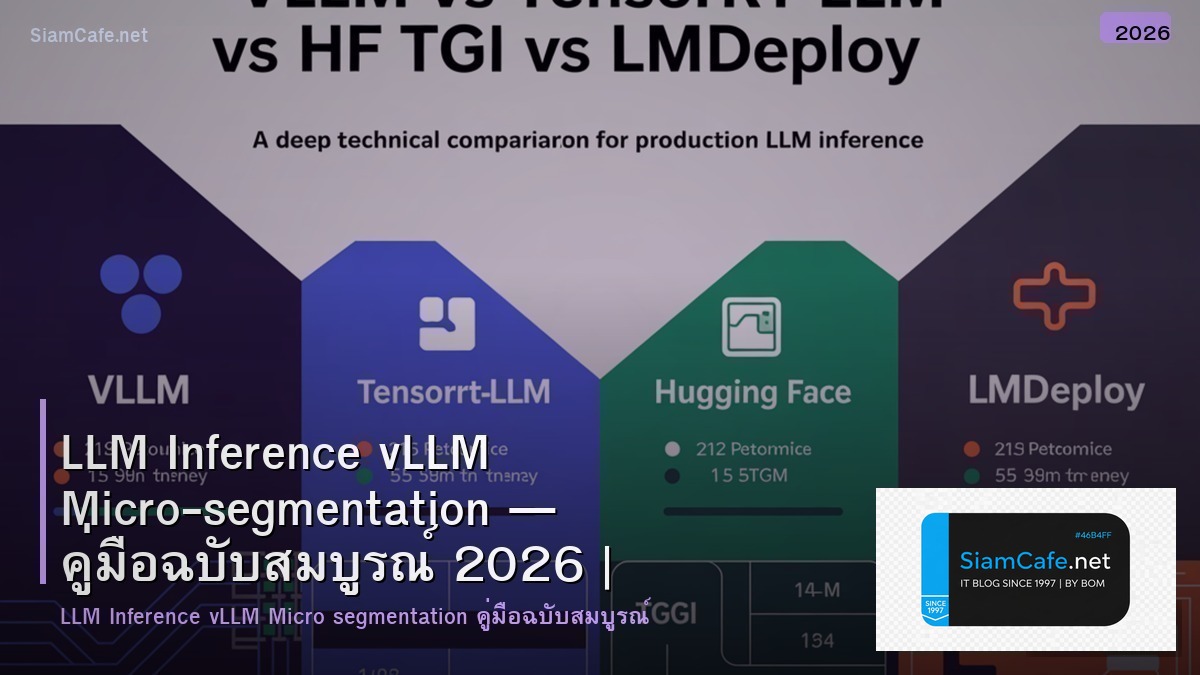
| Engine | Throughput | Memory | API | Features |
|---|---|---|---|---|
| vLLM | สูงมาก | PagedAttention | OpenAI Compatible | Continuous Batch |
| TGI | สูง | Tensor Parallel | Custom + OpenAI | Watermark |
| Ollama | ปานกลาง | Quantized | Custom | ใช้ง่ายมาก |
| llama.cpp | ปานกลาง | GGUF Quantized | Simple HTTP | CPU Support |
vLLM Deployment
=== vLLM Setup ===
Install
pip install vllmRun vLLM Server
python -m vllm.entrypoints.openai.api_server \
--model meta-llama/Llama-3.1-8B-Instruct \
--tensor-parallel-size 1 \
--gpu-memory-utilization 0.9 \
--max-model-len 8192 \
--port 8000
Docker
docker run --gpus all \
-v ~/.cache/huggingface:/root/.cache/huggingface \
-p 8000:8000 \
vllm/vllm-openai:latest \
--model meta-llama/Llama-3.1-8B-Instruct
Kubernetes Deployment
apiVersion: apps/v1
kind: Deployment
metadata:
name: vllm-llama
namespace: ai-inference
spec:
replicas: 2
selector:
matchLabels: { app: vllm-llama }
template:
spec:
containers:
- name: vllm
image: vllm/vllm-openai:latest
args:
- "--model"
- "meta-llama/Llama-3.1-8B-Instruct"
- "--tensor-parallel-size"
- "1"
resources:
limits:
nvidia.com/gpu: 1
ports:
- containerPort: 8000
OpenAI Compatible API Call
import openai
client = openai.OpenAI(base_url="http://vllm:8000/v1", api_key="dummy")
response = client.chat.completions.create(
model="meta-llama/Llama-3.1-8B-Instruct",
messages=[{"role": "user", "content": "Hello"}],
max_tokens=512,
)
from dataclasses import dataclass
@dataclass
class ModelConfig:
model: str
gpu: str
vram_gb: int
throughput_tps: int
latency_ms: int
cost_hr: float
models = [
ModelConfig("Llama-3.1-8B", "A100 80GB", 16, 150, 45, 3.40),
ModelConfig("Llama-3.1-70B", "A100 80GB x2", 140, 40, 120, 6.80),
ModelConfig("Mistral-7B", "A10G 24GB", 14, 180, 35, 1.02),
ModelConfig("Qwen2-72B", "A100 80GB x2", 145, 35, 130, 6.80),
ModelConfig("Phi-3-mini-4k", "T4 16GB", 8, 200, 25, 0.53),
]
Micro-segmentation Policy
=== Kubernetes Network Policy ===
Calico Network Policy — Restrict LLM Pod
apiVersion: projectcalico.org/v3
kind: NetworkPolicy
metadata:
name: vllm-inference-policy
namespace: ai-inference
spec:
selector: app == 'vllm-llama'
types: [Ingress, Egress]
ingress:
- action: Allow
source:

selector: app == 'api-gateway'
destination:
ports: [8000]
egress:
- action: Allow
destination:
selector: app == 'model-cache'
ports: [6379]
- action: Deny
Cilium Network Policy
apiVersion: cilium.io/v2
kind: CiliumNetworkPolicy
metadata:
name: vllm-l7-policy
namespace: ai-inference
spec:
endpointSelector:
matchLabels: { app: vllm-llama }
ingress:
- fromEndpoints:
- matchLabels: { app: api-gateway }
toPorts:
- ports: [{ port: "8000", protocol: TCP }]
rules:
http:
- method: POST
path: "/v1/chat/completions"
- method: GET
path: "/health"
@dataclass
class NetworkRule:
name: str
direction: str
source: str
destination: str
port: int
action: str
rules = [
NetworkRule("API -> vLLM", "Ingress", "api-gateway", "vllm-llama", 8000, "Allow"),
NetworkRule("vLLM -> Cache", "Egress", "vllm-llama", "model-cache", 6379, "Allow"),
NetworkRule("vLLM -> Metrics", "Egress", "vllm-llama", "prometheus", 9090, "Allow"),
NetworkRule("vLLM -> Internet", "Egress", "vllm-llama", "0.0.0.0/0", 443, "Deny"),
NetworkRule("vLLM -> Other Pods", "Egress", "vllm-llama", "*", 0, "Deny"),
NetworkRule("Other -> vLLM", "Ingress", "*", "vllm-llama", 8000, "Deny"),
]
Production Architecture
# === Production LLM + Zero Trust ===

# Architecture:
# Client -> WAF -> API Gateway (auth+rate limit)
# -> vLLM Pod (GPU, Network Policy isolated)
# -> Response -> Client
#
# Monitoring: Prometheus -> Grafana
# Logging: vLLM -> Fluentbit -> Elasticsearch
# Audit: API Gateway logs all requests

# Rate Limiting & Token Budget
# apiVersion: gateway.networking.k8s.io/v1
# kind: HTTPRoute
# metadata:
# name: llm-route
# spec:
# rules:
# - matches:
# - path: { value: "/v1/chat/completions" }
# filters:
# - type: ExtensionRef
# extensionRef:
# name: rate-limit-100rpm
# backendRefs:
# - name: vllm-service
# port: 8000

security_layers = {
 "WAF": "Block SQL Injection, XSS, Bot Detection",
 "API Gateway": "Authentication, Rate Limiting, Token Budget",
 "Network Policy": "Micro-segmentation, Ingress/Egress Control",
 "Pod Security": "Non-root, Read-only FS, No Privilege Escalation",
 "Encryption": "mTLS between services, TLS 1.3 external",
 "Audit Log": "All API calls logged with user, tokens, cost",
 "Model Protection": "Weights encrypted at rest, no egress allowed",
}

print("Zero Trust Security Layers:")
for layer, desc in security_layers.items():
 print(f" [{layer}]: {desc}")

# Cost Monitoring
costs = {
 "GPU (A100 x2)": "$6.80/hr = $4,896/mo",
 "API Gateway": "$50/mo",
 "Monitoring": "$30/mo",
 "Network (egress)": "$100/mo",
 "Total": "~$5,076/mo",
 "Cost per 1M tokens": "~$0.15 (vs OpenAI $3.00)",
 "Savings": "95% vs OpenAI API",
}

print(f"\n\nCost Analysis:")
for item, cost in costs.items():
 print(f" {item}: {cost}")
เคล็ดลับ
- PagedAttention: vLLM ใช้ Memory ดีกว่า ใส่ Model ใหญ่ขึ้นได้
- Deny All: เริ่มจาก Deny All แล้ว Allow เฉพาะที่ต้องการ
- Rate Limit: จำกัด Request ต่อ User ป้องกัน Abuse
- Egress Block: ห้าม LLM Pod เข้าถึง Internet ป้องกัน Data Leak
- Audit: Log ทุก Request สำหรับ Compliance และ Cost Tracking
vLLM คืออะไร
LLM Inference Engine PagedAttention Continuous Batching Throughput 10-24x OpenAI Compatible Llama Mistral Qwen GPU Serving
Micro-segmentation คืออะไร
แบ่ง Network เล็กๆ Policy ควบคุมสื่อสาร Zero Trust K8s Network Policy Calico Cilium East-West ป้องกัน Lateral Movement
ทำไมต้อง Micro-segmentation สำหรับ LLM
GPU ราคาแพง Model Weights มีค่า API Access Control Rate Limit Token Budget แยก Pod ควบคุม Ingress Egress Data Exfiltration
vLLM กับ TGI ต่างกันอย่างไร
vLLM PagedAttention Throughput สูงสุด Continuous Batch OpenAI API TGI Tensor Parallel Streaming Watermark ทั้งสองดี เลือกตามใช้งาน
สรุป
vLLM LLM Inference PagedAttention Continuous Batching Micro-segmentation Zero Trust Calico Cilium Network Policy Kubernetes GPU OpenAI API Rate Limit Token Budget Security