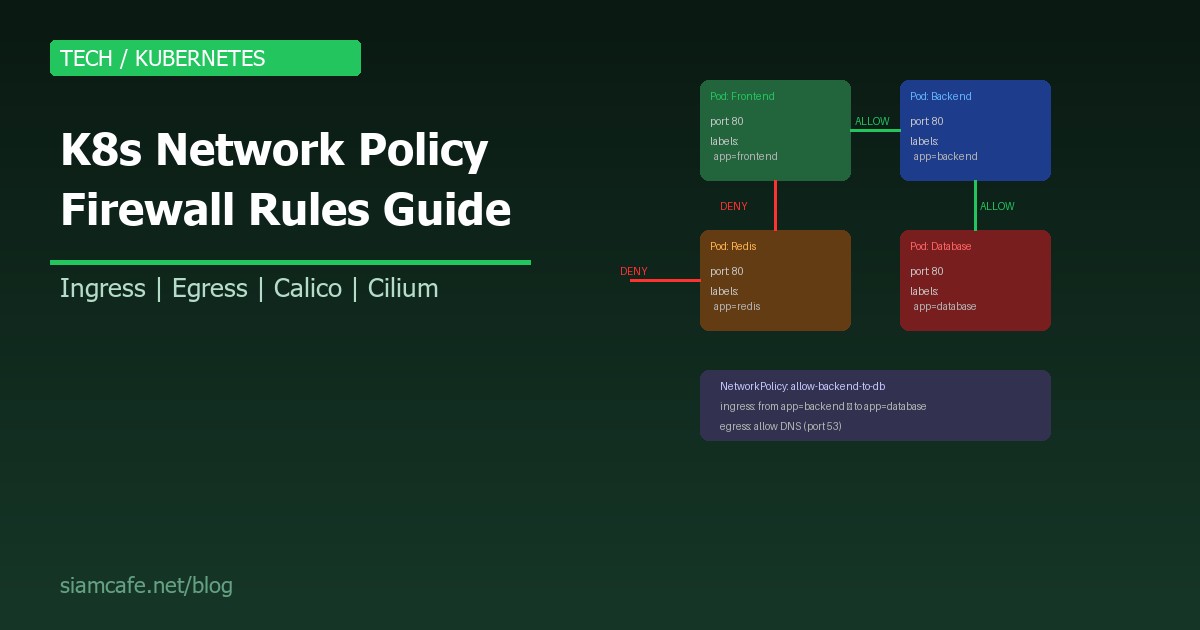
ใน Kubernetes Cluster แบบ Default ทุก Pod สามารถคุยกับทุก Pod ได้ ไม่ว่าจะอยู่ Namespace ไหนก็ตาม นี่คือปัญหาด้าน Security ที่ใหญ่มาก เพราะถ้า Attacker เจาะเข้า Pod เดียวได้ จะสามารถเข้าถึง Database, Internal APIs และ Service อื่น ๆ ทั้งหมดได้ทันที
Network Policy คือ Kubernetes Resource ที่ทำหน้าที่เป็น Firewall Rules ภายใน Cluster ควบคุมว่า Pod ไหนสามารถคุยกับ Pod ไหนได้ ทั้ง Ingress (ขาเข้า) และ Egress (ขาออก)
Network Policy Spec — โครงสร้างที่ต้องรู้
# โครงสร้าง Network Policy
apiVersion: networking.k8s.io/v1
kind: NetworkPolicy
metadata:
  name: policy-name
  namespace: default
spec:
  # 1. podSelector: เลือก Pod ที่จะถูก Apply Policy นี้
  podSelector:
    matchLabels:
      app: backend

  # 2. policyTypes: ประเภท Policy (Ingress, Egress, หรือทั้งคู่)
  policyTypes:
    - Ingress
    - Egress

  # 3. ingress: กฎสำหรับ Traffic ขาเข้า
  ingress:
    - from:
        - podSelector:
            matchLabels:
              app: frontend
      ports:
        - protocol: TCP
          port: 8080

  # 4. egress: กฎสำหรับ Traffic ขาออก
  egress:
    - to:
        - podSelector:
            matchLabels:
              app: database
      ports:
        - protocol: TCP
          port: 5432
Components สำคัญ
| Component | หน้าที่ | ตัวอย่าง |
|---|---|---|
| podSelector | เลือก Pod ที่จะถูก Apply Policy | matchLabels: app: backend |
| policyTypes | ประเภท Policy | [Ingress, Egress] |
| ingress.from | อนุญาต Traffic จากไหน | podSelector, namespaceSelector, ipBlock |
| egress.to | อนุญาต Traffic ไปไหน | podSelector, namespaceSelector, ipBlock |
| ports | Port ที่อนุญาต | port: 8080, protocol: TCP |
Default Deny Policy — ต้องมี!
Default Deny All Ingress
# default-deny-ingress.yaml
# บล็อก Traffic ขาเข้าทั้งหมด (ยกเว้นที่ Allow ไว้)
apiVersion: networking.k8s.io/v1
kind: NetworkPolicy
metadata:
  name: default-deny-ingress
  namespace: production
spec:
  podSelector: {}    # เลือกทุก Pod ใน namespace
  policyTypes:
    - Ingress
  # ไม่มี ingress rules = ปฏิเสธทุก ingress traffic
Default Deny All Egress
# default-deny-egress.yaml
# บล็อก Traffic ขาออกทั้งหมด
apiVersion: networking.k8s.io/v1
kind: NetworkPolicy
metadata:
  name: default-deny-egress
  namespace: production
spec:
  podSelector: {}
  policyTypes:
    - Egress
  # ไม่มี egress rules = ปฏิเสธทุก egress traffic
  # ระวัง: DNS จะใช้ไม่ได้ด้วย!
Default Deny All (Ingress + Egress)
# default-deny-all.yaml
# บล็อกทั้ง Ingress และ Egress ทั้งหมด
apiVersion: networking.k8s.io/v1
kind: NetworkPolicy
metadata:
  name: default-deny-all
  namespace: production
spec:
  podSelector: {}
  policyTypes:
    - Ingress
    - Egress

# Apply:
# kubectl apply -f default-deny-all.yaml
# ทุก Pod ใน namespace production จะไม่สามารถรับหรือส่ง traffic ได้เลย
# ต้องสร้าง Allow Policy เพิ่มสำหรับ traffic ที่ต้องการ
Allow Specific Ingress
Allow Frontend → Backend
# allow-frontend-to-backend.yaml
apiVersion: networking.k8s.io/v1
kind: NetworkPolicy
metadata:
  name: allow-frontend-to-backend
  namespace: production
spec:
  podSelector:
    matchLabels:
      app: backend           # Apply กับ Pod ที่มี label app=backend
  policyTypes:
    - Ingress
  ingress:
    - from:
        - podSelector:
            matchLabels:
              app: frontend   # อนุญาตจาก Pod ที่มี label app=frontend
      ports:
        - protocol: TCP
          port: 8080          # เฉพาะ port 8080

# ผลลัพธ์:
# ✅ frontend → backend:8080   (ALLOW)
# ❌ redis → backend:8080      (DENY)
# ❌ frontend → backend:3000   (DENY - ผิด port)
# ❌ external → backend:8080   (DENY)
Allow Backend → Database
# allow-backend-to-database.yaml
apiVersion: networking.k8s.io/v1
kind: NetworkPolicy
metadata:
  name: allow-backend-to-database
  namespace: production
spec:
  podSelector:
    matchLabels:
      app: database
  policyTypes:
    - Ingress
  ingress:
    - from:
        - podSelector:
            matchLabels:
              app: backend
      ports:
        - protocol: TCP
          port: 5432          # PostgreSQL
        - protocol: TCP
          port: 3306          # MySQL
Allow Specific Egress
Allow DNS (จำเป็นเสมอ!)
# allow-dns-egress.yaml
# ถ้าใช้ Default Deny Egress ต้อง Allow DNS ด้วย!
apiVersion: networking.k8s.io/v1
kind: NetworkPolicy
metadata:
  name: allow-dns-egress
  namespace: production
spec:
  podSelector: {}     # ทุก Pod
  policyTypes:
    - Egress
  egress:
    - to:
        - namespaceSelector: {}      # ทุก Namespace
          podSelector:
            matchLabels:
              k8s-app: kube-dns       # CoreDNS
      ports:
        - protocol: UDP
          port: 53
        - protocol: TCP
          port: 53
Allow Backend → External API
# allow-backend-external-api.yaml
apiVersion: networking.k8s.io/v1
kind: NetworkPolicy
metadata:
  name: allow-backend-external-api
  namespace: production
spec:
  podSelector:
    matchLabels:
      app: backend
  policyTypes:
    - Egress
  egress:
    # Allow DNS
    - to:
        - namespaceSelector: {}
          podSelector:
            matchLabels:
              k8s-app: kube-dns
      ports:
        - protocol: UDP
          port: 53
    # Allow HTTPS ไปยัง External API
    - to:
        - ipBlock:
            cidr: 0.0.0.0/0    # ทุก IP ภายนอก
            except:
              - 10.0.0.0/8     # ยกเว้น Private IP
              - 172.16.0.0/12
              - 192.168.0.0/16
      ports:
        - protocol: TCP
          port: 443            # HTTPS only
Namespace Isolation
# namespace-isolation.yaml
# แยก Namespace ออกจากกัน (Production ↔ Staging ไม่คุยกัน)
apiVersion: networking.k8s.io/v1
kind: NetworkPolicy
metadata:
  name: deny-other-namespaces
  namespace: production
spec:
  podSelector: {}
  policyTypes:
    - Ingress
  ingress:
    - from:
        # อนุญาตเฉพาะ Pod ใน Namespace เดียวกัน
        - podSelector: {}

---
# Allow จาก Namespace ที่กำหนด (เช่น monitoring)
apiVersion: networking.k8s.io/v1
kind: NetworkPolicy
metadata:
  name: allow-monitoring
  namespace: production
spec:
  podSelector: {}
  policyTypes:
    - Ingress
  ingress:
    - from:
        # อนุญาตจาก monitoring namespace
        - namespaceSelector:
            matchLabels:
              name: monitoring
      ports:
        - protocol: TCP
          port: 9090           # Prometheus metrics
Label-based Policies
# ใช้ Labels เพื่อควบคุมการเข้าถึงแบบยืดหยุ่น
apiVersion: networking.k8s.io/v1
kind: NetworkPolicy
metadata:
  name: allow-by-tier
  namespace: production
spec:
  podSelector:
    matchLabels:
      tier: backend           # Apply กับทุก Pod ที่เป็น tier=backend
  policyTypes:
    - Ingress
  ingress:
    - from:
        - podSelector:
            matchLabels:
              tier: frontend  # อนุญาตจากทุก Pod ที่เป็น tier=frontend
        - podSelector:
            matchLabels:
              tier: api-gateway  # และจาก api-gateway
      ports:
        - protocol: TCP
          port: 8080

# Labels ที่แนะนำ:
# tier: frontend / backend / database / cache
# env: production / staging / development
# team: platform / backend / frontend
# app: web / api / worker / scheduler
CIDR-based Policies
# allow-specific-cidr.yaml
# อนุญาตเฉพาะ IP Range ที่กำหนด
apiVersion: networking.k8s.io/v1
kind: NetworkPolicy
metadata:
  name: allow-office-ingress
  namespace: production
spec:
  podSelector:
    matchLabels:
      app: admin-panel
  policyTypes:
    - Ingress
  ingress:
    - from:
        - ipBlock:
            cidr: 203.150.100.0/24    # Office IP range
        - ipBlock:
            cidr: 110.164.200.0/24    # VPN IP range
      ports:
        - protocol: TCP
          port: 443
Network Policy กับ Calico (Advanced)
Calico GlobalNetworkPolicy
# Calico GlobalNetworkPolicy — Apply ทุก Namespace!
apiVersion: projectcalico.org/v3
kind: GlobalNetworkPolicy
metadata:
  name: deny-all-external
spec:
  selector: all()
  types:
    - Ingress
    - Egress
  ingress:
    - action: Allow
      source:
        selector: all()
  egress:
    - action: Allow
      destination:
        selector: all()
    # Allow DNS
    - action: Allow
      protocol: UDP
      destination:
        ports: [53]
    - action: Allow
      protocol: TCP
      destination:
        ports: [53]
  # ผลลัพธ์: Pod คุยกัน ภายใน Cluster ได้
  # แต่ไม่สามารถ connect ออก internet ได้
Calico DNS Policy
# calico-dns-policy.yaml
# ควบคุม DNS queries (Calico Only!)
apiVersion: projectcalico.org/v3
kind: NetworkPolicy
metadata:
  name: allow-specific-dns
  namespace: production
spec:
  selector: app == 'backend'
  egress:
    - action: Allow
      protocol: UDP
      destination:
        selector: k8s-app == 'kube-dns'
        ports: [53]
    - action: Allow
      protocol: TCP
      destination:
        selector: k8s-app == 'kube-dns'
        ports: [53]
  types:
    - Egress
Testing Network Policies — ด้วย netshoot Pod
# สร้าง Test Pod ด้วย netshoot (มี Tools ครบ)
kubectl run netshoot --rm -it --image=nicolaka/netshoot   --labels="app=test" -- bash

# ภายใน netshoot pod:

# 1. ทดสอบ TCP connection
nc -zv backend-service 8080
# Connection to backend-service 8080 port [tcp/*] succeeded!

# 2. ทดสอบ HTTP
curl -v http://backend-service:8080/health
# → ถ้าถูก Block จะ timeout

# 3. ทดสอบ DNS
nslookup backend-service.production.svc.cluster.local

# 4. ทดสอบ External connectivity
curl -v https://api.example.com
# → ถ้า Egress ถูก Block จะ timeout

# 5. ทดสอบจาก Namespace อื่น
kubectl run netshoot -n staging --rm -it   --image=nicolaka/netshoot --labels="app=test" --   curl -v http://backend-service.production:8080
# → ถ้า Namespace isolation ทำงาน จะ timeout

# 6. Traceroute
traceroute backend-service

# 7. ดู Network Policy ที่ Apply อยู่
kubectl get networkpolicies -n production
kubectl describe networkpolicy allow-frontend-to-backend -n production
Common Patterns — Frontend → Backend → DB
# Complete 3-Tier Network Policy Setup
#
# Architecture:
# Internet → Ingress Controller → Frontend → Backend → Database
#
# Rules:
# 1. Default Deny ทุกอย่าง
# 2. Allow Ingress Controller → Frontend (port 3000)
# 3. Allow Frontend → Backend (port 8080)
# 4. Allow Backend → Database (port 5432)
# 5. Allow DNS สำหรับทุก Pod
# 6. Deny everything else

---
# 1. Default Deny All
apiVersion: networking.k8s.io/v1
kind: NetworkPolicy
metadata:
  name: default-deny-all
  namespace: production
spec:
  podSelector: {}
  policyTypes: [Ingress, Egress]

---
# 2. Allow DNS (ทุก Pod)
apiVersion: networking.k8s.io/v1
kind: NetworkPolicy
metadata:
  name: allow-dns
  namespace: production
spec:
  podSelector: {}
  policyTypes: [Egress]
  egress:
    - to:
        - namespaceSelector: {}
          podSelector:
            matchLabels:
              k8s-app: kube-dns
      ports:
        - protocol: UDP
          port: 53
        - protocol: TCP
          port: 53

---
# 3. Allow Ingress → Frontend
apiVersion: networking.k8s.io/v1
kind: NetworkPolicy
metadata:
  name: allow-ingress-to-frontend
  namespace: production
spec:
  podSelector:
    matchLabels:
      app: frontend
  policyTypes: [Ingress]
  ingress:
    - from:
        - namespaceSelector:
            matchLabels:
              name: ingress-nginx
      ports:
        - protocol: TCP
          port: 3000

---
# 4. Allow Frontend → Backend
apiVersion: networking.k8s.io/v1
kind: NetworkPolicy
metadata:
  name: allow-frontend-to-backend
  namespace: production
spec:
  podSelector:
    matchLabels:
      app: backend
  policyTypes: [Ingress]
  ingress:
    - from:
        - podSelector:
            matchLabels:
              app: frontend
      ports:
        - protocol: TCP
          port: 8080

---
# 5. Allow Backend → Frontend (egress)
apiVersion: networking.k8s.io/v1
kind: NetworkPolicy
metadata:
  name: allow-frontend-egress
  namespace: production
spec:
  podSelector:
    matchLabels:
      app: frontend
  policyTypes: [Egress]
  egress:
    - to:
        - podSelector:
            matchLabels:
              app: backend
      ports:
        - protocol: TCP
          port: 8080

---
# 6. Allow Backend → Database
apiVersion: networking.k8s.io/v1
kind: NetworkPolicy
metadata:
  name: allow-backend-to-db
  namespace: production
spec:
  podSelector:
    matchLabels:
      app: database
  policyTypes: [Ingress]
  ingress:
    - from:
        - podSelector:
            matchLabels:
              app: backend
      ports:
        - protocol: TCP
          port: 5432

---
# 7. Allow Backend Egress to DB
apiVersion: networking.k8s.io/v1
kind: NetworkPolicy
metadata:
  name: allow-backend-egress-db
  namespace: production
spec:
  podSelector:
    matchLabels:
      app: backend
  policyTypes: [Egress]
  egress:
    - to:
        - podSelector:
            matchLabels:
              app: database
      ports:
        - protocol: TCP
          port: 5432
Troubleshooting Network Policy
| ปัญหา | สาเหตุที่พบบ่อย | วิธีแก้ |
|---|---|---|
| Pod ไม่สามารถ resolve DNS | Egress deny block DNS | เพิ่ม Allow DNS egress policy (port 53) |
| Policy ไม่มีผล | CNI ไม่รองรับ Network Policy | ใช้ Calico, Cilium, Weave Net (ไม่ใช่ Flannel) |
| Pod timeout เมื่อ connect | Ingress/Egress ถูก deny | ตรวจ labels ว่าตรงกับ selector ไหม |
| Cross-namespace ไม่ได้ | ต้องใช้ namespaceSelector | เพิ่ม namespaceSelector ใน policy |
| ทุกอย่างถูก block | Default deny แต่ไม่มี allow | สร้าง allow policy ก่อน apply deny |
| Policy apply แล้วไม่เห็นผล | Labels ไม่ตรง | kubectl get pods --show-labels |
# Debugging Commands:
# ดู Network Policies
kubectl get networkpolicies -n production -o wide
kubectl describe networkpolicy POLICY_NAME -n production

# ดู Pod Labels
kubectl get pods -n production --show-labels

# ดู Namespace Labels
kubectl get namespaces --show-labels

# ทดสอบ Connection
kubectl run test --rm -it --image=busybox -- wget -qO- --timeout=5 http://SERVICE:PORT

# Calico: ดู Policy ที่ Apply กับ Pod
calicoctl get workloadendpoint -n production
calicoctl get networkpolicy -n production -o yaml
Network Policy Limitations
| ข้อจำกัด | รายละเอียด | ทางเลือก |
|---|---|---|
| L3/L4 เท่านั้น | ควบคุมได้แค่ IP + Port ไม่ได้ดู HTTP Path/Header | ใช้ Cilium L7 Policy หรือ Service Mesh (Istio) |
| ไม่มี Deny Rule | มีแค่ Allow (default deny ผ่าน empty selector) | Calico มี Action: Deny |
| ไม่ Log Traffic | ไม่มี Logging built-in | Calico/Cilium มี Flow Logs |
| CNI Support | ไม่ทุก CNI รองรับ (Flannel ไม่รองรับ) | ใช้ Calico หรือ Cilium |
| No DNS Filtering | ไม่สามารถ filter DNS domain | Cilium มี DNS-aware Policy |
Cilium NetworkPolicy Extensions
# Cilium L7 Policy — ควบคุมระดับ HTTP!
apiVersion: cilium.io/v2
kind: CiliumNetworkPolicy
metadata:
  name: l7-api-policy
  namespace: production
spec:
  endpointSelector:
    matchLabels:
      app: backend
  ingress:
    - fromEndpoints:
        - matchLabels:
            app: frontend
      toPorts:
        - ports:
            - port: "8080"
              protocol: TCP
          rules:
            http:
              - method: "GET"
                path: "/api/v1/.*"    # Allow GET /api/v1/*
              - method: "POST"
                path: "/api/v1/orders" # Allow POST /api/v1/orders
              # ทุก method/path อื่น → DENY!

---
# Cilium DNS-aware Policy
apiVersion: cilium.io/v2
kind: CiliumNetworkPolicy
metadata:
  name: dns-aware-egress
  namespace: production
spec:
  endpointSelector:
    matchLabels:
      app: backend
  egress:
    - toEndpoints:
        - matchLabels:
            k8s:io.kubernetes.pod.namespace: kube-system
            k8s-app: kube-dns
      toPorts:
        - ports:
            - port: "53"
              protocol: ANY
          rules:
            dns:
              - matchPattern: "*.example.com"  # Allow DNS query เฉพาะ *.example.com
    - toFQDNs:
        - matchName: "api.example.com"
      toPorts:
        - ports:
            - port: "443"
              protocol: TCP
สรุป
Network Policy เป็นสิ่งที่ ทุก Production Kubernetes Cluster ต้องมี เริ่มจาก Default Deny ทั้ง Ingress และ Egress แล้วค่อย ๆ เปิด Allow เฉพาะ Traffic ที่จำเป็น อย่าลืม Allow DNS Egress (port 53) เพราะถ้าไม่มี Pod จะ resolve DNS ไม่ได้เลย
สำหรับ Advanced use case ที่ต้องการ L7 Policy (HTTP Path/Method), DNS-aware filtering หรือ Flow Logging ให้ใช้ Calico หรือ Cilium แทน Built-in Network Policy ของ Kubernetes ที่รองรับแค่ L3/L4