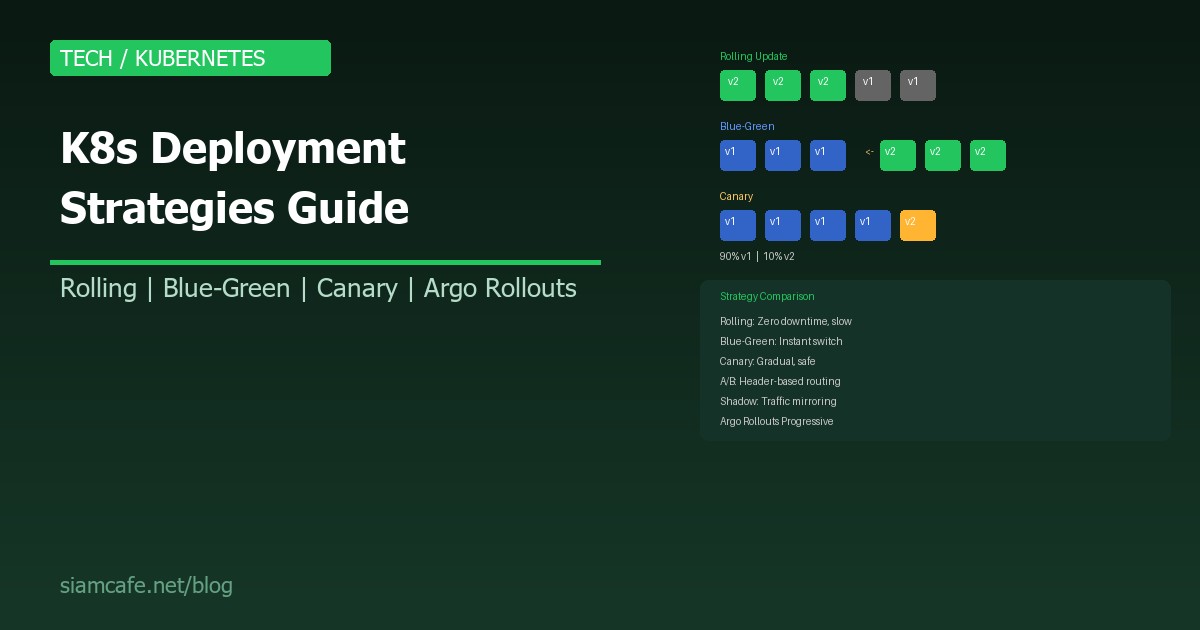
การ Deploy Application บน Kubernetes ไม่ใช่แค่ kubectl apply แล้วจบ การเลือก Deployment Strategy ที่เหมาะสมมีผลต่อ Downtime, Risk, Rollback Speed และ User Experience อย่างมาก
บทความนี้จะอธิบาย Deployment Strategy ทุกแบบที่ใช้ใน K8s จาก Rolling Update ที่เป็น Default ไปจนถึง Canary + Argo Rollouts สำหรับ Progressive Delivery พร้อม YAML ตัวอย่างที่ใช้ได้จริง
1. Rolling Update — Default Strategy
# Rolling Update: เปลี่ยน Pod ทีละตัว (ไม่หยุดทำงาน)
#
# เวลา T0: [v1] [v1] [v1] [v1]     ← ทั้งหมดเป็น v1
# เวลา T1: [v2] [v1] [v1] [v1]     ← เปลี่ยน Pod แรก
# เวลา T2: [v2] [v2] [v1] [v1]     ← เปลี่ยน Pod ที่ 2
# เวลา T3: [v2] [v2] [v2] [v1]     ← เปลี่ยน Pod ที่ 3
# เวลา T4: [v2] [v2] [v2] [v2]     ← ทั้งหมดเป็น v2

apiVersion: apps/v1
kind: Deployment
metadata:
  name: myapp
spec:
  replicas: 4
  strategy:
    type: RollingUpdate
    rollingUpdate:
      maxSurge: 1          # สร้าง Pod ใหม่เพิ่มได้ 1 ตัว
      maxUnavailable: 1    # Pod หยุดทำงานได้ 1 ตัว
  selector:
    matchLabels:
      app: myapp
  template:
    metadata:
      labels:
        app: myapp
    spec:
      containers:
      - name: myapp
        image: myapp:v2     # เปลี่ยน Version
        ports:
        - containerPort: 8080
        readinessProbe:     # สำคัญมาก! ตรวจว่า Pod พร้อมรับ Traffic
          httpGet:
            path: /health
            port: 8080
          initialDelaySeconds: 5
          periodSeconds: 10
        livenessProbe:
          httpGet:
            path: /health
            port: 8080
          initialDelaySeconds: 15
periodSeconds: 20| Parameter | ค่า | ความหมาย |
|---|---|---|
| maxSurge | 1 (หรือ 25%) | จำนวน Pod ใหม่ที่สร้างเกินจาก replicas ได้ |
| maxUnavailable | 1 (หรือ 25%) | จำนวน Pod ที่หยุดทำงานได้ระหว่าง Update |
2. Recreate — หยุดหมดก่อนแล้วสร้างใหม่
# Recreate: ลบ Pod เก่าทั้งหมด → สร้า Pod ใหม่ทั้งหมด
#
# เวลา T0: [v1] [v1] [v1] [v1]     ← ทั้งหมดเป็น v1
# เวลา T1: [ ] [ ] [ ] [ ]          ← ลบหมด (DOWNTIME!)
# เวลา T2: [v2] [v2] [v2] [v2]     ← สร้างใหม่ทั้งหมด

apiVersion: apps/v1
kind: Deployment
metadata:
  name: myapp
spec:
  replicas: 4
  strategy:
    type: Recreate         # ← ง่าย แต่มี Downtime!
  selector:
    matchLabels:
      app: myapp
  template:
    metadata:
      labels:
        app: myapp
    spec:
      containers:
      - name: myapp
        image: myapp:v2

# เหมาะเมื่อ:
# - App ไม่รองรับ 2 versions รันพร้อมกัน
# - Database Migration ที่ไม่ backward-compatible
# - Development/Staging environment
# - App ที่ Downtime ไม่กระทบ (เช่น Internal tools)
3. Blue-Green Deployment
# Blue-Green: สร้าง Environment ใหม่ทั้งหมด แล้วสลับ Traffic
#
# ┌─── Blue (v1) ←── Service ───── Users
# │    [v1] [v1] [v1]
# │
# └─── Green (v2)      (กำลังเตรียม)
#      [v2] [v2] [v2]
#
# เมื่อ Green พร้อม → สลับ Service selector
#
# ┌─── Blue (v1)       (พร้อม Rollback)
# │    [v1] [v1] [v1]
# │
# └─── Green (v2) ←── Service ───── Users
#      [v2] [v2] [v2]

# Deployment Blue (เดิม)
apiVersion: apps/v1
kind: Deployment
metadata:
  name: myapp-blue
spec:
  replicas: 3
  selector:
    matchLabels:
      app: myapp
      version: blue
  template:
    metadata:
      labels:
        app: myapp
        version: blue
    spec:
      containers:
      - name: myapp
        image: myapp:v1

---
# Deployment Green (ใหม่)
apiVersion: apps/v1
kind: Deployment
metadata:
  name: myapp-green
spec:
  replicas: 3
  selector:
    matchLabels:
      app: myapp
      version: green
  template:
    metadata:
      labels:
        app: myapp
        version: green
    spec:
      containers:
      - name: myapp
        image: myapp:v2

---
# Service — สลับด้วย selector
apiVersion: v1
kind: Service
metadata:
  name: myapp-service
spec:
  selector:
    app: myapp
    version: blue      # ← เปลี่ยนเป็น "green" เพื่อ Switch!
  ports:
  - port: 80
    targetPort: 8080
# สลับ Traffic จาก Blue → Green
kubectl patch service myapp-service \
-p '{"spec":{"selector":{"version":"green"}}}'
# Rollback (สลับกลับ Blue)
kubectl patch service myapp-service \
-p '{"spec":{"selector":{"version":"blue"}}}'
# ข้อดี:
# ✅ Instant Switch (ไม่มี Gradual rollout)
# ✅ Rollback ทันที (สลับ Selector กลับ)
# ✅ ทดสอบ Green ได้ก่อน Switch
#
# ข้อเสีย:
# ❌ ใช้ Resource 2 เท่า (ต้องรัน 2 Deployments)
# ❌ Database Migration ต้องระวัง4. Canary Deployment — ค่อย ๆ ปล่อย
วิธีที่ 1: Manual Canary (2 Deployments)
# Canary: ปล่อย Traffic ส่วนน้อยไป Version ใหม่ก่อน
#
# [v1] [v1] [v1] [v1] [v2]    ← 20% Traffic ไป v2
# ดู Metrics → OK? → เพิ่มเป็น 50% → 100%
# ดู Metrics → ไม่ OK? → Rollback ทันที!

# Stable Deployment (v1)
apiVersion: apps/v1
kind: Deployment
metadata:
  name: myapp-stable
spec:
  replicas: 4                # 80% Traffic
  selector:
    matchLabels:
      app: myapp
      track: stable
  template:
    metadata:
      labels:
        app: myapp
        track: stable
    spec:
      containers:
      - name: myapp
        image: myapp:v1

---
# Canary Deployment (v2)
apiVersion: apps/v1
kind: Deployment
metadata:
  name: myapp-canary
spec:
  replicas: 1                # 20% Traffic
  selector:
    matchLabels:
      app: myapp
      track: canary
  template:
    metadata:
      labels:
        app: myapp
        track: canary
    spec:
      containers:
      - name: myapp
        image: myapp:v2

---
# Service — เลือกทั้ง stable + canary
apiVersion: v1
kind: Service
metadata:
  name: myapp-service
spec:
  selector:
    app: myapp            # Match ทั้ง stable และ canary
  ports:
  - port: 80
    targetPort: 8080

# สัดส่วน Traffic = จำนวน Replicas
# Stable 4 + Canary 1 = 20% Canary
# ค่อย ๆ เพิ่ม: Canary 2 (33%) → 3 (43%) → 4 (50%) → ...
วิธีที่ 2: Istio Traffic Splitting
# Istio VirtualService — ควบคุม Traffic แบบ Precise
apiVersion: networking.istio.io/v1beta1
kind: VirtualService
metadata:
  name: myapp-vs
spec:
  hosts:
  - myapp-service
  http:
  - route:
    - destination:
        host: myapp-service
        subset: stable
      weight: 90            # 90% → v1
    - destination:
        host: myapp-service
        subset: canary
      weight: 10            # 10% → v2

---
apiVersion: networking.istio.io/v1beta1
kind: DestinationRule
metadata:
  name: myapp-dr
spec:
  host: myapp-service
  subsets:
  - name: stable
    labels:
      track: stable
  - name: canary
    labels:
      track: canary

# ปรับ Weight:
# 10% → 25% → 50% → 75% → 100%
# ดู Error Rate + Latency ทุก Step!
วิธีที่ 3: Argo Rollouts (แนะนำ!)
# Argo Rollouts — Progressive Delivery อัตโนมัติ!
apiVersion: argoproj.io/v1alpha1
kind: Rollout
metadata:
  name: myapp
spec:
  replicas: 5
  strategy:
    canary:
      steps:
      - setWeight: 10       # Step 1: 10% Traffic
      - pause:
          duration: 5m      # รอ 5 นาที
      - analysis:           # Step 2: ตรวจ Metrics อัตโนมัติ!
          templates:
          - templateName: success-rate
      - setWeight: 30       # Step 3: 30% Traffic
      - pause:
          duration: 5m
      - analysis:
          templates:
          - templateName: success-rate
      - setWeight: 50       # Step 4: 50% Traffic
      - pause:
          duration: 10m
      - setWeight: 100      # Step 5: 100% Traffic
  selector:
    matchLabels:
      app: myapp
  template:
    metadata:
      labels:
        app: myapp
    spec:
      containers:
      - name: myapp
        image: myapp:v2

---
# AnalysisTemplate — ตรวจ Success Rate จาก Prometheus
apiVersion: argoproj.io/v1alpha1
kind: AnalysisTemplate
metadata:
  name: success-rate
spec:
  metrics:
  - name: success-rate
    interval: 1m
    count: 5
    successCondition: result[0] >= 0.95    # ต้อง >= 95% Success
    failureLimit: 3
    provider:
      prometheus:
        address: http://prometheus:9090
        query: |
          sum(rate(http_requests_total{status=~"2..",app="myapp"}[5m]))
          /
          sum(rate(http_requests_total{app="myapp"}[5m]))

# ถ้า Success Rate < 95% → Auto Rollback!
# ถ้า Success Rate >= 95% → ไปขั้นตอนถัดไปอัตโนมัติ!
5. A/B Testing — Header-based Routing
# A/B Testing: แบ่ง Traffic ตาม Header / Cookie
# เหมาะสำหรับทดสอบ Feature กับกลุ่มผู้ใช้เฉพาะ

apiVersion: networking.istio.io/v1beta1
kind: VirtualService
metadata:
  name: myapp-ab
spec:
  hosts:
  - myapp-service
  http:
  # Match: ถ้ามี Header x-beta: true → ไป v2
  - match:
    - headers:
        x-beta:
          exact: "true"
    route:
    - destination:
        host: myapp-service
        subset: canary
  # Default: ไป v1
  - route:
    - destination:
        host: myapp-service
        subset: stable

# ใช้ Cookie:
# - match:
#   - headers:
#       cookie:
#         regex: ".*beta=true.*"
6. Shadow/Dark Deployment — Traffic Mirroring
# Shadow: Copy Traffic ไป v2 แต่ไม่ส่ง Response กลับ User
# → ทดสอบ v2 ด้วย Traffic จริง โดย User ไม่ได้รับผลกระทบ!

apiVersion: networking.istio.io/v1beta1
kind: VirtualService
metadata:
  name: myapp-shadow
spec:
  hosts:
  - myapp-service
  http:
  - route:
    - destination:
        host: myapp-service
        subset: stable
    mirror:
      host: myapp-service
      subset: canary
    mirrorPercentage:
      value: 100.0         # Mirror 100% ของ Traffic

# User ได้ Response จาก v1 เท่านั้น
# v2 รับ Traffic เหมือน v1 แต่ Response ถูกทิ้ง
# ใช้ดู: Error Rate, Latency, Memory/CPU ของ v2
Strategy Comparison
| Strategy | Downtime | Rollback Speed | Resource Cost | Risk | Complexity |
|---|---|---|---|---|---|
| Rolling Update | ไม่มี | ช้า (ต้อง Rolling กลับ) | +25% ชั่วคราว | กลาง | ต่ำ (Default) |
| Recreate | มี (สั้น) | ช้า | ไม่เพิ่ม | สูง | ต่ำมาก |
| Blue-Green | ไม่มี | ทันที! | 2 เท่า | ต่ำ | กลาง |
| Canary (Manual) | ไม่มี | เร็ว | +10-20% | ต่ำมาก | กลาง |
| Canary (Argo) | ไม่มี | อัตโนมัติ! | +10-20% | ต่ำมาก | สูง (ตั้งค่าครั้งแรก) |
| A/B Testing | ไม่มี | ทันที | +10% | ต่ำ | สูง |
| Shadow | ไม่มี | ไม่ต้อง (ไม่กระทบ) | 2 เท่า | ต่ำมาก | สูง |
เลือก Strategy ตาม Application Type
| Application Type | Strategy แนะนำ | เหตุผล |
|---|---|---|
| Stateless Web App | Rolling Update / Canary | ไม่มี State รันหลาย Version ได้ |
| API Service (Public) | Canary + Argo Rollouts | ต้องระวัง Breaking Changes |
| Database Migration | Blue-Green / Recreate | ต้องจัดการ Schema เปลี่ยน |
| Monolith Legacy App | Recreate / Blue-Green | มักไม่รองรับ 2 Versions |
| E-commerce (Critical) | Canary + Analysis | ทุก Bug = เสียเงินจริง |
| Internal Tool | Recreate / Rolling | Downtime สั้น ๆ ได้ |
| ML Model Serving | Shadow → Canary | ทดสอบด้วย Traffic จริงก่อน |
Rollback Procedures
# Rolling Update Rollback
kubectl rollout undo deployment/myapp
kubectl rollout undo deployment/myapp --to-revision=2
kubectl rollout history deployment/myapp

# Blue-Green Rollback (Instant!)
kubectl patch service myapp-service \
  -p '{"spec":{"selector":{"version":"blue"}}}'

# Canary Rollback (Manual)
kubectl scale deployment myapp-canary --replicas=0
# หรือ
kubectl delete deployment myapp-canary

# Argo Rollouts Rollback
kubectl argo rollouts abort myapp
kubectl argo rollouts undo myapp
Monitoring During Deployment
# สิ่งที่ต้อง Monitor ระหว่าง Deploy:
#
# 1. Error Rate
#    → rate(http_requests_total{status=~"5.."}[5m]) / rate(http_requests_total[5m])
#    → ถ้า > 1% → Rollback!
#
# 2. Latency (p99)
#    → histogram_quantile(0.99, rate(http_request_duration_seconds_bucket[5m]))
#    → ถ้าเพิ่มขึ้น > 50% → ระวัง!
#
# 3. CPU/Memory
#    → container_cpu_usage_seconds_total
#    → container_memory_usage_bytes
#    → ถ้าสูงกว่า v1 มาก → ตรวจสอบ
#
# 4. Pod Restarts
#    → kube_pod_container_status_restarts_total
#    → ถ้า > 0 ระหว่าง Deploy → มีปัญหา!
#
# 5. Custom Business Metrics
#    → Checkout Success Rate
#    → API Response Time
#    → User Sign-up Rate
GitOps + Deployment Strategies (ArgoCD)
# ArgoCD + Argo Rollouts = GitOps Progressive Delivery
#
# Workflow:
# 1. Developer push code → CI Build → Push Docker Image
# 2. CI อัปเดต Image Tag ใน Git Repo (Kustomize/Helm)
# 3. ArgoCD ตรวจพบ Git Change → Sync
# 4. Argo Rollouts ทำ Canary Deployment อัตโนมัติ
# 5. AnalysisTemplate ตรวจ Prometheus Metrics
# 6. ผ่าน → Promote, ไม่ผ่าน → Auto Rollback
#
# ข้อดี:
# ✅ ทุกอย่างอยู่ใน Git (Audit Trail)
# ✅ Auto Rollback ถ้า Metrics ไม่ผ่าน
# ✅ ไม่ต้อง kubectl access ตรง
# ✅ Repeatable + Predictable
สรุป
การเลือก Deployment Strategy ที่เหมาะสมขึ้นอยู่กับ Application Type, Risk Tolerance และ Team Maturity เริ่มต้นจาก Rolling Update (Default, เหมาะกับทุกสถานการณ์) แล้วค่อย ๆ พัฒนาไปสู่ Canary เมื่อต้องการลดความเสี่ยง และใช้ Argo Rollouts เมื่อพร้อมสำหรับ Progressive Delivery แบบอัตโนมัติ
สิ่งสำคัญที่สุดไม่ว่าจะใช้ Strategy ไหน: ต้องมี Readiness/Liveness Probes ที่ดี, Monitoring ที่ครอบคลุม (Error Rate, Latency, Custom Metrics) และ Rollback Plan ที่ทดสอบแล้วว่าทำงานได้จริง!