HTMX + Go + Templ คืออะไร? Full-Stack Web Development แบบ Simple แต่ Powerful 2026

ในยุคที่ทุก Web framework ต้องมี Node.js, npm, Webpack/Vite, TypeScript, State management library, SSR/SSG/ISR แต่ละโปรเจกต์ต้อง Setup build toolchain ครึ่งวัน ก่อน Hello World จะออกมา หลายคนเริ่มถามว่า "ต้องซับซ้อนขนาดนี้เลยหรือ?" คำตอบคือ ไม่ต้อง ถ้าคุณรู้จัก HTMX + Go + Templ — Stack ที่ถูกเรียกว่า "The Boring Full-Stack" เพราะมันน่าเบื่อ (ในทางที่ดี) Simple, Predictable และ Fast
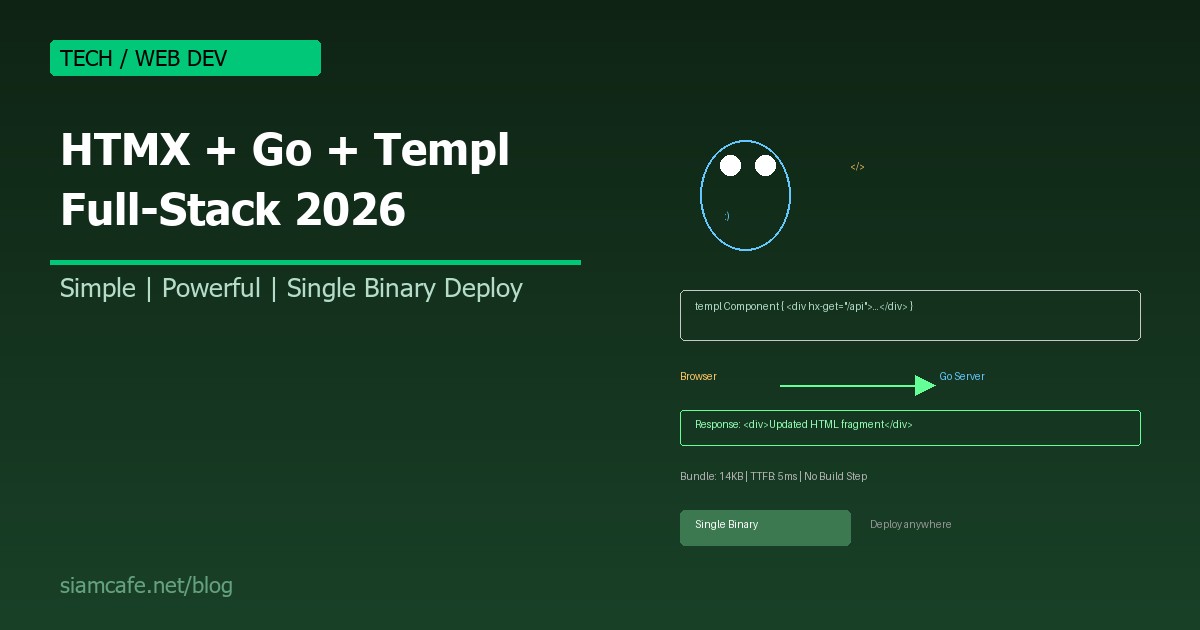
HTMX ให้ Interactivity โดยไม่ต้องเขียน JavaScript, Go ให้ Performance ระดับ C/C++ พร้อม Concurrency ที่ยอดเยี่ยม, Templ ให้ Type-safe HTML templates สำหรับ Go ทั้งหมดนี้ Compile เป็น Single binary ไฟล์เดียว Copy ไปวางบน Server แล้ว Deploy ได้เลย ไม่ต้อง Node.js ไม่ต้อง npm ไม่ต้อง Docker (ก็ได้)
อ่านเพิ่ม: HTMX + Alpine.js คืออะไร? Modern Web Stack ที่ไม่ต้องเขียน J · อ่านเพิ่ม: Next.js API Routes และ Server Actions คืออะไร? Backend ใน Fr · อ่านเพิ่ม: VSCode Extensions 2026 รวม 30 Extensions ที่ Developer ควรติ
ทำไมต้อง Stack นี้? — The "Boring" Full-Stack
| ปัจจัย | React/Next.js Stack | HTMX + Go + Templ Stack |
|---|---|---|
| Language (Frontend) | JavaScript/TypeScript | HTML + HTMX attributes |
| Language (Backend) | Node.js/TypeScript | Go |
| Build tool | Webpack/Vite/Turbopack | go build (ไม่มี Frontend build) |
| Bundle size (JS) | 200-500+ KB | ~14 KB (HTMX CDN) |
| Node.js required? | ใช่ (Frontend + Backend) | ไม่ |
| npm packages | 500-2,000+ packages | 0 npm packages |
| Deploy artifact | Node.js app + static files | Single binary file |
| Memory usage (server) | 100-500 MB | 10-30 MB |
| Startup time | 2-10 seconds | < 100 ms |
| Type safety (templates) | JSX/TSX (full) | Templ (full, compile-time) |
| Learning curve | สูง (React + hooks + state + SSR) | ต่ำ (HTML + Go + HTMX attrs) |
HTMX คืออะไร?
HTMX เป็น JavaScript library ขนาดเล็ก (~14 KB gzipped) ที่ให้คุณเพิ่ม Interactivity ให้กับ HTML ได้โดยใช้ HTML attributes แทนการเขียน JavaScript แนวคิดหลัก: แทนที่ Server จะส่ง JSON กลับมาแล้ว Frontend ต้อง Render HTML เอง (SPA model) ให้ Server ส่ง HTML fragment กลับมาแล้ว HTMX จะ "แทรก" HTML นั้นเข้าไปในหน้าเว็บ
<!-- แบบ Traditional: JavaScript fetch + DOM manipulation -->
<button onclick="fetchData()">Load</button>
<div id="result"></div>
<script>
async function fetchData() {
  const res = await fetch('/api/data');
  const json = await res.json();
  document.getElementById('result').innerHTML = `<p>${json.name}</p>`;
}
</script>

<!-- แบบ HTMX: ไม่ต้องเขียน JavaScript เลย -->
<button hx-get="/api/data" hx-target="#result">Load</button>
<div id="result"></div>
<!-- Server ส่ง HTML กลับมา: <p>John Doe</p> -->
<!-- HTMX เอาไปใส่ใน #result อัตโนมัติ -->
HTMX Attributes ที่ใช้บ่อย
| Attribute | หน้าที่ | ตัวอย่าง |
|---|---|---|
hx-get | GET request เมื่อ Trigger | hx-get="/api/users" |
hx-post | POST request | hx-post="/api/users" |
hx-put | PUT request | hx-put="/api/users/1" |
hx-delete | DELETE request | hx-delete="/api/users/1" |
hx-target | Element ที่จะแทรก Response | hx-target="#result" |
hx-swap | วิธีแทรก HTML | hx-swap="innerHTML" / "outerHTML" / "beforeend" |
hx-trigger | Event ที่ Trigger Request | hx-trigger="click" / "keyup changed delay:500ms" |
hx-indicator | Loading indicator | hx-indicator="#spinner" |
hx-confirm | Confirm dialog ก่อน Request | hx-confirm="Delete this item?" |
hx-vals | ส่งค่าเพิ่มเติม | hx-vals='{"page": 2}' |
Go + Chi/Echo Router
Go เป็นภาษาที่เหมาะกับ Web server มาก: Performance สูง, Memory ต่ำ, Concurrency ยอดเยี่ยม (Goroutines), Compile เป็น Single binary, Standard library มี HTTP server ในตัว
// main.go — Go web server พื้นฐาน
package main

import (
    "fmt"
    "net/http"
    "log"
)

func main() {
    // Go standard library — ไม่ต้อง Framework ก็ได้!
    http.HandleFunc("/", func(w http.ResponseWriter, r *http.Request) {
        fmt.Fprintf(w, "<h1>Hello from Go!</h1>")
    })

    http.HandleFunc("/api/greeting", func(w http.ResponseWriter, r *http.Request) {
        name := r.URL.Query().Get("name")
        if name == "" {
            name = "World"
        }
        // ส่ง HTML fragment กลับ (ไม่ใช่ JSON!)
        fmt.Fprintf(w, "<p>Hello, %s! 🎉</p>", name)
    })

    log.Println("Server starting on :8080")
    log.Fatal(http.ListenAndServe(":8080", nil))
}
สำหรับโปรเจกต์ที่ซับซ้อนขึ้น แนะนำใช้ Router เช่น Chi หรือ Echo:
// main.go — ใช้ Chi router
package main

import (
    "net/http"
    "github.com/go-chi/chi/v5"
    "github.com/go-chi/chi/v5/middleware"
)

func main() {
    r := chi.NewRouter()
    r.Use(middleware.Logger)
    r.Use(middleware.Recoverer)

    r.Get("/", handleIndex)
    r.Get("/api/todos", handleListTodos)
    r.Post("/api/todos", handleCreateTodo)
    r.Put("/api/todos/{id}", handleUpdateTodo)
    r.Delete("/api/todos/{id}", handleDeleteTodo)

    http.ListenAndServe(":8080", r)
}
Templ — Type-Safe HTML Templates สำหรับ Go
Templ เป็น Template engine สำหรับ Go ที่ Generate Go code จาก Template files ข้อดีเหนือ html/template ของ Go standard library:
- Type safety: Props ถูก Check ตอน Compile time ส่ง String ไปให้ Int = Compile error
- Auto-escape: ป้องกัน XSS อัตโนมัติ
- Components: สร้าง Reusable components เหมือน React components
- IDE support: VSCode extension มี Syntax highlighting + Autocomplete
// components/todo.templ
package components

type Todo struct {
    ID        int
    Title     string
    Completed bool
}

// TodoItem component — เหมือน React component
templ TodoItem(todo Todo) {
    <div class="todo-item" id={{ fmt.Sprintf("todo-%d", todo.ID) }}>
        <input type="checkbox"
            if todo.Completed {
                checked
            }
            hx-put={{ fmt.Sprintf("/api/todos/%d", todo.ID) }}
            hx-target={{ fmt.Sprintf("#todo-%d", todo.ID) }}
            hx-swap="outerHTML"
        />
        <span class={{ templ.KV("completed", todo.Completed) }}>
            {{ todo.Title }}
        </span>
        <button
            hx-delete={{ fmt.Sprintf("/api/todos/%d", todo.ID) }}
            hx-target={{ fmt.Sprintf("#todo-%d", todo.ID) }}
            hx-swap="outerHTML"
            hx-confirm="Delete this todo?"
        >X</button>
    </div>
}

// TodoList component
templ TodoList(todos []Todo) {
    <div id="todo-list">
        for _, todo := range todos {
            @TodoItem(todo)
        }
    </div>
}

// AddTodoForm component
templ AddTodoForm() {
    <form hx-post="/api/todos"
          hx-target="#todo-list"
          hx-swap="beforeend"
          hx-on::after-request="this.reset()">
        <input type="text" name="title" placeholder="New todo..." required />
        <button type="submit">Add</button>
    </form>
}
Building CRUD App — Todo List
มาสร้าง Todo app เต็มรูปแบบ:
Form Handling และ Dynamic UI Updates

HTMX ทำให้ Form handling ง่ายมาก ไม่ต้อง useState ไม่ต้อง onChange ไม่ต้อง onSubmit ไม่ต้อง preventDefault:
<!-- Search with Live Results (Debounced) -->
<input type="search"
    name="q"
    placeholder="Search todos..."
    hx-get="/api/todos/search"
    hx-trigger="keyup changed delay:300ms"
    hx-target="#search-results"
/>
<div id="search-results"></div>

<!-- Infinite Scroll -->
<div id="todo-list">
    <!-- existing todos -->
</div>
<div hx-get="/api/todos?page=2"
     hx-trigger="revealed"
     hx-swap="afterend">
    Loading more...
</div>

<!-- Inline Edit -->
<span hx-get="/api/todos/1/edit"
      hx-trigger="dblclick"
      hx-swap="outerHTML">
    Todo title (double-click to edit)
</span>
Authentication
Authentication ใน HTMX + Go stack ใช้ Session-based (cookie) เหมือน Web แบบดั้งเดิม ไม่ต้อง JWT ไม่ต้อง localStorage:
Database — SQLite/PostgreSQL
Go มี Database drivers ครบทุก DB ที่ต้องการ:
Deployment — Single Binary + Docker
# Build single binary
# 1. Generate Templ code
templ generate

# 2. Build Go binary
CGO_ENABLED=0 GOOS=linux GOARCH=amd64 go build -o myapp .

# 3. Copy ไปวาง Server (ถ้าใช้ SQLite)
scp myapp user@server:/opt/myapp/
ssh user@server "/opt/myapp/myapp"

# Dockerfile (ถ้าต้องการ Docker)
FROM golang:1.22-alpine AS builder
WORKDIR /app
COPY go.mod go.sum ./
RUN go mod download
COPY . .
RUN go install github.com/a-h/templ/cmd/templ@latest
RUN templ generate
RUN CGO_ENABLED=0 go build -o /myapp .

FROM alpine:latest
COPY --from=builder /myapp /myapp
EXPOSE 8080
CMD ["/myapp"]

# Build: docker build -t myapp .
# Run: docker run -p 8080:8080 myapp
# Image size: ~15 MB (Alpine + Go binary)
Performance Benchmarks
| Metric | HTMX + Go | Next.js (React SSR) | Laravel (PHP) |
|---|---|---|---|
| Requests/sec (simple page) | 50,000+ | 2,000-5,000 | 500-2,000 |
| Memory usage | 10-30 MB | 100-300 MB | 50-150 MB |
| Startup time | < 100 ms | 2-10 sec | 200-500 ms |
| JS sent to client | 14 KB (HTMX) | 200-500 KB | 0-50 KB |
| Time to Interactive | < 100 ms | 1-3 sec (Hydration) | < 500 ms |
| Build time | 1-3 sec (go build) | 10-60 sec | 0 (interpreted) |
| Docker image size | 15-20 MB | 200-500 MB | 100-300 MB |
เมื่อไหร่ที่ Stack นี้ดีกว่า React/Next.js?
เหมาะมาก:
- CRUD applications (Admin panels, Dashboards, Internal tools)
- Content websites (Blogs, Documentation, Landing pages)
- Small-medium SaaS products
- Projects ที่ต้องการ Performance สูง + Resource ต่ำ
- Teams ที่คุ้นเคยกับ Server-side rendering
- Solo developers / Small teams
ไม่เหมาะ:
- Real-time collaborative editing (Google Docs-like)
- Complex client-side state management (Spreadsheet, Drawing tools)
- Offline-first PWA
- Mobile app (React Native ดีกว่า)
- Complex animations/interactions (Canvas, WebGL)
Limitations และ Trade-offs
1. Complex client-side state: HTMX ไม่เหมาะกับ UI ที่ต้อง Track state ซับซ้อนบน Client เช่น Drag-and-drop, Multi-step wizard ที่ต้องจำสถานะทุก Step, Real-time validation หลายฟิลด์ที่ขึ้นต่อกัน แก้ได้โดยเพิ่ม Alpine.js (lightweight JavaScript framework) ควบคู่กับ HTMX
2. ไม่มี ecosystem ใหญ่เท่า React: React มี Component library (Material UI, Ant Design, Chakra UI) ให้เลือกเป็นพัน HTMX + Templ ยังไม่มี ต้องเขียน UI เอง หรือใช้ CSS framework (Tailwind, Bootstrap)
3. SEO: HTMX ส่ง Full HTML จาก Server อยู่แล้ว ดังนั้น SEO ดีกว่า SPA by default ไม่ต้อง SSR/SSG เพิ่ม
4. Learning curve: ถ้าคุ้นเคย React อยู่แล้ว อาจรู้สึก "ถอยหลัง" แต่ถ้าเพิ่งเริ่ม Web dev หรือคุ้นเคย Server-side (PHP, Django, Rails) stack นี้จะเรียนรู้ง่ายกว่ามาก
สรุป
HTMX + Go + Templ เป็น Stack ที่เหมาะสำหรับ Developer ที่ต้องการ: Simplicity — ไม่ต้อง Build toolchain ซับซ้อน ไม่ต้อง npm, Performance — Go ให้ Performance สูงด้วย Memory ต่ำ, Type safety — Templ ให้ Compile-time type checking, Easy deployment — Single binary ไฟล์เดียว Copy ไปวาง, Productivity — เขียน Code น้อย ได้ผลลัพธ์เยอะ
ไม่ได้หมายความว่า React/Vue/Angular ไม่ดี แต่หลายโปรเจกต์ "ไม่ต้องการ" ความซับซ้อนระดับนั้น ถ้าคุณกำลังสร้าง Admin dashboard, Internal tool, Blog, Landing page, หรือ SaaS MVP ลอง HTMX + Go + Templ ก่อน คุณอาจแปลกใจว่ามันเพียงพอสำหรับ 80% ของ Web applications ที่มีอยู่