Feature Flags คืออะไร? สอน Progressive Delivery และ Feature Toggle สำหรับ DevOps 2026
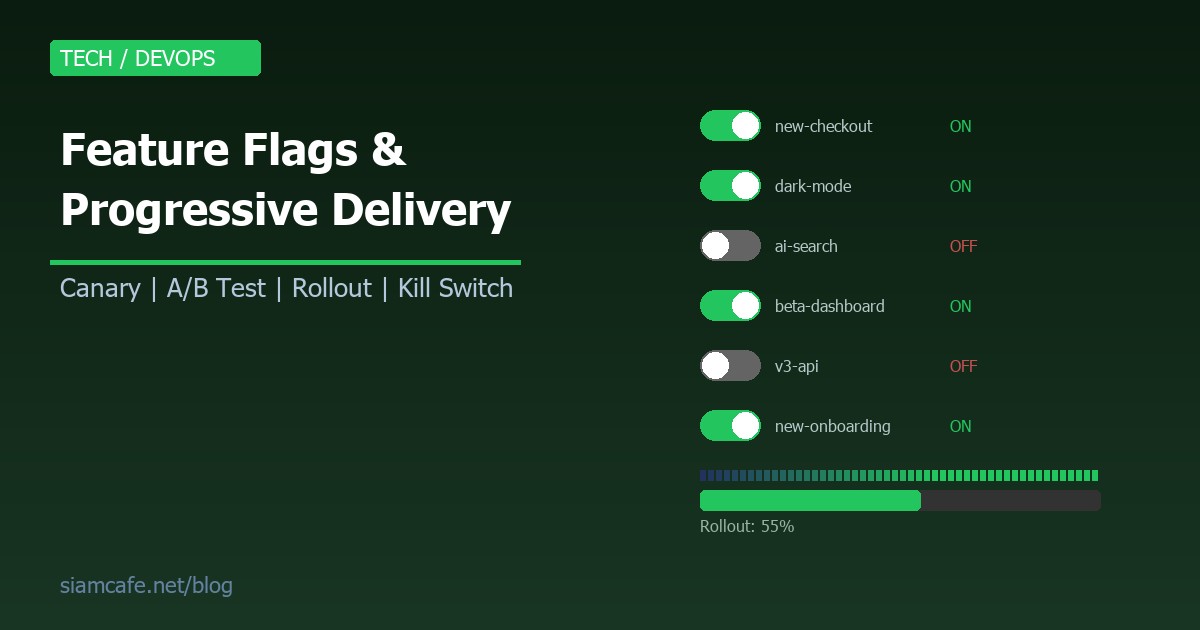

Feature Flags (หรือ Feature Toggles) เป็นเทคนิคที่ทรงพลังที่สุดอย่างหนึ่งใน Modern Software Delivery ช่วยให้คุณ Deploy code ขึ้น Production ได้ทุกวัน โดยไม่ต้องเปิดฟีเจอร์ให้ User ทุกคนเห็นทันที ทำให้สามารถ Release อย่างปลอดภัย ทดสอบกับ User จริง และ Rollback ได้ทันทีโดยไม่ต้อง Redeploy
บทความนี้จะสอน Feature Flags ครบทุกเรื่อง ตั้งแต่แนวคิดพื้นฐาน, Progressive Delivery, A/B Testing, Platform ยอดนิยม ไปจนถึง Best Practices สำหรับทีม DevOps
อ่านเพิ่ม: Error Handling คืออะไร? Resilience Patterns สำหรับ Backend ท · อ่านเพิ่ม: SRE คืออะไร? Site Reliability Engineering แนวคิดจาก Google ส · อ่านเพิ่ม: Zero-Downtime Deployment คืออะไร? กลยุทธ์ Deploy แบบไม่มี Do
Feature Flags คืออะไร?

Feature Flags (Feature Toggles) คือเทคนิคที่ใช้ Configuration เพื่อควบคุมว่า Feature ใดจะเปิดหรือปิดใน Runtime โดยไม่ต้องแก้ Code หรือ Deploy ใหม่ เปรียบเหมือน "สวิตช์" ที่เปิด-ปิดฟีเจอร์ได้ทันที
// ตัวอย่างพื้นฐาน

if (featureFlags.isEnabled('new-checkout')) {

  showNewCheckout()

} else {

  showOldCheckout()

}
ประเภทของ Feature Flags
| ประเภท | วัตถุประสงค์ | อายุ | ตัวอย่าง |
|---|---|---|---|
| Release Flag | ซ่อนฟีเจอร์ที่ยังไม่เสร็จ | สั้น (days-weeks) | new-dashboard, v2-api |
| Experiment Flag | A/B Testing | ปานกลาง (weeks) | checkout-variant-b, pricing-test |
| Ops Flag | ควบคุม operational behavior | ยาว (permanent) | enable-cache, rate-limit-mode |
| Permission Flag | จำกัดสิทธิ์การเข้าถึง | ยาว (permanent) | beta-access, premium-feature |
Progressive Delivery คืออะไร?
Progressive Delivery คือแนวทางการ Release ซอฟต์แวร์แบบค่อยๆ เปิดให้ User เข้าถึง แทนที่จะ Release ทีเดียวให้ทุกคน (Big Bang Release) ประกอบด้วยเทคนิค:
- Canary Release — ปล่อยให้ User กลุ่มเล็กก่อน (เช่น 1%) แล้วค่อยขยาย
- Percentage Rollout — ค่อยๆ เพิ่มเปอร์เซ็นต์ (1% → 10% → 50% → 100%)
- Ring Deployment — Release ทีละกลุ่ม (Internal → Beta → GA)
- A/B Testing — ทดสอบ 2 versions กับ User จริง วัดผลลัพธ์
User Targeting
// Target by attribute

const flag = {

  name: 'beta-feature',

  rules: [

    // เปิดให้ทุก internal users

    { attribute: 'email', operator: 'endsWith', value: '@company.com', enabled: true },

    // เปิดให้ users ในประเทศไทย

    { attribute: 'country', operator: 'equals', value: 'TH', enabled: true },

    // เปิดให้ premium users

    { attribute: 'plan', operator: 'in', value: ['pro', 'enterprise'], enabled: true },

    // เปิดให้ specific users

    { attribute: 'userId', operator: 'in', value: ['user-123', 'user-456'], enabled: true }

  ],

  defaultValue: false  // ปิดสำหรับ users ที่ไม่ตรง rules

}
Feature Flag Platforms เปรียบเทียบ
| Platform | ประเภท | ราคา | จุดเด่น |
|---|---|---|---|
| LaunchDarkly | SaaS | เริ่ม $10/mo | Enterprise-grade, SDK ครบ, Experimentation |
| Unleash | Open Source / SaaS | Free (OSS) | Self-hosted, Open Source, ยืดหยุ่น |
| Flagsmith | Open Source / SaaS | Free (OSS) | Remote Config + Flags, Edge support |
| ConfigCat | SaaS | Free tier | Simple, ราคาถูก, Config management |
| PostHog | Open Source / SaaS | Free tier | Feature Flags + Analytics + Session Replay |
| Statsig | SaaS | Free tier | Experimentation platform + Auto metrics |

Flag Lifecycle Management
Feature Flags มี Lifecycle ที่ต้องจัดการ ไม่เช่นนั้นจะกลายเป็น Technical Debt:
- Creation — สร้าง Flag พร้อม description, owner, expiry date
- Development — ใช้ Flag wrap ฟีเจอร์ใหม่ในระหว่าง development
- Testing — ทดสอบทั้ง flag on/off
- Rollout — ค่อยๆ เปิด (Canary → Percentage → Full)
- Full Release — เปิด 100%
- Cleanup — ลบ Flag code ออก (สำคัญมาก!)
// ตัวอย่าง Flag metadata

{

  "new-checkout": {

    "enabled": true,

    "percentage": 100,

    "owner": "team-checkout",

    "created": "2026-03-01",

    "expires": "2026-05-01",

    "description": "New checkout flow with Apple Pay",

    "jira": "PROJ-1234",

    "status": "full-rollout",    // ready-for-cleanup

    "stale_after_days": 30

  }

}Trunk-based Development + Feature Flags
Feature Flags ช่วยให้ทีมใช้ Trunk-based Development ได้อย่างมั่นใจ:
- ทุกคน commit เข้า
main(trunk) ทุกวัน - ฟีเจอร์ที่ยังไม่เสร็จซ่อนด้วย Feature Flag
- ไม่ต้องใช้ Long-lived Feature Branches
- Deploy
mainไป production ทุกวัน (Continuous Deployment) - เปิด/ปิดฟีเจอร์ผ่าน Flag โดยไม่ต้อง deploy ใหม่
Workflow
1. Developer สร้าง flag "new-search"
2. เขียน code wrap ด้วย flag
3. Commit เข้า main → Deploy to production (flag ปิด)
4. ทดสอบใน production กับ internal users (flag เปิดเฉพาะ internal)
5. Canary release 5% → 25% → 50% → 100%
6. ลบ flag code → commit → deploy
ข้อดี:
- ไม่มี merge conflicts จาก long-lived branches
- ทุก commit ผ่าน CI/CD ทันที
- ฟีเจอร์ถูก test กับ production traffic จริง
Testing กับ Feature Flags
// ทดสอบทั้ง flag on และ off

describe('Checkout', () => {

  it('shows new checkout when flag is ON', () => {

    // Mock flag service

    jest.spyOn(flagService, 'isEnabled')

      .mockReturnValue(true)


    render(<CheckoutPage />)

    expect(screen.getByTestId('new-checkout')).toBeInTheDocument()

  })


  it('shows old checkout when flag is OFF', () => {

    jest.spyOn(flagService, 'isEnabled')

      .mockReturnValue(false)


    render(<CheckoutPage />)

    expect(screen.getByTestId('old-checkout')).toBeInTheDocument()

  })

})


// Integration test matrix

// ทดสอบ combinations ของ flags ที่อาจกระทบกัน

const flagCombinations = [

  { 'new-checkout': true, 'promo-bar': true },

  { 'new-checkout': true, 'promo-bar': false },

  { 'new-checkout': false, 'promo-bar': true },

  { 'new-checkout': false, 'promo-bar': false },

]
Best Practices
| Do | Don't |
|---|---|
| ตั้ง expiry date ให้ทุก flag | ปล่อย flag ค้างไว้ไม่มีกำหนด |
| ใช้ naming convention ชัดเจน | ตั้งชื่อ flag แบบ "flag1", "test123" |
| ทดสอบทั้ง on/off paths | ทดสอบแค่ happy path |
| มี kill switch สำหรับ critical features | ไม่มีทางปิด feature ได้ทันที |
| Cleanup flags ที่ rollout 100% แล้ว | สะสม stale flags เป็นร้อยๆ |
| ใช้ centralized flag service | กระจาย flag config ไปทั่ว codebase |
| Log flag evaluations สำหรับ debugging | ไม่มี visibility ว่า flag ไหนเปิดอยู่ |
| ใช้ server-side evaluation สำหรับ sensitive flags | ส่ง flag logic ไปฝั่ง client ทั้งหมด |
Anti-patterns ที่ต้องระวัง
- Flag Explosion — มี flags มากเกินไป (>100) โดยไม่ cleanup ทำให้ codebase ซับซ้อน
- Nested Flags — Flag ที่ depend กับ flag อื่น (if flag A && flag B && flag C) ยากต่อการ test
- Permanent Release Flags — ใช้ Release Flag แบบ permanent แทนที่จะ cleanup
- Flag-based Architecture — ออกแบบ architecture ทั้งหมดรอบ flags แทนที่จะใช้ proper abstraction
- Missing Default — ไม่มี default value เมื่อ flag service ล่ม
Flag-driven Development Workflow
Step-by-step workflow สำหรับทีม
1. Product: สร้าง feature flag ใน dashboard
- ตั้งชื่อ, description, owner, expiry
2. Dev: เขียน code wrap ด้วย flag
- commit เข้า main ทุกวัน
3. QA: ทดสอบ flag on/off ใน staging
- ทดสอบ edge cases, combinations
4. Release Manager: เปิด flag ให้ internal users
- Dogfooding ภายใน 1-2 วัน
5. Gradual Rollout: 5% → 25% → 50% → 100%
- Monitor metrics ทุก stage
6. Cleanup: ลบ flag code + config
- PR review + merge ภายใน 2 สัปดาห์
สรุป
Feature Flags เป็นเครื่องมือสำคัญสำหรับ Modern Software Delivery ช่วยให้ทีม Deploy ได้บ่อยขึ้น Release อย่างปลอดภัย และ Rollback ได้ทันทีเมื่อเกิดปัญหา เมื่อรวมกับ Progressive Delivery ทำให้สามารถ Release ฟีเจอร์ใหม่ให้ User กลุ่มเล็กก่อน ทดสอบกับ Traffic จริง แล้วค่อยขยายไปทั้งระบบ
เริ่มต้นง่ายๆ: เลือก Platform ที่เหมาะกับทีม (Unleash สำหรับ self-hosted, LaunchDarkly สำหรับ enterprise, PostHog สำหรับ flags + analytics) สร้าง flag แรก wrap ฟีเจอร์ใหม่ แล้วลอง rollout ทีละ 10% — คุณจะเข้าใจทันทีว่าทำไม Feature Flags ถึงเปลี่ยนวิธีที่เรา deliver software