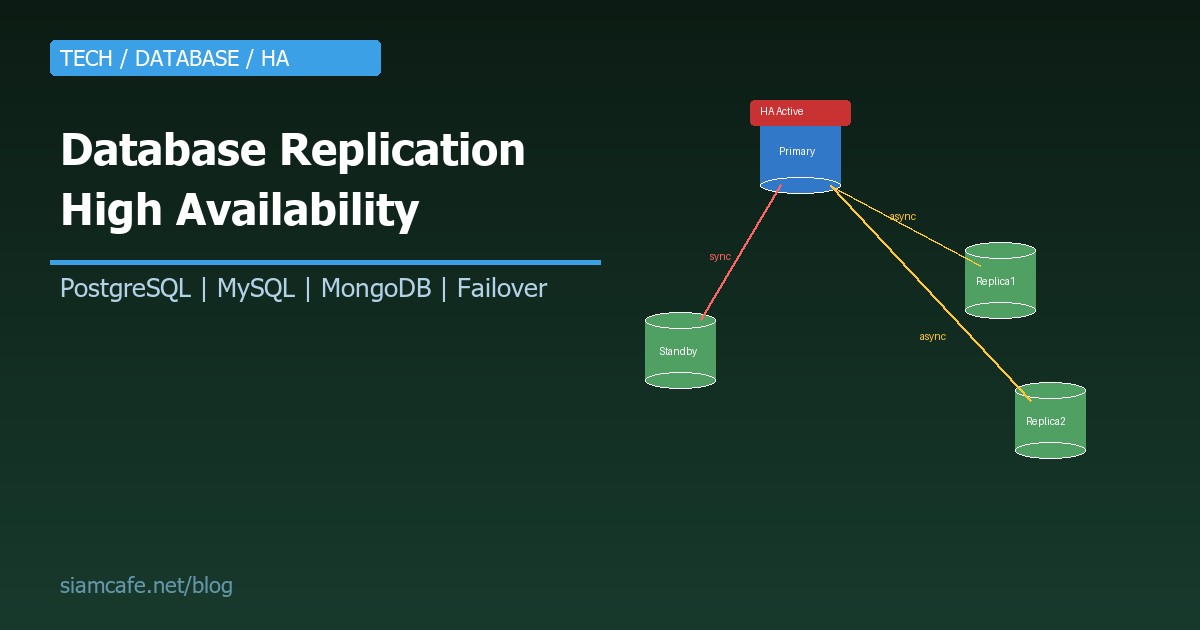
Database คือหัวใจของทุก Application ถ้า Database ล่ม ทุกอย่างล่มหมด ไม่ว่าจะมี Web Server กี่ตัว Load Balancer กี่ชั้น ถ้า Database เหลือเครื่องเดียวแล้วเครื่องนั้นพัง ระบบทั้งหมดจะใช้งานไม่ได้ นี่คือเหตุผลที่ Database High Availability (HA) เป็นสิ่งจำเป็นสำหรับทุกระบบที่ต้องทำงาน 24/7
Replication คือกระบวนการ Copy ข้อมูลจาก Database server ตัวหนึ่ง (Primary/Master) ไปยัง Server ตัวอื่น (Replica/Standby) เพื่อ: สำรองข้อมูล, กระจายโหลดการอ่าน, และ Failover อัตโนมัติเมื่อ Primary ล่ม
Replication Types — ประเภทของ Replication
| ประเภท | วิธีการ | ข้อดี | ข้อเสีย | เหมาะกับ |
|---|---|---|---|---|
| Synchronous | Primary รอจน Replica ยืนยันว่าได้รับข้อมูลแล้ว จึง Commit | ข้อมูลไม่มีทาง Lost (Zero data loss) | ช้ากว่า เพราะต้องรอ Replica | ระบบที่ยอมเสียข้อมูลไม่ได้ (Banking, Healthcare) |
| Asynchronous | Primary Commit ก่อน แล้วค่อยส่งข้อมูลไป Replica | เร็วกว่า ไม่ต้องรอ | อาจ Lost ข้อมูลบางส่วนถ้า Primary ล่ม (Replication lag) | ระบบทั่วไป ที่ยอม Lost ข้อมูล 1-2 วินาทีได้ |
| Semi-synchronous | Primary รอจน Replica อย่างน้อย 1 ตัว ยืนยัน | สมดุลระหว่าง Speed + Safety | ช้ากว่า Async เล็กน้อย | ระบบที่ต้องการ Balance ระหว่าง Performance + Durability |
PostgreSQL Streaming Replication
Primary-Standby Setup
PostgreSQL ใช้ WAL (Write-Ahead Log) Streaming เป็นพื้นฐานของ Replication Primary เขียน WAL แล้ว Stream ไปให้ Standby แบบ Realtime:
# === PRIMARY SERVER ===
# postgresql.conf
wal_level = replica
max_wal_senders = 10
wal_keep_size = 1GB
synchronous_standby_names = ''   # '' = async, '*' = sync ทุกตัว

# สร้าง Replication user
CREATE USER replicator WITH REPLICATION ENCRYPTED PASSWORD 'SecurePass123!';

# pg_hba.conf — Allow replication
# TYPE  DATABASE    USER         ADDRESS           METHOD
host    replication replicator   192.168.1.0/24    md5

# Restart PostgreSQL
sudo systemctl restart postgresql

# === STANDBY SERVER ===
# หยุด PostgreSQL
sudo systemctl stop postgresql

# Backup จาก Primary
sudo -u postgres pg_basebackup -h 192.168.1.10 -U replicator -D /var/lib/postgresql/17/main -Fp -Xs -P -R

# -R จะสร้างไฟล์ standby.signal + postgresql.auto.conf อัตโนมัติ
# postgresql.auto.conf จะมี:
# primary_conninfo = 'host=192.168.1.10 port=5432 user=replicator password=SecurePass123!'

# Start Standby
sudo systemctl start postgresql

# ตรวจสอบ Replication Status (บน Primary)
SELECT client_addr, state, sent_lsn, write_lsn, flush_lsn, replay_lsn,
       pg_wal_lsn_diff(sent_lsn, replay_lsn) AS replication_lag_bytes
FROM pg_stat_replication;
Patroni — Automatic Failover สำหรับ PostgreSQL
Patroni เป็น HA solution ที่ได้รับความนิยมมากที่สุดสำหรับ PostgreSQL ทำ Automatic failover เมื่อ Primary ล่ม โดยใช้ Distributed consensus (etcd/ZooKeeper/Consul) ในการเลือก Leader:
# Architecture:
# Node1: PostgreSQL + Patroni agent
# Node2: PostgreSQL + Patroni agent
# Node3: PostgreSQL + Patroni agent
# etcd cluster (3 nodes) — สำหรับ Leader election
# HAProxy/PgBouncer — Connection routing

# ติดตั้ง Patroni
pip install patroni[etcd]

# patroni.yml (แต่ละ Node)
scope: postgres-cluster
name: node1

restapi:
  listen: 0.0.0.0:8008
  connect_address: 192.168.1.11:8008

etcd3:
  hosts: 192.168.1.21:2379,192.168.1.22:2379,192.168.1.23:2379

bootstrap:
  dcs:
    ttl: 30
    loop_wait: 10
    retry_timeout: 10
    maximum_lag_on_failover: 1048576  # 1MB
    postgresql:
      use_pg_rewind: true
      parameters:
        wal_level: replica
        max_wal_senders: 10
        max_replication_slots: 10
        hot_standby: "on"
        wal_log_hints: "on"

  initdb:
    - encoding: UTF8
    - data-checksums

postgresql:
  listen: 0.0.0.0:5432
  connect_address: 192.168.1.11:5432
  data_dir: /var/lib/postgresql/17/main
  authentication:
    superuser:
      username: postgres
      password: SuperPass!
    replication:
      username: replicator
      password: ReplPass!

# Start Patroni
patroni /etc/patroni/patroni.yml

# ตรวจ Cluster status
patronictl -c /etc/patroni/patroni.yml list
# +--------+----------+---------+---------+----+-----------+
# | Member | Host     | Role    | State   | TL | Lag in MB |
# +--------+----------+---------+---------+----+-----------+
# | node1  | 192.168.1.11 | Leader  | running |  1 |       0 |
# | node2  | 192.168.1.12 | Replica | running |  1 |       0 |
# | node3  | 192.168.1.13 | Replica | running |  1 |       0 |
# +--------+----------+---------+---------+----+-----------+

# Manual switchover (planned)
patronictl -c /etc/patroni/patroni.yml switchover --leader node1 --candidate node2

# เมื่อ node1 ล่ม → Patroni จะ Promote node2 เป็น Leader อัตโนมัติ (10-30 วินาที)
PostgreSQL Logical Replication
# Logical Replication — Replicate เฉพาะ Table/Database ที่ต้องการ
# ต่างจาก Physical replication ที่ Copy ทั้ง Instance

# บน Publisher (Source)
ALTER SYSTEM SET wal_level = logical;
-- Restart PostgreSQL

CREATE PUBLICATION my_pub FOR TABLE users, orders;
-- หรือ: FOR ALL TABLES;

# บน Subscriber (Target)
CREATE SUBSCRIPTION my_sub
  CONNECTION 'host=192.168.1.10 dbname=mydb user=replicator password=pass'
  PUBLICATION my_pub;

# ดู Status
SELECT * FROM pg_stat_subscription;
SELECT * FROM pg_stat_replication;

# Use cases:
# - Replicate เฉพาะบาง Table ไปยัง Analytics database
# - Migration ระหว่าง PostgreSQL versions (major upgrade)
# - Multi-region selective replication
MySQL Replication
Source-Replica (GTID-based)
# === SOURCE SERVER ===
# my.cnf
[mysqld]
server-id = 1
log_bin = mysql-bin
binlog_format = ROW
gtid_mode = ON
enforce_gtid_consistency = ON

# สร้าง Replication user
CREATE USER 'repl'@'%' IDENTIFIED BY 'ReplPass123!';
GRANT REPLICATION SLAVE ON *.* TO 'repl'@'%';
FLUSH PRIVILEGES;

# === REPLICA SERVER ===
# my.cnf
[mysqld]
server-id = 2
relay_log = relay-bin
read_only = ON
gtid_mode = ON
enforce_gtid_consistency = ON

# ตั้งค่า Replication
CHANGE REPLICATION SOURCE TO
  SOURCE_HOST = '192.168.1.10',
  SOURCE_USER = 'repl',
  SOURCE_PASSWORD = 'ReplPass123!',
  SOURCE_AUTO_POSITION = 1;  -- GTID auto-positioning

START REPLICA;

# ตรวจ Status
SHOW REPLICA STATUS\G
# Replica_IO_Running: Yes
# Replica_SQL_Running: Yes
# Seconds_Behind_Source: 0
MySQL Group Replication / InnoDB Cluster
# InnoDB Cluster = Group Replication + MySQL Shell + MySQL Router
# ให้ Automatic failover + Read scaling

# ใช้ MySQL Shell สร้าง Cluster
mysqlsh root@192.168.1.10

# สร้าง Cluster
dba.createCluster('myCluster')

# เพิ่ม Node
cluster = dba.getCluster()
cluster.addInstance('root@192.168.1.11')
cluster.addInstance('root@192.168.1.12')

# ดู Status
cluster.status()
# {
#   "clusterName": "myCluster",
#   "status": "OK",
#   "topology": {
#     "192.168.1.10:3306": { "status": "ONLINE", "role": "PRIMARY" },
#     "192.168.1.11:3306": { "status": "ONLINE", "role": "SECONDARY" },
#     "192.168.1.12:3306": { "status": "ONLINE", "role": "SECONDARY" }
#   }
# }

# MySQL Router — Auto-routing
# Reads → SECONDARY nodes
# Writes → PRIMARY node
mysqlrouter --bootstrap root@192.168.1.10 --directory /etc/mysqlrouter
# Application connects to Router (port 6446 for RW, 6447 for RO)
ProxySQL สำหรับ Read Scaling
# ProxySQL — MySQL proxy ที่ Route queries อัตโนมัติ
# SELECT → Replica (read scaling)
# INSERT/UPDATE/DELETE → Primary

# ติดตั้ง ProxySQL
apt install proxysql

# Configure ผ่าน Admin interface
mysql -u admin -padmin -h 127.0.0.1 -P 6032

-- เพิ่ม Backend servers
INSERT INTO mysql_servers (hostgroup_id, hostname, port) VALUES
  (10, '192.168.1.10', 3306),  -- Primary (Writer hostgroup)
  (20, '192.168.1.11', 3306),  -- Replica (Reader hostgroup)
  (20, '192.168.1.12', 3306);  -- Replica (Reader hostgroup)

-- Query rules: SELECT ไป Reader, ที่เหลือไป Writer
INSERT INTO mysql_query_rules (rule_id, active, match_pattern, destination_hostgroup)
VALUES (1, 1, '^SELECT.*FOR UPDATE', 10),  -- SELECT FOR UPDATE → Writer
       (2, 1, '^SELECT', 20);               -- SELECT → Reader

LOAD MYSQL SERVERS TO RUNTIME;
LOAD MYSQL QUERY RULES TO RUNTIME;
SAVE MYSQL SERVERS TO DISK;
SAVE MYSQL QUERY RULES TO DISK;
MongoDB Replica Sets
# MongoDB Replica Set = Primary + Secondary (+ Arbiter optional)
# Automatic election เมื่อ Primary ล่ม

# mongod.conf (ทุก Node)
replication:
  replSetName: rs0
net:
  bindIp: 0.0.0.0
  port: 27017

# เชื่อมต่อเข้า Primary แล้ว Initiate
mongosh --host 192.168.1.10

rs.initiate({
  _id: "rs0",
  members: [
    { _id: 0, host: "192.168.1.10:27017", priority: 10 },
    { _id: 1, host: "192.168.1.11:27017", priority: 5 },
    { _id: 2, host: "192.168.1.12:27017", priority: 5 }
  ]
})

# ดู Status
rs.status()
# members:
#   [0] PRIMARY  - 192.168.1.10
#   [1] SECONDARY - 192.168.1.11
#   [2] SECONDARY - 192.168.1.12

# Read Preferences — กำหนดว่าอ่านจากไหน
# primary (default): อ่านจาก Primary เท่านั้น
# primaryPreferred: อ่านจาก Primary ถ้าได้ ไม่ได้ก็อ่าน Secondary
# secondary: อ่านจาก Secondary เท่านั้น
# secondaryPreferred: อ่านจาก Secondary ถ้าได้
# nearest: อ่านจาก Node ที่ Latency ต่ำสุด

# Application connection string
mongodb://192.168.1.10:27017,192.168.1.11:27017,192.168.1.12:27017/?replicaSet=rs0&readPreference=secondaryPreferred

# Election Process:
# 1. Primary heartbeat หายไป (default 10 วินาที)
# 2. Secondary เริ่ม Election
# 3. Node ที่ได้ Majority vote (>50%) จะเป็น Primary ใหม่
# 4. ใช้เวลา ~10-15 วินาที (ระหว่างนี้ Write ไม่ได้ Read ได้จาก Secondary)
เปรียบเทียบ HA Solutions
| Feature | PostgreSQL (Patroni) | MySQL (InnoDB Cluster) | MongoDB (Replica Set) |
|---|---|---|---|
| Failover time | 10-30 วินาที | ~30 วินาที | 10-15 วินาที |
| Min nodes สำหรับ HA | 3 (PostgreSQL) + 3 (etcd) | 3 nodes | 3 nodes |
| Read scaling | ได้ (Read replicas) | ได้ (MySQL Router) | ได้ (Read preference) |
| Write scaling | ไม่ได้ (Single primary) | ได้ (Group replication multi-primary) | ไม่ได้ (Single primary) |
| Consensus | External (etcd/ZooKeeper) | Built-in (Paxos) | Built-in (Raft) |
| Connection pooling | PgBouncer | ProxySQL / MySQL Router | Driver built-in |
| Complexity | สูง (หลาย Component) | ปานกลาง | ต่ำ (Built-in) |
Connection Pooling สำหรับ HA
PgBouncer (PostgreSQL)
# PgBouncer — Connection pooler ที่เบาที่สุด
# ลดจำนวน Connection ที่ PostgreSQL ต้อง Handle

# pgbouncer.ini
[databases]
mydb = host=127.0.0.1 port=5432 dbname=mydb

[pgbouncer]
listen_addr = *
listen_port = 6432
auth_type = md5
auth_file = /etc/pgbouncer/userlist.txt
pool_mode = transaction      # transaction pooling (แนะนำ)
max_client_conn = 1000       # Max connections จาก Application
default_pool_size = 50       # Max connections ไปยัง PostgreSQL
min_pool_size = 10
reserve_pool_size = 5

# Application connects to PgBouncer (port 6432) แทน PostgreSQL (port 5432)
# 1000 app connections → PgBouncer → 50 actual DB connections
Kubernetes Operators สำหรับ Database HA
# CloudNativePG (PostgreSQL on K8s)
# Operator ที่จัดการ PostgreSQL cluster บน Kubernetes

apiVersion: postgresql.cnpg.io/v1
kind: Cluster
metadata:
  name: pg-cluster
spec:
  instances: 3
  storage:
    size: 50Gi
    storageClass: standard
  postgresql:
    parameters:
      shared_buffers: "256MB"
      max_connections: "200"
  backup:
    barmanObjectStore:
      destinationPath: s3://backups/pg
      s3Credentials:
        accessKeyId:
          name: s3-creds
          key: ACCESS_KEY_ID
        secretAccessKey:
          name: s3-creds
          key: SECRET_ACCESS_KEY

---
# Percona Operator for MySQL
apiVersion: pxc.percona.com/v1
kind: PerconaXtraDBCluster
metadata:
  name: mysql-cluster
spec:
  pxc:
    size: 3
    volumeSpec:
      persistentVolumeClaim:
        resources:
          requests:
            storage: 50Gi
  haproxy:
    enabled: true
    size: 2
Monitoring Replication Lag
# PostgreSQL — ดู Replication lag
SELECT client_addr,
       pg_wal_lsn_diff(pg_current_wal_lsn(), replay_lsn) AS lag_bytes,
       EXTRACT(EPOCH FROM (now() - pg_last_xact_replay_timestamp()))::int AS lag_seconds
FROM pg_stat_replication;

# MySQL — ดู Replication lag
SHOW REPLICA STATUS\G
# Seconds_Behind_Source: 0  (ถ้า > 0 แสดงว่ามี Lag)

# MongoDB — ดู Replication lag
rs.printReplicationInfo()
rs.printSecondaryReplicationInfo()

# Prometheus metrics สำหรับ Alert
# pg_replication_lag_seconds > 30  → Alert!
# mysql_slave_seconds_behind_master > 30  → Alert!
# mongodb_replset_member_replication_lag > 30  → Alert!
Backup กับ Replication
# PostgreSQL — Continuous backup with pgBackRest
pgbackrest --stanza=main backup --type=full

# MySQL — mysqldump + binlog
mysqldump --all-databases --single-transaction --master-data=2 > backup.sql

# MongoDB — mongodump
mongodump --host rs0/192.168.1.10:27017 --oplog --out /backup/$(date +%Y%m%d)
Split-Brain Prevention
Split-brain เกิดเมื่อ Network partition ทำให้ทั้ง Primary และ Standby คิดว่าตัวเองเป็น Primary ทั้งคู่ ทำให้ข้อมูลไม่ตรงกัน:
- PostgreSQL (Patroni): ใช้ etcd consensus ต้องได้ Majority vote (2 จาก 3) จึงจะเป็น Leader ป้องกัน Split-brain ได้
- MySQL (Group Replication): ใช้ Paxos consensus ต้องได้ Majority เช่นกัน
- MongoDB: ใช้ Raft consensus Node ต้องได้ Majority vote จึงจะเป็น Primary
- หลักการ: ต้องมี Node จำนวนคี่ (3, 5, 7) เพื่อให้ Majority vote ทำงานได้ถูกต้อง
RTO/RPO สำหรับ Database
| Metric | คืออะไร | Sync Replication | Async Replication | No Replication |
|---|---|---|---|---|
| RPO (Recovery Point Objective) | ข้อมูลที่ยอม Lost ได้สูงสุด | 0 (Zero data loss) | วินาที-นาที | ชั่วโมง-วัน (ขึ้นกับ Backup schedule) |
| RTO (Recovery Time Objective) | เวลาที่ยอม Down ได้สูงสุด | 10-30 วินาที (Auto failover) | 10-30 วินาที | นาที-ชั่วโมง (Manual recovery) |
Testing Failover
ต้องทดสอบ Failover เป็นประจำ! HA ที่ไม่เคยทดสอบก็เหมือนไม่มี:
# PostgreSQL (Patroni) — Manual failover test
patronictl -c /etc/patroni/patroni.yml switchover --leader node1 --candidate node2 --force

# MySQL (InnoDB Cluster) — Manual failover test
cluster = dba.getCluster()
cluster.setPrimaryInstance('192.168.1.12:3306')

# MongoDB — Step down Primary
rs.stepDown()  # Primary จะ Step down แล้ว Election ใหม่

# Chaos Engineering — จำลองปัญหาจริง
# 1. Kill process: sudo systemctl stop postgresql
# 2. Network partition: sudo iptables -A INPUT -s 192.168.1.10 -j DROP
# 3. Disk full: fallocate -l 100G /tmp/fill_disk
# 4. High load: stress --cpu 8 --timeout 60s

# ทดสอบแล้วต้องบันทึก:
# - Failover time (กี่วินาที)
# - Data loss (มีไหม)
# - Application impact (Error rate เท่าไหร่ระหว่าง Failover)
# - Recovery (Cluster กลับมาปกติเมื่อไหร่)
สรุป
Database HA เป็นสิ่งที่ทุกระบบ Production ต้องมี เลือก Solution ตามความเหมาะสม: PostgreSQL + Patroni สำหรับ Enterprise-grade HA, MySQL InnoDB Cluster สำหรับ MySQL ecosystem, MongoDB Replica Set สำหรับ NoSQL ที่ Setup ง่าย
สิ่งสำคัญที่สุด: ทดสอบ Failover เป็นประจำ (อย่างน้อยเดือนละครั้ง), Monitor replication lag ตลอดเวลา, Backup แยกจาก Replication (Replication ไม่ใช่ Backup!), และ Plan สำหรับ Split-brain ด้วยจำนวน Node คี่และ Consensus protocol ที่เหมาะสม
เริ่มจาก 3 Nodes (1 Primary + 2 Replicas) พร้อม Automatic failover แล้วค่อย Scale เพิ่มตามความต้องการ HA ที่ดีไม่ใช่แค่ "มีหลาย Node" แต่ต้อง "ทำงานได้จริงเมื่อเกิดปัญหา" การทดสอบอย่างสม่ำเสมอคือวิธีเดียวที่จะรู้ว่า HA ของคุณพร้อมหรือไม่