YOLO Object Detection
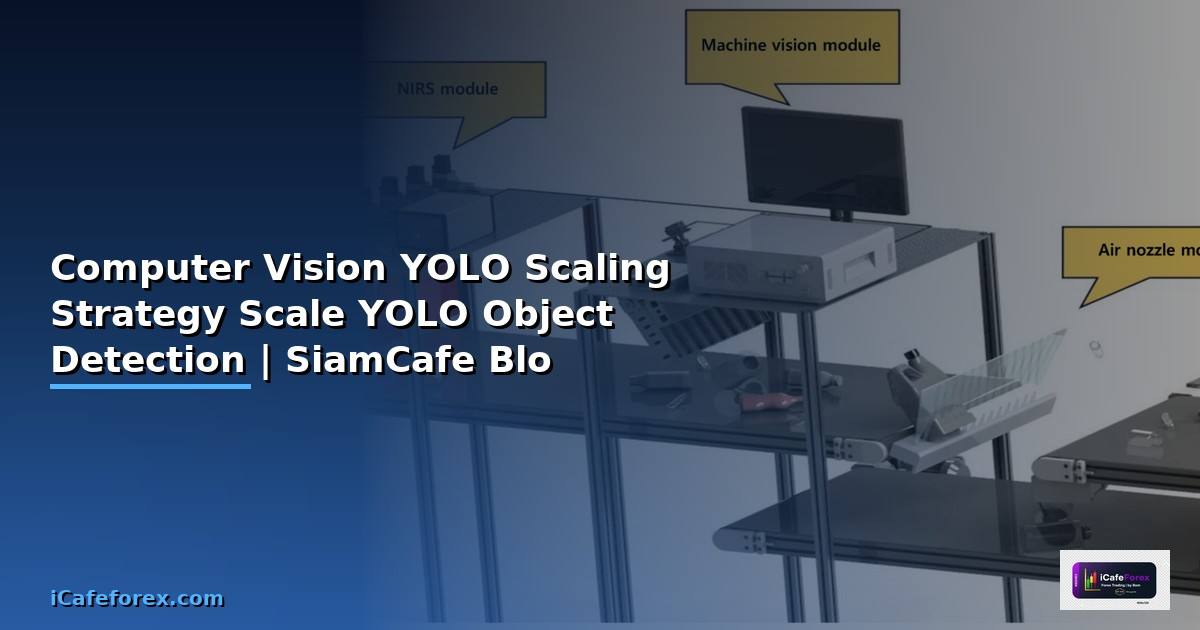
YOLO You Only Look Once Real-time Object Detection ตรวจจับวัตถุครั้งเดียว YOLOv8 Ultralytics Detection Segmentation Pose Estimation CCTV Autonomous Driving
Scale ได้หลายระดับ Model Nano Small Medium Large GPU TensorRT Kubernetes Batch Processing Edge Device Jetson Raspberry Pi
| Model | Parameters | mAP | Speed (ms) | เหมาะกับ |
|---|---|---|---|---|
| YOLOv8n | 3.2M | 37.3 | 1.2 | Edge / Mobile |
| YOLOv8s | 11.2M | 44.9 | 2.1 | Edge / Light Server |
| YOLOv8m | 25.9M | 50.2 | 4.7 | Server |
| YOLOv8l | 43.7M | 52.9 | 7.1 | Server GPU |
| YOLOv8x | 68.2M | 53.9 | 10.8 | High Accuracy |

YOLO Inference Pipeline
# yolo_pipeline.py — YOLO Inference Pipeline
# pip install ultralytics opencv-python
from ultralytics import YOLO
import cv2
import numpy as np
from dataclasses import dataclass
from typing import List, Tuple
import time
@dataclass
class Detection:
class_name: str
confidence: float
bbox: Tuple[int, int, int, int] # x1, y1, x2, y2
class YOLOPipeline:
"""YOLO Inference Pipeline with Scaling Options"""
def __init__(self, model_size: str = "n", device: str = "cpu"):
self.model_name = f"yolov8{model_size}.pt"
self.device = device
# self.model = YOLO(self.model_name)
# self.model.to(device)
print(f" Loaded {self.model_name} on {device}")
def detect(self, image_path: str, conf: float = 0.25) -> List[Detection]:
"""ตรวจจับวัตถุในภาพ"""
# results = self.model(image_path, conf=conf, device=self.device)
# detections = []
# for result in results:
# for box in result.boxes:
# detections.append(Detection(
# class_name=result.names[int(box.cls)],
# confidence=float(box.conf),
# bbox=tuple(map(int, box.xyxy[0])),
# ))
# return detections
print(f" Detecting objects in {image_path}")
return []
def batch_detect(self, image_paths: List[str],
batch_size: int = 8) -> dict:
"""Batch Detection — ประมวลผลหลายภาพพร้อมกัน"""
results = {}
for i in range(0, len(image_paths), batch_size):
batch = image_paths[i:i+batch_size]
# batch_results = self.model(batch, device=self.device)
for path in batch:
results[path] = self.detect(path)
return results
def export_tensorrt(self):
"""Export เป็น TensorRT Engine"""
# self.model.export(format="engine", half=True, device=0)
print(f" Exported {self.model_name} to TensorRT FP16")
def export_onnx(self):
"""Export เป็น ONNX"""
# self.model.export(format="onnx", opset=12, simplify=True)
print(f" Exported {self.model_name} to ONNX")
# Scaling Options
scaling_options = {
"Model Size": {
"description": "เลือกขนาด Model ตามความต้องการ",
"options": {
"Nano (n)": "Edge Device, Mobile, Raspberry Pi",
"Small (s)": "Edge Server, Jetson, Light Workload",
"Medium (m)": "Server, General Purpose",
"Large (l)": "GPU Server, High Accuracy",
"XLarge (x)": "Multi-GPU, Maximum Accuracy",
},
},
"Export Format": {
"description": "Export Model เป็นรูปแบบที่เร็วขึ้น",
"options": {
"TensorRT": "NVIDIA GPU เร็วขึ้น 2-5x (FP16/INT8)",
"ONNX": "Cross-platform CPU/GPU",
"OpenVINO": "Intel CPU/GPU เร็วขึ้น 2-3x",
"CoreML": "Apple Silicon M1/M2/M3",
"TFLite": "Mobile Android/iOS Edge TPU",
},
},
"Batch Processing": {
"description": "ประมวลผลหลายภาพพร้อมกัน",
"options": {
"Batch Size 8": "GPU Memory 4-8 GB",
"Batch Size 16": "GPU Memory 8-16 GB",
"Batch Size 32": "GPU Memory 16-24 GB",
},
},
}
print("YOLO Scaling Options:")
for category, info in scaling_options.items():
print(f"\n [{category}]")
print(f" {info['description']}")
for opt, desc in info["options"].items():
print(f" {opt}: {desc}")
Kubernetes Scaling
# k8s_yolo.py — Kubernetes Deployment for YOLO
# apiVersion: apps/v1
# kind: Deployment
# metadata:
# name: yolo-inference
# spec:
# replicas: 3
# selector:
# matchLabels:
# app: yolo-inference
# template:
# metadata:
# labels:
# app: yolo-inference
# spec:
# containers:
# - name: yolo
# image: ultralytics/yolov8:latest-gpu
# ports:
# - containerPort: 8080
# resources:
# limits:
# nvidia.com/gpu: 1
# memory: 8Gi
# cpu: 4
# requests:
# memory: 4Gi
# cpu: 2
# env:
# - name: MODEL_SIZE
# value: "m"
# - name: DEVICE
# value: "cuda"
# - name: BATCH_SIZE
# value: "8"
# apiVersion: autoscaling/v2
# kind: HorizontalPodAutoscaler
# metadata:
# name: yolo-hpa
# spec:
# scaleTargetRef:
# apiVersion: apps/v1
# kind: Deployment
# name: yolo-inference
# minReplicas: 2
# maxReplicas: 10
# metrics:
# - type: Resource
# resource:
# name: cpu
# target:
# type: Utilization
# averageUtilization: 70
# - type: Pods
# pods:
# metric:
# name: inference_queue_length
# target:
# type: AverageValue
# averageValue: "5"
from dataclasses import dataclass
from typing import List
@dataclass
class ScalingTier:
name: str
replicas: str
gpu: str
model: str
throughput: str
cost: str
class YOLOScaling:
"""YOLO Scaling Strategy"""
def __init__(self):
self.tiers: List[ScalingTier] = []
def add_tier(self, tier: ScalingTier):
self.tiers.append(tier)
def show_tiers(self):
print(f"\n{'='*60}")
print(f"YOLO Scaling Tiers")
print(f"{'='*60}")
for tier in self.tiers:
print(f"\n [{tier.name}]")
print(f" Replicas: {tier.replicas}")
print(f" GPU: {tier.gpu}")
print(f" Model: {tier.model}")
print(f" Throughput: {tier.throughput}")
print(f" Cost: {tier.cost}")
scaling = YOLOScaling()
tiers = [
ScalingTier("Edge", "1", "Jetson Nano/Orin", "YOLOv8n",
"15-30 FPS", "Low ($200-500)"),
ScalingTier("Small", "1-2 Pods", "T4 GPU", "YOLOv8s TensorRT",
"50-100 FPS", "Medium ($0.5/hr)"),
ScalingTier("Medium", "3-5 Pods", "A10G GPU", "YOLOv8m TensorRT",
"100-300 FPS", "Medium ($1/hr)"),
ScalingTier("Large", "5-10 Pods", "A100 GPU", "YOLOv8l TensorRT",
"300-1000 FPS", "High ($3/hr)"),
ScalingTier("Enterprise", "10+ Pods HPA", "Multi-A100", "YOLOv8x TensorRT",
"1000+ FPS", "High ($10+/hr)"),
]
for tier in tiers:
scaling.add_tier(tier)
scaling.show_tiers()
# Architecture
architecture = {
"Input": "Camera Stream / Image Upload / Video File",
"Queue": "Redis / Kafka — Buffer Requests",
"Inference": "YOLO Pods (GPU) — TensorRT FP16",
"Post-processing": "NMS, Tracking, Business Logic",
"Output": "API Response / WebSocket / Storage",
"Monitoring": "Prometheus + Grafana — FPS, Latency, GPU Util",
}
print(f"\n\nInference Architecture:")
for layer, desc in architecture.items():
print(f" {layer}: {desc}")
Performance Optimization
# optimization.py — YOLO Performance Optimization
optimizations = {
"TensorRT FP16": {
"speedup": "2-3x faster",
"accuracy_loss": "< 0.5% mAP",
"command": "yolo export model=yolov8m.pt format=engine half=True",
"requirement": "NVIDIA GPU (Compute Capability >= 7.0)",
},
"TensorRT INT8": {
"speedup": "3-5x faster",
"accuracy_loss": "1-2% mAP",
"command": "yolo export model=yolov8m.pt format=engine int8=True data=coco.yaml",
"requirement": "Calibration Dataset needed",
},
"ONNX Runtime": {
"speedup": "1.5-2x faster (CPU)",
"accuracy_loss": "0%",
"command": "yolo export model=yolov8m.pt format=onnx simplify=True",
"requirement": "onnxruntime / onnxruntime-gpu",
},
"OpenVINO": {
"speedup": "2-3x faster (Intel CPU)",
"accuracy_loss": "< 0.5%",
"command": "yolo export model=yolov8m.pt format=openvino half=True",
"requirement": "Intel CPU/iGPU",
},
"Image Resize": {
"speedup": "640->320 = 2-4x faster",
"accuracy_loss": "5-10% mAP",
"command": "model.predict(source, imgsz=320)",
"requirement": "ลด Input Resolution",
},
"Batch Inference": {
"speedup": "2-4x throughput",
"accuracy_loss": "0%",
"command": "model.predict(sources, batch=16)",
"requirement": "GPU Memory เพียงพอ",
},
}
print("YOLO Performance Optimizations:")
for name, info in optimizations.items():
print(f"\n [{name}]")
print(f" Speedup: {info['speedup']}")
print(f" Accuracy Loss: {info['accuracy_loss']}")
print(f" Command: {info['command']}")
print(f" Requirement: {info['requirement']}")
# GPU Comparison
gpus = {
"Jetson Nano": {"VRAM": "4GB", "YOLOv8n": "15 FPS", "cost": "$200"},
"Jetson Orin": {"VRAM": "8-32GB", "YOLOv8n": "60 FPS", "cost": "$500-2000"},
"T4": {"VRAM": "16GB", "YOLOv8m": "80 FPS", "cost": "$0.5/hr (Cloud)"},
"A10G": {"VRAM": "24GB", "YOLOv8m": "150 FPS", "cost": "$1/hr (Cloud)"},
"RTX 4090": {"VRAM": "24GB", "YOLOv8m": "200 FPS", "cost": "$1,599"},
"A100": {"VRAM": "80GB", "YOLOv8l": "250 FPS", "cost": "$3/hr (Cloud)"},
}
print(f"\n\nGPU Comparison for YOLO:")
for gpu, info in gpus.items():
print(f" {gpu:<14} VRAM: {info['VRAM']:<8} Speed: {info.get('YOLOv8m', info.get('YOLOv8n', info.get('YOLOv8l', 'N/A'))):<10} Cost: {info['cost']}")
เคล็ดลับ
- TensorRT: Export YOLO เป็น TensorRT FP16 เร็วขึ้น 2-3 เท่า
- Model Size: เลือกขนาดตามงาน Nano สำหรับ Edge Large สำหรับ Server
- Batch: ใช้ Batch Inference เพิ่ม Throughput 2-4 เท่า
- Queue: ใช้ Redis/Kafka Buffer Requests ป้องกัน Overload
- HPA: ใช้ Kubernetes HPA Scale Pods ตาม GPU Utilization
- Monitor: ติดตาม FPS Latency GPU Memory ด้วย Prometheus
YOLO คืออะไร
You Only Look Once Real-time Object Detection ตรวจจับวัตถุครั้งเดียว YOLOv8 Ultralytics Detection Segmentation Pose CCTV Autonomous Driving Quality Inspection
วิธี Scale YOLO ทำอย่างไร
Model Size Nano Small Medium Large GPU TensorRT Optimization Kubernetes หลาย Pods Batch Processing หลายภาพพร้อมกัน Queue Buffer Requests
TensorRT คืออะไร
NVIDIA SDK Optimize Deep Learning Models GPU Layer Fusion Precision FP16 INT8 Kernel Auto-tuning YOLO Export TensorRT เร็วขึ้น 2-5 เท่า
YOLO ใช้กับ Edge Device ได้ไหม
ได้ YOLOv8 Nano Small Export ONNX TFLite Jetson Raspberry Pi Coral Edge TPU Mobile OpenVINO Intel CoreML Apple Trade-off Accuracy Speed
สรุป
YOLO Real-time Object Detection Scale หลายระดับ Model Size TensorRT FP16 INT8 เร็วขึ้น 2-5 เท่า Kubernetes HPA Batch Processing Edge Device Jetson Nano Queue Redis Kafka Monitor Prometheus GPU Utilization