ClickHouse Analytics Service Mesh Setup —

ClickHouse คืออะไรและทำไมถึงเร็วสำหรับ Analytics
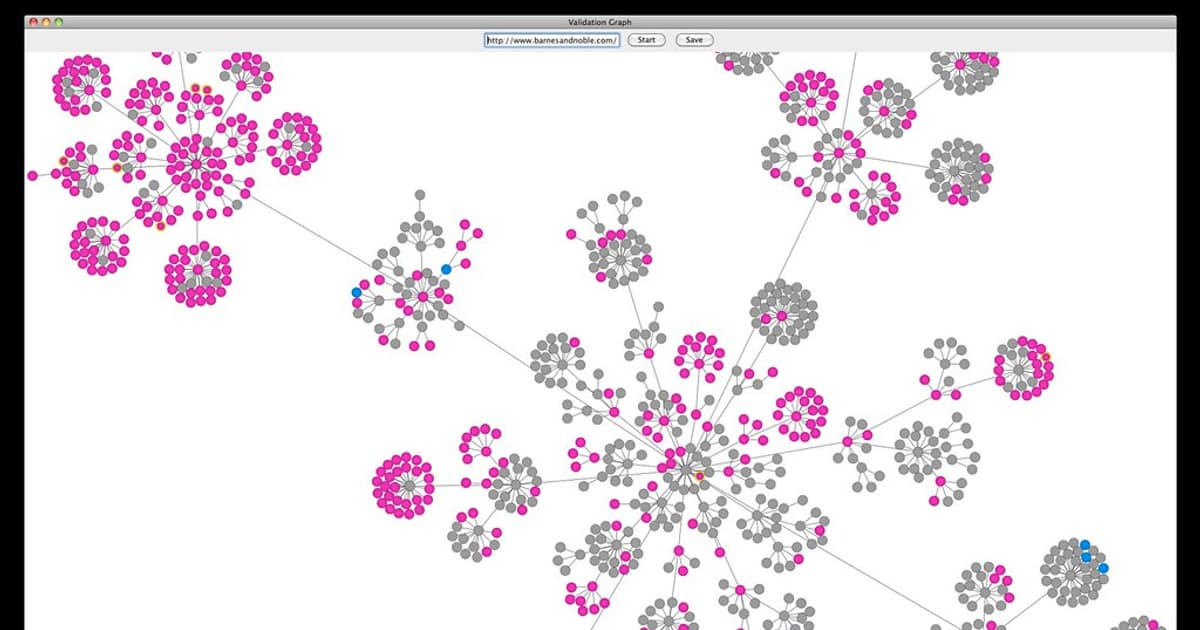
ClickHouse เป็น open source columnar database ที่ออกแบบมาสำหรับ OLAP (Online Analytical Processing) queries พัฒนาโดย Yandex สามารถ process billions of rows ต่อวินาทีได้ เหมาะสำหรับ real-time analytics, log analysis, time-series data และ business intelligence
ClickHouse เร็วเพราะใช้ columnar storage ที่เก็บข้อมูลเป็นคอลัมน์แทนแถว ทำให้ read เฉพาะคอลัมน์ที่ต้องการ compress ได้ดีกว่า vectorized query execution ที่ process ข้อมูลเป็น batch แทนทีละ row data skipping indexes ที่ข้าม data blocks ที่ไม่เกี่ยวข้อง และ parallel processing ที่ใช้ทุก CPU cores
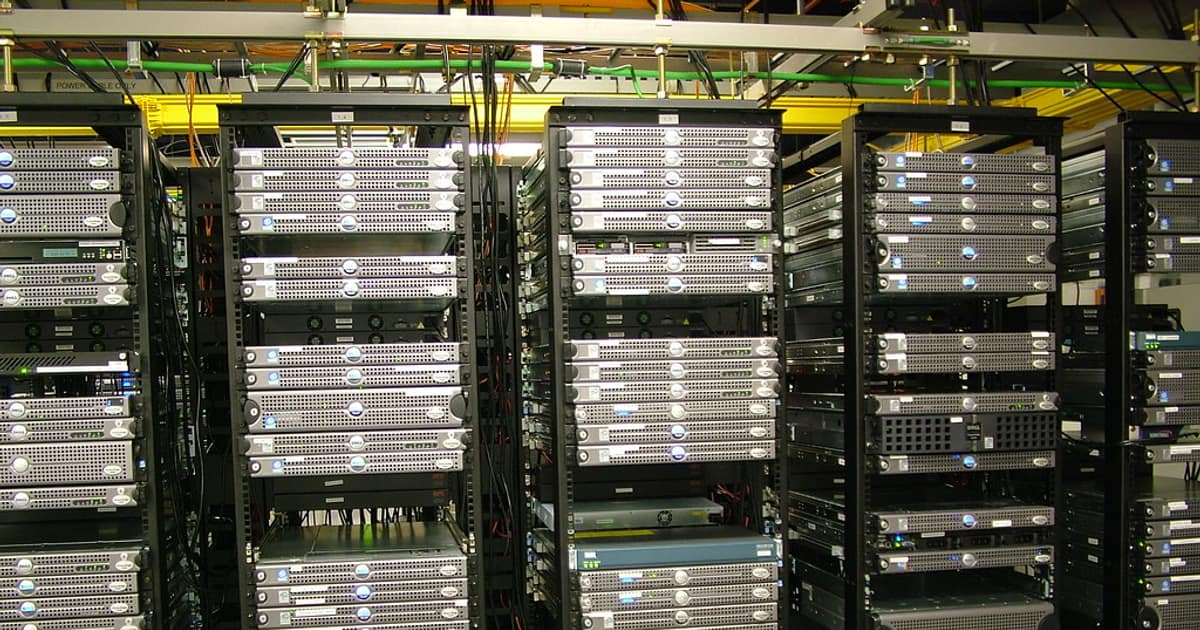
Service Mesh เช่น Istio ช่วยจัดการ network communication ระหว่าง ClickHouse nodes และ client services ได้ดีขึ้น ให้ mutual TLS encryption, traffic management, observability และ circuit breaking โดยไม่ต้องเปลี่ยน application code
Use cases ที่เหมาะกับ ClickHouse ได้แก่ Web analytics (ทดแทน Google Analytics), Application Performance Monitoring, Log aggregation (ทดแทน Elasticsearch สำหรับ read-heavy workloads), IoT sensor data, Financial tick data และ Ad-tech real-time bidding
ติดตั้ง ClickHouse Cluster บน Kubernetes
Deploy ClickHouse cluster ด้วย Kubernetes Operator
# ติดตั้ง ClickHouse Operator

kubectl apply -f https://raw.githubusercontent.com/Altinity/clickhouse-operator/master/deploy/operator/clickhouse-operator-install-bundle.yaml


# ตรวจสอบ operator

kubectl get pods -n kube-system | grep clickhouse


# clickhouse-cluster.yaml — ClickHouse Cluster Definition

apiVersion: "clickhouse.altinity.com/v1"

kind: "ClickHouseInstallation"

metadata:

  name: analytics-cluster

spec:

  configuration:

    clusters:

      - name: analytics

        layout:

          shardsCount: 2

          replicasCount: 2

        templates:

          podTemplate: clickhouse-pod

          volumeClaimTemplate: data-volume

    zookeeper:

      nodes:

        - host: zookeeper-0.zookeeper.default.svc.cluster.local

          port: 2181

        - host: zookeeper-1.zookeeper.default.svc.cluster.local

          port: 2181

        - host: zookeeper-2.zookeeper.default.svc.cluster.local

          port: 2181

    settings:

      max_memory_usage: "10000000000"

      max_concurrent_queries: "200"

      max_connections: "4096"

      merge_tree/max_bytes_to_merge_at_max_space_in_pool: "161061273600"

    users:

      analytics/password_sha256_hex: "a]secret_hash_here"

      analytics/networks/ip: "::/0"

      analytics/profile: default

      analytics/quota: default

    profiles:

      default/max_memory_usage: "10000000000"

      default/max_execution_time: "60"

  templates:

    podTemplates:

      - name: clickhouse-pod

        spec:

          containers:

            - name: clickhouse

              image: clickhouse/clickhouse-server:24.1

              resources:

                requests:

                  cpu: "2"

                  memory: "8Gi"

                limits:

                  cpu: "4"

                  memory: "16Gi"

              ports:

                - containerPort: 8123

                  name: http

                - containerPort: 9000

                  name: native

                - containerPort: 9009

                  name: interserver

    volumeClaimTemplates:

      - name: data-volume

        spec:

          accessModes: ["ReadWriteOnce"]

          resources:

            requests:

              storage: 100Gi

          storageClassName: fast-ssd


# Deploy

# kubectl apply -f clickhouse-cluster.yaml


# ตรวจสอบ

# kubectl get chi

# kubectl get pods -l clickhouse.altinity.com/chi=analytics-cluster


# เข้าถึง ClickHouse

# kubectl exec -it chi-analytics-cluster-analytics-0-0-0 -- clickhouse-client

# SELECT version();
ออกแบบ Schema และ Data Ingestion Pipeline
สร้าง tables และ ingestion pipeline สำหรับ analytics
-- === ClickHouse Schema Design ===


-- Events table (main analytics table)

CREATE TABLE IF NOT EXISTS analytics.events ON CLUSTER analytics

(

    event_id UUID DEFAULT generateUUIDv4(),

    event_type LowCardinality(String),

    event_timestamp DateTime64(3),

    user_id UInt64,

    session_id String,


    -- Request data

    url String,

    referrer String,

    user_agent String,

    ip_address IPv4,

    country_code LowCardinality(FixedString(2)),

    city LowCardinality(String),


    -- Device

    device_type LowCardinality(String),

    browser LowCardinality(String),

    os LowCardinality(String),


    -- Custom properties

    properties Map(String, String),


    -- Partitioning

    event_date Date DEFAULT toDate(event_timestamp)

)

ENGINE = ReplicatedMergeTree('/clickhouse/tables/{shard}/events', '{replica}')

PARTITION BY toYYYYMM(event_date)

ORDER BY (event_type, event_date, user_id, event_timestamp)

TTL event_date + INTERVAL 90 DAY

SETTINGS index_granularity = 8192;


-- Distributed table

CREATE TABLE IF NOT EXISTS analytics.events_distributed ON CLUSTER analytics

AS analytics.events

ENGINE = Distributed(analytics, analytics, events, sipHash64(user_id));


-- Materialized View สำหรับ real-time aggregation

CREATE MATERIALIZED VIEW analytics.hourly_stats ON CLUSTER analytics

ENGINE = ReplicatedSummingMergeTree('/clickhouse/tables/{shard}/hourly_stats', '{replica}')

PARTITION BY toYYYYMM(hour)

ORDER BY (event_type, hour, country_code)

AS SELECT

    event_type,

    toStartOfHour(event_timestamp) AS hour,

    country_code,

    count() AS event_count,

    uniqExact(user_id) AS unique_users,

    uniqExact(session_id) AS unique_sessions

FROM analytics.events

GROUP BY event_type, hour, country_code;


-- === Python Ingestion Script ===

-- pip install clickhouse-connect


-- import clickhouse_connect

-- import json

-- from datetime import datetime

--

-- client = clickhouse_connect.get_client(

--     host='clickhouse-service', port=8123,

--     username='analytics', password='secret',

--     database='analytics'

-- )

--

-- # Batch insert

-- data = [

--     ['pageview', datetime.now(), 12345, 'sess_abc', '/home', '', 'Mozilla/5.0', '10.0.0.1', 'TH', 'Bangkok', 'desktop', 'Chrome', 'Windows', {}],

--     ['click', datetime.now(), 12345, 'sess_abc', '/products', '/home', 'Mozilla/5.0', '10.0.0.1', 'TH', 'Bangkok', 'desktop', 'Chrome', 'Windows', {'button': 'buy'}],

-- ]

--

-- client.insert('events', data, column_names=[

--     'event_type', 'event_timestamp', 'user_id', 'session_id',

--     'url', 'referrer', 'user_agent', 'ip_address',

--     'country_code', 'city', 'device_type', 'browser', 'os', 'properties'

-- ])


-- === Kafka Integration ===

CREATE TABLE analytics.events_kafka ON CLUSTER analytics

(

    event_type String,

    event_timestamp DateTime64(3),

    user_id UInt64,

    session_id String,

    url String,

    properties String

)

ENGINE = Kafka

SETTINGS

    kafka_broker_list = 'kafka:9092',

    kafka_topic_list = 'analytics-events',

    kafka_group_name = 'clickhouse-consumer',

    kafka_format = 'JSONEachRow',

    kafka_num_consumers = 4;


CREATE MATERIALIZED VIEW analytics.events_kafka_mv TO analytics.events AS

SELECT

    event_type,

    event_timestamp,

    user_id,

    session_id,

    url,

    '' AS referrer,

    '' AS user_agent,

    toIPv4('0.0.0.0') AS ip_address,

    '' AS country_code,

    '' AS city,

    '' AS device_type,

    '' AS browser,

    '' AS os,

    JSONExtract(properties, 'Map(String, String)') AS properties

FROM analytics.events_kafka;
รวม ClickHouse กับ Service Mesh (Istio)
ตั้งค่า Istio Service Mesh สำหรับ ClickHouse
# === Istio Configuration สำหรับ ClickHouse ===


# 1. Enable sidecar injection สำหรับ ClickHouse namespace

# kubectl label namespace default istio-injection=enabled


# 2. DestinationRule — mTLS และ connection pool

apiVersion: networking.istio.io/v1beta1

kind: DestinationRule

metadata:

  name: clickhouse-destination

spec:

  host: clickhouse-analytics.default.svc.cluster.local

  trafficPolicy:

    tls:

      mode: ISTIO_MUTUAL

    connectionPool:

      tcp:

        maxConnections: 100

        connectTimeout: 10s

      http:

        h2UpgradePolicy: DO_NOT_UPGRADE

        maxRequestsPerConnection: 100

    outlierDetection:

      consecutive5xxErrors: 5

      interval: 30s

      baseEjectionTime: 60s

      maxEjectionPercent: 50

---

# 3. VirtualService — traffic routing

apiVersion: networking.istio.io/v1beta1

kind: VirtualService

metadata:

  name: clickhouse-routing

spec:

  hosts:

    - clickhouse-analytics

  http:

    - match:

        - headers:

            x-query-type:

              exact: "realtime"

      route:

        - destination:

            host: clickhouse-analytics

            port:

              number: 8123

      timeout: 10s

      retries:

        attempts: 2

        perTryTimeout: 5s

    - route:

        - destination:

            host: clickhouse-analytics

            port:

              number: 8123

      timeout: 60s

      retries:

        attempts: 3

        perTryTimeout: 30s

---

# 4. PeerAuthentication — enforce mTLS

apiVersion: security.istio.io/v1beta1

kind: PeerAuthentication

metadata:

  name: clickhouse-mtls

spec:

  selector:

    matchLabels:

      clickhouse.altinity.com/chi: analytics-cluster

  mtls:

    mode: STRICT

---

# 5. AuthorizationPolicy — access control

apiVersion: security.istio.io/v1beta1

kind: AuthorizationPolicy

metadata:

  name: clickhouse-access

spec:

  selector:

    matchLabels:

      clickhouse.altinity.com/chi: analytics-cluster

  rules:

    - from:

        - source:

            principals:

              - "cluster.local/ns/default/sa/analytics-api"

              - "cluster.local/ns/default/sa/grafana"

              - "cluster.local/ns/default/sa/airflow-worker"

      to:

        - operation:

            ports: ["8123", "9000"]

---

# 6. ServiceEntry สำหรับ external access (ถ้าจำเป็น)

apiVersion: networking.istio.io/v1beta1

kind: ServiceEntry

metadata:

  name: clickhouse-cloud

spec:

  hosts:

    - "clickhouse-cloud.example.com"

  ports:

    - number: 8443

      name: https

      protocol: HTTPS

  resolution: DNS

  location: MESH_EXTERNAL
Monitoring Dashboard ด้วย Grafana
สร้าง monitoring สำหรับ ClickHouse cluster
Performance Tuning และ Best Practices
เทคนิคการเพิ่มประสิทธิภาพ ClickHouse
-- === ClickHouse Performance Tuning ===


-- 1. เลือก Primary Key ที่เหมาะสม

-- ORDER BY ควรเรียงจาก low cardinality -> high cardinality

-- ดี: ORDER BY (event_type, event_date, user_id)

-- ไม่ดี: ORDER BY (event_id)  -- UUID มี cardinality สูงมาก


-- 2. ใช้ LowCardinality สำหรับ columns ที่มีค่าซ้ำมาก

-- LowCardinality(String) เร็วกว่า String 2-10x สำหรับ columns ที่มี < 10,000 unique values

ALTER TABLE analytics.events

    MODIFY COLUMN device_type LowCardinality(String);


-- 3. ใช้ Data Skipping Indexes

ALTER TABLE analytics.events

    ADD INDEX idx_user_id user_id TYPE minmax GRANULARITY 4;


ALTER TABLE analytics.events

    ADD INDEX idx_url url TYPE bloom_filter(0.01) GRANULARITY 4;


ALTER TABLE analytics.events

    ADD INDEX idx_country country_code TYPE set(100) GRANULARITY 4;


-- 4. Optimize queries

-- ใช้ PREWHERE แทน WHERE สำหรับ filter แรก

SELECT count() FROM analytics.events

PREWHERE event_type = 'pageview'

WHERE event_date >= '2024-01-01';


-- 5. ใช้ Approximate functions สำหรับ speed

SELECT uniqHLL12(user_id) AS approx_users  -- เร็วกว่า uniqExact 10x

FROM analytics.events_distributed

WHERE event_date >= today() - 7;


-- 6. Sampling

SELECT count() * 10 AS estimated_count

FROM analytics.events

SAMPLE 0.1  -- sample 10%

WHERE event_type = 'pageview';


-- 7. Settings สำหรับ Production

-- /etc/clickhouse-server/config.d/performance.xml

--

--

--

--       16

--       10000000000

--       5000000000

--       5000000000

--       partial_merge

--       1

--

--

--

--     500

--     161061273600

--

--


-- 8. Monitor slow queries

SELECT

    query,

    query_duration_ms,

    read_rows,

    read_bytes,

    memory_usage

FROM system.query_log

WHERE type = 'QueryFinish'

    AND event_date = today()

    AND query_duration_ms > 1000

ORDER BY query_duration_ms DESC

LIMIT 20;
FAQ คำถามที่พบบ่อย
Q: ClickHouse กับ Elasticsearch ต่างกันอย่างไร?
A: ClickHouse เป็น columnar database ที่เร็วมากสำหรับ aggregation queries (GROUP BY, COUNT, SUM) เหมาะสำหรับ analytics และ metrics Elasticsearch เป็น search engine ที่เก็บข้อมูลแบบ document เหมาะสำหรับ full-text search และ log exploration ClickHouse กิน storage น้อยกว่า 3-10x เพราะ compression ดีกว่า แต่ Elasticsearch ดีกว่าสำหรับ fuzzy search และ free-text queries
Q: ClickHouse ต้องใช้ ZooKeeper ไหม?
A: สำหรับ standalone server ไม่ต้อง แต่สำหรับ replicated cluster ต้องใช้ ZooKeeper หรือ ClickHouse Keeper (built-in replacement ตั้งแต่ version 22.3) สำหรับ coordination ClickHouse Keeper แนะนำมากกว่าเพราะ lightweight กว่า ไม่ต้อง manage Java process แยก และ compatible กับ ZooKeeper protocol
Q: Service Mesh จำเป็นสำหรับ ClickHouse ไหม?
A: ไม่จำเป็นแต่มีประโยชน์มากสำหรับ production มี mTLS encryption ระหว่าง nodes โดยไม่ต้อง configure ClickHouse เอง มี traffic management ที่ route queries ไป replica ที่ healthy มี observability ที่เห็น latency และ error rate ต่อ connection และมี access control ที่กำหนดว่า service ไหนเข้าถึง ClickHouse ได้
Q: ClickHouse รองรับ data ขนาดไหน?
A: ClickHouse รองรับ petabytes ของข้อมูลได้ Yandex Metrica ใช้ ClickHouse เก็บข้อมูล 20+ trillion rows Cloudflare ใช้สำหรับ DNS analytics 30+ million requests ต่อวินาที สำหรับ setup ทั่วไป single node รองรับ 1-10 TB ได้สบาย cluster 3-5 nodes รองรับ 10-100 TB ถ้าต้องการมากกว่านั้นใช้ sharding เพิ่ม nodes