Technology

ClickHouse Analytics Event Driven Design

clickhouse analytics event driven design
ClickHouse Analytics Event Driven Design | SiamCafe Blog
2026-03-11· อ. บอม — SiamCafe.net· 1,494 คำ

ClickHouse Analytics Event Driven Design คืออะไร
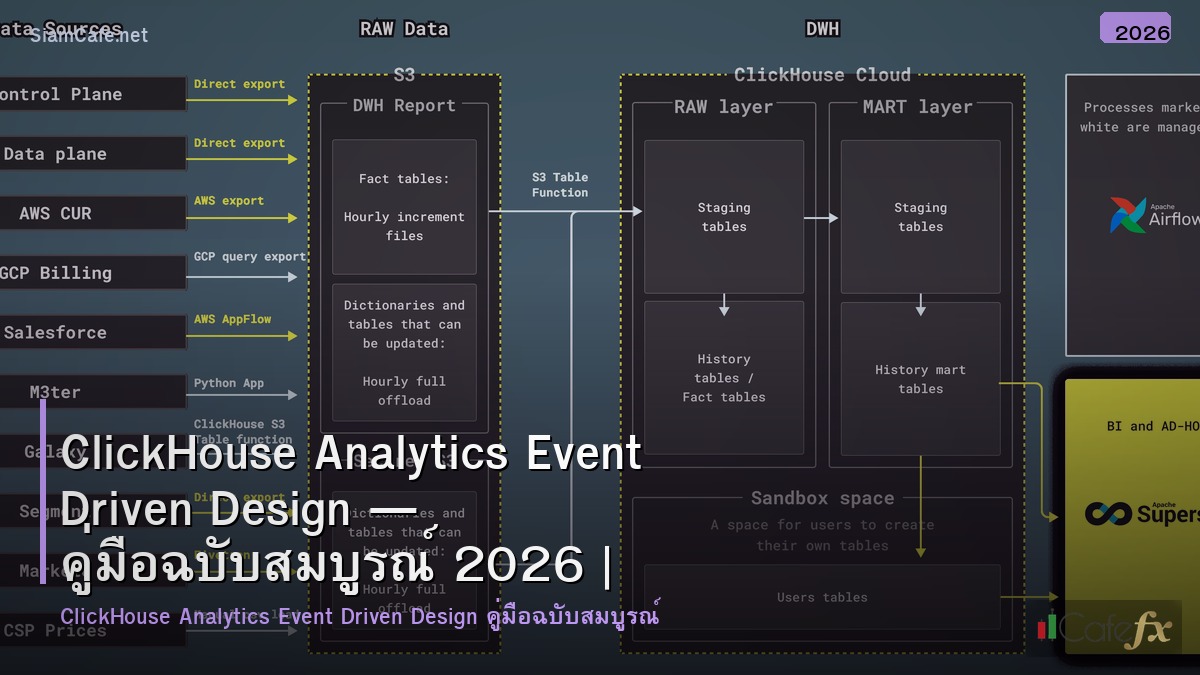
ClickHouse เป็น columnar database สำหรับ real-time analytics ที่เร็วที่สุดตัวหนึ่ง รองรับ queries บน billions of rows ภายในวินาที Event Driven Design เป็นรูปแบบสถาปัตยกรรมที่ระบบตอบสนองต่อ events แทนการ polling ใช้ message brokers เช่น Kafka, RabbitMQ เป็นตัวกลาง การรวม ClickHouse กับ Event Driven Architecture ช่วยสร้าง real-time analytics platform ที่รับ events จำนวนมหาศาล ประมวลผลทันที และ query ได้เร็วมาก เหมาะสำหรับ clickstream analytics, IoT telemetry, financial data และ observability

ClickHouse + Event Architecture

# architecture.py — ClickHouse event-driven architecture
import json

class EventArchitecture:
    COMPONENTS = {
        "event_sources": {
            "name": "Event Sources",
            "description": "แหล่งกำเนิด events — web apps, mobile, IoT, APIs",
            "examples": ["User clicks", "Page views", "API calls", "Sensor readings", "Transactions"],
        },
        "event_broker": {
            "name": "Event Broker (Kafka)",
            "description": "Message broker สำหรับ buffer และ route events — decoupling producers/consumers",
            "features": ["Partitioning", "Replication", "Retention", "Exactly-once semantics"],
        },
        "stream_processor": {
            "name": "Stream Processor",
            "description": "ประมวลผล events แบบ real-time — enrichment, filtering, aggregation",
            "tools": ["Kafka Streams", "Flink", "Materialize", "ClickHouse Materialized Views"],
        },
        "clickhouse": {
            "name": "ClickHouse (Analytics Store)",
            "description": "Columnar storage สำหรับ analytics queries — fast aggregation, compression",
            "features": ["MergeTree engine", "Materialized Views", "Kafka Engine", "Distributed tables"],
        },
        "visualization": {
            "name": "Visualization Layer",
            "description": "Dashboards และ reporting — query ClickHouse โดยตรง",
            "tools": ["Grafana", "Metabase", "Superset", "Custom dashboards"],
        },
    }

    def show_architecture(self):
        print("=== Event-Driven Architecture ===\n")
        for key, comp in self.COMPONENTS.items():
            print(f"[{comp['name']}]")
            print(f"  {comp['description']}")
            if 'tools' in comp:
                print(f"  Tools: {', '.join(comp['tools'][:4])}")
            print()

arch = EventArchitecture()
arch.show_architecture()

ClickHouse Kafka Integration

-- clickhouse_kafka.sql — ClickHouse Kafka Engine setup

-- 1. Create Kafka Engine table (consumer)
CREATE TABLE events_kafka (
    event_id String,
    user_id String,
    event_type String,
    page_url String,
    referrer String,
    device_type String,
    country String,
    properties String,  -- JSON string
    timestamp DateTime64(3)
) ENGINE = Kafka
SETTINGS
    kafka_broker_list = 'kafka-1:9092, kafka-2:9092, kafka-3:9092',
    kafka_topic_list = 'user-events',
    kafka_group_name = 'clickhouse-consumer',
    kafka_format = 'JSONEachRow',
    kafka_num_consumers = 4,
    kafka_max_block_size = 65536;

-- 2. Create MergeTree storage table
CREATE TABLE events (
    event_id String,
    user_id String,
    event_type LowCardinality(String),
    page_url String,
    referrer String,
    device_type LowCardinality(String),
    country LowCardinality(String),
    properties String,
    timestamp DateTime64(3),
    date Date MATERIALIZED toDate(timestamp)
) ENGINE = MergeTree()
PARTITION BY toYYYYMM(date)
ORDER BY (event_type, user_id, timestamp)
TTL date + INTERVAL 90 DAY
SETTINGS index_granularity = 8192;

-- 3. Materialized View (auto-insert from Kafka → MergeTree)
CREATE MATERIALIZED VIEW events_mv TO events AS
SELECT * FROM events_kafka;

-- 4. Pre-aggregated hourly stats (Materialized View)
CREATE TABLE hourly_stats (
    hour DateTime,
    event_type LowCardinality(String),
    country LowCardinality(String),
    event_count UInt64,
    unique_users AggregateFunction(uniq, String)
) ENGINE = AggregatingMergeTree()
PARTITION BY toYYYYMM(hour)
ORDER BY (hour, event_type, country);

CREATE MATERIALIZED VIEW hourly_stats_mv TO hourly_stats AS
SELECT
    toStartOfHour(timestamp) AS hour,
    event_type,
    country,
    count() AS event_count,
    uniqState(user_id) AS unique_users
FROM events
GROUP BY hour, event_type, country;

-- 5. Query examples
-- Real-time event count (last 5 minutes)
SELECT
    event_type,
    count() AS cnt,
    uniq(user_id) AS unique_users
FROM events
WHERE timestamp > now() - INTERVAL 5 MINUTE
GROUP BY event_type
ORDER BY cnt DESC;

-- Funnel analysis
SELECT
    countIf(event_type = 'page_view') AS views,
    countIf(event_type = 'add_to_cart') AS carts,
    countIf(event_type = 'checkout') AS checkouts,
    countIf(event_type = 'purchase') AS purchases,
    round(countIf(event_type = 'purchase') / countIf(event_type = 'page_view') * 100, 2) AS conversion_pct
FROM events
WHERE date = today();

Event Producer & Consumer

# producer_consumer.py — Event producer and consumer
import json

class EventProducerConsumer:
    PRODUCER = """
# event_producer.py — Produce events to Kafka
from confluent_kafka import Producer
import json
import uuid
from datetime import datetime

class EventProducer:
    def __init__(self, bootstrap_servers='kafka:9092'):
        self.producer = Producer({
            'bootstrap.servers': bootstrap_servers,
            'acks': 'all',
            'compression.type': 'lz4',
            'batch.size': 65536,
            'linger.ms': 10,
        })
        self.topic = 'user-events'
    
    def send_event(self, user_id, event_type, properties=None):
        event = {
            'event_id': str(uuid.uuid4())[:8],
            'user_id': user_id,
            'event_type': event_type,
            'page_url': properties.get('url', '') if properties else '',
            'referrer': properties.get('referrer', '') if properties else '',
            'device_type': properties.get('device', 'web') if properties else 'web',
            'country': properties.get('country', 'TH') if properties else 'TH',
            'properties': json.dumps(properties or {}),
            'timestamp': datetime.utcnow().strftime('%Y-%m-%d %H:%M:%S.%f')[:-3],
        }
        
        self.producer.produce(
            self.topic,
            key=user_id.encode(),
            value=json.dumps(event).encode(),
            callback=self._delivery_report
        )
        self.producer.poll(0)
    
    def _delivery_report(self, err, msg):
        if err:
            print(f"Delivery failed: {err}")
    
    def flush(self):
        self.producer.flush()

# Usage
producer = EventProducer()
producer.send_event('user123', 'page_view', {
    'url': '/products/laptop',
    'referrer': 'google.com',
    'device': 'mobile',
    'country': 'TH',
})
producer.flush()
"""

    CONSUMER = """
# event_consumer.py — Custom consumer for processing
from confluent_kafka import Consumer
import json

class EventConsumer:
    def __init__(self, group_id='analytics-consumer'):
        self.consumer = Consumer({
            'bootstrap.servers': 'kafka:9092',
            'group.id': group_id,
            'auto.offset.reset': 'latest',
            'enable.auto.commit': True,
        })
        self.consumer.subscribe(['user-events'])
    
    def process_events(self, batch_size=100):
        messages = self.consumer.consume(batch_size, timeout=1.0)
        events = []
        for msg in messages:
            if msg.error():
                continue
            event = json.loads(msg.value())
            events.append(event)
        return events
"""

    def show_producer(self):
        print("=== Event Producer ===")
        print(self.PRODUCER[:500])

    def show_consumer(self):
        print(f"\n=== Event Consumer ===")
        print(self.CONSUMER[:400])

pc = EventProducerConsumer()
pc.show_producer()
pc.show_consumer()

Performance & Scaling

# performance.py — ClickHouse performance optimization
import json
import random

class PerformanceOptimization:
    TIPS = {
        "partitioning": {
            "name": "Partitioning Strategy",
            "description": "Partition by month (toYYYYMM) — ClickHouse prune partitions ที่ไม่ต้อง scan",
            "example": "PARTITION BY toYYYYMM(date) — query ที่ filter date จะเร็วมาก",
        },
        "order_key": {
            "name": "ORDER BY Key Selection",
            "description": "เลือก columns ที่ใช้ filter บ่อย → ClickHouse skip granules ที่ไม่ match",
            "example": "ORDER BY (event_type, user_id, timestamp) — filter by event_type เร็วมาก",
        },
        "materialized_views": {
            "name": "Materialized Views (Pre-aggregation)",
            "description": "Pre-compute aggregations — query pre-aggregated data แทน raw data",
            "example": "Hourly stats: query 720 rows (30 days × 24 hours) แทน 1B raw events",
        },
        "compression": {
            "name": "Compression (LZ4/ZSTD)",
            "description": "Columnar format + compression → 10-30x compression ratio",
            "example": "1TB raw data → 30-100GB on disk",
        },
        "low_cardinality": {
            "name": "LowCardinality Type",
            "description": "Dictionary encoding สำหรับ columns ที่มี distinct values น้อย",
            "example": "LowCardinality(String) สำหรับ country, device_type, event_type",
        },
    }

    def show_tips(self):
        print("=== Performance Tips ===\n")
        for key, tip in self.TIPS.items():
            print(f"[{tip['name']}]")
            print(f"  {tip['description']}")
            print()

    def benchmark(self):
        print("=== Benchmark Results ===")
        queries = [
            {"query": "Count events (1 day)", "rows": "500M", "time": f"{random.uniform(0.1, 0.5):.2f}s"},
            {"query": "Unique users (7 days)", "rows": "3.5B", "time": f"{random.uniform(0.5, 2):.2f}s"},
            {"query": "Funnel analysis (30 days)", "rows": "15B", "time": f"{random.uniform(1, 5):.2f}s"},
            {"query": "Top pages (1 hour, real-time)", "rows": "20M", "time": f"{random.uniform(0.05, 0.2):.2f}s"},
            {"query": "Pre-aggregated hourly (30 days)", "rows": "720", "time": f"{random.uniform(0.01, 0.05):.3f}s"},
        ]
        print(f"  {'Query':<35} {'Rows':>8} {'Time':>8}")
        for q in queries:
            print(f"  {q['query']:<35} {q['rows']:>8} {q['time']:>8}")

perf = PerformanceOptimization()
perf.show_tips()
perf.benchmark()

Infrastructure

# infrastructure.py — Docker Compose for the stack
import json

class Infrastructure:
    DOCKER_COMPOSE = """
# docker-compose.yml — ClickHouse + Kafka event-driven stack
version: '3.8'
services:
  zookeeper:
    image: confluentinc/cp-zookeeper:7.5.0
    environment:
      ZOOKEEPER_CLIENT_PORT: 2181

  kafka:
    image: confluentinc/cp-kafka:7.5.0
    depends_on: [zookeeper]
    ports: ["9092:9092"]
    environment:
      KAFKA_BROKER_ID: 1
      KAFKA_ZOOKEEPER_CONNECT: zookeeper:2181
      KAFKA_ADVERTISED_LISTENERS: PLAINTEXT://kafka:9092
      KAFKA_NUM_PARTITIONS: 8
      KAFKA_DEFAULT_REPLICATION_FACTOR: 1

  clickhouse:
    image: clickhouse/clickhouse-server:24.1
    ports:
      - "8123:8123"  # HTTP
      - "9000:9000"  # Native
    volumes:
      - clickhouse_data:/var/lib/clickhouse
      - ./config/clickhouse:/etc/clickhouse-server/config.d

  grafana:
    image: grafana/grafana:latest
    ports: ["3000:3000"]
    environment:
      GF_INSTALL_PLUGINS: grafana-clickhouse-datasource

  kafka-ui:
    image: provectuslabs/kafka-ui:latest
    ports: ["8080:8080"]
    environment:
      KAFKA_CLUSTERS_0_BOOTSTRAPSERVERS: kafka:9092

volumes:
  clickhouse_data:
"""

    def show_compose(self):
        print("=== Docker Compose ===")
        print(self.DOCKER_COMPOSE[:500])

    def scaling_guide(self):
        print(f"\n=== Scaling Guide ===")
        tiers = [
            {"tier": "Small", "events": "< 10K/sec", "clickhouse": "1 node, 16GB RAM", "kafka": "3 brokers"},
            {"tier": "Medium", "events": "10K-100K/sec", "clickhouse": "3 nodes, 64GB RAM", "kafka": "5 brokers"},
            {"tier": "Large", "events": "100K-1M/sec", "clickhouse": "6+ nodes, 128GB RAM", "kafka": "10+ brokers"},
        ]
        for t in tiers:
            print(f"  [{t['tier']}] {t['events']}")
            print(f"    ClickHouse: {t['clickhouse']}")
            print(f"    Kafka: {t['kafka']}")

infra = Infrastructure()
infra.show_compose()
infra.scaling_guide()

FAQ - คำถามที่พบบ่อย

Q: ClickHouse กับ BigQuery อันไหนดีสำหรับ event analytics?

A: ClickHouse: self-hosted, real-time (sub-second), no query cost, full control BigQuery: managed, serverless, pay-per-query, easy setup ClickHouse ดีกว่า: real-time requirements (< 1s latency), high query volume, cost control BigQuery ดีกว่า: team เล็กไม่อยาก manage infra, ad-hoc analytics, GCP ecosystem

Q: Kafka Engine กับ custom consumer อันไหนดี?

A: Kafka Engine: ง่ายที่สุด — ClickHouse consume จาก Kafka โดยตรง, auto-insert ผ่าน Materialized View Custom consumer: flexible กว่า — transform, validate, enrich ก่อน insert แนะนำ: เริ่มจาก Kafka Engine → ถ้าต้อง transform ซับซ้อน ใช้ Flink/custom consumer

Q: Event schema evolution จัดการอย่างไร?

A: ClickHouse: ALTER TABLE ADD COLUMN (online, ไม่ block queries) Kafka: ใช้ Schema Registry (Avro/Protobuf) สำหรับ backward compatibility Strategy: เพิ่ม columns ได้เสมอ, อย่าลบ columns, ใช้ Nullable สำหรับ optional fields default values สำหรับ new columns → backward compatible

Q: Data retention จัดการอย่างไร?

A: ClickHouse TTL: TTL date + INTERVAL 90 DAY → auto-delete data เก่ากว่า 90 วัน Tiered storage: hot (SSD, 7 days) → warm (HDD, 90 days) → cold (S3, 1 year) DROP PARTITION: ลบ partition ทั้ง month ได้ทันที (เร็วมาก) Kafka retention: ตั้ง retention.ms สำหรับ replay window (e.g., 7 days)

📖 บทความที่เกี่ยวข้อง

HTTP/3 QUIC Event Driven Designอ่านบทความ → DuckDB Analytics Domain Driven Design DDDอ่านบทความ → ClickHouse Analytics Community Buildingอ่านบทความ → ClickHouse Analytics Pub Sub Architectureอ่านบทความ → Data Lakehouse Event Driven Designอ่านบทความ →

📚 ดูบทความทั้งหมด →