Ceph Storage Cluster
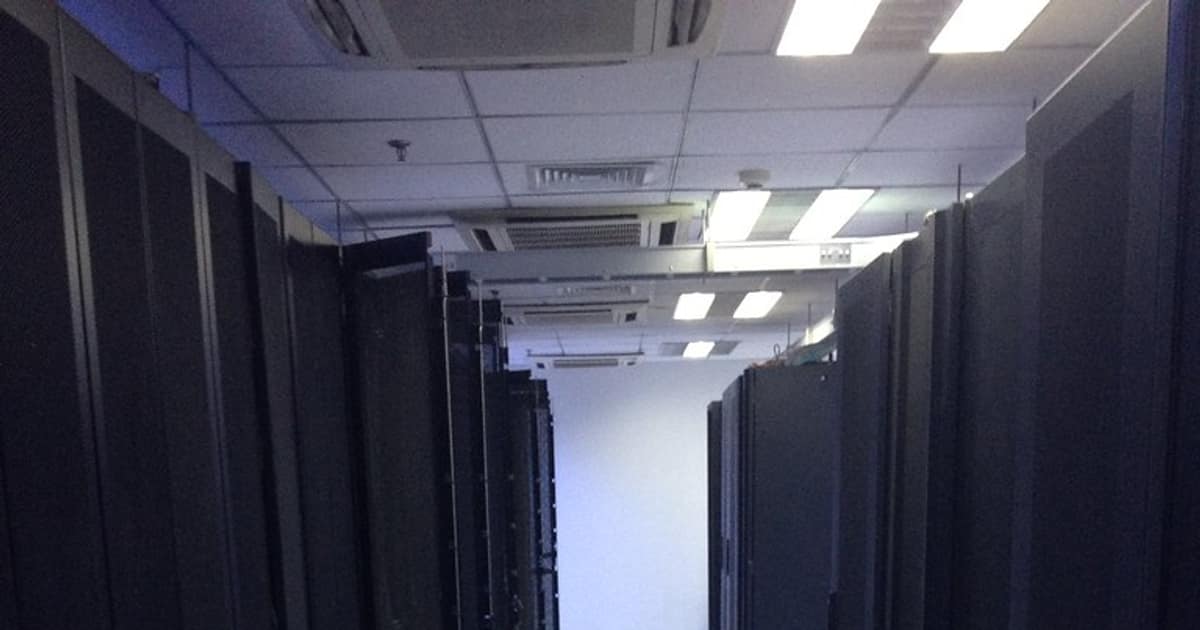
Ceph เป็น Distributed Storage System ที่ทรงพลังที่สุดแบบ Open-source รองรับ 3 ประเภท Storage ในระบบเดียว ได้แก่ Object Storage (S3-compatible ผ่าน RADOS Gateway), Block Storage (RBD สำหรับ Virtual Machines) และ File System (CephFS สำหรับ Shared File System)
การใช้ Low-Code/No-Code Tools ร่วมกับ Ceph ช่วยให้ทีม Operations จัดการ Storage Cluster ได้ง่ายขึ้น สร้าง Dashboard, Automation Workflows และ Alerting โดยไม่ต้องเขียน Code มาก
Ceph Cluster Setup และ Commands
# === Ceph Cluster Setup ด้วย cephadm ===
# 1. ติดตั้ง cephadm
curl --silent --remote-name \
--location https://github.com/ceph/ceph/raw/reef/src/cephadm/cephadm
chmod +x cephadm
./cephadm add-repo --release reef
./cephadm install
# 2. Bootstrap Cluster (Node แรก)
cephadm bootstrap \
--mon-ip 192.168.1.10 \
--initial-dashboard-user admin \
--initial-dashboard-password SecurePass123 \
--dashboard-password-noupdate \
--allow-fqdn-hostname
# 3. เพิ่ม Nodes
# Copy SSH Key ไปยัง Nodes อื่น
ssh-copy-id -f -i /etc/ceph/ceph.pub root@node2
ssh-copy-id -f -i /etc/ceph/ceph.pub root@node3
# เพิ่ม Hosts
ceph orch host add node2 192.168.1.11
ceph orch host add node3 192.168.1.12
# 4. เพิ่ม OSDs (Storage Devices)
# ดู Devices ที่ใช้ได้
ceph orch device ls
# เพิ่ม OSD ทุก Device ที่ว่าง
ceph orch apply osd --all-available-devices
# หรือเพิ่มเฉพาะ Device
ceph orch daemon add osd node1:/dev/sdb
ceph orch daemon add osd node2:/dev/sdb
ceph orch daemon add osd node3:/dev/sdb
# 5. ตรวจสอบ Cluster Status
ceph status
ceph health detail
ceph osd tree
ceph df
# 6. สร้าง Pool
ceph osd pool create mypool 128 128 replicated
ceph osd pool set mypool size 3 # 3 Replicas
ceph osd pool set mypool min_size 2 # Minimum 2
# 7. Enable RGW (S3-compatible Object Storage)
ceph orch apply rgw myrgw --port 7480
# สร้าง S3 User
radosgw-admin user create \
--uid=s3user \
--display-name="S3 User" \
--access-key=MYACCESSKEY \
--secret-key=MYSECRETKEY
# 8. Enable CephFS (File System)
ceph fs volume create myfs
# 9. Monitoring Commands
ceph osd stat # OSD Status
ceph mon stat # Monitor Status
ceph pg stat # Placement Group Status
ceph osd pool stats # Pool Statistics
ceph osd perf # OSD Performance
Python — Ceph Management API
# ceph_manager.py — จัดการ Ceph Cluster ผ่าน REST API
# pip install requests boto3
import requests
import json
import boto3
from datetime import datetime
class CephDashboardClient:
"""Client สำหรับ Ceph Dashboard REST API"""
def __init__(self, host, port=8443, username="admin", password=""):
self.base_url = f"https://{host}:{port}/api"
self.session = requests.Session()
self.session.verify = False # Self-signed cert
self._login(username, password)
def _login(self, username, password):
resp = self.session.post(f"{self.base_url}/auth", json={
"username": username, "password": password,
})
token = resp.json().get("token")
self.session.headers["Authorization"] = f"Bearer {token}"
def get_health(self):
"""Cluster Health"""
resp = self.session.get(f"{self.base_url}/health/full")
return resp.json()
def get_osds(self):
"""OSD List"""
resp = self.session.get(f"{self.base_url}/osd")
return resp.json()
def get_pools(self):
"""Pool List"""
resp = self.session.get(f"{self.base_url}/pool")
return resp.json()
def get_hosts(self):
"""Host List"""
resp = self.session.get(f"{self.base_url}/host")
return resp.json()
def create_pool(self, name, pg_num=128, pool_type="replicated",
size=3):
"""สร้าง Pool ใหม่"""
payload = {
"pool": name,
"pg_num": pg_num,
"pool_type": pool_type,
"size": size,
}
resp = self.session.post(f"{self.base_url}/pool", json=payload)
return resp.json()
def print_status(self):
"""แสดงสถานะ Cluster"""
health = self.get_health()
osds = self.get_osds()
pools = self.get_pools()
hosts = self.get_hosts()
print(f"\n{'='*55}")
print(f"Ceph Cluster Status — {datetime.now():%Y-%m-%d %H:%M}")
print(f"{'='*55}")
print(f" Health: {health.get('health', {}).get('status', 'UNKNOWN')}")
print(f" Hosts: {len(hosts)}")
print(f" OSDs: {len(osds)} (Up: {sum(1 for o in osds if o.get('up'))})")
print(f" Pools: {len(pools)}")
# Storage Usage
total_bytes = sum(o.get("kb", 0) * 1024 for o in osds)
used_bytes = sum(o.get("kb_used", 0) * 1024 for o in osds)
if total_bytes > 0:
usage_pct = used_bytes / total_bytes * 100
total_tb = total_bytes / 1024**4
used_tb = used_bytes / 1024**4
print(f" Storage: {used_tb:.1f} / {total_tb:.1f} TB ({usage_pct:.1f}%)")
class CephS3Client:
"""S3-compatible Client สำหรับ Ceph RGW"""
def __init__(self, endpoint, access_key, secret_key):
self.s3 = boto3.client(
"s3",
endpoint_url=endpoint,
aws_access_key_id=access_key,
aws_secret_access_key=secret_key,
)
def create_bucket(self, name):
self.s3.create_bucket(Bucket=name)
print(f"Created bucket: {name}")
def upload_file(self, bucket, key, filepath):
self.s3.upload_file(filepath, bucket, key)
print(f"Uploaded: {key} -> {bucket}")
def list_buckets(self):
resp = self.s3.list_buckets()
for b in resp["Buckets"]:
print(f" {b['Name']} (created: {b['CreationDate']})")
def list_objects(self, bucket, prefix=""):
resp = self.s3.list_objects_v2(Bucket=bucket, Prefix=prefix)
for obj in resp.get("Contents", []):
size_mb = obj["Size"] / 1024 / 1024
print(f" {obj['Key']:<40} {size_mb:>8.1f} MB")
# ตัวอย่าง
# dashboard = CephDashboardClient("192.168.1.10", password="SecurePass123")
# dashboard.print_status()
#
# s3 = CephS3Client("http://192.168.1.10:7480", "MYACCESSKEY", "MYSECRETKEY")
# s3.create_bucket("my-data")
# s3.list_buckets()
Low-Code Automation สำหรับ Ceph
# === n8n Workflow สำหรับ Ceph Monitoring ===
# n8n เป็น Low-Code Automation Tool
# Workflow: Ceph Health Check -> Slack Alert
# 1. Schedule Trigger (ทุก 5 นาที)
# 2. HTTP Request: GET https://ceph-dashboard:8443/api/health/full
# 3. IF Node: health.status != "HEALTH_OK"
# 4. Slack Node: ส่ง Alert ไป #ops-alerts
# === n8n Workflow JSON (Import ใน n8n) ===
n8n_workflow = {
"name": "Ceph Health Monitor",
"nodes": [
{
"name": "Schedule",
"type": "n8n-nodes-base.scheduleTrigger",
"parameters": {"rule": {"interval": [{"field": "minutes", "minutesInterval": 5}]}},
"position": [250, 300],
},
{
"name": "Check Ceph Health",
"type": "n8n-nodes-base.httpRequest",
"parameters": {
"url": "https://ceph-dashboard:8443/api/health/full",
"authentication": "genericCredentialType",
"method": "GET",
},
"position": [450, 300],
},
{
"name": "Is Healthy?",
"type": "n8n-nodes-base.if",
"parameters": {
"conditions": {
"string": [{"value1": "={{$json.health.status}}", "value2": "HEALTH_OK"}],
},
},
"position": [650, 300],
},
{
"name": "Slack Alert",
"type": "n8n-nodes-base.slack",
"parameters": {
"channel": "#ops-alerts",
"text": "Ceph Cluster UNHEALTHY: {{$json.health.status}}",
},
"position": [850, 400],
},
],
}
import json
print("n8n Workflow (import ใน n8n):")
print(json.dumps(n8n_workflow, indent=2, ensure_ascii=False))
# === Retool Dashboard สำหรับ Ceph ===
# Retool เป็น Low-Code Platform สำหรับสร้าง Internal Tools
#
# Components:
# 1. Table: แสดง OSD List (status, usage, performance)
# 2. Chart: Storage Usage Over Time
# 3. Stats: Total Capacity, Used, Available
# 4. Button: Create Pool, Add OSD
# 5. Alert List: Active Alerts
#
# Data Sources:
# - REST API: Ceph Dashboard API
# - Query: GET /api/osd, GET /api/pool, GET /api/health
#
# ตัวอย่าง Retool Query:
# const response = await fetch('https://ceph:8443/api/osd', {
# headers: { 'Authorization': 'Bearer ' + token }
# });
# return response.json();
# === Appsmith Dashboard ===
# Appsmith เป็น Open-source Low-Code Alternative
# 1. สร้าง REST API Datasource ชี้ไป Ceph Dashboard
# 2. สร้าง Page: Cluster Overview
# - Stat Boxes: Health, OSDs, Pools, Usage
# - Table: OSD Details
# - Chart: Usage Trend
# 3. สร้าง Page: Pool Management
# - Table: Pool List
# - Form: Create New Pool
# - Button: Delete Pool (with confirmation)
Best Practices
- Minimum 3 Nodes: ใช้อย่างน้อย 3 Nodes สำหรับ High Availability ป้องกัน Data Loss
- Separate Networks: แยก Public Network (Client) และ Cluster Network (Replication)
- SSD สำหรับ WAL/DB: ใช้ SSD สำหรับ BlueStore WAL และ DB เพิ่ม Performance
- Monitor Capacity: อย่าให้ OSD เต็มเกิน 85% Ceph จะเริ่มช้าลง เกิน 95% จะหยุดเขียน
- CRUSH Rules: ตั้ง CRUSH Rules กระจาย Data ข้าม Rack/DC ป้องกัน Hardware Failure
- Regular Scrub: ตั้ง Deep Scrub อย่างน้อยสัปดาห์ละครั้ง ตรวจสอบ Data Integrity
Ceph Storage คืออะไร
Distributed Storage System แบบ Open-source รองรับ Object Storage (S3) Block Storage (RBD) File System (CephFS) ในระบบเดียว Scale ได้ไม่จำกัด Self-healing ไม่มี Single Point of Failure
Low-Code/No-Code คืออะไร
แนวทางพัฒนาซอฟต์แวร์ใช้ Visual Interface แทนเขียน Code Low-Code ยังเขียน Code บ้าง No-Code ไม่ต้องเขียนเลย ตัวอย่าง Retool Appsmith n8n Zapier สร้าง Dashboard Automation ได้เร็ว
ทำไมต้องใช้ Low-Code กับ Ceph
Ceph CLI และ API ซับซ้อน Low-Code สร้าง Management Dashboard ได้เร็ว ทีม Ops ใช้งานง่าย สร้าง Automation Workflows สำหรับ Provisioning Monitoring Alerting ลดเวลาจากหลายวันเหลือไม่กี่ชั่วโมง
Ceph ติดตั้งอย่างไร
ใช้ cephadm bootstrap บน Node แรก เพิ่ม Nodes ด้วย ceph orch host add เพิ่ม OSD ด้วย ceph orch apply osd ต้องมีอย่างน้อย 3 Nodes สำหรับ HA เข้า Dashboard ที่ port 8443
สรุป
Ceph เป็น Distributed Storage ที่ทรงพลัง รองรับ Object Block File Storage ในระบบเดียว การใช้ Low-Code Tools เช่น Retool Appsmith n8n ช่วยสร้าง Management Dashboard และ Automation Workflows ได้เร็ว ทีม Operations จัดการ Cluster ได้ง่ายขึ้น ติดตั้งด้วย cephadm ใช้อย่างน้อย 3 Nodes แยก Network ใช้ SSD สำหรับ WAL/DB Monitor Capacity ไม่ให้เกิน 85%