C# Entity Framework Zero Downtime Deployment คืออะไร
Entity Framework (EF) Core เป็น ORM (Object-Relational Mapper) หลักของ .NET ที่ช่วย developers ทำงานกับ database ผ่าน C# objects แทนการเขียน SQL โดยตรง Zero Downtime Deployment คือการ deploy application version ใหม่โดยไม่มี downtime — ผู้ใช้ไม่รู้สึกว่าระบบหยุดทำงาน ความท้าทายหลักคือ database migrations ที่ต้อง backward compatible เพราะระหว่าง deploy มีทั้ง version เก่าและใหม่ทำงานพร้อมกัน บทความนี้อธิบายวิธี deploy EF Core applications แบบ zero downtime พร้อมตัวอย่าง code
Zero Downtime Deployment Strategies
# zdt_strategies.py — Zero downtime deployment strategies
import json
class ZDTStrategies:
STRATEGIES = {
"rolling": {
"name": "Rolling Deployment",
"description": "Deploy ทีละ instance — old + new versions run พร้อมกัน",
"requirement": "Database schema ต้อง compatible กับทั้ง 2 versions",
"tools": "Kubernetes rolling update, Azure App Service slots",
},
"blue_green": {
"name": "Blue-Green Deployment",
"description": "Deploy version ใหม่ (Green) แยก → switch traffic → retire Blue",
"requirement": "Database shared ระหว่าง Blue + Green → migration ต้อง backward compatible",
"tools": "Kubernetes services, AWS ALB, Azure Traffic Manager",
},
"canary": {
"name": "Canary Deployment",
"description": "ส่ง traffic 5-10% ไป version ใหม่ → monitor → ค่อยเพิ่ม",
"requirement": "เหมือน Rolling — schema ต้อง compatible",
"tools": "Istio, Flagger, AWS App Mesh",
},
}
CHALLENGES = {
"schema_change": "Schema changes (add/remove columns) ต้อง backward compatible",
"data_migration": "Data migration ต้องไม่ lock tables นาน",
"rollback": "ต้อง rollback ได้ถ้า version ใหม่มีปัญหา",
"connection_pool": "Connection pool ต้องไม่ขาด ระหว่าง deploy",
"ef_migration": "EF Migrations ต้อง idempotent + backward compatible",
}
def show_strategies(self):
print("=== ZDT Strategies ===\n")
for key, strat in self.STRATEGIES.items():
print(f"[{strat['name']}]")
print(f" {strat['description']}")
print(f" Requirement: {strat['requirement']}")
print()
def show_challenges(self):
print("=== Challenges ===")
for key, challenge in self.CHALLENGES.items():
print(f" [{key}] {challenge}")
zdt = ZDTStrategies()
zdt.show_strategies()
zdt.show_challenges()
EF Core Migration Best Practices
# ef_migrations.py — EF Core migration patterns for ZDT
import json
class EFMigrationPatterns:
SAFE_OPERATIONS = """
// === SAFE Operations (backward compatible) ===
// 1. ADD column (nullable or with default)
migrationBuilder.AddColumn(
name: "MiddleName",
table: "Users",
type: "nvarchar(100)",
nullable: true); // nullable = safe
// 2. ADD table
migrationBuilder.CreateTable(
name: "UserPreferences",
columns: table => new {
Id = table.Column(nullable: false)
.Annotation("SqlServer:Identity", "1, 1"),
UserId = table.Column(nullable: false),
Theme = table.Column(maxLength: 50, nullable: true),
});
// 3. ADD index (CONCURRENTLY on PostgreSQL)
migrationBuilder.CreateIndex(
name: "IX_Users_Email",
table: "Users",
column: "Email");
// 4. RENAME via expand-contract pattern
// Step 1 (deploy v1.1): Add new column
migrationBuilder.AddColumn(
name: "FullName", table: "Users", nullable: true);
// Step 2 (deploy v1.2): Copy data + use new column
// Step 3 (deploy v1.3): Drop old column
"""
UNSAFE_OPERATIONS = """
// === UNSAFE Operations (cause downtime) ===
// ❌ DROP column — old version still reads it
migrationBuilder.DropColumn(name: "OldField", table: "Users");
// ❌ RENAME column — old version can't find it
migrationBuilder.RenameColumn(
name: "Name", table: "Users", newName: "FullName");
// ❌ Change column type — may lose data
migrationBuilder.AlterColumn(
name: "Age", table: "Users", type: "int");
// ❌ Add NOT NULL column without default
migrationBuilder.AddColumn(
name: "RequiredField", table: "Users", nullable: false);
// Old version inserts without this field → error!
"""
def show_safe(self):
print("=== Safe Operations ===")
print(self.SAFE_OPERATIONS[:600])
def show_unsafe(self):
print("\n=== Unsafe Operations ===")
print(self.UNSAFE_OPERATIONS[:500])
patterns = EFMigrationPatterns()
patterns.show_safe()
patterns.show_unsafe()
Expand-Contract Pattern
# expand_contract.py — Expand-Contract migration pattern
import json
class ExpandContractPattern:
PATTERN = """
// === Expand-Contract Pattern for Column Rename ===
// Goal: Rename "Name" → "FullName" without downtime
// === Phase 1: EXPAND (Deploy v2.0) ===
// Add new column, keep old column
public partial class AddFullNameColumn : Migration
{
protected override void Up(MigrationBuilder migrationBuilder)
{
// Add new column (nullable)
migrationBuilder.AddColumn(
name: "FullName",
table: "Users",
type: "nvarchar(200)",
nullable: true);
// Copy existing data
migrationBuilder.Sql(
"UPDATE Users SET FullName = Name WHERE FullName IS NULL");
// Add trigger to sync (optional)
migrationBuilder.Sql(@"
CREATE TRIGGER trg_SyncFullName ON Users
AFTER INSERT, UPDATE AS
BEGIN
UPDATE u SET u.FullName = i.Name
FROM Users u INNER JOIN inserted i ON u.Id = i.Id
WHERE u.FullName IS NULL OR u.FullName != i.Name
END");
}
}
// App v2.0: Read from FullName, write to BOTH Name + FullName
// Old app v1.x: Still reads/writes Name — works fine
// === Phase 2: MIGRATE (Deploy v2.1) ===
// App reads/writes only FullName
// Verify all data migrated
// === Phase 3: CONTRACT (Deploy v2.2) ===
public partial class DropNameColumn : Migration
{
protected override void Up(MigrationBuilder migrationBuilder)
{
// Drop trigger
migrationBuilder.Sql("DROP TRIGGER IF EXISTS trg_SyncFullName");
// Drop old column (safe — no app reads it anymore)
migrationBuilder.DropColumn(name: "Name", table: "Users");
}
}
"""
TIMELINE = [
"Deploy v2.0: Add FullName column + sync trigger (old app works)",
"Deploy v2.1: App uses FullName only (old column still exists)",
"Verify: All data migrated, no reads on old column",
"Deploy v2.2: Drop old Name column + trigger (cleanup)",
]
def show_pattern(self):
print("=== Expand-Contract Pattern ===")
print(self.PATTERN[:600])
def show_timeline(self):
print(f"\n=== Deployment Timeline ===")
for step in self.TIMELINE:
print(f" → {step}")
ec = ExpandContractPattern()
ec.show_pattern()
ec.show_timeline()
Python Migration Validator
# validator.py — Validate EF migrations for ZDT safety
import json
class MigrationValidator:
CODE = """
# ef_migration_validator.py — Check if migrations are ZDT-safe
import re
import json
from pathlib import Path
class MigrationSafetyChecker:
UNSAFE_PATTERNS = {
'DropColumn': {
'pattern': r'migrationBuilder\\.DropColumn',
'severity': 'critical',
'message': 'DROP COLUMN breaks old app versions reading this column',
'fix': 'Use expand-contract: add new column → migrate → drop old',
},
'RenameColumn': {
'pattern': r'migrationBuilder\\.RenameColumn',
'severity': 'critical',
'message': 'RENAME COLUMN breaks old app versions',
'fix': 'Use expand-contract: add new → copy data → drop old',
},
'DropTable': {
'pattern': r'migrationBuilder\\.DropTable',
'severity': 'high',
'message': 'DROP TABLE may break old app versions',
'fix': 'Only drop after all app versions stop using this table',
},
'AlterColumn_NotNull': {
'pattern': r'nullable:\\s*false',
'severity': 'high',
'message': 'Adding NOT NULL constraint may fail for existing rows',
'fix': 'Add with default value or make nullable first',
},
'RenameTable': {
'pattern': r'migrationBuilder\\.RenameTable',
'severity': 'critical',
'message': 'RENAME TABLE breaks old app versions',
'fix': 'Create new table → migrate data → drop old',
},
}
def check_file(self, filepath):
'''Check a single migration file for unsafe patterns'''
content = Path(filepath).read_text()
issues = []
for name, rule in self.UNSAFE_PATTERNS.items():
matches = re.findall(rule['pattern'], content)
if matches:
issues.append({
'rule': name,
'severity': rule['severity'],
'message': rule['message'],
'fix': rule['fix'],
'occurrences': len(matches),
})
return {
'file': str(filepath),
'safe': len(issues) == 0,
'issues': issues,
}
def check_directory(self, migrations_dir):
'''Check all migration files in directory'''
results = []
for f in sorted(Path(migrations_dir).glob('*.cs')):
if 'Designer' not in f.name:
results.append(self.check_file(f))
total = len(results)
safe = sum(1 for r in results if r['safe'])
unsafe = total - safe
return {
'total_migrations': total,
'safe': safe,
'unsafe': unsafe,
'details': [r for r in results if not r['safe']],
}
# checker = MigrationSafetyChecker()
# result = checker.check_directory("./Migrations")
# print(json.dumps(result, indent=2))
"""
def show_code(self):
print("=== Migration Validator ===")
print(self.CODE[:600])
validator = MigrationValidator()
validator.show_code()
CI/CD Pipeline
# cicd.py — CI/CD pipeline for ZDT with EF Core
import json
class ZDTPipeline:
GITHUB_ACTIONS = """
# .github/workflows/deploy-zdt.yml
name: Zero Downtime Deploy
on:
push:
branches: [main]
jobs:
validate-migrations:
runs-on: ubuntu-latest
steps:
- uses: actions/checkout@v4
- name: Setup .NET
uses: actions/setup-dotnet@v4
with:
dotnet-version: '8.0'
- name: Check Migration Safety
run: |
python scripts/check_migrations.py ./src/Migrations
if [ $? -ne 0 ]; then
echo "UNSAFE migrations detected!"
exit 1
fi
- name: Run Tests
run: dotnet test --configuration Release
deploy:
needs: validate-migrations
runs-on: ubuntu-latest
steps:
- name: Apply Migrations
run: |
dotnet ef database update \\
--connection "}" \\
--project src/MyApp
- name: Rolling Deploy
run: |
kubectl set image deployment/myapp \\
myapp=myapp:} \\
--record
kubectl rollout status deployment/myapp \\
--timeout=300s
- name: Smoke Test
run: |
curl -f https://myapp.example.com/health || exit 1
- name: Rollback on Failure
if: failure()
run: |
kubectl rollout undo deployment/myapp
"""
DEPLOY_ORDER = [
"1. Validate: Check migration safety (no unsafe patterns)",
"2. Test: Run unit + integration tests with new schema",
"3. Migrate: Apply DB migrations (backward compatible)",
"4. Deploy: Rolling update — old + new run together",
"5. Verify: Health checks + smoke tests",
"6. Monitor: Watch error rates, latency for 15 min",
"7. Cleanup: Next deploy — remove old columns/tables if needed",
]
def show_pipeline(self):
print("=== CI/CD Pipeline ===")
print(self.GITHUB_ACTIONS[:500])
def show_order(self):
print(f"\n=== Deployment Order ===")
for step in self.DEPLOY_ORDER:
print(f" {step}")
pipeline = ZDTPipeline()
pipeline.show_pipeline()
pipeline.show_order()
FAQ - คำถามที่พบบ่อย
Q: EF Migration ต้อง run ก่อน deploy app ใหม่หรือเปล่า?
A: ใช่ — ต้อง migrate database ก่อน deploy app version ใหม่ เพราะ: app ใหม่อาจต้องการ columns/tables ใหม่ที่ migration สร้าง ลำดับ: 1) Apply migration → 2) Deploy new app → 3) Old app ยัง run ได้ (backward compatible) สำคัญ: migration ต้อง backward compatible — old app version ต้อง work กับ schema ใหม่ได้
Q: ถ้า migration ผิดพลาด rollback ยังไง?
A: EF Core: dotnet ef database update [PreviousMigrationName] — rollback ไป migration ก่อนหน้า แต่: ถ้า migration ทำ data transformation — rollback อาจสูญเสียข้อมูล Best practice: backup database ก่อน migrate เสมอ ป้องกัน: test migration บน staging ก่อน production + ใช้ expand-contract pattern
Q: Expand-Contract ต้องใช้กี่ deploys?
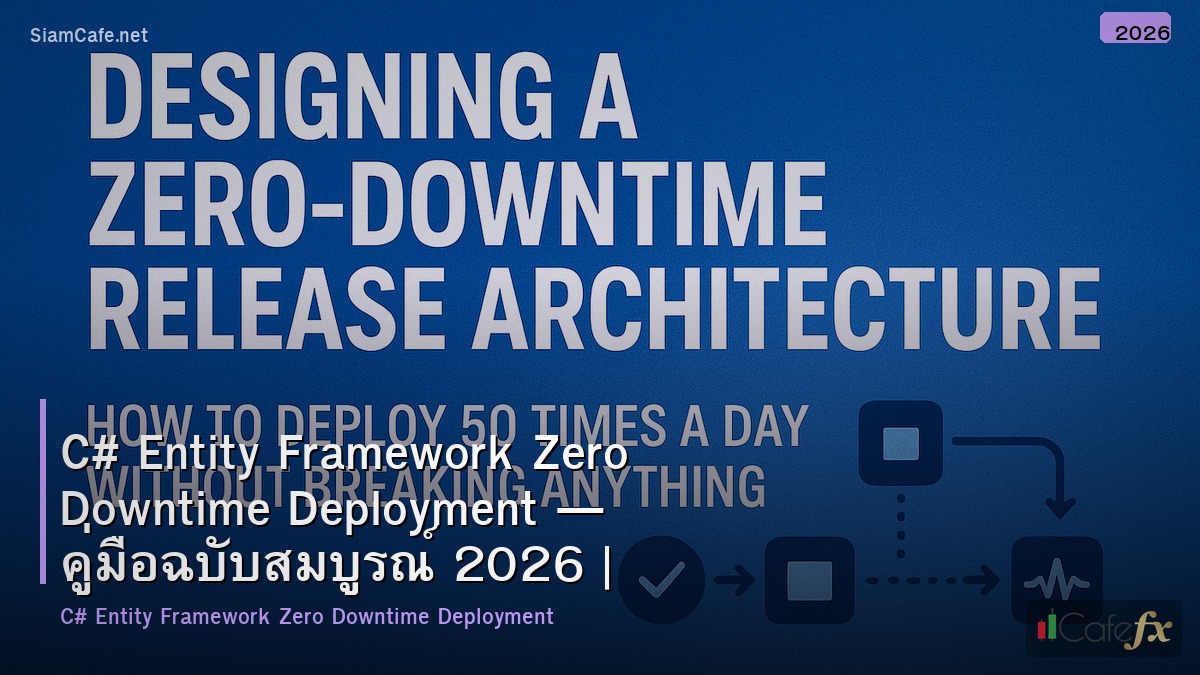
A: ขั้นต่ำ 3 deploys: Deploy 1 (Expand): เพิ่ม column ใหม่ + sync data Deploy 2 (Migrate): app ใช้ column ใหม่เท่านั้น Deploy 3 (Contract): ลบ column เก่า ข้อเสีย: ช้ากว่า deploy เดียว แต่ไม่มี downtime เลย เหมาะกับ: production systems ที่ downtime ยอมรับไม่ได้
Q: EF Core กับ Dapper อันไหนดีสำหรับ ZDT?
A: EF Core: มี migration system built-in, schema ผูกกับ model — เปลี่ยน model = ต้อง migrate Dapper: ไม่มี migration (ใช้ FluentMigrator/DbUp แทน), SQL เขียนเอง — flexible กว่า สำหรับ ZDT: ทั้งสองทำได้ — สำคัญคือ migration strategy ไม่ใช่ ORM EF Core ง่ายกว่า: migration tooling ดี, model-first approach Dapper ยืดหยุ่นกว่า: ควบคุม SQL ได้เต็มที่