Technology

C# Blazor Scaling Strategy วิธี Scale

c blazor scaling strategy วธ scale
C# Blazor Scaling Strategy วิธี Scale | SiamCafe Blog
2025-08-31· อ. บอม — SiamCafe.net· 1,487 คำ

C# Blazor Scaling Strategy วิธี Scale ระบบ 2026
Blazor เป็น web framework จาก Microsoft ที่ใช้ C# แทน JavaScript สำหรับสร้าง interactive web applications รองรับทั้ง Blazor Server (SignalR real-time) และ Blazor WebAssembly (client-side) การ scale Blazor application เป็นความท้าทายที่ต้องเข้าใจสถาปัตยกรรมของแต่ละ hosting model เพราะ Blazor Server ใช้ persistent connection ผ่าน SignalR ซึ่งต้อง sticky sessions ส่วน Blazor WASM ทำงานฝั่ง client จึง scale ง่ายกว่า บทความนี้อธิบายกลยุทธ์ scale Blazor ทั้งสอง model พร้อมตัวอย่างโค้ดและ Python monitoring tools

Blazor Hosting Models

# blazor_models.py — Blazor hosting model comparison
import json

class BlazorModels:
    MODELS = {
        "server": {
            "name": "Blazor Server",
            "description": "UI logic รันบน server — ส่ง UI updates ผ่าน SignalR (WebSocket)",
            "pros": ["Initial load เร็ว (ไม่ต้อง download .NET runtime)", "Access server resources ตรง", "ทำงานบน thin clients"],
            "cons": ["ต้อง persistent connection", "Latency สูงกว่า (ทุก interaction ไป server)", "Scale ยาก (sticky sessions)"],
            "scaling_challenge": "SignalR connection per user = memory + CPU per connection",
        },
        "wasm": {
            "name": "Blazor WebAssembly",
            "description": "UI logic รันบน browser ด้วย WebAssembly — .NET runtime ใน browser",
            "pros": ["Offline capable", "Scale ง่าย (static files + API)", "ไม่ต้อง persistent connection"],
            "cons": ["Initial download ใหญ่ (~5-10MB)", "Limited browser APIs", "ช้ากว่า native JS เล็กน้อย"],
            "scaling_challenge": "API backend scaling เท่านั้น — frontend = static files",
        },
        "auto": {
            "name": "Blazor Auto (.NET 8+)",
            "description": "เริ่มด้วย Server → switch เป็น WASM เมื่อ download เสร็จ",
            "pros": ["Best of both worlds", "Fast initial load + offline later"],
            "cons": ["ซับซ้อนกว่า", "ต้อง handle ทั้ง 2 modes"],
            "scaling_challenge": "Mixed — ต้อง scale ทั้ง SignalR + API",
        },
    }

    def show_models(self):
        print("=== Blazor Hosting Models ===\n")
        for key, model in self.MODELS.items():
            print(f"[{model['name']}]")
            print(f"  {model['description']}")
            print(f"  Scaling: {model['scaling_challenge']}")
            print()

models = BlazorModels()
models.show_models()

Blazor Server Scaling

# server_scaling.py — Blazor Server scaling strategies
import json

class BlazorServerScaling:
    STRATEGIES = {
        "azure_signalr": {
            "name": "Azure SignalR Service",
            "description": "Offload SignalR connections ไปยัง managed service — ไม่ต้อง manage เอง",
            "config": """
// Program.cs
builder.Services.AddSignalR()
    .AddAzureSignalR(options =>
    {
        options.ConnectionString = "Endpoint=https://xxx.service.signalr.net;...";
        options.ServerStickyMode = Microsoft.Azure.SignalR.ServerStickyMode.Required;
    });
""",
            "capacity": "รองรับ 100,000+ concurrent connections",
        },
        "redis_backplane": {
            "name": "Redis Backplane",
            "description": "ใช้ Redis เป็น backplane สำหรับ SignalR — share messages ข้าม servers",
            "config": """
// Program.cs
builder.Services.AddSignalR()
    .AddStackExchangeRedis("redis-connection-string", options =>
    {
        options.Configuration.ChannelPrefix = RedisChannel.Literal("BlazorApp");
    });
""",
            "capacity": "Scale horizontally ตาม Redis capacity",
        },
        "sticky_sessions": {
            "name": "Sticky Sessions (ARR Affinity)",
            "description": "Load balancer ส่ง user กลับ server เดิม — จำเป็นสำหรับ Blazor Server",
            "config": """
// Azure App Service
az webapp config set --name myapp --resource-group mygroup --web-sockets-enabled true
// Enable ARR Affinity in portal or:
az webapp update --name myapp --resource-group mygroup --client-affinity-enabled true
""",
            "capacity": "จำกัดตาม server capacity — ไม่ ideal สำหรับ large scale",
        },
        "circuit_options": {
            "name": "Circuit Options Tuning",
            "description": "ปรับ SignalR circuit settings เพื่อลด resource usage",
            "config": """
// Program.cs
builder.Services.AddServerSideBlazor()
    .AddCircuitOptions(options =>
    {
        options.DisconnectedCircuitMaxRetained = 50;
        options.DisconnectedCircuitRetentionPeriod = TimeSpan.FromMinutes(3);
        options.JSInteropDefaultCallTimeout = TimeSpan.FromMinutes(1);
        options.MaxBufferedUnacknowledgedRenderBatches = 10;
    });

builder.Services.AddSignalR(options =>
{
    options.MaximumReceiveMessageSize = 32 * 1024; // 32KB
    options.KeepAliveInterval = TimeSpan.FromSeconds(15);
    options.ClientTimeoutInterval = TimeSpan.FromSeconds(60);
});
""",
            "capacity": "ลด memory usage per circuit 30-50%",
        },
    }

    def show_strategies(self):
        print("=== Blazor Server Scaling ===\n")
        for key, s in self.STRATEGIES.items():
            print(f"[{s['name']}]")
            print(f"  {s['description']}")
            print(f"  Capacity: {s['capacity']}")
            print()

scaling = BlazorServerScaling()
scaling.show_strategies()

Blazor WASM Scaling

# wasm_scaling.py — Blazor WASM scaling
import json

class BlazorWASMScaling:
    STRATEGIES = {
        "cdn": {
            "name": "CDN for Static Files",
            "description": "Host Blazor WASM files บน CDN — Azure CDN, CloudFront, Cloudflare",
            "benefit": "Global distribution, caching, ลด latency",
        },
        "api_scaling": {
            "name": "API Backend Scaling",
            "description": "Scale API ด้วย horizontal scaling — container orchestration",
            "options": [
                "Azure App Service: Auto-scale based on CPU/memory/requests",
                "Kubernetes: HPA (Horizontal Pod Autoscaler)",
                "Azure Functions: Serverless — scale to zero",
                "AWS Lambda: API Gateway + Lambda functions",
            ],
        },
        "lazy_loading": {
            "name": "Lazy Loading Assemblies",
            "description": "โหลด .NET assemblies ตาม route — ลด initial download",
            "config": """
// App.razor


@code {
    private List lazyLoadedAssemblies = new();

    private async Task OnNavigateAsync(NavigationContext args)
    {
        if (args.Path == "admin")
        {
            var assemblies = await LazyAssemblyLoader
                .LoadAssembliesAsync(new[] { "AdminModule.wasm" });
            lazyLoadedAssemblies.AddRange(assemblies);
        }
    }
}
""",
        },
        "pwa": {
            "name": "Progressive Web App (PWA)",
            "description": "Cache Blazor WASM files — offline support, instant reload",
            "benefit": "ลด server load (cached locally), better UX",
        },
    }

    def show_strategies(self):
        print("=== Blazor WASM Scaling ===\n")
        for key, s in self.STRATEGIES.items():
            print(f"[{s['name']}]")
            print(f"  {s['description']}")
            if 'benefit' in s:
                print(f"  Benefit: {s['benefit']}")
            print()

wasm = BlazorWASMScaling()
wasm.show_strategies()

Python Monitoring Tools

# monitoring.py — Python monitoring for Blazor apps
import json

class BlazorMonitoring:
    CODE = """
# blazor_monitor.py — Monitor Blazor application health
import requests
import json
from datetime import datetime

class BlazorHealthMonitor:
    def __init__(self, app_url, app_insights_key=None):
        self.app_url = app_url.rstrip('/')
        self.ai_key = app_insights_key
    
    def health_check(self):
        '''Basic health check'''
        try:
            resp = requests.get(f"{self.app_url}/health", timeout=10)
            return {
                'status': 'healthy' if resp.status_code == 200 else 'unhealthy',
                'status_code': resp.status_code,
                'response_time_ms': round(resp.elapsed.total_seconds() * 1000),
                'timestamp': datetime.utcnow().isoformat(),
            }
        except Exception as e:
            return {'status': 'error', 'error': str(e)}
    
    def signalr_check(self):
        '''Check SignalR hub availability'''
        try:
            resp = requests.post(
                f"{self.app_url}/_blazor/negotiate?negotiateVersion=1",
                timeout=10,
            )
            return {
                'status': 'available' if resp.status_code == 200 else 'unavailable',
                'transport': resp.json().get('availableTransports', []),
            }
        except Exception as e:
            return {'status': 'error', 'error': str(e)}
    
    def performance_metrics(self):
        '''Collect performance metrics'''
        import time
        
        # Test multiple endpoints
        endpoints = ['/', '/health', '/_framework/blazor.server.js']
        results = []
        
        for endpoint in endpoints:
            try:
                start = time.time()
                resp = requests.get(f"{self.app_url}{endpoint}", timeout=15)
                elapsed = (time.time() - start) * 1000
                
                results.append({
                    'endpoint': endpoint,
                    'status_code': resp.status_code,
                    'response_time_ms': round(elapsed),
                    'content_length': len(resp.content),
                })
            except Exception as e:
                results.append({'endpoint': endpoint, 'error': str(e)})
        
        return {
            'timestamp': datetime.utcnow().isoformat(),
            'app_url': self.app_url,
            'endpoints': results,
            'avg_response_ms': round(
                sum(r.get('response_time_ms', 0) for r in results) / len(results)
            ),
        }
    
    def capacity_estimate(self, memory_per_circuit_mb=2.5, total_memory_gb=8):
        '''Estimate max concurrent users for Blazor Server'''
        available_mb = total_memory_gb * 1024 * 0.7  # 70% for circuits
        max_circuits = int(available_mb / memory_per_circuit_mb)
        
        return {
            'total_memory_gb': total_memory_gb,
            'memory_per_circuit_mb': memory_per_circuit_mb,
            'estimated_max_circuits': max_circuits,
            'recommended_max': int(max_circuits * 0.8),  # 80% safety margin
            'note': 'Add Azure SignalR Service for > 5000 users',
        }

# monitor = BlazorHealthMonitor("https://myapp.azurewebsites.net")
# health = monitor.health_check()
# capacity = monitor.capacity_estimate(memory_per_circuit_mb=2.5, total_memory_gb=16)
"""

    def show_code(self):
        print("=== Blazor Monitor ===")
        print(self.CODE[:600])

monitor = BlazorMonitoring()
monitor.show_code()

Deployment Architecture

# deployment.py — Blazor deployment architecture
import json

class BlazorDeployment:
    ARCHITECTURES = {
        "single_server": {
            "name": "Single Server",
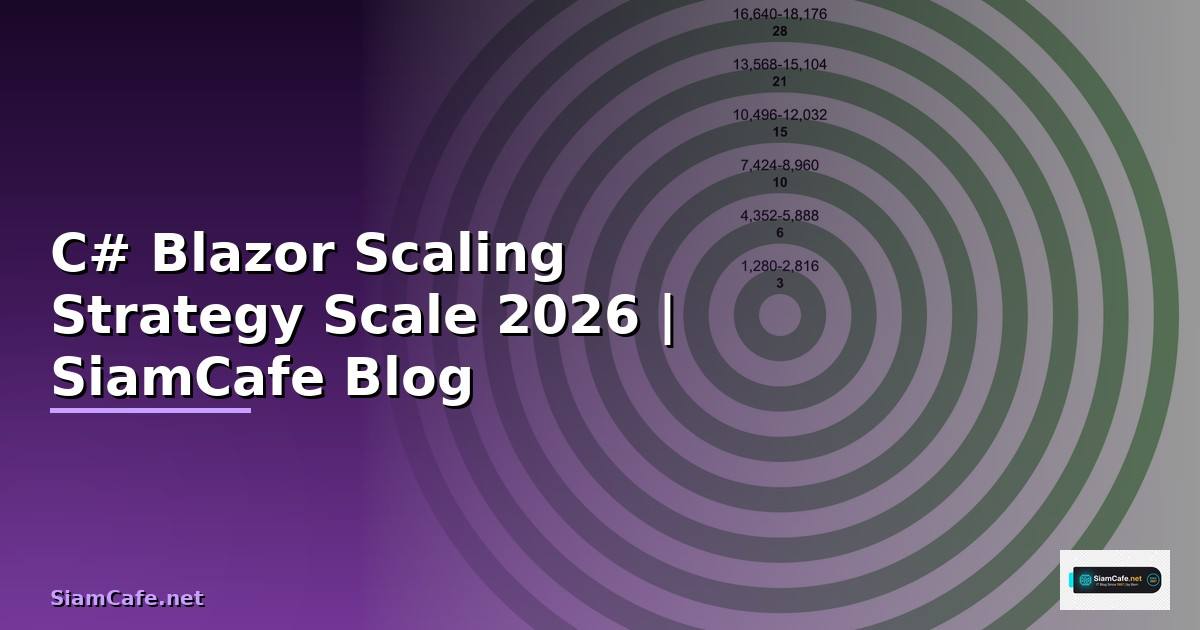
            "capacity": "~500-2,000 concurrent users (Blazor Server)",
            "stack": "App Service / VM + SQL Database",
            "cost": "ต่ำ",
            "suitable": "Small apps, internal tools",
        },
        "scaled_app_service": {
            "name": "Azure App Service (Scaled)",
            "capacity": "~5,000-20,000 concurrent users",
            "stack": "App Service + Azure SignalR + Redis + SQL",
            "cost": "ปานกลาง",
            "suitable": "Medium apps, B2B SaaS",
        },
        "kubernetes": {
            "name": "Kubernetes (AKS/EKS)",
            "capacity": "~50,000+ concurrent users",
            "stack": "AKS + Ingress + Azure SignalR + Redis Cluster + SQL",
            "cost": "สูง",
            "suitable": "Large apps, enterprise, high availability",
        },
        "serverless_wasm": {
            "name": "Serverless (WASM)",
            "capacity": "Unlimited frontend, API scales independently",
            "stack": "Static Web Apps / CDN + Azure Functions / API Management",
            "cost": "ตามการใช้งาน (pay-per-use)",
            "suitable": "Public apps, B2C, global distribution",
        },
    }

    def show_architectures(self):
        print("=== Deployment Architectures ===\n")
        for key, arch in self.ARCHITECTURES.items():
            print(f"[{arch['name']}]")
            print(f"  Capacity: {arch['capacity']}")
            print(f"  Stack: {arch['stack']}")
            print(f"  Suitable: {arch['suitable']}")
            print()

deploy = BlazorDeployment()
deploy.show_architectures()

FAQ - คำถามที่พบบ่อย

Q: Blazor Server รองรับกี่ users พร้อมกัน?

A: ขึ้นกับ server specs: 1 core + 3.5GB RAM: ~5,000 concurrent circuits (Microsoft benchmark) 4 cores + 16GB: ~20,000 concurrent circuits ปัจจัย: memory per circuit (~250KB-2.5MB), CPU usage, network bandwidth เพิ่มด้วย: Azure SignalR Service → 100,000+ connections, Redis backplane → horizontal scaling

Q: Blazor Server กับ WASM อันไหน scale ง่ายกว่า?

A: WASM ง่ายกว่ามาก — frontend เป็น static files (CDN), scale เฉพาะ API backend Blazor Server: ต้อง sticky sessions, SignalR management, memory per connection สำหรับ scale: WASM + API > Server + SignalR แนะนำ: ถ้า scale สำคัญ → ใช้ WASM หรือ Blazor Auto (.NET 8+)

Q: ต้องใช้ Azure SignalR Service เสมอไหม?

A: ไม่จำเป็น — ถ้า users < 5,000 ใช้ self-hosted SignalR ก็พอ แนะนำ Azure SignalR Service เมื่อ: users > 5,000, ต้อง horizontal scaling, ไม่อยากจัดการ infrastructure ราคา: Free tier 20 connections, Standard ~$50/เดือนสำหรับ 1,000 connections ทางเลือก: Redis backplane สำหรับ self-hosted horizontal scaling

Q: Blazor เร็วพอสำหรับ production ไหม?

A: เร็วพอ — Microsoft, Stack Overflow และบริษัทใหญ่หลายแห่งใช้ Blazor ใน production Server: latency ขึ้นกับ network — ideal สำหรับ internal apps (same region) WASM: เร็วมากหลัง initial load — เหมือน SPA ปกติ .NET 8+ improvements: AOT compilation, reduced WASM size, better performance

📖 บทความที่เกี่ยวข้อง

Prometheus Federation Scaling Strategy วิธี Scaleอ่านบทความ → AWS Step Functions Scaling Strategy วิธี Scaleอ่านบทความ → CDK Construct Scaling Strategy วิธี Scaleอ่านบทความ → Python Alembic Scaling Strategy วิธี Scaleอ่านบทความ → Segment Routing Scaling Strategy วิธี Scaleอ่านบทความ →

📚 ดูบทความทั้งหมด →