it

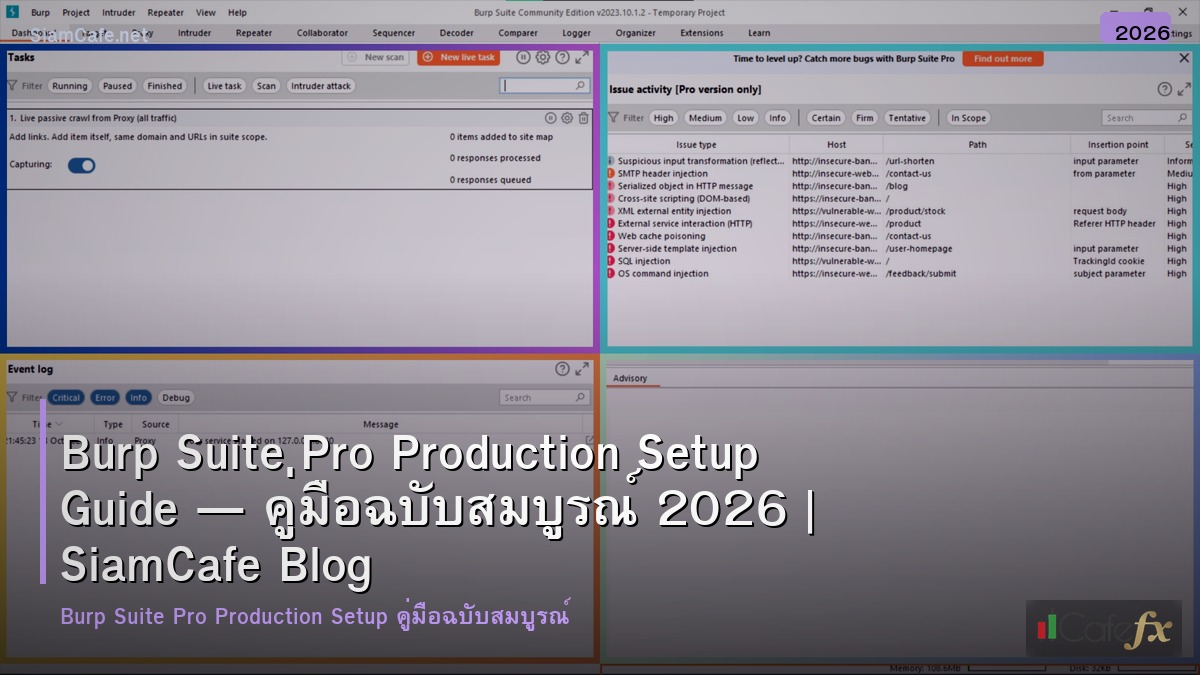
Burp Suite Pro Production Setup Guide — ตั้งค่า

Burp Suite Pro Production Setup Guide — ตั้งค่า

Burp Suite Pro Setup

Burp Suite Pro Production Setup Guide — ตั้งค่า

Burp Suite Pro Web Security Testing Proxy Scanner Intruder Repeater Extension Automation SQL Injection XSS CSRF SSRF Enterprise

เนื้อหาเกี่ยวข้อง — ดูเพิ่มเติมเรื่อง Docker BuildKit Clean Architecture

ToolFunctionUse CasePro Only
Proxyดักจับ HTTP/HTTPS Trafficวิเคราะห์ Request/Responseไม่
ScannerAutomated Vulnerability Scanningหาช่องโหว่อัตโนมัติใช่
IntruderAutomated Attacks (Brute Force)Fuzzing, Brute Forceเร็วกว่าใน Pro
RepeaterManual Request Manipulationทดสอบ Payload ทีละตัวไม่
SequencerAnalyze Token Randomnessทดสอบ Session Tokenไม่
DecoderEncode/Decode Dataแปลง Base64 URL Hexไม่
ComparerCompare Responsesหาความแตกต่างใน Responseไม่

Proxy and Scanner Setup

# === Burp Suite Configuration ===


# 1. Proxy Setup

# Burp > Proxy > Options > Proxy Listeners

#   Add: 127.0.0.1:8080

#   Running: checked

#

# 2. Install CA Certificate

#   Browse to http://burpsuite

#   Download cacert.der

#   Import to browser/system certificate store

#

# 3. Browser Proxy (FoxyProxy)

#   Type: HTTP

#   Host: 127.0.0.1

#   Port: 8080

#

# 4. Set Target Scope

#   Target > Scope > Add:

#     Include: https://target.example.com/*

#     Exclude: https://analytics.google.com/*

#

# 5. Scanner Configuration

#   Dashboard > New Scan > Scan Configuration:

#     Audit: Active + Passive

#     Speed: Normal

#     Issues Reported: All

#     Max concurrent requests: 10


# Project options JSON (burp-config.json)

# {

#   "proxy": {

#     "intercept": { "enabled": false },

#     "match_replace_rules": [

#       { "type": "request_header",

#         "match": "User-Agent: .*",

#         "replace": "User-Agent: Mozilla/5.0 BurpSuite/2024" }

#     ]

#   },

#   "scanner": {

#     "active_scanning": {

#       "max_concurrent_requests": 10,

#       "scan_speed": "normal"

#     }

#   }

# }


from dataclasses import dataclass


@dataclass

class ScanConfig:

    profile: str

    scan_type: str

    speed: str

    max_requests: int

    checks: str

    duration: str


configs = [

    ScanConfig("Quick Scan", "Passive only", "Fast", 20,

        "Common vulns only (OWASP Top 10)", "5-15 min"),

    ScanConfig("Standard Scan", "Active + Passive", "Normal", 10,

        "All built-in checks", "30-60 min"),

    ScanConfig("Thorough Scan", "Active + Passive", "Thorough", 5,

        "All checks + edge cases", "2-4 hours"),

    ScanConfig("API Scan", "Active (API-focused)", "Normal", 15,

        "Injection, Auth, IDOR, Rate Limit", "30-60 min"),

    ScanConfig("Auth Testing", "Active (Auth-focused)", "Normal", 5,

        "Session, JWT, OAuth, CSRF, Privilege", "1-2 hours"),

]


print("=== Scan Configurations ===")

for c in configs:

    print(f"  [{c.profile}] Type: {c.scan_type} | Speed: {c.speed}")

    print(f"    Max Requests: {c.max_requests} | Duration: {c.duration}")

    print(f"    Checks: {c.checks}")

Extensions and Automation

Burp Suite Pro Production Setup Guide — ตั้งค่า
# === Essential Extensions ===


@dataclass

class BurpExtension:

    name: str

    purpose: str

    language: str

    free: bool

    priority: str


extensions = [

    BurpExtension("Logger++", "Log all requests/responses with filtering",

        "Java", True, "Must-have"),

    BurpExtension("Autorize", "Authorization/IDOR testing automation",

        "Python (Jython)", True, "Must-have"),

    BurpExtension("JWT Editor", "Decode, edit, sign JWT tokens",

        "Java", True, "Must-have"),

    BurpExtension("Param Miner", "Discover hidden parameters",

        "Java", True, "Must-have"),

    BurpExtension("Turbo Intruder", "High-speed brute force/race conditions",

        "Python (Jython)", True, "High"),

    BurpExtension("Hackvertor", "Advanced encoding/decoding in requests",

        "Java", True, "High"),

    BurpExtension("Active Scan++", "Additional active scan checks",

        "Java", True, "High"),

    BurpExtension("Retire.js", "Detect vulnerable JavaScript libraries",

        "Java", True, "Medium"),

    BurpExtension("CO2", "Collection of useful small tools",

        "Java", True, "Medium"),

    BurpExtension("InQL", "GraphQL introspection and testing",

        "Python (Jython)", True, "Medium (if GraphQL)"),

]


print("=== Essential Extensions ===")

for e in extensions:

    print(f"  [{e.priority}] {e.name} — {e.purpose}")

    print(f"    Language: {e.language} | Free: {e.free}")


# Burp Suite REST API (Pro)

# Start Burp with API enabled:

# java -jar burpsuite_pro.jar --config-file=config.json


# REST API endpoints:

# GET  /v0.1/scan              # List scans

# POST /v0.1/scan              # Start new scan

# GET  /v0.1/scan/{id}         # Get scan status

# GET  /v0.1/scan/{id}/issues  # Get scan issues

# DELETE /v0.1/scan/{id}       # Cancel scan


api_examples = {

    "Start scan": 'curl -X POST http://localhost:1337/v0.1/scan -d \'{"urls":["https://target.com"]}\'',

    "Check status": "curl http://localhost:1337/v0.1/scan/1",

    "Get issues": "curl http://localhost:1337/v0.1/scan/1/issues",

    "List scans": "curl http://localhost:1337/v0.1/scan",

}


print(f"\n\nREST API Examples:")

for k, v in api_examples.items():

    print(f"  [{k}]: {v}")

Reporting and Workflow

# === Security Testing Workflow ===


@dataclass

class TestPhase:

    phase: str

    burp_tools: str

    objectives: str

    deliverable: str


workflow = [

    TestPhase("Reconnaissance", "Proxy + Target Crawler",

        "Map application, discover endpoints, identify tech stack",

        "Sitemap, endpoint list, technology fingerprint"),

    TestPhase("Passive Analysis", "Passive Scanner + Logger++",

        "Find info leaks, insecure headers, sensitive data in responses",

        "Passive findings report"),

    TestPhase("Authentication Testing", "Repeater + JWT Editor + Autorize",

        "Test login, session management, JWT, OAuth, password policy",

        "Auth findings, session analysis"),

    TestPhase("Authorization Testing", "Autorize + Repeater",

        "Test IDOR, privilege escalation, horizontal/vertical access",

        "Authorization matrix, IDOR findings"),

    TestPhase("Input Validation", "Scanner + Intruder + Repeater",

        "Test SQLi, XSS, SSRF, Command Injection, Path Traversal",

        "Injection findings with PoC"),

    TestPhase("Business Logic", "Repeater + Sequencer",

        "Test race conditions, parameter tampering, workflow bypass",

        "Logic flaw findings"),

    TestPhase("Reporting", "Report Generator",

        "Compile all findings, severity ratings, remediation advice",

        "HTML/PDF report with executive summary"),

]


print("=== Security Testing Workflow ===")

for w in workflow:

    print(f"  [{w.phase}] Tools: {w.burp_tools}")

    print(f"    Objectives: {w.objectives}")

    print(f"    Deliverable: {w.deliverable}")


# Severity classification

severities = {

    "Critical": "Remote Code Execution, SQL Injection with data exfil, Auth Bypass",

    "High": "Stored XSS, SSRF to internal, IDOR with sensitive data",

    "Medium": "Reflected XSS, CSRF on important actions, Info Disclosure",

    "Low": "Missing headers, Verbose errors, Cookie without flags",

    "Info": "Technology fingerprint, HTTP methods allowed, Banner disclosure",

}


print(f"\n\nSeverity Classification:")

for k, v in severities.items():

    print(f"  [{k}]: {v}")

เคล็ดลับ

  • Scope: ตั้ง Target Scope ก่อนเสมอ ไม่ให้ Scan นอกขอบเขต
  • Passive First: เริ่ม Passive Scan ก่อน แล้วค่อย Active Scan ทีหลัง
  • Extensions: ติดตั้ง Autorize JWT Editor Logger++ เป็นอย่างน้อย
  • Save Project: Save Project บ่อยๆ ป้องกันข้อมูลหาย
  • Legal: ทดสอบเฉพาะ Target ที่ได้รับอนุญาตเท่านั้น

Burp Suite Pro คืออะไร

Web Security Testing PortSwigger Proxy Scanner Intruder Repeater Sequencer SQL Injection XSS CSRF SSRF IDOR $449/year


แนะนำเพิ่มเติม — บทวิเคราะห์จาก XM Signal

เนื้อหาเกี่ยวข้อง — ดูเพิ่มเติมเรื่อง SigNoz Observability Observability Stack

เนื้อหาเกี่ยวข้อง — แนะนำให้อ่าน supply and demand strategy

XM Legend · เทรดเดอร์ & ผู้สอน Forex 13 ปี

ผู้ก่อตั้ง SiamCafe ตั้งแต่ปี 1997 · เทรดเดอร์สาย Forex มากกว่า 13 ปี ได้รับการยกย่องเป็น XM Legend · แบ่งปันความรู้ Forex, ไอที, AI และการเทรด จากประสบการณ์จริงในตลาดจริง