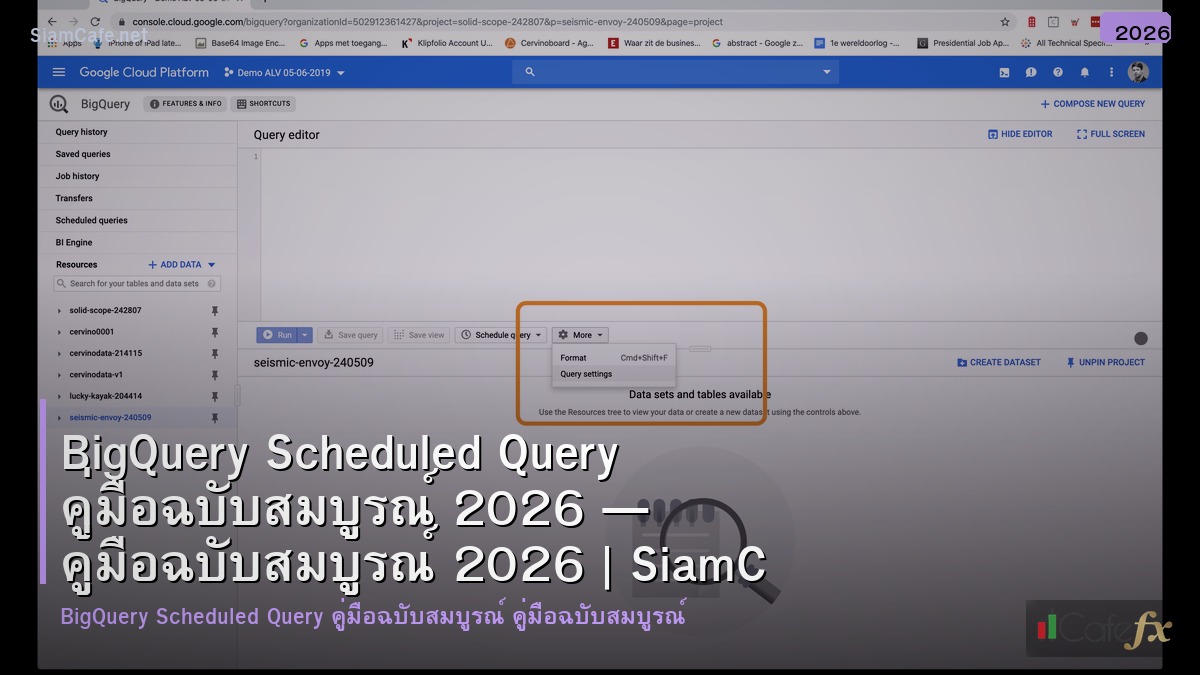
BigQuery Scheduled Query
BigQuery Scheduled Query ตั้งเวลา SQL อัตโนมัติ ETL Pipeline Report Aggregation Cost Optimization Production
| Feature | Scheduled Query | Dataform | Cloud Composer |
|---|---|---|---|
| Complexity | ง่าย (single query) | กลาง (SQL workflow) | สูง (full DAG) |
| Dependencies | ไม่รองรับ | รองรับ (ref()) | Full DAG support |
| Version Control | ไม่มี | Git integration | Git + Airflow |
| Cost | ฟรี (จ่ายแค่ Query) | ฟรี (จ่ายแค่ Query) | $300+/เดือน (VM) |
| Best For | Simple ETL, reports | dbt-like SQL pipelines | Complex multi-system |
Setup and Configuration
# === BigQuery Scheduled Query Setup ===
# SQL with parameters
# SELECT
# DATE(@run_date) AS report_date,
# user_id,
# COUNT(*) AS event_count,
# SUM(revenue) AS total_revenue
# FROM `project.dataset.events`
# WHERE DATE(event_timestamp) = DATE_SUB(@run_date, INTERVAL 1 DAY)
# GROUP BY 1, 2
# bq CLI — Create scheduled query
# bq mk --transfer_config \
# --project_id=my-project \
# --data_source=scheduled_query \
# --target_dataset=analytics \
# --display_name="Daily Revenue Summary" \
# --schedule="every 24 hours" \
# --params='{
# "query": "SELECT DATE(@run_date) AS dt, SUM(revenue) AS total FROM `project.dataset.sales` WHERE date = DATE_SUB(@run_date, INTERVAL 1 DAY) GROUP BY 1",
# "destination_table_name_template": "daily_revenue_{run_date|%Y%m%d}",
# "write_disposition": "WRITE_TRUNCATE"
# }'
# Terraform
# resource "google_bigquery_data_transfer_config" "daily_report" {
# display_name = "Daily Revenue Report"
# data_source_id = "scheduled_query"
# schedule = "every day 06:00"
# destination_dataset_id = "analytics"
# params = {
# query = file("sql/daily_revenue.sql")
# destination_table_name_template = "daily_revenue"
# write_disposition = "WRITE_TRUNCATE"
# }
# service_account_name = "bq-scheduler@project.iam.gserviceaccount.com"
# }
from dataclasses import dataclass
@dataclass
class SchedulePattern:
pattern: str
cron: str
use_case: str
example: str
patterns = [
SchedulePattern("ทุกวัน 06:00", "every day 06:00",
"Daily ETL, morning reports",
"รัน Summary ทุกเช้า 6 โมง ก่อนทีมเข้างาน"),
SchedulePattern("ทุกชั่วโมง", "every 1 hours",
"Near real-time dashboards",
"รวม Metrics ทุกชั่วโมงสำหรับ Dashboard"),
SchedulePattern("ทุกวันจันทร์ 08:00", "every monday 08:00",
"Weekly reports",
"Weekly Summary ส่งให้ Management ทุกจันทร์"),
SchedulePattern("ทุก 15 นาที", "every 15 minutes",
"Frequent aggregation",
"Real-time KPI ที่ต้อง Refresh บ่อย"),
SchedulePattern("วันที่ 1 ทุกเดือน", "1 of month 02:00",
"Monthly reports",
"Monthly Revenue Report สำหรับ Finance"),
]
print("=== Schedule Patterns ===")
for p in patterns:
print(f" [{p.pattern}] Cron: {p.cron}")
print(f" Use: {p.use_case}")
print(f" Example: {p.example}")
Error Handling and Monitoring
# === Error Handling ===
# Pub/Sub notification setup
# gcloud pubsub topics create bq-scheduled-query-alerts
#
# Cloud Function to handle failures:
# def handle_bq_alert(event, context):
# import json, base64
# data = json.loads(base64.b64decode(event['data']))
# if data['state'] == 'FAILED':
# send_slack_alert(f"BQ Query Failed: {data['name']}")
# send_pagerduty_alert(data)
# Cloud Monitoring Alert
# resource.type="bigquery_dts_config"
# metric.type="bigquerydatatransfer.googleapis.com/transfer_run_count"
# metric.labels.state="FAILED"
@dataclass
class ErrorScenario:
error: str
cause: str
fix: str
prevention: str
errors = [
ErrorScenario("NOT_FOUND: Table not found",
"Source table ถูกลบหรือเปลี่ยนชื่อ",
"ตรวจ Table name, สร้าง Table ใหม่ถ้าจำเป็น",
"ใช้ IF EXISTS ใน Query, ตั้ง Alert"),
ErrorScenario("ACCESS_DENIED: Permission denied",
"Service Account ไม่มี Permission เพียงพอ",
"Grant BigQuery Data Editor, BigQuery Job User",
"ตรวจ IAM ก่อน Schedule"),
ErrorScenario("QUOTA_EXCEEDED: Concurrent queries",
"รัน Query เกิน Concurrent Limit",
"กระจาย Schedule ไม่รันพร้อมกัน",
"ใช้ Reservation, กระจายเวลา"),
ErrorScenario("RESOURCE_EXCEEDED: Query too complex",
"Query ใช้ Resource เกิน Limit",
"Optimize Query, แบ่งเป็นหลาย Step",
"Dry run ก่อน, ใช้ Partitioned Table"),
ErrorScenario("DEADLINE_EXCEEDED: Query timeout",
"Query รันเกิน 6 ชั่วโมง (limit)",
"Optimize Query, ลด Scan Size",
"Monitor Query duration, optimize early"),
]
print("=== Common Errors ===")
for e in errors:
print(f" [{e.error}]")
print(f" Cause: {e.cause}")
print(f" Fix: {e.fix}")
print(f" Prevent: {e.prevention}")
Cost Optimization
# === Cost Optimization ===
@dataclass
class CostTip:
tip: str
saving: str
implementation: str
effort: str
tips = [
CostTip("Partition Pruning", "50-90% scan reduction",
"ใช้ WHERE date = @run_date กับ Partitioned Table",
"ง่าย"),
CostTip("Select specific columns", "30-70% scan reduction",
"ไม่ใช้ SELECT * เลือกเฉพาะ Column ที่ต้องการ",
"ง่าย"),
CostTip("Materialized View", "80-95% cost reduction",
"ใช้แทน Scheduled Query สำหรับ Simple Aggregation",
"ง่าย"),
CostTip("Clustering", "30-50% scan reduction",
"CLUSTER BY columns ที่ Filter บ่อย",
"ง่าย"),
CostTip("Appropriate Schedule", "Variable",
"ไม่รันทุก 5 นาทีถ้าทุกชั่วโมงก็พอ",
"ง่าย"),
CostTip("Reservation Pricing", "Up to 50% for heavy use",
"ซื้อ Slot Reservation ถ้ารัน > $5K/เดือน",
"กลาง"),
CostTip("Dry Run Check", "Prevention",
"bq query --dry_run ตรวจ Cost ก่อน Schedule",
"ง่าย"),
]
print("=== Cost Tips ===")
for t in tips:
print(f" [{t.tip}] Saving: {t.saving}")
print(f" How: {t.implementation} | Effort: {t.effort}")
เคล็ดลับ
- Partition: ใช้ Partitioned Table + WHERE date ลด Cost 50-90%
- Parameter: ใช้ @run_date @run_time สำหรับ Dynamic Date
- Alert: ตั้ง Pub/Sub + Cloud Function แจ้งเตือน Slack เมื่อ Fail
- Dry Run: ตรวจ Cost ด้วย Dry Run ก่อน Schedule ทุกครั้ง
- Terraform: ใช้ Terraform จัดการ Scheduled Query เป็น Code
การบริหารจัดการฐานข้อมูลอย่างมืออาชีพ

Database Management ที่ดีเริ่มจากการออกแบบ Schema ที่เหมาะสม ใช้ Normalization ลด Data Redundancy สร้าง Index บน Column ที่ Query บ่อย วิเคราะห์ Query Plan เพื่อ Optimize Performance และทำ Regular Maintenance เช่น VACUUM สำหรับ PostgreSQL หรือ OPTIMIZE TABLE สำหรับ MySQL
เรื่อง High Availability ควรติดตั้ง Replication อย่างน้อย 1 Replica สำหรับ Read Scaling และ Disaster Recovery ใช้ Connection Pooling เช่น PgBouncer หรือ ProxySQL ลดภาระ Connection ที่เปิดพร้อมกัน และตั้ง Automated Failover ให้ระบบสลับไป Replica อัตโนมัติเมื่อ Primary ล่ม
Backup ต้องทำทั้ง Full Backup รายวัน และ Incremental Backup ทุก 1-4 ชั่วโมง เก็บ Binary Log หรือ WAL สำหรับ Point-in-Time Recovery ทดสอบ Restore เป็นประจำ และเก็บ Backup ไว้ Off-site ด้วยเสมอ
Scheduled Query คืออะไร
ตั้งเวลา SQL อัตโนมัติ ทุกวัน ชั่วโมง สัปดาห์ ETL Report Quality Aggregation Console CLI API Terraform Notification Email
ตั้งค่าอย่างไร
Console SQL Schedule Repeat Destination WRITE_TRUNCATE APPEND Service Account @run_date @run_time Notification bq CLI Terraform
Error Handling ทำอย่างไร
Email Notification Pub/Sub Cloud Function Run History Retry Service Account Permission Destination Table Quota Cloud Monitoring Alert
ประหยัดค่าใช้จ่ายอย่างไร
Partitioned Table Clustered SELECT เฉพาะ Column Schedule เหมาะสม Materialized View Reservation Dry Run BI Engine Cache
สรุป
BigQuery Scheduled Query ETL Pipeline Automation Schedule Pattern Error Handling Cost Optimization Partition Clustering Terraform Production